<!DOCTYPE html>
    <html lang="vi" xmlns="http://www.w3.org/1999/xhtml" prefix="og: http://ogp.me/ns#">
    <head>
<title>20 thủ thuật có thể bạn chưa biết về Google Maps trên smartphone</title>
<meta name="description" content="20 thủ thuật có thể bạn chưa biết về Google Maps trên smartphone - Savefile - Tin Tức -...">
<meta name="author" content="Hoa Tình Thương">
<meta name="copyright" content="Hoa Tình Thương [huongngocmtg@gmail.com]">
<meta name="generator" content="NukeViet v4.4">
<meta name="viewport" content="width=device-width, initial-scale=1">
<meta http-equiv="Content-Type" content="text/html; charset=utf-8">
<meta property="og:title" content="20 thủ thuật có thể bạn chưa biết về Google Maps trên smartphone">
<meta property="og:type" content="website">
<meta property="og:description" content="Savefile - Tin Tức - https&#x3A;&#x002F;&#x002F;hoatinhthuong.net&#x002F;savefile&#x002F;Khoa-Hoc-Cong-Nghe&#x002F;20-thu-thuat-co-the-ban-chua-biet-ve-Google-Maps-tren-smartphone-6186.html">
<meta property="og:site_name" content="Hoa Tình Thương">
<meta property="og:url" content="https://hoatinhthuong.net/Khoa-Hoc-Cong-Nghe/20-thu-thuat-co-the-ban-chua-biet-ve-Google-Maps-tren-smartphone-6186.html">
<link rel="shortcut icon" href="https://hoatinhthuong.net/favicon.ico">
<link rel="canonical" href="https://hoatinhthuong.net/Khoa-Hoc-Cong-Nghe/20-thu-thuat-co-the-ban-chua-biet-ve-Google-Maps-tren-smartphone-6186.html">
<link rel="alternate" href="https://hoatinhthuong.net/rss/" title="Tin Tức" type="application/rss+xml">
<link rel="alternate" href="https://hoatinhthuong.net/rss/Mai-Am-Hy-Vong/" title="Tin Tức - Mái Ấm Hy Vọng" type="application/rss+xml">
<link rel="alternate" href="https://hoatinhthuong.net/rss/Loi-ngo/" title="Tin Tức - Lời ngỏ" type="application/rss+xml">
<link rel="alternate" href="https://hoatinhthuong.net/rss/Nhat-ky-mai-am/" title="Tin Tức - Nhật ký mái ấm" type="application/rss+xml">
<link rel="alternate" href="https://hoatinhthuong.net/rss/THONG-TIN-KT-XH/" title="Tin Tức - THÔNG TIN KT-XH" type="application/rss+xml">
<link rel="alternate" href="https://hoatinhthuong.net/rss/Tin-trong-nuoc/" title="Tin Tức - Tin trong nước" type="application/rss+xml">
<link rel="alternate" href="https://hoatinhthuong.net/rss/Tin-the-gioi/" title="Tin Tức - Tin thế giới" type="application/rss+xml">
<link rel="alternate" href="https://hoatinhthuong.net/rss/Khoa-Hoc-Cong-Nghe/" title="Tin Tức - Khoa Học - Công Nghệ" type="application/rss+xml">
<link rel="alternate" href="https://hoatinhthuong.net/rss/DOC-VA-SUY-NGAM/" title="Tin Tức - ĐỌC VÀ SUY NGẪM" type="application/rss+xml">
<link rel="alternate" href="https://hoatinhthuong.net/rss/Nghe-thuat-song/" title="Tin Tức - Nghệ thuật sống" type="application/rss+xml">
<link rel="alternate" href="https://hoatinhthuong.net/rss/Bai-viet-chia-se/" title="Tin Tức - Bài viết chia sẻ" type="application/rss+xml">
<link rel="alternate" href="https://hoatinhthuong.net/rss/Danh-ngon/" title="Tin Tức - Danh ngôn" type="application/rss+xml">
<link rel="alternate" href="https://hoatinhthuong.net/rss/Tam-su/" title="Tin Tức - Tâm sự" type="application/rss+xml">
<link rel="alternate" href="https://hoatinhthuong.net/rss/Nhung-cau-chuyen-y-nghia/" title="Tin Tức - Những câu chuyện ý nghĩa" type="application/rss+xml">
<link rel="alternate" href="https://hoatinhthuong.net/rss/SONG-DAO-MOI-NGAY/" title="Tin Tức - SỐNG ĐẠO MỖI NGÀY" type="application/rss+xml">
<link rel="alternate" href="https://hoatinhthuong.net/rss/Tin-tuc-18/" title="Tin Tức - Tin tức" type="application/rss+xml">
<link rel="alternate" href="https://hoatinhthuong.net/rss/Song-voi-tin-mung/" title="Tin Tức - Sống với tin mừng" type="application/rss+xml">
<link rel="alternate" href="https://hoatinhthuong.net/rss/Doc-thanh-kinh-moi-ngay/" title="Tin Tức - Đọc thánh kinh mỗi ngày" type="application/rss+xml">
<link rel="alternate" href="https://hoatinhthuong.net/rss/Le-so-ng/" title="Tin Tức - Lẽ sống" type="application/rss+xml">
<link rel="alternate" href="https://hoatinhthuong.net/rss/VAN-NGHE/" title="Tin Tức - VĂN NGHỆ" type="application/rss+xml">
<link rel="alternate" href="https://hoatinhthuong.net/rss/Vuon-tho/" title="Tin Tức - Vườn thơ" type="application/rss+xml">
<link rel="alternate" href="https://hoatinhthuong.net/rss/Truyen-ngan-Truyen-dai/" title="Tin Tức - Truyện ngắn - Truyện dài" type="application/rss+xml">
<link rel="alternate" href="https://hoatinhthuong.net/rss/Doc-sach-online/" title="Tin Tức - Đọc sách online" type="application/rss+xml">
<link rel="alternate" href="https://hoatinhthuong.net/rss/Thu-vien-Ebook/" title="Tin Tức - Thư viện - Ebook" type="application/rss+xml">
<link rel="alternate" href="https://hoatinhthuong.net/rss/GOC-GIAI-TRI/" title="Tin Tức - GÓC GIẢI TRÍ" type="application/rss+xml">
<link rel="alternate" href="https://hoatinhthuong.net/rss/TRUYEN-CUOI/" title="Tin Tức - TRUYỆN CƯỜI" type="application/rss+xml">
<link rel="alternate" href="https://hoatinhthuong.net/rss/ANH-VUI/" title="Tin Tức - ẢNH VUI" type="application/rss+xml">
<link rel="alternate" href="https://hoatinhthuong.net/rss/VIDEO-CLIP/" title="Tin Tức - VIDEO CLIP" type="application/rss+xml">
<link rel="alternate" href="https://hoatinhthuong.net/rss/HINH-ANH-DEP/" title="Tin Tức - HÌNH ẢNH ĐẸP" type="application/rss+xml">
<link rel="alternate" href="https://hoatinhthuong.net/rss/Suc-Khoe/" title="Tin Tức - Sức Khỏe" type="application/rss+xml">
<link rel="preload" as="script" href="https://hoatinhthuong.net/assets/js/jquery/jquery.min.js">
<link rel="preload" as="script" href="https://hoatinhthuong.net/assets/js/language/vi.js">
<link rel="preload" as="script" href="https://hoatinhthuong.net/assets/js/global.js">
<link rel="preload" as="script" href="https://hoatinhthuong.net/themes/default/js/news.js">
<link rel="preload" as="script" href="https://hoatinhthuong.net/themes/default/js/main.js">
<link rel="preload" as="script" href="https://hoatinhthuong.net/themes/default/js/custom.js">
<link rel="preload" as="script" href="https://hoatinhthuong.net/themes/default/js/bootstrap.min.js">
<link rel="stylesheet" href="https://hoatinhthuong.net/assets/css/font-awesome.min.css">
<link rel="stylesheet" href="https://hoatinhthuong.net/themes/default/css/bootstrap.min.css">
<link rel="stylesheet" href="https://hoatinhthuong.net/themes/default/css/style.css">
<link rel="stylesheet" href="https://hoatinhthuong.net/themes/default/css/style.responsive.css">
<link rel="StyleSheet" href="https://hoatinhthuong.net/themes/default/css/news.css">
<link rel="stylesheet" href="https://hoatinhthuong.net/themes/default/css/custom.css">
<style>
	body{background: #fff;}
</style>
    </head>
    <body>
<div id="print">
	<div id="hd_print">
		<h2 class="pull-left">Hoa Tình Thương</h2>
		<p class="pull-right"><a title="Hoa Tình Thương" href="https://hoatinhthuong.net/">https://hoatinhthuong.net</a></p>
	</div>
	<div class="clear"></div>
	<hr />
	<div id="content">
		<h1>20 thủ thuật có thể bạn chưa biết về Google Maps trên smartphone</h1>
		<ul class="list-inline">
			<li>Thứ năm - 09/05/2019 10:16</li>
			<li class="hidden-print txtrequired"><em class="fa fa-print">&nbsp;</em><a title="In ra" href="javascript:;" onclick="window.print()">In ra</a></li>
			<li class="hidden-print txtrequired"><em class="fa fa-power-off">&nbsp;</em><a title="Đóng cửa sổ này" href="javascript:;" onclick="window.close()">Đóng cửa sổ này</a></li>
		</ul>
		<div class="clear"></div>
		<div id="hometext">
						<div class="pull-left imghome">
				<img alt="20 thủ thuật có thể bạn chưa biết về Google Maps trên smartphone" src="https://hoatinhthuong.net/assets/news/2019/google-maps-dan-duong-xe-may.jpg" width="340" class="img-thumbnail" />
			</div>
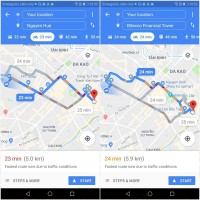
			Với chiếc smartphone cùng ứng dụng Google Maps, các bạn trẻ hiện nay đã không cần la bàn hay bản đồ giấy cồng kềnh. Tuy nhiên, đôi khi bạn sẽ bỏ qua nhiều mẹo hay hoặc chưa khám phá hết các tài nguyên của ứng dụng này.
		</div>
		<div id="bodytext" class="clearfix">
			<div> <p style="margin: 0px 0px 25px; color: rgb(0, 0, 0); font-family: &#039;Noto Serif&#039;; font-size: 16px; box-sizing: border-box; text-indent: 1em;"> <img alt="20 thủ thuật có thể bạn chưa biết về Google Maps trên smartphone" class="CToWUd a6T" height="546" src="https://ci4.googleusercontent.com/proxy/gNFDUeI_Z9lKBdtRHiD4vZD2Vpf48hUg5ZzsUJcMk6OyHWzwIRyc9YVG0VTDUSd1pt5fUZR8Y6OYDhmzcBO4TzbHBT9KaLcX3qlKfDaLFcmdXZLvzl4e0TYFcESxs7m6jd-CIPJDm-NtXVnsrMEQX2p7rooRyYo3m2jvPA=s0-d-e1-ft#https://www.techsignin.com/wp-content/uploads/2018/10/20-thu-thuat-ban-chua-biet-google-maps-0.jpg?x85006" style="cursor: pointer; outline: 0px; box-sizing: border-box; min-width: 1px; min-height: 1px; max-width: 100%; height: auto; display: block; margin: 0px auto 20px; background-color: rgb(249, 235, 255);" tabindex="0" width="970" /></p> <p style="margin: 0px 0px 25px; color: rgb(0, 0, 0); font-family: &#039;Noto Serif&#039;; font-size: 16px; box-sizing: border-box; text-indent: 1em;"> <span style="font-size: 16pt;">Bài viết này sẽ giới thiệu 20 thủ thuật với Google Maps mà những ai theo chủ nghĩa xê dịch cần nắm rõ, với mức độ quan trọng mình xếp từ cao đến thấp.</span></p> <div style="color: rgb(0, 0, 0); font-family: &#039;Times New Roman&#039;, Times, serif; font-size: 16pt; box-sizing: border-box; margin: 0px auto; overflow: hidden; max-width: 728px; text-align: center;"> <div style="box-sizing: border-box; color: silver;"> &nbsp;</div> <div style="box-sizing: border-box; max-width: 728px; overflow: hidden; max-height: 90px; margin: 0px auto; height: auto !important;"> <div style="box-sizing: border-box; margin: 0px; list-style: none;"> <div style="box-sizing: border-box;"> &nbsp;</div> </div> </div> </div> <h3 style="color: rgb(17, 17, 17); font-family: &#039;Open Sans&#039;; font-size: 20px; box-sizing: border-box; line-height: 1.3; margin: 0px 0px 15px;"> <span style="box-sizing: border-box; font-size: 16pt; line-height: normal;">1. Lưu bản đồ ngoại tuyến (offline)</span></h3> <p style="margin: 0px 0px 25px; color: rgb(0, 0, 0); font-family: &#039;Noto Serif&#039;; font-size: 16px; box-sizing: border-box; text-indent: 1em;"> <span style="font-size: 16pt;">Khi smartphone không phải lúc nào cũng trong tình trạng luôn có 3G/4G, thì tính năng này vô cùng hữu ích cho các phượt thủ và những bạn thường xuyên đi lạc đường.</span></p> <p style="margin: 0px 0px 25px; color: rgb(0, 0, 0); font-family: &#039;Noto Serif&#039;; font-size: 16px; box-sizing: border-box; text-indent: 1em;"> <span style="font-size: 16pt;">Để có thể lưu bản đồ ngoại tuyến, bạn thực hiện như sau:</span></p> <ol style="color: rgb(0, 0, 0); font-family: &#039;Times New Roman&#039;, Times, serif; font-size: 16pt; box-sizing: border-box; margin: 0px 0px 25px 40px;"> <li style="margin: 4px 0px; box-sizing: border-box; font-family: &#039;Noto Serif&#039;; font-size: 16px;"> <span style="font-size: 16pt;">Trên smartphone hoặc tablet Android, mở ứng dụng Google Maps .</span></li> <li style="margin: 4px 0px; box-sizing: border-box; font-family: &#039;Noto Serif&#039;; font-size: 16px;"> <span style="font-size: 16pt;">Đảm bảo bạn đã kết nối với Internet và đăng nhập vào Google Maps.</span></li> <li style="margin: 4px 0px; box-sizing: border-box; font-family: &#039;Noto Serif&#039;; font-size: 16px;"> <span style="font-size: 16pt;">Tìm kiếm một địa điểm bạn đang có nhu cầu đến hay nghiên cứu.</span></li> <li style="margin: 4px 0px; box-sizing: border-box; font-family: &#039;Noto Serif&#039;; font-size: 16px;"> <span style="font-size: 16pt;">Ở phía dưới cùng, hãy nhấn vào tên hoặc địa chỉ của địa điểm, chọn&nbsp;Tải. Nếu bạn đã tìm kiếm một địa điểm như nhà hàng, hãy nhấn vào biểu tượng dấu 3 chấm &gt; chọn</span><span style="font-size: 16pt;">&nbsp;</span><span style="font-size: 16pt;"><em style="box-sizing: border-box;">Tải xuống bản đồ ngoại tuyến</em></span><span style="font-size: 16pt;">&nbsp;</span><span style="font-size: 16pt;">&nbsp;&amp;gt;</span><span style="font-size: 16pt;">&nbsp;</span><span style="font-size: 16pt;"><em style="box-sizing: border-box;">Tải xuống.</em></span></li> </ol> <p style="margin-top: 0px; margin-bottom: 0px; color: rgb(0, 0, 0); font-family: &#039;Times New Roman&#039;, Times, serif; font-size: 16pt;"> &nbsp;</p> <h3 style="color: rgb(17, 17, 17); font-family: &#039;Open Sans&#039;; font-size: 20px; box-sizing: border-box; line-height: 1.3; margin: 0px 0px 15px;"> <span style="box-sizing: border-box; font-size: 16pt; line-height: normal;">2. Lưu địa điểm yêu thích hoặc nơi muốn khám phá</span></h3> <p style="margin: 0px 0px 25px; color: rgb(0, 0, 0); font-family: &#039;Noto Serif&#039;; font-size: 16px; box-sizing: border-box; text-indent: 1em;"> <span style="font-size: 16pt;">Để chuyến đi của bạn thú vị hơn và không bỏ lỡ bất cứ địa điểm check-in nào, trước hết hãy tìm những địa điểm muốn đến trên Google Maps. Sau đó chọn nút</span><span style="font-size: 16pt;">&nbsp;</span><span style="font-size: 16pt;"><em style="box-sizing: border-box;">Lưu</em></span><span style="font-size: 16pt;">&nbsp;(hoặc Save), khi vừa nhập vào, bạn sẽ thấy 3 lựa chọn:</span></p> <ul style="color: rgb(0, 0, 0); font-family: &#039;Times New Roman&#039;, Times, serif; font-size: 16pt; box-sizing: border-box; margin: 0px 0px 25px 40px;"> <li style="margin: 4px 0px; box-sizing: border-box; font-family: &#039;Noto Serif&#039;; font-size: 16px;"> <span style="font-size: 16pt;">Mục ưa thích</span></li> <li style="margin: 4px 0px; box-sizing: border-box; font-family: &#039;Noto Serif&#039;; font-size: 16px;"> <span style="font-size: 16pt;">Muốn đến</span></li> <li style="margin: 4px 0px; box-sizing: border-box; font-family: &#039;Noto Serif&#039;; font-size: 16px;"> <span style="font-size: 16pt;">Địa điểm được gắn sao</span></li> </ul> <p style="margin: 0px 0px 25px; color: rgb(0, 0, 0); font-family: &#039;Noto Serif&#039;; font-size: 16px; box-sizing: border-box; text-indent: 1em;"> <span style="font-size: 16pt;">Bạn hãy đánh dấu địa điểm với mục “Muốn đến” và khi đã có mặt tại nơi đó, đừng quên check-in để biết bạn đã ghé thăm bao nhiêu địa điểm nhé.&nbsp;Tính năng đánh dấu địa điểm này sẽ giúp bạn không bị chia trí hay mất tập trung khi khám phá vùng đất mới.</span></p> <h3 style="color: rgb(17, 17, 17); font-family: &#039;Open Sans&#039;; font-size: 20px; box-sizing: border-box; line-height: 1.3; margin: 0px 0px 15px;"> <span style="box-sizing: border-box; font-size: 16pt; line-height: normal;">3. Đo khoảng cách giữa các điểm</span></h3> <p style="margin: 0px 0px 25px; color: rgb(0, 0, 0); font-family: &#039;Noto Serif&#039;; font-size: 16px; box-sizing: border-box; text-indent: 1em;"> <span style="font-size: 16pt;">Thực ra khi chọn hành trình từ điểm A đến B, Google đã đo trước khoảng cách những đoạn đường sẽ đi qua. Nhưng nếu bạn muốn đo khoảng cách theo đường chim bay không chướng ngại vật thì thực hiện như sau:</span></p> <p style="margin: 0px 0px 25px; color: rgb(0, 0, 0); font-family: &#039;Noto Serif&#039;; font-size: 16px; box-sizing: border-box; text-indent: 1em;"> <span style="font-size: 16pt;">Bước 1: Thêm điểm đầu tiên</span></p> <ul style="color: rgb(0, 0, 0); font-family: &#039;Times New Roman&#039;, Times, serif; font-size: 16pt; box-sizing: border-box; margin: 0px 0px 25px 40px;"> <li style="margin: 4px 0px; box-sizing: border-box; font-family: &#039;Noto Serif&#039;; font-size: 16px;"> <span style="font-size: 16pt;">Trên smartphone hoặc tablet Android, mở ứng dụng Google Maps Google Maps.</span></li> <li style="margin: 4px 0px; box-sizing: border-box; font-family: &#039;Noto Serif&#039;; font-size: 16px;"> <span style="font-size: 16pt;">Chạm và giữ vị trí bất kỳ trên bản đồ. Bạn sẽ thấy ghim màu đỏ xuất hiện.</span></li> <li style="margin: 4px 0px; box-sizing: border-box; font-family: &#039;Noto Serif&#039;; font-size: 16px;"> <span style="font-size: 16pt;">Ở dưới cùng, nhấn vào tên của địa điểm.</span></li> <li style="margin: 4px 0px; box-sizing: border-box; font-family: &#039;Noto Serif&#039;; font-size: 16px;"> <span style="font-size: 16pt;">Trên trang của địa điểm, cuộn xuống và chọn Đo khoảng cách.</span></li> </ul> <p style="margin: 0px 0px 25px; color: rgb(0, 0, 0); font-family: &#039;Noto Serif&#039;; font-size: 16px; box-sizing: border-box; text-indent: 1em;"> <span style="font-size: 16pt;">Bước 2: Thêm điểm hoặc các điểm tiếp theo</span></p> <ul style="color: rgb(0, 0, 0); font-family: &#039;Times New Roman&#039;, Times, serif; font-size: 16pt; box-sizing: border-box; margin: 0px 0px 25px 40px;"> <li style="margin: 4px 0px; box-sizing: border-box; font-family: &#039;Noto Serif&#039;; font-size: 16px;"> <span style="font-size: 16pt;">Di chuyển bản đồ sao cho vòng tròn màu đen hoặc chữ thập nằm trên điểm tiếp theo bạn muốn thêm.</span></li> <li style="margin: 4px 0px; box-sizing: border-box; font-family: &#039;Noto Serif&#039;; font-size: 16px;"> <span style="font-size: 16pt;">Ở dưới cùng bên phải, nhấn vào</span><span style="font-size: 16pt;"><em style="box-sizing: border-box;">Thêm &amp;gt; Thêm.</em></span></li> <li style="margin: 4px 0px; box-sizing: border-box; font-family: &#039;Noto Serif&#039;; font-size: 16px;"> <span style="font-size: 16pt;">Thêm các điểm cho đến khi bạn hoàn tất.</span></li> </ul> <p style="margin: 0px 0px 25px; color: rgb(0, 0, 0); font-family: &#039;Noto Serif&#039;; font-size: 16px; box-sizing: border-box; text-indent: 1em;"> <span style="font-size: 16pt;">Bước 3: Nhận khoảng cách</span></p> <ul style="color: rgb(0, 0, 0); font-family: &#039;Times New Roman&#039;, Times, serif; font-size: 16pt; box-sizing: border-box; margin: 0px 0px 25px 40px;"> <li style="margin: 4px 0px; box-sizing: border-box; font-family: &#039;Noto Serif&#039;; font-size: 16px;"> <span style="font-size: 16pt;">Ở dưới cùng, bạn sẽ thấy tổng khoảng cách theo đơn vị dặm (mi) hoặc ki lô mét (km).</span></li> <li style="margin: 4px 0px; box-sizing: border-box; font-family: &#039;Noto Serif&#039;; font-size: 16px;"> <span style="font-size: 16pt;">Để xóa điểm cuối cùng bạn đã thêm, hãy nhấn vào Hoàn tác.</span></li> <li style="margin: 4px 0px; box-sizing: border-box; font-family: &#039;Noto Serif&#039;; font-size: 16px;"> <span style="font-size: 16pt;">Để xóa tất cả các điểm: Ở trên cùng bên phải, nhấn vào dấu ba chấm &gt; Xóa.</span></li> <li style="margin: 4px 0px; box-sizing: border-box; font-family: &#039;Noto Serif&#039;; font-size: 16px;"> <span style="font-size: 16pt;">Khi hoàn tất, hãy nhấn vào mũi tên quay lại ở trên cùng bên trái.</span></li> </ul> <h3 style="color: rgb(17, 17, 17); font-family: &#039;Open Sans&#039;; font-size: 20px; box-sizing: border-box; line-height: 1.3; margin: 0px 0px 15px;"> <span style="box-sizing: border-box; font-size: 16pt; line-height: normal;">4. Gắn nhãn riêng cho địa điểm chưa xác định</span></h3> <p style="margin: 0px 0px 25px; color: rgb(0, 0, 0); font-family: &#039;Noto Serif&#039;; font-size: 16px; box-sizing: border-box; text-indent: 1em;"> <span style="font-size: 16pt;">Để dễ dàng tìm các địa điểm mà Google chưa thêm vào Maps, bạn có thể</span><span style="font-size: 16pt;">&nbsp;</span><a data-saferedirecturl="https://www.google.com/url?q=https://support.google.com/maps/answer/6257830?hl%3Dvi%26co%3DGENIE.Platform%253DAndroid%26oco%3D1&amp;source=gmail&amp;ust=1557496128393000&amp;usg=AFQjCNE5iNcOn3-da3DmChPKvNBn3KuqsQ" href="https://support.google.com/maps/answer/6257830?hl=vi&amp;co=GENIE.Platform%3DAndroid&amp;oco=1" rel="noopener" style="color: rgb(199, 9, 9); box-sizing: border-box;" target="_blank"><span style="font-size: 16pt;">thêm nhãn tùy chỉnh</span></a><span style="font-size: 16pt;">. Những nhãn này sẽ được hiển thị trên bản đồ của bạn và bạn cũng có thể tìm thấy chúng từ thanh tìm kiếm.</span></p> <p style="margin: 0px 0px 25px; color: rgb(0, 0, 0); font-family: &#039;Noto Serif&#039;; font-size: 16px; box-sizing: border-box; text-indent: 1em;"> <span style="font-size: 16pt;">Ví dụ: Bạn muốn đánh dấu nơi nào đó là chỗ hẹn hò đầu tiên hoặc ổ tám chuyện…</span></p> <p style="margin: 0px 0px 25px; color: rgb(0, 0, 0); font-family: &#039;Noto Serif&#039;; font-size: 16px; box-sizing: border-box; text-indent: 1em;"> <span style="font-size: 16pt;">Sau khi gắn nhãn, bạn có thể dễ dàng tìm và xem lại bằng cách&nbsp;vào</span><span style="font-size: 16pt;"><em style="box-sizing: border-box;">Menu &amp;gt;</em></span><span style="font-size: 16pt;"><em style="box-sizing: border-box;">&nbsp;</em></span><span style="font-size: 16pt;"><em style="box-sizing: border-box;">​Địa điểm của bạn&nbsp;&gt;&nbsp;</em></span><span style="font-size: 16pt;"><em style="box-sizing: border-box;">Đã gắn nhãn.&nbsp;</em></span><span style="font-size: 16pt;">Tại mục này, bạn cũng có thể chỉnh sửa nhãn hoặc thêm nhãn mới.</span></p> <h3 style="color: rgb(17, 17, 17); font-family: &#039;Open Sans&#039;; font-size: 20px; box-sizing: border-box; line-height: 1.3; margin: 0px 0px 15px;"> <span style="box-sizing: border-box; font-size: 16pt; line-height: normal;">5. Bổ sung địa điểm bị thiếu</span></h3> <p style="margin: 0px 0px 25px; color: rgb(0, 0, 0); font-family: &#039;Noto Serif&#039;; font-size: 16px; box-sizing: border-box; text-indent: 1em;"> <span style="font-size: 16pt;">Ngược lại với một địa điểm không xác định, sẽ có nhiều địa điểm xác định nhưng chưa được cập nhật trên google Maps. Việc</span><span style="font-size: 16pt;">&nbsp;</span><a data-saferedirecturl="https://www.google.com/url?q=https://support.google.com/maps/answer/6320846?hl%3Dvi%26co%3DGENIE.Platform%253DAndroid%26oco%3D1&amp;source=gmail&amp;ust=1557496128393000&amp;usg=AFQjCNE44ChePG85DRjGSkB1VdJJ3-gGYA" href="https://support.google.com/maps/answer/6320846?hl=vi&amp;co=GENIE.Platform%3DAndroid&amp;oco=1" rel="noopener" style="color: rgb(199, 9, 9); box-sizing: border-box;" target="_blank"><span style="font-size: 16pt;">thêm địa điểm thiếu</span></a><span style="font-size: 16pt;">&nbsp;</span><span style="font-size: 16pt;">sẽ được kiểm rất nhanh nếu bạn khai báo đầy đủ thông tin.</span></p> <p style="margin: 0px 0px 25px; color: rgb(0, 0, 0); font-family: &#039;Noto Serif&#039;; font-size: 16px; box-sizing: border-box; text-indent: 1em;"> <span style="font-size: 16pt;">Đề xuất thêm địa điểm bị thiếu cũng rất đơn giản, bạn thực hiện như sau:</span></p> <ol style="color: rgb(0, 0, 0); font-family: &#039;Times New Roman&#039;, Times, serif; font-size: 16pt; box-sizing: border-box; margin: 0px 0px 25px 40px;"> <li style="margin: 4px 0px; box-sizing: border-box; font-family: &#039;Noto Serif&#039;; font-size: 16px;"> <span style="font-size: 16pt;">Mở ứng dụng Google Maps.</span></li> <li style="margin: 4px 0px; box-sizing: border-box; font-family: &#039;Noto Serif&#039;; font-size: 16px;"> <span style="font-size: 16pt;">Chạm vào biểu tượng</span><span style="font-size: 16pt;"><em style="box-sizing: border-box;">Menu &amp;gt;&nbsp;Thêm địa điểm bị thiếu.</em></span></li> <li style="margin: 4px 0px; box-sizing: border-box; font-family: &#039;Noto Serif&#039;; font-size: 16px;"> <span style="font-size: 16pt;">Chọn một tùy chọn, sau đó thực hiện theo hướng dẫn trên màn hình.</span></li> </ol> <p style="margin: 0px 0px 25px; color: rgb(0, 0, 0); font-family: &#039;Noto Serif&#039;; font-size: 16px; box-sizing: border-box; text-indent: 1em;"> <span style="font-size: 16pt;">Thời gian để địa điểm thông qua kiểm duyệt là không xác định. Nếu thông tin của bạn đầy đủ với hình ảnh và thông tin liên hệ, trang web,… thì thời gian kiểm duyệt và xuất hiện trên bản đồ sẽ nhanh hơn.</span></p> <h3 style="color: rgb(17, 17, 17); font-family: &#039;Open Sans&#039;; font-size: 20px; box-sizing: border-box; line-height: 1.3; margin: 0px 0px 15px;"> <span style="box-sizing: border-box; font-size: 16pt; line-height: normal;">6. Theo dõi tình hình giao thông khu vực di chuyển</span></h3> <p style="margin: 0px 0px 25px; color: rgb(0, 0, 0); font-family: &#039;Noto Serif&#039;; font-size: 16px; box-sizing: border-box; text-indent: 1em;"> <span style="font-size: 16pt;">Chức năng này tổng hợp các thiết bị dùng GPS để ra số liệu tương đối chính xác nhất. Nó giúp bạn tìm hướng đi tốt hơn nếu biết được phía trước đang kẹt xe.</span></p> <p style="margin: 0px 0px 25px; color: rgb(0, 0, 0); font-family: &#039;Noto Serif&#039;; font-size: 16px; box-sizing: border-box; text-indent: 1em;"> <span style="font-size: 16pt;">Để sử dụng, bạn mở Google Maps, bấm menu bên trái và chọn</span><span style="font-size: 16pt;">&nbsp;</span><span style="font-size: 16pt;"><em style="box-sizing: border-box;">Traffic</em></span><span style="font-size: 16pt;">&nbsp;</span><span style="font-size: 16pt;">để hiển thị mật độ giao thông. Thông tin mật độ xe cộ hiện chỉ mới có tại các khu vực TPHCM, Hà Nội và một vài đoạn đường chính nằm xung quanh hai thành phố này.</span></p> <p style="margin: 0px 0px 25px; color: rgb(0, 0, 0); font-family: &#039;Noto Serif&#039;; font-size: 16px; box-sizing: border-box; text-indent: 1em; text-align: center;"> <img alt="20 thủ thuật có thể bạn chưa biết về Google Maps trên smartphone" class="CToWUd a6T" height="333" src="https://ci5.googleusercontent.com/proxy/3WzvfsLB1PT_PcQE8p8kOMzNNtNFpIHvVZZ3H8gWrS3_BgriDEFY9TrHqN-F_7cFxTZtIVbloU3ucQynVjSFSl9rgBgT2XlrdL-GLtibiAdqsLnFfI7NxPUBn__DkKntVpjXwbM5PUMx4HJ1CRCWfK1m25BtXIyiGnQ=s0-d-e1-ft#https://www.techsignin.com/wp-content/uploads/2018/10/20-thu-thuat-ban-chua-biet-google-maps.jpg?x85006" style="cursor: pointer; outline: 0px; box-sizing: border-box; min-width: 1px; min-height: 1px; max-width: 100%; height: auto; display: block; margin: 0px auto 20px; background-color: rgb(235, 255, 242);" tabindex="0" width="585" /></p> <p style="margin: 0px 0px 25px; color: rgb(0, 0, 0); font-family: &#039;Noto Serif&#039;; font-size: 16px; box-sizing: border-box; text-indent: 1em;"> <span style="font-size: 16pt;">Mật độ kẹt xe được thể hiện qua màu sắc: màu đỏ đậm báo hiệu ùn tắc giao thông, màu xanh cho thấy đường thông thoáng, ít xe. Tính năng này là cập nhật mới nhất và hữu ích nhất của Maps trong năm 2018.</span></p> <h3 style="color: rgb(17, 17, 17); font-family: &#039;Open Sans&#039;; font-size: 20px; box-sizing: border-box; line-height: 1.3; margin: 0px 0px 15px;"> <span style="box-sizing: border-box; font-size: 16pt; line-height: normal;">7. Ra lệnh bằng giọng nói trên thiết bị Android</span></h3> <p style="margin: 0px 0px 25px; color: rgb(0, 0, 0); font-family: &#039;Noto Serif&#039;; font-size: 16px; box-sizing: border-box; text-indent: 1em;"> <span style="font-size: 16pt;">Nếu muốn tìm đường hoặc chỉ đường trong khi đang lái xe, bạn không muốn thực sự rời mắt phía trước và tay khỏi vô lăng, thì thay vì phải bấm nội dung, bạn có thể</span><span style="font-size: 16pt;">&nbsp;</span><a data-saferedirecturl="https://www.google.com/url?q=https://support.google.com/maps/answer/6041199?hl%3Dvi&amp;source=gmail&amp;ust=1557496128393000&amp;usg=AFQjCNGsO4fBKHPCP8Ar0yjH6R97d2H6VQ" href="https://support.google.com/maps/answer/6041199?hl=vi" rel="noopener" style="color: rgb(199, 9, 9); box-sizing: border-box;" target="_blank"><span style="font-size: 16pt;">sử dụng lệnh thoại “OK Google”</span></a><span style="font-size: 16pt;">&nbsp;</span><span style="font-size: 16pt;">trong ứng dụng Google Maps dành cho Android.</span></p> <p style="margin: 0px 0px 25px; color: rgb(0, 0, 0); font-family: &#039;Noto Serif&#039;; font-size: 16px; box-sizing: border-box; text-indent: 1em;"> <span style="font-size: 16pt;">Ví dụ: nếu bạn nhận thấy mình sắp hết xăng, hãy nói “OK Google, tìm trạm xăng” và Maps sẽ hiển thị các trạm gần đó. Bạn cũng có thể hỏi “Chỗ rẽ tiếp theo là gì” hoặc “Giao thông phía trước như thế nào?”</span></p> <h3 style="color: rgb(17, 17, 17); font-family: &#039;Open Sans&#039;; font-size: 20px; box-sizing: border-box; line-height: 1.3; margin: 0px 0px 15px;"> <span style="box-sizing: border-box; font-size: 16pt; line-height: normal;">8. Tìm tuyến đường cho xe máy</span></h3> <p style="margin: 0px 0px 25px; color: rgb(0, 0, 0); font-family: &#039;Noto Serif&#039;; font-size: 16px; box-sizing: border-box; text-indent: 1em;"> <span style="font-size: 16pt;">Bản cập nhật phiên bản 9.81.1 của Google Maps vừa bổ sung thêm một tính năng mới giúp người sử dụng tại Việt Nam có thể</span><span style="font-size: 16pt;">&nbsp;</span><a data-saferedirecturl="https://www.google.com/url?q=https://www.techsignin.com/cong-nghe/google-maps-dan-duong-cho-xe-may/&amp;source=gmail&amp;ust=1557496128393000&amp;usg=AFQjCNF11A4wgP-vA8ZHmxvEKUXLslAssA" href="https://www.techsignin.com/cong-nghe/google-maps-dan-duong-cho-xe-may/" rel="noopener" style="color: rgb(199, 9, 9); box-sizing: border-box;" target="_blank"><span style="font-size: 16pt;">tìm đường cho phương tiện xe máy</span></a><span style="font-size: 16pt;">.</span></p> <p style="margin: 0px 0px 25px; color: rgb(0, 0, 0); font-family: &#039;Noto Serif&#039;; font-size: 16px; box-sizing: border-box; text-indent: 1em; text-align: center;"> <img alt="Cuối cùng Google Maps đã chính thức hỗ trợ xe máy tại Việt Nam" class="CToWUd a6T" height="800" src="https://ci3.googleusercontent.com/proxy/M0GaJioLerTBgXPQ10anruDNap80K-Fg15Q9vHThZLmqdEkd-n4u7A7bRtis59oaFhfSpZFJIdtIrME7PtAx70RTxQW84u-oUvTpU-P4sslxFFubhahCvdGbnmmRRvqF_c4LpWuWlfq6r8FI6pxvwA=s0-d-e1-ft#https://www.techsignin.com/wp-content/uploads/2018/07/google-maps-dan-duong-xe-may.jpg?x85006" style="cursor: pointer; outline: 0px; box-sizing: border-box; min-width: 1px; min-height: 1px; max-width: 100%; height: auto; display: block; margin: 0px auto 20px; background-color: rgb(250, 235, 255);" tabindex="0" width="800" /></p> <p style="margin: 0px 0px 25px; color: rgb(0, 0, 0); font-family: &#039;Noto Serif&#039;; font-size: 16px; box-sizing: border-box; text-indent: 1em;"> <span style="font-size: 16pt;">Theo đó, chế độ này sẽ bổ sung thêm những cung đường ngắn hơn so với ôtô giúp giảm thiểu thời gian di chuyển. Đồng thời, tính năng mới cũng giúp phương tiện xe máy có thể tránh được những tuyến đường cấm, tuyến đường chỉ dành cho xe hơi.</span></p> <h3 style="color: rgb(17, 17, 17); font-family: &#039;Open Sans&#039;; font-size: 20px; box-sizing: border-box; line-height: 1.3; margin: 0px 0px 15px;"> <span style="box-sizing: border-box; font-size: 16pt; line-height: normal;">9. Phóng to chi tiết bằng một tay</span></h3> <p style="margin: 0px 0px 25px; color: rgb(0, 0, 0); font-family: &#039;Noto Serif&#039;; font-size: 16px; box-sizing: border-box; text-indent: 1em;"> <span style="font-size: 16pt;">Phóng to bản đồ là cách điển hình để tập trung vào một vị trí với Maps, nhưng nếu bạn chỉ có một tay rảnh, bạn có thể nhấn đúp vào màn hình để phóng to nhanh. Nếu bạn giữ ngón tay trên màn hình sau lần nhấn thứ hai, bạn có thể vuốt lên hoặc xuống để phóng to hoặc thu nhỏ.</span></p> <p style="margin: 0px 0px 25px; color: rgb(0, 0, 0); font-family: &#039;Noto Serif&#039;; font-size: 16px; box-sizing: border-box; text-indent: 1em;"> <span style="font-size: 16pt;">Đồng thời, bạn có thể chỉnh góc nghiêng ở chế độ xem 3D bằng cách chạm bằng 2 ngón tay và kéo lên trên. Hiện hầu hết các tòa nhà lớn tại TP.HCM và HN đều đã có thể xem bằng ảnh 3D. Để xoay bản đồ, bạn có thể dùng hai ngón tay, nhấn vào icon com-pa tại góc trên phía phải để xác định hướng chính Bắc ở phía trên cùng.</span></p> <h3 style="color: rgb(17, 17, 17); font-family: &#039;Open Sans&#039;; font-size: 20px; box-sizing: border-box; line-height: 1.3; margin: 0px 0px 15px;"> <span style="box-sizing: border-box; font-size: 16pt; line-height: normal;">10. Tìm đường né trạm thu phí, bến phà, đường cao tốc</span></h3> <p style="margin: 0px 0px 25px; color: rgb(0, 0, 0); font-family: &#039;Noto Serif&#039;; font-size: 16px; box-sizing: border-box; text-indent: 1em;"> <span style="font-size: 16pt;">Trên hành trình du lịch, nếu không thấy thoải mái vì phải đóng phí, hoặc muốn đi chậm để cảm nhận cuộc sống ven đường. Bạn có thể</span><span style="font-size: 16pt;">&nbsp;</span><a data-saferedirecturl="https://www.google.com/url?q=https://support.google.com/maps/answer/144339?co%3DGENIE.Platform%253DAndroid%26oco%3D1%23routeoptions&amp;source=gmail&amp;ust=1557496128393000&amp;usg=AFQjCNEdI5Lh_yinf4RLCNMjm8FVD8XxkQ" href="https://support.google.com/maps/answer/144339?co=GENIE.Platform%3DAndroid&amp;oco=1#routeoptions" style="color: rgb(199, 9, 9); box-sizing: border-box;" target="_blank"><span style="font-size: 16pt;">tùy chọn tuyến đường</span></a><span style="font-size: 16pt;">&nbsp;</span><span style="font-size: 16pt;">để né các trạm thu phí hoặc đường cao tốc hoặc bến phà. Bạn thực hiện theo hướng dẫn sau:</span></p> <ol style="color: rgb(0, 0, 0); font-family: &#039;Times New Roman&#039;, Times, serif; font-size: 16pt; box-sizing: border-box; margin: 0px 0px 25px 40px;"> <li style="margin: 4px 0px; box-sizing: border-box; font-family: &#039;Noto Serif&#039;; font-size: 16px;"> <span style="font-size: 16pt;">Mở ứng dụng Google Maps .</span></li> <li style="margin: 4px 0px; box-sizing: border-box; font-family: &#039;Noto Serif&#039;; font-size: 16px;"> <span style="font-size: 16pt;">Tìm kiếm điểm đến hoặc nhấn vào điểm đến trên bản đồ.</span></li> <li style="margin: 4px 0px; box-sizing: border-box; font-family: &#039;Noto Serif&#039;; font-size: 16px;"> <span style="font-size: 16pt;">Ở dưới cùng bên phải, nhấn vào biểu tượng</span><span style="font-size: 16pt;">&nbsp;</span><span style="font-size: 16pt;"><em style="box-sizing: border-box;">Chỉ đường.</em></span></li> <li style="margin: 4px 0px; box-sizing: border-box; font-family: &#039;Noto Serif&#039;; font-size: 16px;"> <span style="font-size: 16pt;">Ở trên cùng, nhấn vào biểu tượng phương tiện giao thông phù hợp với bạn.</span></li> <li style="margin: 4px 0px; box-sizing: border-box; font-family: &#039;Noto Serif&#039;; font-size: 16px;"> <span style="font-size: 16pt;">Ở phía trên cùng bên phải, nhấn vào biểu tượng</span><span style="font-size: 16pt;"><em style="box-sizing: border-box;">Thêm&nbsp;&amp;gt;&nbsp;Tùy chọn tuyến đường.</em></span></li> <li style="margin: 4px 0px; box-sizing: border-box; font-family: &#039;Noto Serif&#039;; font-size: 16px;"> <span style="font-size: 16pt;">Nhấn vào</span><span style="font-size: 16pt;">&nbsp;</span><span style="font-size: 16pt;"><em style="box-sizing: border-box;">Tránh phí</em></span><span style="font-size: 16pt;">hoặc</span><span style="font-size: 16pt;"><em style="box-sizing: border-box;">Tránh đường cao tốc.</em></span></li> <li style="margin: 4px 0px; box-sizing: border-box; font-family: &#039;Noto Serif&#039;; font-size: 16px;"> <span style="font-size: 16pt;">Nhấn vào</span><span style="font-size: 16pt;">&nbsp;</span><span style="font-size: 16pt;"><em style="box-sizing: border-box;">Xong.</em></span></li> </ol> <h3 style="color: rgb(17, 17, 17); font-family: &#039;Open Sans&#039;; font-size: 20px; box-sizing: border-box; line-height: 1.3; margin: 0px 0px 15px;"> <span style="box-sizing: border-box; font-size: 16pt; line-height: normal;">11. Tìm tiện ích gần mình</span></h3> <p style="margin: 0px 0px 25px; color: rgb(0, 0, 0); font-family: &#039;Noto Serif&#039;; font-size: 16px; box-sizing: border-box; text-indent: 1em;"> <span style="font-size: 16pt;">Nếu đang muốn tìm gấp một trụ ATM để rút tiền, bạn sợ phải mất thời gian chạy vòng vòng mà không chắc nơi đó có hay không. Google Maps tạo sẵn cho bạn tính năng</span><span style="font-size: 16pt;">&nbsp;</span><a data-saferedirecturl="https://www.google.com/url?q=https://support.google.com/maps/answer/4610185?hl%3Dvi%26co%3DGENIE.Platform%253DAndroid%26oco%3D1&amp;source=gmail&amp;ust=1557496128393000&amp;usg=AFQjCNHz7C_l3BKiJoeFWtyVbt6H7AzvSA" href="https://support.google.com/maps/answer/4610185?hl=vi&amp;co=GENIE.Platform%3DAndroid&amp;oco=1" rel="noopener" style="color: rgb(199, 9, 9); box-sizing: border-box;" target="_blank"><span style="font-size: 16pt;">tìm kiếm các tiện ích xung quanh</span></a><span style="font-size: 16pt;">&nbsp;</span><span style="font-size: 16pt;">như ATM, nhà hàng, cửa hàng thực phẩm, nhà thuốc…</span></p> <div style="color: rgb(0, 0, 0); font-family: &#039;Times New Roman&#039;, Times, serif; font-size: 16pt; box-sizing: border-box; clear: both; margin-top: 0em; margin-bottom: 0em;"> <div style="box-sizing: border-box; padding-left: 1em; padding-right: 1em;"> <a data-saferedirecturl="https://www.google.com/url?q=https://www.techsignin.com/tintuc/google-photos-tiet-kiem-du-lieu-hon-nho-che-do-sao-luu-moi/&amp;source=gmail&amp;ust=1557496128393000&amp;usg=AFQjCNHD3UK3SHbkdPDyxubMbb30LBlNWw" href="https://www.techsignin.com/tintuc/google-photos-tiet-kiem-du-lieu-hon-nho-che-do-sao-luu-moi/" rel="nofollow" style="color: rgb(199, 9, 9); box-sizing: border-box; margin: 0px; width: 440.25px; display: block; font-weight: bold; background-color: rgb(234, 234, 234); opacity: 0.6; padding-top: 1em !important; padding-bottom: 1em !important; border-width: 0px 0px 0px 4px !important; border-top-style: initial !important; border-right-style: initial !important; border-bottom-style: initial !important; border-top-color: initial !important; border-right-color: initial !important; border-bottom-color: initial !important; border-left-style: solid !important; border-left-color: rgb(52, 73, 94) !important;" target="_blank"><span style="font-size: 16pt;">&nbsp;</span><span style="font-size: 16pt;">&nbsp;</span><span style="box-sizing: border-box; color: rgb(0, 0, 0); font-size: 16pt;">Google Photos tiết kiệm dữ liệu hơn nhờ chế độ sao lưu mới</span></a></div> </div> <p style="margin: 0px 0px 25px; color: rgb(0, 0, 0); font-family: &#039;Noto Serif&#039;; font-size: 16px; box-sizing: border-box; text-indent: 1em;"> <span style="font-size: 16pt;">Điều này nhờ sự kết hợp của Google với doanh nghiệp tạo ra hệ sinh thái hỗ trợ khách hàng tốt nhất khi họ nảy sinh nhu cầu tức thời. Bạn thực hiện như sau:</span></p> <ol style="color: rgb(0, 0, 0); font-family: &#039;Times New Roman&#039;, Times, serif; font-size: 16pt; box-sizing: border-box; margin: 0px 0px 25px 40px;"> <li style="margin: 4px 0px; box-sizing: border-box; font-family: &#039;Noto Serif&#039;; font-size: 16px;"> <span style="font-size: 16pt;">Mở ứng dụng Google Maps .</span></li> <li style="margin: 4px 0px; box-sizing: border-box; font-family: &#039;Noto Serif&#039;; font-size: 16px;"> <span style="font-size: 16pt;">Nhấn vào biểu tượng</span><span style="font-size: 16pt;">&nbsp;</span><span style="font-size: 16pt;"><em style="box-sizing: border-box;">Khám phá</em></span><span style="font-size: 16pt;">.</span></li> <li style="margin: 4px 0px; box-sizing: border-box; font-family: &#039;Noto Serif&#039;; font-size: 16px;"> <span style="font-size: 16pt;">Để tìm một nơi để ăn hoặc uống, hãy nhấn vào một tùy chọn, như</span><span style="font-size: 16pt;">&nbsp;</span><span style="font-size: 16pt;"><em style="box-sizing: border-box;">Nhà hàng</em></span><span style="font-size: 16pt;">&nbsp;</span><span style="font-size: 16pt;">hoặc</span><span style="font-size: 16pt;">&nbsp;</span><span style="font-size: 16pt;"><em style="box-sizing: border-box;">Quán cà phê.</em></span></li> <li style="margin: 4px 0px; box-sizing: border-box; font-family: &#039;Noto Serif&#039;; font-size: 16px;"> <span style="font-size: 16pt;">Để xem các tùy chọn khác hoặc tìm các địa điểm khác nhau như khách sạn và trạm xăng, hãy nhấn vào biểu tượng Thêm &nbsp;chọn một danh mục.</span></li> </ol> <p style="margin: 0px 0px 25px; color: rgb(0, 0, 0); font-family: &#039;Noto Serif&#039;; font-size: 16px; box-sizing: border-box; text-indent: 1em;"> <span style="font-size: 16pt;">Lưu ý: Không phải nơi nào cũng có sẵn tính năng này.</span></p> <h3 style="color: rgb(17, 17, 17); font-family: &#039;Open Sans&#039;; font-size: 20px; box-sizing: border-box; line-height: 1.3; margin: 0px 0px 15px;"> <span style="box-sizing: border-box; font-size: 16pt; line-height: normal;">12. Đặt xe dịch vụ ngoài</span></h3> <p style="margin: 0px 0px 25px; color: rgb(0, 0, 0); font-family: &#039;Noto Serif&#039;; font-size: 16px; box-sizing: border-box; text-indent: 1em;"> <span style="font-size: 16pt;">Google Maps cũng cho phép bạn đặt taxi công nghệ từ chính ứng dụng google Maps.&nbsp;Bạn có thể xem danh sách các nhà cung cấp dịch vụ gọi xe</span><span style="font-size: 16pt;">&nbsp;</span><a data-saferedirecturl="https://www.google.com/url?q=https://support.google.com/maps/answer/7670817?hl%3Dvi%26co%3DGENIE.Platform%3DAndroid&amp;source=gmail&amp;ust=1557496128394000&amp;usg=AFQjCNHyeHuFh89w_3qUdsDbKe66irjE6g" href="https://support.google.com/maps/answer/7670817?hl=vi&amp;co=GENIE.Platform=Android" rel="noopener" style="color: rgb(199, 9, 9); box-sizing: border-box;" target="_blank"><span style="font-size: 16pt;">tại đây</span></a><span style="font-size: 16pt;">.</span></p> <p style="margin: 0px 0px 25px; color: rgb(0, 0, 0); font-family: &#039;Noto Serif&#039;; font-size: 16px; box-sizing: border-box; text-indent: 1em;"> <span style="font-size: 16pt;">Để xem mức chi phí đặt xe, bạn thực hiện:</span></p> <ol style="color: rgb(0, 0, 0); font-family: &#039;Times New Roman&#039;, Times, serif; font-size: 16pt; box-sizing: border-box; margin: 0px 0px 25px 40px;"> <li style="margin: 4px 0px; box-sizing: border-box; font-family: &#039;Noto Serif&#039;; font-size: 16px;"> <span style="font-size: 16pt;">Mở ứng dụng Google Maps .</span></li> <li style="margin: 4px 0px; box-sizing: border-box; font-family: &#039;Noto Serif&#039;; font-size: 16px;"> <span style="font-size: 16pt;">Đăng nhập tài khoản Google của bạn.</span></li> <li style="margin: 4px 0px; box-sizing: border-box; font-family: &#039;Noto Serif&#039;; font-size: 16px;"> <span style="font-size: 16pt;">Tìm kiếm điểm đến hoặc nhấn vào điểm đến trên bản đồ.</span></li> <li style="margin: 4px 0px; box-sizing: border-box; font-family: &#039;Noto Serif&#039;; font-size: 16px;"> <span style="font-size: 16pt;">Ở dưới cùng bên phải, nhấn vào vòng tròn màu xanh dương. Vòng tròn này sẽ hiển thị ô tô, xe buýt, xe đạp, người đang vẫy tay hoặc người đi bộ.</span></li> <li style="margin: 4px 0px; box-sizing: border-box; font-family: &#039;Noto Serif&#039;; font-size: 16px;"> <span style="font-size: 16pt;">Ở phía trên cùng, nhấn vào biểu tượng</span><span style="font-size: 16pt;">&nbsp;</span><span style="font-size: 16pt;"><em style="box-sizing: border-box;">Gọi xe</em></span><span style="font-size: 16pt;">.</span></li> <li style="margin: 4px 0px; box-sizing: border-box; font-family: &#039;Noto Serif&#039;; font-size: 16px;"> <span style="font-size: 16pt;">Nhấn vào</span><span style="font-size: 16pt;">&nbsp;</span><span style="font-size: 16pt;"><em style="box-sizing: border-box;">Chấp nhận</em></span><span style="font-size: 16pt;">&nbsp;</span><span style="font-size: 16pt;">và xem chuyến đi.</span></li> </ol> <p style="margin: 0px 0px 25px; color: rgb(0, 0, 0); font-family: &#039;Noto Serif&#039;; font-size: 16px; box-sizing: border-box; text-indent: 1em;"> <span style="font-size: 16pt;">Hiện tại ở Việt Nam chỉ khả dụng với dịch vụ của Grab. Ngay từ ứng dụng, bạn thấy tất cả các dịch vụ cho thuê xe trong khu vực bạn đứng và sau đó khuyên bạn nên thuê một dịch vụ cùng với thông tin về xe hơi và giá vé.</span></p> <h3 style="color: rgb(17, 17, 17); font-family: &#039;Open Sans&#039;; font-size: 20px; box-sizing: border-box; line-height: 1.3; margin: 0px 0px 15px;"> <span style="box-sizing: border-box; font-size: 16pt; line-height: normal;">13. Hỏi đáp về một địa điểm</span></h3> <p style="margin: 0px 0px 25px; color: rgb(0, 0, 0); font-family: &#039;Noto Serif&#039;; font-size: 16px; box-sizing: border-box; text-indent: 1em;"> <span style="font-size: 16pt;">Bạn có thể</span><span style="font-size: 16pt;">&nbsp;</span><a data-saferedirecturl="https://www.google.com/url?q=https://support.google.com/maps/answer/7421661?hl%3Dvi%26ref_topic%3D3257381%26co%3DGENIE.Platform%253DAndroid%26oco%3D1&amp;source=gmail&amp;ust=1557496128394000&amp;usg=AFQjCNHEyRmw4aDtta6KhGu4Uf-zDH15mg" href="https://support.google.com/maps/answer/7421661?hl=vi&amp;ref_topic=3257381&amp;co=GENIE.Platform%3DAndroid&amp;oco=1" rel="noopener" style="color: rgb(199, 9, 9); box-sizing: border-box;" target="_blank"><span style="font-size: 16pt;">đặt câu hỏi và đưa ra câu trả lời</span></a><span style="font-size: 16pt;">&nbsp;</span><span style="font-size: 16pt;">về địa điểm và doanh nghiệp mà bạn nhìn thấy. Chủ doanh nghiệp và những người khác có thể trả lời trực tiếp các câu Hỏi và Đáp này.</span></p> <p style="margin: 0px 0px 25px; color: rgb(0, 0, 0); font-family: &#039;Noto Serif&#039;; font-size: 16px; box-sizing: border-box; text-indent: 1em;"> <span style="font-size: 16pt;">Bạn có thể đặt hoặc trả lời câu hỏi từ tìm kiếm trên bất kỳ thiết bị nào và từ Google Maps trên thiết bị Android (Tính năng này tạm thời chưa có trên iOs.). Bạn có thể truy cập Hỏi và Đáp thông qua Google Maps và cả Google Search.</span></p> <h3 style="color: rgb(17, 17, 17); font-family: &#039;Open Sans&#039;; font-size: 20px; box-sizing: border-box; line-height: 1.3; margin: 0px 0px 15px;"> <span style="box-sizing: border-box; font-size: 16pt; line-height: normal;">14. Xem lại chặng đường đã đi qua</span></h3> <p style="margin: 0px 0px 25px; color: rgb(0, 0, 0); font-family: &#039;Noto Serif&#039;; font-size: 16px; box-sizing: border-box; text-indent: 1em;"> <span style="font-size: 16pt;">Để thực hiện việc này, bạn mở menu chính, vào</span><span style="font-size: 16pt;">&nbsp;</span><span style="font-size: 16pt;"><em style="box-sizing: border-box;">Dòng thời gian của bạn (Your timeline)</em></span><span style="font-size: 16pt;">để biết được mình đã đi qua những đâu.</span></p> <p style="margin: 0px 0px 25px; color: rgb(0, 0, 0); font-family: &#039;Noto Serif&#039;; font-size: 16px; box-sizing: border-box; text-indent: 1em;"> <span style="font-size: 16pt;">Có một số địa điểm bạn đã đến nhưng chưa check-in, Google Maps sẽ hỏi có phải bạn đã ghé qua, nếu có thì xác nhận nhé.</span></p> <p style="margin: 0px 0px 25px; color: rgb(0, 0, 0); font-family: &#039;Noto Serif&#039;; font-size: 16px; box-sizing: border-box; text-indent: 1em;"> <span style="font-size: 16pt;">Tính năng này sẽ giúp thống kê số điểm bạn đi qua, đối chiếu với địa điểm bạn muốn đến để sắp xếp kế hoạch du lịch sao cho hiệu quả nhất. Vô cùng thích hợp với các phượt thủ.</span></p> <h3 style="color: rgb(17, 17, 17); font-family: &#039;Open Sans&#039;; font-size: 20px; box-sizing: border-box; line-height: 1.3; margin: 0px 0px 15px;"> <span style="box-sizing: border-box; font-size: 16pt; line-height: normal;">15. Chia sẻ địa điểm của bạn</span></h3> <p style="margin: 0px 0px 25px; color: rgb(0, 0, 0); font-family: &#039;Noto Serif&#039;; font-size: 16px; box-sizing: border-box; text-indent: 1em;"> <span style="font-size: 16pt;">Nếu bạn đang đi lạc ở một nơi đường không có tên, phố không rõ tuổi hoặc ở trong một công viên rộng lớn thì thật khó để tìm về với bạn bè.</span></p> <p style="margin: 0px 0px 25px; color: rgb(0, 0, 0); font-family: &#039;Noto Serif&#039;; font-size: 16px; box-sizing: border-box; text-indent: 1em;"> <span style="font-size: 16pt;">Nhưng đừng quá lo lắng, Google Maps cho phép bạn dễ dàng ghim lại vị trí của mình và sau đó</span><span style="font-size: 16pt;">&nbsp;</span><a data-saferedirecturl="https://www.google.com/url?q=https://support.google.com/maps/answer/7326816?hl%3Dvi%26co%3DGENIE.Platform%253DAndroid%26oco%3D1&amp;source=gmail&amp;ust=1557496128394000&amp;usg=AFQjCNG5r4ewPh1zwNAk3sJOlyluLbqIJw" href="https://support.google.com/maps/answer/7326816?hl=vi&amp;co=GENIE.Platform%3DAndroid&amp;oco=1" rel="noopener" style="color: rgb(199, 9, 9); box-sizing: border-box;" target="_blank"><span style="font-size: 16pt;">chia sẻ vị trí đó với bạn bè</span></a><span style="font-size: 16pt;">.</span></p> <p style="margin: 0px 0px 25px; color: rgb(0, 0, 0); font-family: &#039;Noto Serif&#039;; font-size: 16px; box-sizing: border-box; text-indent: 1em;"> <span style="font-size: 16pt;">Bạn có thể chia sẻ ngay cả khi bạn bè không có tài khoản Google, hoặc khi bạn không biết tài khoản Google của họ.</span></p> <h3 style="color: rgb(17, 17, 17); font-family: &#039;Open Sans&#039;; font-size: 20px; box-sizing: border-box; line-height: 1.3; margin: 0px 0px 15px;"> <span style="box-sizing: border-box; font-size: 16pt; line-height: normal;">16. Trở thành thành viên của cộng đồng Local Guide</span></h3> <p style="margin: 0px 0px 25px; color: rgb(0, 0, 0); font-family: &#039;Noto Serif&#039;; font-size: 16px; box-sizing: border-box; text-indent: 1em;"> <span style="font-size: 16pt;">Bản đồ số dù có nhanh cũng khó mà bằng những hiểu biết người dân địa phương tại khu vực đó. Vì thế Google Maps khuyến khích bạn</span><span style="font-size: 16pt;">&nbsp;</span><a data-saferedirecturl="https://www.google.com/url?q=https://support.google.com/maps/answer/6304221?hl%3Dvi%26co%3DGENIE.Platform%3DAndroid&amp;source=gmail&amp;ust=1557496128394000&amp;usg=AFQjCNHixzlbkUrvBdWpPqGDyTrwDVUbvw" href="https://support.google.com/maps/answer/6304221?hl=vi&amp;co=GENIE.Platform=Android" rel="noopener" style="color: rgb(199, 9, 9); box-sizing: border-box;" target="_blank"><span style="font-size: 16pt;">trở thành Local Guide</span></a><span style="font-size: 16pt;">&nbsp;</span><span style="font-size: 16pt;">(tạm dịch là Thổ Địa cho thân thiện) để đóng góp thông tin về khu vực nơi bạn ở, nơi bạn từng ghé qua, nơi bạn đã có trải nghiệm… Tất cả những đóng góp của bạn sẽ được thưởng số điểm tương ứng tùy theo hành động.</span></p> <p style="margin: 0px 0px 25px; color: rgb(0, 0, 0); font-family: &#039;Noto Serif&#039;; font-size: 16px; box-sizing: border-box; text-indent: 1em;"> <span style="font-size: 16pt;">Ngoài ra, hằng năm Google tổ chức gặp mặt những Local Guide hàng đầu từ khắp nơi trên thế giới. Bạn cũng sẽ là người được tiên phong trải nghiệm các sản phẩm mới của Google khi tham gia cộng đồng này.</span></p> <h3 style="color: rgb(17, 17, 17); font-family: &#039;Open Sans&#039;; font-size: 20px; box-sizing: border-box; line-height: 1.3; margin: 0px 0px 15px;"> <span style="box-sizing: border-box; font-size: 16pt; line-height: normal;">17. Tham gia giải trí những game thú vị theo sự kiện trong năm</span></h3> <p style="margin: 0px 0px 25px; color: rgb(0, 0, 0); font-family: &#039;Noto Serif&#039;; font-size: 16px; box-sizing: border-box; text-indent: 1em;"> <span style="font-size: 16pt;">Vào tháng 3/2018, Google cho phép người dùng khám phá khu vực họ có mặt với tư cách là Mario. Trong tuần Cá tháng Tư năm nay, Google đã biến Maps thành một trò chơi toàn cầu với tên gọi “</span><a data-saferedirecturl="https://www.google.com/url?q=https://www.techsignin.com/cong-nghe/google-maps-minigame-whe-re-s-waldo-april-fool-day/&amp;source=gmail&amp;ust=1557496128394000&amp;usg=AFQjCNF29k4GnB8Ivvt-0H3aC7gkGCQpgA" href="https://www.techsignin.com/cong-nghe/google-maps-minigame-whe-re-s-waldo-april-fool-day/" rel="noopener" style="color: rgb(199, 9, 9); box-sizing: border-box;" target="_blank"><span style="font-size: 16pt;">Waldo ở đâu?</span></a><span style="font-size: 16pt;">”</span></p> <p style="margin: 0px 0px 25px; color: rgb(0, 0, 0); font-family: &#039;Noto Serif&#039;; font-size: 16px; box-sizing: border-box; text-indent: 1em;"> <span style="font-size: 16pt;">Nếu nói Maps của Google đang dần trở thành mạng xã hội cũng không lạ. Ngoài tính năng chỉ đường, khám phá vùng đất &nbsp;mới, đánh giá địa điểm, trả lời hỏi đáp… Google Maps thực sự là một kênh thông tin giải trí không thua mạng xã hội nào.</span></p> <h3 style="color: rgb(17, 17, 17); font-family: &#039;Open Sans&#039;; font-size: 20px; box-sizing: border-box; line-height: 1.3; margin: 0px 0px 15px;"> <span style="box-sizing: border-box; font-size: 16pt; line-height: normal;">18. Đặt nhắc nhở xuất phát cho chuyến đi của bạn</span></h3> <p style="margin: 0px 0px 25px; color: rgb(0, 0, 0); font-family: &#039;Noto Serif&#039;; font-size: 16px; box-sizing: border-box; text-indent: 1em;"> <span style="font-size: 16pt;">Bạn sẽ tránh được giờ dây thun cũng như khả năng bị kẹt xe, lạc đường khiến bạn đến trễ một sự kiện nhờ</span><span style="font-size: 16pt;">&nbsp;</span><a data-saferedirecturl="https://www.google.com/url?q=https://support.google.com/maps/answer/7382999?hl%3Dvi%26ref_topic%3D3292869&amp;source=gmail&amp;ust=1557496128394000&amp;usg=AFQjCNHo3DasFEvCGv1d3n8rmgWHSNCRag" href="https://support.google.com/maps/answer/7382999?hl=vi&amp;ref_topic=3292869" rel="noopener" style="color: rgb(199, 9, 9); box-sizing: border-box;" target="_blank"><span style="font-size: 16pt;">tính năng “nhắc nhở”</span></a><span style="font-size: 16pt;">của Google Maps, hãy luôn bật khi bạn chuẩn bị tham dự sự kiện nhé. Bạn thực hiện như sau:</span></p> <ol style="color: rgb(0, 0, 0); font-family: &#039;Times New Roman&#039;, Times, serif; font-size: 16pt; box-sizing: border-box; margin: 0px 0px 25px 40px;"> <li style="margin: 4px 0px; box-sizing: border-box; font-family: &#039;Noto Serif&#039;; font-size: 16px;"> <span style="font-size: 16pt;">Mở ứng dụng Google Maps .</span></li> <li style="margin: 4px 0px; box-sizing: border-box; font-family: &#039;Noto Serif&#039;; font-size: 16px;"> <span style="font-size: 16pt;">Ở phía trên cùng, hãy nhập điểm đến.</span></li> <li style="margin: 4px 0px; box-sizing: border-box; font-family: &#039;Noto Serif&#039;; font-size: 16px;"> <span style="font-size: 16pt;">Ở dưới cùng bên phải, nhấn vào vòng tròn màu xanh dương. Ứng dụng sẽ hiển thị ô tô, xe buýt, xe đạp, người đang vẫy hoặc người đi bộ.</span></li> <li style="margin: 4px 0px; box-sizing: border-box; font-family: &#039;Noto Serif&#039;; font-size: 16px;"> <span style="font-size: 16pt;">Chọn phương tiện.</span></li> <li style="margin: 4px 0px; box-sizing: border-box; font-family: &#039;Noto Serif&#039;; font-size: 16px;"> <span style="font-size: 16pt;">Ở trên cùng bên phải, hãy nhấn vào</span><span style="font-size: 16pt;">&nbsp;</span><span style="font-size: 16pt;"><em style="box-sizing: border-box;">Thêm &gt;&nbsp;Đặt nhắc nhở xuất phát.</em></span></li> <li style="margin: 4px 0px; box-sizing: border-box; font-family: &#039;Noto Serif&#039;; font-size: 16px;"> <span style="font-size: 16pt;">Chọn một tùy chọn:</span> <ul style="box-sizing: border-box; margin: 0px 0px 25px 40px;"> <li style="margin: 4px 0px; box-sizing: border-box;"> <span style="font-size: 16pt;"><em style="box-sizing: border-box;">Thời điểm xuất phát:</em></span><span style="font-size: 16pt;">&nbsp;</span><span style="font-size: 16pt;">Nhấn vào Khởi hành.</span></li> <li style="margin: 4px 0px; box-sizing: border-box;"> <span style="font-size: 16pt;"><em style="box-sizing: border-box;">Thời điểm đến:</em></span><span style="font-size: 16pt;">&nbsp;</span><span style="font-size: 16pt;">Nhấn vào Đến.</span></li> </ul> </li> <li style="margin: 4px 0px; box-sizing: border-box; font-family: &#039;Noto Serif&#039;; font-size: 16px;"> <span style="font-size: 16pt;">Đặt thời gian.</span></li> <li style="margin: 4px 0px; box-sizing: border-box; font-family: &#039;Noto Serif&#039;; font-size: 16px;"> <span style="font-size: 16pt;">Nhấn vào</span></li> </ol> <h3 style="color: rgb(17, 17, 17); font-family: &#039;Open Sans&#039;; font-size: 20px; box-sizing: border-box; line-height: 1.3; margin: 0px 0px 15px;"> <span style="box-sizing: border-box; font-size: 16pt; line-height: normal;">19. Nhận chỉ đường mà không cần mở khóa điện thoại.</span></h3> <p style="margin: 0px 0px 25px; color: rgb(0, 0, 0); font-family: &#039;Noto Serif&#039;; font-size: 16px; box-sizing: border-box; text-indent: 1em;"> <span style="font-size: 16pt;">Đây là một tính năng rất tiện và giúp tiết kiệm pin vì bạn không cần phải mở ứng dụng Google Maps và để sáng màn hình suốt chặng đường.</span></p> <p style="margin: 0px 0px 25px; color: rgb(0, 0, 0); font-family: &#039;Noto Serif&#039;; font-size: 16px; box-sizing: border-box; text-indent: 1em;"> <span style="font-size: 16pt;">Lưu ý: Hướng dẫn này dành cho hệ điều hành iOS 10 trở lên:</span></p> <ol style="color: rgb(0, 0, 0); font-family: &#039;Times New Roman&#039;, Times, serif; font-size: 16pt; box-sizing: border-box; margin: 0px 0px 25px 40px;"> <li style="margin: 4px 0px; box-sizing: border-box; font-family: &#039;Noto Serif&#039;; font-size: 16px;"> <span style="font-size: 16pt;">Trên màn hình khóa của iPhone/iPad, vuốt từ trái sang phải cho đến khi bạn thấy danh sách tiện ích con.</span></li> <li style="margin: 4px 0px; box-sizing: border-box; font-family: &#039;Noto Serif&#039;; font-size: 16px;"> <span style="font-size: 16pt;">Cuộn xuống dưới cùng và nhấn vào</span><span style="font-size: 16pt;">&nbsp;</span><span style="font-size: 16pt;"><em style="box-sizing: border-box;">Sửa</em></span><span style="font-size: 16pt;">.</span></li> <li style="margin: 4px 0px; box-sizing: border-box; font-family: &#039;Noto Serif&#039;; font-size: 16px;"> <span style="font-size: 16pt;">Nhấn vào Thêm</span><span style="font-size: 16pt;"><em style="box-sizing: border-box;">“Google Chỉ đường”</em></span><span style="font-size: 16pt;">&nbsp;</span><span style="font-size: 16pt;">.</span></li> <li style="margin: 4px 0px; box-sizing: border-box; font-family: &#039;Noto Serif&#039;; font-size: 16px;"> <span style="font-size: 16pt;">Nhấn vào</span><span style="font-size: 16pt;">&nbsp;</span><span style="font-size: 16pt;"><em style="box-sizing: border-box;">Xong</em></span><span style="font-size: 16pt;">.</span></li> <li style="margin: 4px 0px; box-sizing: border-box; font-family: &#039;Noto Serif&#039;; font-size: 16px;"> <span style="font-size: 16pt;">Sau khi thêm lối tắt, bạn sẽ thấy chỉ đường và ước tính thời gian cho những địa điểm bạn đã tìm kiếm trong ứng dụng Google Maps.​</span></li> </ol> <p style="margin: 0px 0px 25px; color: rgb(0, 0, 0); font-family: &#039;Noto Serif&#039;; font-size: 16px; box-sizing: border-box; text-indent: 1em;"> <img alt="20 thủ thuật có thể bạn chưa biết về Google Maps trên smartphone" class="CToWUd a6T" height="800" src="https://ci3.googleusercontent.com/proxy/FSaLdtECYc_g5lin55z76s2MhJpTxVzx0z1W6i_32FlsNdzP4uyLKgCwparuCDHjYiYb2j325K0rg6RwjLNS9GCpchwm5-EoAF2G02_M3AivyjcHSQfj7Upg0t9UIstpShf1XIhCONu4mpMPfVX59keb7fQZP5ZaCgEwxQ=s0-d-e1-ft#https://www.techsignin.com/wp-content/uploads/2018/10/20-thu-thuat-ban-chua-biet-google-maps-2.jpg?x85006" style="cursor: pointer; outline: 0px; box-sizing: border-box; min-width: 1px; min-height: 1px; max-width: 100%; height: auto; display: block; margin: 0px auto 20px; background-color: rgb(255, 250, 235);" tabindex="0" width="800" /></p> <h3 style="color: rgb(17, 17, 17); font-family: &#039;Open Sans&#039;; font-size: 20px; box-sizing: border-box; line-height: 1.3; margin: 0px 0px 15px;"> <span style="box-sizing: border-box; font-size: 16pt; line-height: normal;">20. Đề xuất chỉnh sửa địa điểm hoặc gắn cờ đề nghị xóa địa điểm đó</span></h3> <p style="margin: 0px 0px 25px; color: rgb(0, 0, 0); font-family: &#039;Noto Serif&#039;; font-size: 16px; box-sizing: border-box; text-indent: 1em;"> <span style="font-size: 16pt;">Trường hợp thông tin của một địa điểm bị sai, bạn có thể</span><span style="font-size: 16pt;">&nbsp;</span><a data-saferedirecturl="https://www.google.com/url?q=https://support.google.com/maps/answer/7084895?hl%3Dvi%26ref_topic%3D3257381&amp;source=gmail&amp;ust=1557496128394000&amp;usg=AFQjCNHEoJlKpxaYe0nH1h4SaT63VBGr8w" href="https://support.google.com/maps/answer/7084895?hl=vi&amp;ref_topic=3257381" rel="noopener" style="color: rgb(199, 9, 9); box-sizing: border-box;" target="_blank"><span style="font-size: 16pt;">đề xuất chỉnh sửa địa điểm với Google</span></a><span style="font-size: 16pt;">&nbsp;</span><span style="font-size: 16pt;">để tăng tính xác thực của Google Maps bằng cách sau:</span></p> <ol style="color: rgb(0, 0, 0); font-family: &#039;Times New Roman&#039;, Times, serif; font-size: 16pt; box-sizing: border-box; margin: 0px 0px 25px 40px;"> <li style="margin: 4px 0px; box-sizing: border-box; font-family: &#039;Noto Serif&#039;; font-size: 16px;"> <span style="font-size: 16pt;">Mở Google Maps.</span></li> <li style="margin: 4px 0px; box-sizing: border-box; font-family: &#039;Noto Serif&#039;; font-size: 16px;"> <span style="font-size: 16pt;">Tìm kiếm địa điểm hoặc nhấn vào địa điểm trên bản đồ.</span></li> <li style="margin: 4px 0px; box-sizing: border-box; font-family: &#039;Noto Serif&#039;; font-size: 16px;"> <span style="font-size: 16pt;">Cuộn xuống và chọn&nbsp;</span><span style="font-size: 16pt;"><em style="box-sizing: border-box;">Đề xuất chỉnh sửa</em></span><span style="font-size: 16pt;">, làm theo hướng dẫn.</span></li> <li style="margin: 4px 0px; box-sizing: border-box; font-family: &#039;Noto Serif&#039;; font-size: 16px;"> <span style="font-size: 16pt;">Nhấn vào</span><span style="font-size: 16pt;">&nbsp;</span><span style="font-size: 16pt;"><em style="box-sizing: border-box;">Gửi.</em></span></li> </ol> <p style="margin: 0px 0px 25px; color: rgb(0, 0, 0); font-family: &#039;Noto Serif&#039;; font-size: 16px; box-sizing: border-box; text-indent: 1em;"> <span style="font-size: 16pt;">Nếu một người nào đó gửi chỉnh sửa cho một địa điểm, bạn cũng sẽ có thể thấy chỉnh sửa đó. Nếu bạn quen thuộc với địa điểm, hãy phản hồi lại với Google Maps xem đề xuất ấy là đúng hay sai bằng cách nhấn vào chỉnh sửa được đề xuất. Phản hồi của bạn sẽ giúp Google Maps quyết định xem thông tin địa điểm đó có nên được thay đổi không.</span></p> <p style="margin: 0px 0px 25px; color: rgb(0, 0, 0); font-family: &#039;Noto Serif&#039;; font-size: 16px; box-sizing: border-box; text-indent: 1em;"> <span style="font-size: 16pt;">Sau khi gửi, đề xuất của bạn sẽ được xem xét, tuy nhiên, sẽ không có thời gian cụ thể cho việc xem xét này.</span></p> <p style="margin: 0px 0px 25px; color: rgb(0, 0, 0); font-family: &#039;Noto Serif&#039;; font-size: 16px; box-sizing: border-box; text-indent: 1em;"> <span style="font-size: 16pt;">Trên đây là 20 thủ thuật đơn giản khi sử dụng ứng dụng Google Maps. Ngoài ra, nếu còn có những mẹo nào hay thì cứ thoải mái chia sẻ và cùng thảo luận nhé.</span></p> <p style="margin: 0px 0px 25px; color: rgb(0, 0, 0); font-family: &#039;Noto Serif&#039;; font-size: 16px; box-sizing: border-box; text-indent: 1em; text-align: right;"> <em style="box-sizing: border-box;">Theo Google</em></p> <div style="color: rgb(0, 0, 0); font-family: &#039;Times New Roman&#039;, Times, serif; font-size: 16pt; box-sizing: border-box; margin: 0px auto; overflow: hidden; max-width: 728px; text-align: center;"> <div style="box-sizing: border-box; color: silver; font-family: &#039;Open Sans Condensed&#039;; font-size: 14px;"> &nbsp;</div> <div style="box-sizing: border-box; max-width: 728px; overflow: hidden; max-height: 90px; color: rgb(51, 51, 51); font-family: &#039;Open Sans Condensed&#039;; font-size: 14px; margin: 0px auto; height: auto !important;"> <div style="box-sizing: border-box; margin: 0px; list-style: none;"> &nbsp;</div> </div> </div> <h1 style="box-sizing: border-box; font-size: 32px; margin: 0px 0px 5px; color: rgb(17, 17, 17); font-family: &#039;Roboto Slab&#039;; line-height: 1.2;"> Làm gì khi nút nguồn trên smartphone Android bị liệt?</h1></div><div> <p style="margin: 0px 0px 25px; font-size: small; box-sizing: border-box; text-indent: 1em; font-family: &#039;Noto Serif&#039;;"> <span style="font-size: 16pt;">Sự phát triển của điện thoại thông minh với màn hình cảm ứng đã làm cho số lượng phím cứng trở nên tinh giản, song dù thế nào thì nút nguồn vẫn còn đó, và nó thực sự là một nút bấm quan trọng.&nbsp;Sẽ rất khó khăn khi sử dụng một chiếc smartphone có nút nguồn bị liệt hoặc kém nhạy.</span></p> <h2 style="box-sizing: border-box; color: rgb(17, 17, 17); font-family: &#039;Open Sans&#039;; line-height: 1.3; margin: 0px 0px 15px; font-size: 24px;"> <span style="box-sizing: border-box; font-size: 16pt; line-height: normal;">Các giải pháp thay thế tạm thời khi nút nguồn điện thoại bị liệt</span></h2> <h3 style="box-sizing: border-box; color: rgb(17, 17, 17); font-family: &#039;Open Sans&#039;; line-height: 1.3; margin: 0px 0px 15px; font-size: 20px;"> <span style="box-sizing: border-box; font-size: 16pt; line-height: normal;">1. Chuyển chức năng nút nguồn màn hình qua nút chỉnh âm lượng</span></h3> <p style="margin: 0px 0px 25px; font-size: small; box-sizing: border-box; text-indent: 1em; font-family: &#039;Noto Serif&#039;;"> <span style="font-size: 16pt;">Bạn chuyển chức năng bật/tắt màn hình sang cho nút chỉnh âm lượng (Volume) để tránh phải sử dụng nút nguồn&nbsp;với ứng dụng miễn phí&nbsp;</span><span style="font-size: 16pt;"><strong style="box-sizing: border-box;">Volume Unlock</strong></span><span style="font-size: 16pt;">. Cách thiết lập khá đơn giản, chỉ cần bạn để Volume Unlock hoạt động ở chế độ chạy ngầm, nó sẽ cho phép bạn bật/tắt màn hình thông qua nút Volume (nút tăng hay giảm đều được).</span></p> <div style="font-family: Arial, Helvetica, sans-serif; font-size: small; box-sizing: border-box; margin: 0px auto; overflow: hidden; max-width: 728px; text-align: center;"> <div style="box-sizing: border-box; color: silver; font-family: &#039;Open Sans Condensed&#039;; font-size: 14px;"> &nbsp;</div> <div style="box-sizing: border-box; max-width: 728px; overflow: hidden; max-height: 90px; color: rgb(51, 51, 51); font-family: &#039;Open Sans Condensed&#039;; font-size: 14px; margin: 0px auto; height: auto !important;"> <div style="box-sizing: border-box; margin: 0px; list-style: none;"> &nbsp;</div> </div> </div> <p style="margin: 0px 0px 25px; font-size: small; box-sizing: border-box; text-indent: 1em; font-family: &#039;Noto Serif&#039;; color: rgb(51, 51, 51);"> <span style="font-size: 16pt;">Rất may trên kho ứng dụng Play Store của Android đang có nhiều ứng dụng, bao gồm:</span></p> <ul style="box-sizing: border-box; margin: 0px 0px 25px 40px; color: rgb(51, 51, 51); font-family: &#039;Open Sans Condensed&#039;; font-size: 14px;"> <li style="margin: 4px 0px; box-sizing: border-box; font-family: &#039;Noto Serif&#039;; font-size: 16px;"> <span style="font-size: 16pt;">Ứng dụng</span><span style="font-size: 16pt;">&nbsp;</span><span style="font-size: 16pt;"><strong style="box-sizing: border-box;">Volume Unlock,&nbsp;</strong></span><span style="font-size: 16pt;">tải tại địa chỉ:&nbsp;</span><a data-saferedirecturl="https://www.google.com/url?q=http://techsign.in/2uh1UDa&amp;source=gmail&amp;ust=1557496128394000&amp;usg=AFQjCNFT1klkZvgBS_lRrkHTaaXydB-fRg" href="http://techsign.in/2uh1UDa" rel="noopener noreferrer" style="color: rgb(199, 9, 9); box-sizing: border-box;" target="_blank"><span style="font-size: 16pt;">http://techsign.in/<wbr  />2uh1UDa</span></a></li> <li style="margin: 4px 0px; box-sizing: border-box; font-family: &#039;Noto Serif&#039;; font-size: 16px;"> <span style="font-size: 16pt;">Giải pháp nữa là ứng dụng</span><span style="font-size: 16pt;">&nbsp;</span><span style="font-size: 16pt;"><strong style="box-sizing: border-box;">Power Button to Volume Button</strong></span><span style="font-size: 16pt;">, tải&nbsp;tại địa chỉ:&nbsp;</span><a data-saferedirecturl="https://www.google.com/url?q=http://techsign.in/2uh1PPX&amp;source=gmail&amp;ust=1557496128394000&amp;usg=AFQjCNF9AYDuAZ8r54SUei9ci35L5Ot3vA" href="http://techsign.in/2uh1PPX" rel="noopener noreferrer" style="color: rgb(199, 9, 9); box-sizing: border-box;" target="_blank"><span style="font-size: 16pt;">http://techsign.in/<wbr  />2uh1PPX</span></a></li> <li style="margin: 4px 0px; box-sizing: border-box; font-family: &#039;Noto Serif&#039;; font-size: 16px;"> <div style="box-sizing: border-box;"> <span style="font-size: 16pt;"><strong style="box-sizing: border-box;">Volume Unlock Power Button Fix – Quick Lock Power</strong></span><span style="font-size: 16pt;">&nbsp;</span><span style="font-size: 16pt;">cũng hỗ trợ chức năng tương tự, bạn tải từ địa chỉ:&nbsp;</span><span style="font-size: 16pt;">&nbsp;</span><a data-saferedirecturl="https://www.google.com/url?q=http://techsign.in/2ugR7ca&amp;source=gmail&amp;ust=1557496128394000&amp;usg=AFQjCNEuYjR3IQ2yZwbTe5b4cO8SF7zwrQ" href="http://techsign.in/2ugR7ca" rel="noopener noreferrer" style="color: rgb(199, 9, 9); box-sizing: border-box;" target="_blank"><span style="font-size: 16pt;">http://techsign.in/<wbr  />2ugR7ca</span></a></div> </li> </ul> <p style="margin: 0px 0px 25px; font-size: small; box-sizing: border-box; text-indent: 1em; font-family: &#039;Noto Serif&#039;; color: rgb(51, 51, 51);"> <img alt="Làm gì khi nút nguồn trên smartphone Android bị liệt?" class="CToWUd a6T" height="822" src="https://ci3.googleusercontent.com/proxy/iZig90lnWO-aFx_nrXT9tpkrK4KOGJO7vgBNs1qalKHITGj1hb2J4ZeYkwDmI0CGzqWXmqC5JSOjI4iZQH4LUGDYQygwTfYIfu_Ef40_lKcZBpoVvq5M9IyG7E46DX6fWguNLmFT0khu8WltsQ=s0-d-e1-ft#https://www.techsignin.com/wp-content/uploads/2015/06/PowerButtonToVolumeButton.png?x85006" style="cursor: pointer; outline: 0px; box-sizing: border-box; min-width: 1px; min-height: 1px; height: 595.971px; display: block; margin: 0px auto 20px; background-color: rgb(235, 255, 248); width: 290px;" tabindex="0" width="400" /></p> <p style="margin: 0px 0px 25px; font-size: small; box-sizing: border-box; text-indent: 1em; font-family: &#039;Noto Serif&#039;; color: rgb(51, 51, 51);"> <span style="font-size: 16pt;">Những ứng dụng này sẽ tạo icon trên màn hình hoặc thanh thông báo để bạn tắt màn hình, và bấm nút volume để bật lại mà không cần dùng nút nguồn.</span></p> <h3 style="box-sizing: border-box; color: rgb(17, 17, 17); font-family: &#039;Open Sans&#039;; line-height: 1.3; margin: 0px 0px 15px; font-size: 20px;"> <span style="box-sizing: border-box; font-size: 16pt; line-height: normal;">2. Mở màn hình bằng cách vuốt hoặc gõ nhẹ thông qua Knockr</span></h3> <p style="margin: 0px 0px 25px; font-size: small; box-sizing: border-box; text-indent: 1em; font-family: &#039;Noto Serif&#039;; color: rgb(51, 51, 51);"> <img alt="knockr" class="CToWUd a6T" height="374" src="https://ci4.googleusercontent.com/proxy/wKr2yj2fh466Jcfu-WZ9t4aE7_L86vpHLfDJJKbHcOmm1iEChkEd7MIH3x1garvwPcOh2XiWpz_dzeRhZbeA6rnqL8B3__0txgSxnhzfYGHjqZCSMz9vtnag=s0-d-e1-ft#https://www.techsignin.com/wp-content/uploads/2015/06/knockr.jpg?x85006" style="cursor: pointer; outline: 0px; box-sizing: border-box; min-width: 1px; min-height: 1px; max-width: 100%; height: auto; display: block; margin: 0px auto 20px; background-color: rgb(244, 255, 235);" tabindex="0" width="700" /></p> <p style="margin: 0px 0px 25px; font-size: small; box-sizing: border-box; text-indent: 1em; font-family: &#039;Noto Serif&#039;; color: rgb(51, 51, 51);"> <span style="font-size: 16pt;">Các smartphone LG được trang bị tính năng Knock On. Tính năng giúp mở khóa hay truy cập nhanh bằng cách thực hiện thao tác vuốt hoặc gõ nhẹ lên màn hình cảm ứng.</span></p> <p style="margin: 0px 0px 25px; font-size: small; box-sizing: border-box; text-indent: 1em; font-family: &#039;Noto Serif&#039;; color: rgb(51, 51, 51);"> <span style="font-size: 16pt;">Ứng dụng&nbsp;</span><span style="font-size: 16pt;"><strong style="box-sizing: border-box;">Knockr</strong></span><span style="font-size: 16pt;">&nbsp;</span><span style="font-size: 16pt;">cũng học theo tính năng của Knock On. Nó mang tính năng này lên những chiếc điện thoại Android khác. Tuy nhiên cần lưu ý là ứng dụng này chỉ phù hợp với các thiết bị sử dụng màn hình OLED hoặc Super AMOLED, đối với những thiết bị khác nó gây hao pin khá nhanh.</span></p> <p style="margin: 0px 0px 25px; font-size: small; box-sizing: border-box; text-indent: 1em; font-family: &#039;Noto Serif&#039;; color: rgb(51, 51, 51);"> <span style="font-size: 16pt;">Tải và cài đặt Knockr tại địa chỉ:&nbsp;</span><a data-saferedirecturl="https://www.google.com/url?q=http://techsign.in/2uh14X5&amp;source=gmail&amp;ust=1557496128394000&amp;usg=AFQjCNEUN45vppbYAQT_AZhNUlhb5QiTvg" href="http://techsign.in/2uh14X5" rel="noopener noreferrer" style="color: rgb(199, 9, 9); box-sizing: border-box;" target="_blank"><span style="font-size: 16pt;">http://techsign.in/<wbr  />2uh14X5</span></a></p> <h3 style="box-sizing: border-box; color: rgb(17, 17, 17); font-family: &#039;Open Sans&#039;; line-height: 1.3; margin: 0px 0px 15px; font-size: 20px;"> <span style="box-sizing: border-box; font-size: 16pt; line-height: normal;">3. Hẹn giờ bật/tắt máy:</span></h3> <p style="margin: 0px 0px 25px; font-size: small; box-sizing: border-box; text-indent: 1em; font-family: &#039;Noto Serif&#039;; color: rgb(51, 51, 51);"> <span style="font-size: 16pt;">Hai cách trên có thể giúp bạn tạm khắc phục không thể mở khóa màn hình bằng phím nguồn. Nhưng&nbsp;khi điện thoại tắt vì hết pin thì mọi thứ sẽ phức tạp hơn một chút. Dù có thể sạc đầy pin cho thiết bị, với một&nbsp;phím nguồn bị liệt hoàn toàn, bạn không thể nào khởi động máy trở lại.</span></p> <p style="margin: 0px 0px 25px; font-size: small; box-sizing: border-box; text-indent: 1em; font-family: &#039;Noto Serif&#039;; color: rgb(51, 51, 51);"> <span style="font-size: 16pt;">Giải pháp mang tính “phòng cháy” trong trường hợp này là hẹn sẵn lịch bật/tắt cho smartphone. Khi đó, nếu không thể mở lại điện thoại, bạn có thể… chờ đến thời điểm mà bạn đã thiết lập máy tự động mở để tiếp tục sử dụng máy bình thường.</span></p> <p style="margin: 0px 0px 25px; font-size: small; box-sizing: border-box; text-indent: 1em; font-family: &#039;Noto Serif&#039;; color: rgb(51, 51, 51);"> <span style="font-size: 16pt;">Tính năng hẹn giờ bật/tắt máy đã được Google cài đặt sẵn trên các thiết bị Android. Người dùng chỉ cần vào phần</span><span style="font-size: 16pt;">&nbsp;</span><span style="font-size: 16pt;"><em style="box-sizing: border-box;">Settings</em></span><span style="font-size: 16pt;">&nbsp;</span><span style="font-size: 16pt;">, chọn</span><span style="font-size: 16pt;">&nbsp;</span><span style="font-size: 16pt;"><em style="box-sizing: border-box;">Schedule power on &amp; off</em></span><span style="font-size: 16pt;">&nbsp;để tiến hành thiết lập cho điện thoại của mình.</span></p> <div style="box-sizing: border-box; color: rgb(51, 51, 51); font-family: &#039;Open Sans Condensed&#039;; font-size: 14px; clear: both; margin-top: 0em; margin-bottom: 0em;"> <div style="box-sizing: border-box; padding-left: 1em; padding-right: 1em;"> <a data-saferedirecturl="https://www.google.com/url?q=https://www.techsignin.com/lam-the-nao/6-cach-tang-dung-luong-bo-nho-tren-android/&amp;source=gmail&amp;ust=1557496128395000&amp;usg=AFQjCNGh1_j7WJGewnAQMdzpkIsGEc7X9g" href="https://www.techsignin.com/lam-the-nao/6-cach-tang-dung-luong-bo-nho-tren-android/" rel="nofollow" style="color: rgb(199, 9, 9); box-sizing: border-box; margin: 0px; width: 440.25px; display: block; font-weight: bold; background-color: rgb(234, 234, 234); opacity: 0.6; padding-top: 1em !important; padding-bottom: 1em !important; border-width: 0px 0px 0px 4px !important; border-top-style: initial !important; border-right-style: initial !important; border-bottom-style: initial !important; border-top-color: initial !important; border-right-color: initial !important; border-bottom-color: initial !important; border-left-style: solid !important; border-left-color: rgb(52, 73, 94) !important;" target="_blank"><span style="font-size: 16pt;">&nbsp;</span><span style="font-size: 16pt;">&nbsp;</span><span style="box-sizing: border-box; color: rgb(0, 0, 0); font-size: 16pt;">6 cách giúp tăng dung lượng khi bộ nhớ gần đầy trên Android</span></a></div> </div> <p style="margin: 0px 0px 25px; font-size: small; box-sizing: border-box; text-indent: 1em; font-family: &#039;Noto Serif&#039;; color: rgb(51, 51, 51);"> <a data-saferedirecturl="https://www.google.com/url?q=https://www.techsignin.com/wp-content/uploads/2015/06/hen-gio-bat-tat-android.jpg?x85006&amp;source=gmail&amp;ust=1557496128395000&amp;usg=AFQjCNHF0v7ZZ6UPYZl2540G8MQvM0kvAw" href="https://www.techsignin.com/wp-content/uploads/2015/06/hen-gio-bat-tat-android.jpg?x85006" style="color: rgb(199, 9, 9); box-sizing: border-box;" target="_blank"><img alt="hen gio bat tat android" class="CToWUd" height="360" src="https://ci4.googleusercontent.com/proxy/uHPMABL8RUqmOOSEP0B6EmiNi_6jHgxW6Y34MBhdzkdPPSHhyHWsDNZUGgVs0vaI46cuQRmtcwDSsPIv67LgB2Z7OwkA7BZLuyxrh3XSAulhpirp14tTe6wPuVWhHSkx_wb3CxvYjICLR-0=s0-d-e1-ft#https://www.techsignin.com/wp-content/uploads/2015/06/hen-gio-bat-tat-android.jpg?x85006" style="box-sizing: border-box; min-width: 1px; min-height: 1px; max-width: 100%; height: auto; margin: 0px auto 20px; display: block; background-color: rgb(239, 255, 235);" width="480" /></a></p> <h3 style="box-sizing: border-box; color: rgb(17, 17, 17); font-family: &#039;Open Sans&#039;; line-height: 1.3; margin: 0px 0px 15px; font-size: 20px;"> <span style="box-sizing: border-box; font-size: 16pt; line-height: normal;">4. Bật/tắt màn hình bằng Gravity Screen</span></h3> <p style="margin: 0px 0px 25px; font-size: small; box-sizing: border-box; text-indent: 1em; font-family: &#039;Noto Serif&#039;; color: rgb(51, 51, 51);"> <span style="font-size: 16pt;">Dưới đây là video hướng dẫn sử dụng ứng dụng Gravity Screen:</span></p> <div style="box-sizing: border-box; padding-bottom: 247.64px; height: 0px; overflow: hidden; margin: 0px 0px 1.5em; color: rgb(51, 51, 51); font-family: &#039;Open Sans Condensed&#039;; font-size: 14px;"> &nbsp;</div> <p style="margin: 0px 0px 25px; font-size: small; box-sizing: border-box; text-indent: 1em; font-family: &#039;Noto Serif&#039;; color: rgb(51, 51, 51);"> <span style="font-size: 16pt;">Với Gravity Screen, bạn có thể mở màn hình bằng việc cầm máy lên dùng, và khi bạn nhét máy lại vào túi quần thì màn hình cũng tự tắt. Làm được điều này vì Gravity Screen đã theo dõi cảm biến chuyển động, nếu phát hiện điện thoại của bạn xoay một góc định trước thì máy tự bật và ngược lại. Dĩ nhiên phần góc máy này là bạn có thể điều chỉnh được. Tính năng này có phần học theo của iOS 10 trên thiết bị iPhone.</span></p> <p style="margin: 0px 0px 25px; font-size: small; box-sizing: border-box; text-indent: 1em; font-family: &#039;Noto Serif&#039;; color: rgb(51, 51, 51);"> <span style="font-size: 16pt;">Ví dụ, khi bạn lấy máy ra khỏi túi quần, xoay lên theo chiều đứng (tức 90 độ) thì máy sẽ mở, khi dùng xong bạn nhét lại vào túi quần theo chiều chúi xuống (0 độ) thì màn hình sẽ tắt đi.</span></p> <p style="margin: 0px 0px 25px; font-size: small; box-sizing: border-box; text-indent: 1em; font-family: &#039;Noto Serif&#039;; color: rgb(51, 51, 51);"> <span style="font-size: 16pt;">Dĩ nhiên Gravity Screen sẽ hoạt động chính xác hay không còn tùy vào từng model điện thoại. &nbsp;Song đây cũng là một cách hay để bạn có thể giải quyết sự cố khi phím nguồn bị liệt.</span></p> <p style="margin: 0px 0px 25px; font-size: small; box-sizing: border-box; text-indent: 1em; font-family: &#039;Noto Serif&#039;; color: rgb(51, 51, 51);"> <span style="font-size: 16pt;">Bạn tải Gravity Screen về tại liên kết:&nbsp;</span><a data-saferedirecturl="https://www.google.com/url?q=http://techsign.in/2uh5Ow1&amp;source=gmail&amp;ust=1557496128395000&amp;usg=AFQjCNHGRx3siVF0HtYMLDN4DtsjEa-P2g" href="http://techsign.in/2uh5Ow1" rel="noopener noreferrer" style="color: rgb(199, 9, 9); box-sizing: border-box;" target="_blank"><span style="font-size: 16pt;">http://techsign.in/<wbr  />2uh5Ow1</span></a></p> <h3 style="box-sizing: border-box; color: rgb(17, 17, 17); font-family: &#039;Open Sans&#039;; line-height: 1.3; margin: 0px 0px 15px; font-size: 20px;"> <span style="box-sizing: border-box; font-size: 16pt; line-height: normal;">5. Dùng ứng dụng Proximity Actions</span></h3> <p style="margin: 0px 0px 25px; font-size: small; box-sizing: border-box; text-indent: 1em; font-family: &#039;Noto Serif&#039;; color: rgb(51, 51, 51);"> <img alt="Làm gì khi nút nguồn trên smartphone Android bị liệt?" class="CToWUd a6T" height="822" src="https://ci3.googleusercontent.com/proxy/LfWmPtf_ES7HhJN_ZC5gOP07BEuwLZ819pgWjzm7LvM2ZbbrVqBAGLpTzYqAi1jJIllFyHi0x8D9wpWCzINasPx4tQSb2b1eevnW0Gcy0GAPB_EjHmCxpOdOTRR4wxlObT5qgA=s0-d-e1-ft#https://www.techsignin.com/wp-content/uploads/2015/06/ProximityActions.png?x85006" style="cursor: pointer; outline: 0px; box-sizing: border-box; min-width: 1px; min-height: 1px; max-width: 100%; height: auto; display: block; margin: 0px auto 20px; background-color: rgb(255, 235, 244);" tabindex="0" width="400" /></p> <p style="margin: 0px 0px 25px; font-size: small; box-sizing: border-box; text-indent: 1em; font-family: &#039;Noto Serif&#039;; color: rgb(51, 51, 51);"> <span style="font-size: 16pt;">Có chức năng khá giống Gravity Screen. Nhưng Proximity Actions có nhiều tuỳ chỉnh hơn, cho phép gán những hành động cụ thể dựa trên cử chỉ trước cảm biến tiệm cận.</span></p> <p style="margin: 0px 0px 25px; font-size: small; box-sizing: border-box; text-indent: 1em; font-family: &#039;Noto Serif&#039;; color: rgb(51, 51, 51);"> <span style="font-size: 16pt;">Ví dụ một số hành động có thể thực hiện:</span></p> <ul style="box-sizing: border-box; margin: 0px 0px 25px 40px; color: rgb(51, 51, 51); font-family: &#039;Open Sans Condensed&#039;; font-size: 14px;"> <li style="margin: 4px 0px; box-sizing: border-box; font-family: &#039;Noto Serif&#039;; font-size: 16px;"> <span style="font-size: 16pt;">Phát/Tạm dừng nhạc.</span></li> <li style="margin: 4px 0px; box-sizing: border-box; font-family: &#039;Noto Serif&#039;; font-size: 16px;"> <span style="font-size: 16pt;">Khóa máy, mở màn hình (mở khóa).</span></li> <li style="margin: 4px 0px; box-sizing: border-box; font-family: &#039;Noto Serif&#039;; font-size: 16px;"> <span style="font-size: 16pt;">Bật/tắt tự động xoay màn hình.</span></li> <li style="margin: 4px 0px; box-sizing: border-box; font-family: &#039;Noto Serif&#039;; font-size: 16px;"> <span style="font-size: 16pt;">Thay đổi hướng màn hình mà không cần mở khóa xoay.</span></li> <li style="margin: 4px 0px; box-sizing: border-box; font-family: &#039;Noto Serif&#039;; font-size: 16px;"> <span style="font-size: 16pt;">Chạy ứng dụng, kích hoạt phím tắt, bật/tắt đèn flash LED</span></li> </ul> <p style="margin: 0px 0px 25px; font-size: small; box-sizing: border-box; text-indent: 1em; font-family: &#039;Noto Serif&#039;; color: rgb(51, 51, 51);"> <span style="font-size: 16pt;">Tải Proximity Actions tại địa chỉ:&nbsp;</span><a data-saferedirecturl="https://www.google.com/url?q=http://techsign.in/2ugzuJt&amp;source=gmail&amp;ust=1557496128395000&amp;usg=AFQjCNEWMJv-Dk9sgGg9397yA7bqMMgAFg" href="http://techsign.in/2ugzuJt" rel="noopener noreferrer" style="color: rgb(199, 9, 9); box-sizing: border-box;" target="_blank"><span style="font-size: 16pt;">http://techsign.in/<wbr  />2ugzuJt</span></a></p> <h3 style="box-sizing: border-box; color: rgb(17, 17, 17); font-family: &#039;Open Sans&#039;; line-height: 1.3; margin: 0px 0px 15px; font-size: 20px;"> <span style="box-sizing: border-box; font-size: 16pt; line-height: normal;">Cách mở máy khi nút nguồn bị liệt</span></h3> <p style="margin: 0px 0px 25px; font-size: small; box-sizing: border-box; text-indent: 1em; font-family: &#039;Noto Serif&#039;; color: rgb(51, 51, 51);"> <img alt="Làm gì khi nút nguồn trên smartphone Android bị liệt?" class="CToWUd a6T" height="1000" src="https://ci6.googleusercontent.com/proxy/MU5a0m3aaG230u5rmEAN2HvUgUFLD5HtRbXbGXw_nTYmdvi1YdT6i78XvgYSHdtIHkFF3xFaiY4uWG_Py7CdsHWjUw7t4nu9uKE5Xy4SScEJK7LY-dhLebcwizsRtAKCt9C3Y_5w3xtlv7c-k6cPX6VJM62RhHl3t9w=s0-d-e1-ft#https://www.techsignin.com/wp-content/uploads/2015/06/liet-nut-nguon-dien-thoai-cach-xu-ly-2.jpg?x85006" style="cursor: pointer; outline: 0px; box-sizing: border-box; min-width: 1px; min-height: 1px; max-width: 100%; height: auto; display: block; margin: 0px auto 20px; background-color: rgb(255, 249, 235);" tabindex="0" width="1000" /></p> <p style="margin: 0px 0px 25px; font-size: small; box-sizing: border-box; text-indent: 1em; font-family: &#039;Noto Serif&#039;; color: rgb(51, 51, 51);"> <span style="font-size: 16pt;">Nếu đang cần lấy dữ liệu trên điện thoại Android như tin nhắn, số điện thoại… mà phím nguồn lại bị liệt. Bạn có thể dùng cách thủ công là sử dụng sạc pin kết nối qua cổng MicroUSB.</span></p> <p style="margin: 0px 0px 25px; font-size: small; box-sizing: border-box; text-indent: 1em; font-family: &#039;Noto Serif&#039;; color: rgb(51, 51, 51);"> <span style="font-size: 16pt;">Việc cắm sạc pin sẽ khiến chiếc smartphone sáng màn hình, giúp bạn tiếp tục sử dụng máy ngay cả khi phím nguồn bị hỏng.</span></p> <p style="margin: 0px 0px 25px; font-size: small; box-sizing: border-box; text-indent: 1em; font-family: &#039;Noto Serif&#039;; color: rgb(51, 51, 51);"> <span style="font-size: 16pt;">Tuy vậy ở một số smartphone mới, việc bạn cắm sạc cũng không đảm bảo máy sẽ mở lên mà chỉ hiện biểu tượng đang sạc.&nbsp;Nếu gặp trường hợp này, bạn cần nhấn giữ nút âm lượng rồi cắm sạc, trong đa số trường hợp thì máy sẽ chuyển sang màn hình ADB.</span></p> <div> &nbsp;</div> <div class="yj6qo" style="font-family: Arial, Helvetica, sans-serif; font-size: small;"> <div style="font-family: &#039;Times New Roman&#039;, Times, serif; font-size: 16pt; color: rgb(0, 0, 0);"> <h1 style="box-sizing: border-box; font-size: 32px; margin: 0px 0px 5px; color: rgb(17, 17, 17); font-family: &#039;Roboto Slab&#039;; line-height: 1.2;"> 20 thủ thuật có thể bạn chưa biết về Google Maps trên smartphone</h1> </div> <div> <p style="margin: 0px 0px 25px; color: rgb(0, 0, 0); font-family: &#039;Noto Serif&#039;; font-size: 16px; box-sizing: border-box; text-indent: 1em;"> <span style="font-size: 16pt;">Với chiếc smartphone cùng ứng dụng Google Maps, các bạn trẻ hiện nay đã không cần la bàn hay bản đồ giấy cồng kềnh. Tuy nhiên, đôi khi bạn sẽ bỏ qua nhiều mẹo hay hoặc chưa khám phá hết các tài nguyên của ứng dụng này.</span></p> <p style="margin: 0px 0px 25px; color: rgb(0, 0, 0); font-family: &#039;Noto Serif&#039;; font-size: 16px; box-sizing: border-box; text-indent: 1em;"> <img alt="20 thủ thuật có thể bạn chưa biết về Google Maps trên smartphone" class="CToWUd a6T" height="546" src="https://ci4.googleusercontent.com/proxy/gNFDUeI_Z9lKBdtRHiD4vZD2Vpf48hUg5ZzsUJcMk6OyHWzwIRyc9YVG0VTDUSd1pt5fUZR8Y6OYDhmzcBO4TzbHBT9KaLcX3qlKfDaLFcmdXZLvzl4e0TYFcESxs7m6jd-CIPJDm-NtXVnsrMEQX2p7rooRyYo3m2jvPA=s0-d-e1-ft#https://www.techsignin.com/wp-content/uploads/2018/10/20-thu-thuat-ban-chua-biet-google-maps-0.jpg?x85006" style="cursor: pointer; outline: 0px; box-sizing: border-box; min-width: 1px; min-height: 1px; max-width: 100%; height: auto; display: block; margin: 0px auto 20px; background-color: rgb(249, 235, 255);" tabindex="0" width="970" /></p> <p style="margin: 0px 0px 25px; color: rgb(0, 0, 0); font-family: &#039;Noto Serif&#039;; font-size: 16px; box-sizing: border-box; text-indent: 1em;"> <span style="font-size: 16pt;">Bài viết này sẽ giới thiệu 20 thủ thuật với Google Maps mà những ai theo chủ nghĩa xê dịch cần nắm rõ, với mức độ quan trọng mình xếp từ cao đến thấp.</span></p> <div style="color: rgb(0, 0, 0); font-family: &#039;Times New Roman&#039;, Times, serif; font-size: 16pt; box-sizing: border-box; margin: 0px auto; overflow: hidden; max-width: 728px; text-align: center;"> <div style="box-sizing: border-box; color: silver;"> &nbsp;</div> <div style="box-sizing: border-box; max-width: 728px; overflow: hidden; max-height: 90px; margin: 0px auto; height: auto !important;"> <div style="box-sizing: border-box; margin: 0px; list-style: none;"> <div style="box-sizing: border-box;"> &nbsp;</div> </div> </div> </div> <h3 style="color: rgb(17, 17, 17); font-family: &#039;Open Sans&#039;; font-size: 20px; box-sizing: border-box; line-height: 1.3; margin: 0px 0px 15px;"> <span style="box-sizing: border-box; font-size: 16pt; line-height: normal;">1. Lưu bản đồ ngoại tuyến (offline)</span></h3> <p style="margin: 0px 0px 25px; color: rgb(0, 0, 0); font-family: &#039;Noto Serif&#039;; font-size: 16px; box-sizing: border-box; text-indent: 1em;"> <span style="font-size: 16pt;">Khi smartphone không phải lúc nào cũng trong tình trạng luôn có 3G/4G, thì tính năng này vô cùng hữu ích cho các phượt thủ và những bạn thường xuyên đi lạc đường.</span></p> <p style="margin: 0px 0px 25px; color: rgb(0, 0, 0); font-family: &#039;Noto Serif&#039;; font-size: 16px; box-sizing: border-box; text-indent: 1em;"> <span style="font-size: 16pt;">Để có thể lưu bản đồ ngoại tuyến, bạn thực hiện như sau:</span></p> <ol style="color: rgb(0, 0, 0); font-family: &#039;Times New Roman&#039;, Times, serif; font-size: 16pt; box-sizing: border-box; margin: 0px 0px 25px 40px;"> <li style="margin: 4px 0px; box-sizing: border-box; font-family: &#039;Noto Serif&#039;; font-size: 16px;"> <span style="font-size: 16pt;">Trên smartphone hoặc tablet Android, mở ứng dụng Google Maps .</span></li> <li style="margin: 4px 0px; box-sizing: border-box; font-family: &#039;Noto Serif&#039;; font-size: 16px;"> <span style="font-size: 16pt;">Đảm bảo bạn đã kết nối với Internet và đăng nhập vào Google Maps.</span></li> <li style="margin: 4px 0px; box-sizing: border-box; font-family: &#039;Noto Serif&#039;; font-size: 16px;"> <span style="font-size: 16pt;">Tìm kiếm một địa điểm bạn đang có nhu cầu đến hay nghiên cứu.</span></li> <li style="margin: 4px 0px; box-sizing: border-box; font-family: &#039;Noto Serif&#039;; font-size: 16px;"> <span style="font-size: 16pt;">Ở phía dưới cùng, hãy nhấn vào tên hoặc địa chỉ của địa điểm, chọn&nbsp;Tải. Nếu bạn đã tìm kiếm một địa điểm như nhà hàng, hãy nhấn vào biểu tượng dấu 3 chấm &gt; chọn</span><span style="font-size: 16pt;">&nbsp;</span><span style="font-size: 16pt;"><em style="box-sizing: border-box;">Tải xuống bản đồ ngoại tuyến</em></span><span style="font-size: 16pt;">&nbsp;</span><span style="font-size: 16pt;">&nbsp;&amp;gt;</span><span style="font-size: 16pt;">&nbsp;</span><span style="font-size: 16pt;"><em style="box-sizing: border-box;">Tải xuống.</em></span></li> </ol> <p style="margin-top: 0px; margin-bottom: 0px; color: rgb(0, 0, 0); font-family: &#039;Times New Roman&#039;, Times, serif; font-size: 16pt;"> &nbsp;</p> <h3 style="color: rgb(17, 17, 17); font-family: &#039;Open Sans&#039;; font-size: 20px; box-sizing: border-box; line-height: 1.3; margin: 0px 0px 15px;"> <span style="box-sizing: border-box; font-size: 16pt; line-height: normal;">2. Lưu địa điểm yêu thích hoặc nơi muốn khám phá</span></h3> <p style="margin: 0px 0px 25px; color: rgb(0, 0, 0); font-family: &#039;Noto Serif&#039;; font-size: 16px; box-sizing: border-box; text-indent: 1em;"> <span style="font-size: 16pt;">Để chuyến đi của bạn thú vị hơn và không bỏ lỡ bất cứ địa điểm check-in nào, trước hết hãy tìm những địa điểm muốn đến trên Google Maps. Sau đó chọn nút</span><span style="font-size: 16pt;">&nbsp;</span><span style="font-size: 16pt;"><em style="box-sizing: border-box;">Lưu</em></span><span style="font-size: 16pt;">&nbsp;(hoặc Save), khi vừa nhập vào, bạn sẽ thấy 3 lựa chọn:</span></p> <ul style="color: rgb(0, 0, 0); font-family: &#039;Times New Roman&#039;, Times, serif; font-size: 16pt; box-sizing: border-box; margin: 0px 0px 25px 40px;"> <li style="margin: 4px 0px; box-sizing: border-box; font-family: &#039;Noto Serif&#039;; font-size: 16px;"> <span style="font-size: 16pt;">Mục ưa thích</span></li> <li style="margin: 4px 0px; box-sizing: border-box; font-family: &#039;Noto Serif&#039;; font-size: 16px;"> <span style="font-size: 16pt;">Muốn đến</span></li> <li style="margin: 4px 0px; box-sizing: border-box; font-family: &#039;Noto Serif&#039;; font-size: 16px;"> <span style="font-size: 16pt;">Địa điểm được gắn sao</span></li> </ul> <p style="margin: 0px 0px 25px; color: rgb(0, 0, 0); font-family: &#039;Noto Serif&#039;; font-size: 16px; box-sizing: border-box; text-indent: 1em;"> <span style="font-size: 16pt;">Bạn hãy đánh dấu địa điểm với mục “Muốn đến” và khi đã có mặt tại nơi đó, đừng quên check-in để biết bạn đã ghé thăm bao nhiêu địa điểm nhé.&nbsp;Tính năng đánh dấu địa điểm này sẽ giúp bạn không bị chia trí hay mất tập trung khi khám phá vùng đất mới.</span></p> <h3 style="color: rgb(17, 17, 17); font-family: &#039;Open Sans&#039;; font-size: 20px; box-sizing: border-box; line-height: 1.3; margin: 0px 0px 15px;"> <span style="box-sizing: border-box; font-size: 16pt; line-height: normal;">3. Đo khoảng cách giữa các điểm</span></h3> <p style="margin: 0px 0px 25px; color: rgb(0, 0, 0); font-family: &#039;Noto Serif&#039;; font-size: 16px; box-sizing: border-box; text-indent: 1em;"> <span style="font-size: 16pt;">Thực ra khi chọn hành trình từ điểm A đến B, Google đã đo trước khoảng cách những đoạn đường sẽ đi qua. Nhưng nếu bạn muốn đo khoảng cách theo đường chim bay không chướng ngại vật thì thực hiện như sau:</span></p> <p style="margin: 0px 0px 25px; color: rgb(0, 0, 0); font-family: &#039;Noto Serif&#039;; font-size: 16px; box-sizing: border-box; text-indent: 1em;"> <span style="font-size: 16pt;">Bước 1: Thêm điểm đầu tiên</span></p> <ul style="color: rgb(0, 0, 0); font-family: &#039;Times New Roman&#039;, Times, serif; font-size: 16pt; box-sizing: border-box; margin: 0px 0px 25px 40px;"> <li style="margin: 4px 0px; box-sizing: border-box; font-family: &#039;Noto Serif&#039;; font-size: 16px;"> <span style="font-size: 16pt;">Trên smartphone hoặc tablet Android, mở ứng dụng Google Maps Google Maps.</span></li> <li style="margin: 4px 0px; box-sizing: border-box; font-family: &#039;Noto Serif&#039;; font-size: 16px;"> <span style="font-size: 16pt;">Chạm và giữ vị trí bất kỳ trên bản đồ. Bạn sẽ thấy ghim màu đỏ xuất hiện.</span></li> <li style="margin: 4px 0px; box-sizing: border-box; font-family: &#039;Noto Serif&#039;; font-size: 16px;"> <span style="font-size: 16pt;">Ở dưới cùng, nhấn vào tên của địa điểm.</span></li> <li style="margin: 4px 0px; box-sizing: border-box; font-family: &#039;Noto Serif&#039;; font-size: 16px;"> <span style="font-size: 16pt;">Trên trang của địa điểm, cuộn xuống và chọn Đo khoảng cách.</span></li> </ul> <p style="margin: 0px 0px 25px; color: rgb(0, 0, 0); font-family: &#039;Noto Serif&#039;; font-size: 16px; box-sizing: border-box; text-indent: 1em;"> <span style="font-size: 16pt;">Bước 2: Thêm điểm hoặc các điểm tiếp theo</span></p> <ul style="color: rgb(0, 0, 0); font-family: &#039;Times New Roman&#039;, Times, serif; font-size: 16pt; box-sizing: border-box; margin: 0px 0px 25px 40px;"> <li style="margin: 4px 0px; box-sizing: border-box; font-family: &#039;Noto Serif&#039;; font-size: 16px;"> <span style="font-size: 16pt;">Di chuyển bản đồ sao cho vòng tròn màu đen hoặc chữ thập nằm trên điểm tiếp theo bạn muốn thêm.</span></li> <li style="margin: 4px 0px; box-sizing: border-box; font-family: &#039;Noto Serif&#039;; font-size: 16px;"> <span style="font-size: 16pt;">Ở dưới cùng bên phải, nhấn vào</span><span style="font-size: 16pt;"><em style="box-sizing: border-box;">Thêm &amp;gt; Thêm.</em></span></li> <li style="margin: 4px 0px; box-sizing: border-box; font-family: &#039;Noto Serif&#039;; font-size: 16px;"> <span style="font-size: 16pt;">Thêm các điểm cho đến khi bạn hoàn tất.</span></li> </ul> <p style="margin: 0px 0px 25px; color: rgb(0, 0, 0); font-family: &#039;Noto Serif&#039;; font-size: 16px; box-sizing: border-box; text-indent: 1em;"> <span style="font-size: 16pt;">Bước 3: Nhận khoảng cách</span></p> <ul style="color: rgb(0, 0, 0); font-family: &#039;Times New Roman&#039;, Times, serif; font-size: 16pt; box-sizing: border-box; margin: 0px 0px 25px 40px;"> <li style="margin: 4px 0px; box-sizing: border-box; font-family: &#039;Noto Serif&#039;; font-size: 16px;"> <span style="font-size: 16pt;">Ở dưới cùng, bạn sẽ thấy tổng khoảng cách theo đơn vị dặm (mi) hoặc ki lô mét (km).</span></li> <li style="margin: 4px 0px; box-sizing: border-box; font-family: &#039;Noto Serif&#039;; font-size: 16px;"> <span style="font-size: 16pt;">Để xóa điểm cuối cùng bạn đã thêm, hãy nhấn vào Hoàn tác.</span></li> <li style="margin: 4px 0px; box-sizing: border-box; font-family: &#039;Noto Serif&#039;; font-size: 16px;"> <span style="font-size: 16pt;">Để xóa tất cả các điểm: Ở trên cùng bên phải, nhấn vào dấu ba chấm &gt; Xóa.</span></li> <li style="margin: 4px 0px; box-sizing: border-box; font-family: &#039;Noto Serif&#039;; font-size: 16px;"> <span style="font-size: 16pt;">Khi hoàn tất, hãy nhấn vào mũi tên quay lại ở trên cùng bên trái.</span></li> </ul> <h3 style="color: rgb(17, 17, 17); font-family: &#039;Open Sans&#039;; font-size: 20px; box-sizing: border-box; line-height: 1.3; margin: 0px 0px 15px;"> <span style="box-sizing: border-box; font-size: 16pt; line-height: normal;">4. Gắn nhãn riêng cho địa điểm chưa xác định</span></h3> <p style="margin: 0px 0px 25px; color: rgb(0, 0, 0); font-family: &#039;Noto Serif&#039;; font-size: 16px; box-sizing: border-box; text-indent: 1em;"> <span style="font-size: 16pt;">Để dễ dàng tìm các địa điểm mà Google chưa thêm vào Maps, bạn có thể</span><span style="font-size: 16pt;">&nbsp;</span><a data-saferedirecturl="https://www.google.com/url?q=https://support.google.com/maps/answer/6257830?hl%3Dvi%26co%3DGENIE.Platform%253DAndroid%26oco%3D1&amp;source=gmail&amp;ust=1557496128393000&amp;usg=AFQjCNE5iNcOn3-da3DmChPKvNBn3KuqsQ" href="https://support.google.com/maps/answer/6257830?hl=vi&amp;co=GENIE.Platform%3DAndroid&amp;oco=1" rel="noopener" style="color: rgb(199, 9, 9); box-sizing: border-box;" target="_blank"><span style="font-size: 16pt;">thêm nhãn tùy chỉnh</span></a><span style="font-size: 16pt;">. Những nhãn này sẽ được hiển thị trên bản đồ của bạn và bạn cũng có thể tìm thấy chúng từ thanh tìm kiếm.</span></p> <p style="margin: 0px 0px 25px; color: rgb(0, 0, 0); font-family: &#039;Noto Serif&#039;; font-size: 16px; box-sizing: border-box; text-indent: 1em;"> <span style="font-size: 16pt;">Ví dụ: Bạn muốn đánh dấu nơi nào đó là chỗ hẹn hò đầu tiên hoặc ổ tám chuyện…</span></p> <p style="margin: 0px 0px 25px; color: rgb(0, 0, 0); font-family: &#039;Noto Serif&#039;; font-size: 16px; box-sizing: border-box; text-indent: 1em;"> <span style="font-size: 16pt;">Sau khi gắn nhãn, bạn có thể dễ dàng tìm và xem lại bằng cách&nbsp;vào</span><span style="font-size: 16pt;"><em style="box-sizing: border-box;">Menu &amp;gt;</em></span><span style="font-size: 16pt;"><em style="box-sizing: border-box;">&nbsp;</em></span><span style="font-size: 16pt;"><em style="box-sizing: border-box;">​Địa điểm của bạn&nbsp;&gt;&nbsp;</em></span><span style="font-size: 16pt;"><em style="box-sizing: border-box;">Đã gắn nhãn.&nbsp;</em></span><span style="font-size: 16pt;">Tại mục này, bạn cũng có thể chỉnh sửa nhãn hoặc thêm nhãn mới.</span></p> <h3 style="color: rgb(17, 17, 17); font-family: &#039;Open Sans&#039;; font-size: 20px; box-sizing: border-box; line-height: 1.3; margin: 0px 0px 15px;"> <span style="box-sizing: border-box; font-size: 16pt; line-height: normal;">5. Bổ sung địa điểm bị thiếu</span></h3> <p style="margin: 0px 0px 25px; color: rgb(0, 0, 0); font-family: &#039;Noto Serif&#039;; font-size: 16px; box-sizing: border-box; text-indent: 1em;"> <span style="font-size: 16pt;">Ngược lại với một địa điểm không xác định, sẽ có nhiều địa điểm xác định nhưng chưa được cập nhật trên google Maps. Việc</span><span style="font-size: 16pt;">&nbsp;</span><a data-saferedirecturl="https://www.google.com/url?q=https://support.google.com/maps/answer/6320846?hl%3Dvi%26co%3DGENIE.Platform%253DAndroid%26oco%3D1&amp;source=gmail&amp;ust=1557496128393000&amp;usg=AFQjCNE44ChePG85DRjGSkB1VdJJ3-gGYA" href="https://support.google.com/maps/answer/6320846?hl=vi&amp;co=GENIE.Platform%3DAndroid&amp;oco=1" rel="noopener" style="color: rgb(199, 9, 9); box-sizing: border-box;" target="_blank"><span style="font-size: 16pt;">thêm địa điểm thiếu</span></a><span style="font-size: 16pt;">&nbsp;</span><span style="font-size: 16pt;">sẽ được kiểm rất nhanh nếu bạn khai báo đầy đủ thông tin.</span></p> <p style="margin: 0px 0px 25px; color: rgb(0, 0, 0); font-family: &#039;Noto Serif&#039;; font-size: 16px; box-sizing: border-box; text-indent: 1em;"> <span style="font-size: 16pt;">Đề xuất thêm địa điểm bị thiếu cũng rất đơn giản, bạn thực hiện như sau:</span></p> <ol style="color: rgb(0, 0, 0); font-family: &#039;Times New Roman&#039;, Times, serif; font-size: 16pt; box-sizing: border-box; margin: 0px 0px 25px 40px;"> <li style="margin: 4px 0px; box-sizing: border-box; font-family: &#039;Noto Serif&#039;; font-size: 16px;"> <span style="font-size: 16pt;">Mở ứng dụng Google Maps.</span></li> <li style="margin: 4px 0px; box-sizing: border-box; font-family: &#039;Noto Serif&#039;; font-size: 16px;"> <span style="font-size: 16pt;">Chạm vào biểu tượng</span><span style="font-size: 16pt;"><em style="box-sizing: border-box;">Menu &amp;gt;&nbsp;Thêm địa điểm bị thiếu.</em></span></li> <li style="margin: 4px 0px; box-sizing: border-box; font-family: &#039;Noto Serif&#039;; font-size: 16px;"> <span style="font-size: 16pt;">Chọn một tùy chọn, sau đó thực hiện theo hướng dẫn trên màn hình.</span></li> </ol> <p style="margin: 0px 0px 25px; color: rgb(0, 0, 0); font-family: &#039;Noto Serif&#039;; font-size: 16px; box-sizing: border-box; text-indent: 1em;"> <span style="font-size: 16pt;">Thời gian để địa điểm thông qua kiểm duyệt là không xác định. Nếu thông tin của bạn đầy đủ với hình ảnh và thông tin liên hệ, trang web,… thì thời gian kiểm duyệt và xuất hiện trên bản đồ sẽ nhanh hơn.</span></p> <h3 style="color: rgb(17, 17, 17); font-family: &#039;Open Sans&#039;; font-size: 20px; box-sizing: border-box; line-height: 1.3; margin: 0px 0px 15px;"> <span style="box-sizing: border-box; font-size: 16pt; line-height: normal;">6. Theo dõi tình hình giao thông khu vực di chuyển</span></h3> <p style="margin: 0px 0px 25px; color: rgb(0, 0, 0); font-family: &#039;Noto Serif&#039;; font-size: 16px; box-sizing: border-box; text-indent: 1em;"> <span style="font-size: 16pt;">Chức năng này tổng hợp các thiết bị dùng GPS để ra số liệu tương đối chính xác nhất. Nó giúp bạn tìm hướng đi tốt hơn nếu biết được phía trước đang kẹt xe.</span></p> <p style="margin: 0px 0px 25px; color: rgb(0, 0, 0); font-family: &#039;Noto Serif&#039;; font-size: 16px; box-sizing: border-box; text-indent: 1em;"> <span style="font-size: 16pt;">Để sử dụng, bạn mở Google Maps, bấm menu bên trái và chọn</span><span style="font-size: 16pt;">&nbsp;</span><span style="font-size: 16pt;"><em style="box-sizing: border-box;">Traffic</em></span><span style="font-size: 16pt;">&nbsp;</span><span style="font-size: 16pt;">để hiển thị mật độ giao thông. Thông tin mật độ xe cộ hiện chỉ mới có tại các khu vực TPHCM, Hà Nội và một vài đoạn đường chính nằm xung quanh hai thành phố này.</span></p> <p style="margin: 0px 0px 25px; color: rgb(0, 0, 0); font-family: &#039;Noto Serif&#039;; font-size: 16px; box-sizing: border-box; text-indent: 1em; text-align: center;"> <img alt="20 thủ thuật có thể bạn chưa biết về Google Maps trên smartphone" class="CToWUd a6T" height="333" src="https://ci5.googleusercontent.com/proxy/3WzvfsLB1PT_PcQE8p8kOMzNNtNFpIHvVZZ3H8gWrS3_BgriDEFY9TrHqN-F_7cFxTZtIVbloU3ucQynVjSFSl9rgBgT2XlrdL-GLtibiAdqsLnFfI7NxPUBn__DkKntVpjXwbM5PUMx4HJ1CRCWfK1m25BtXIyiGnQ=s0-d-e1-ft#https://www.techsignin.com/wp-content/uploads/2018/10/20-thu-thuat-ban-chua-biet-google-maps.jpg?x85006" style="cursor: pointer; outline: 0px; box-sizing: border-box; min-width: 1px; min-height: 1px; max-width: 100%; height: auto; display: block; margin: 0px auto 20px; background-color: rgb(235, 255, 242);" tabindex="0" width="585" /></p> <p style="margin: 0px 0px 25px; color: rgb(0, 0, 0); font-family: &#039;Noto Serif&#039;; font-size: 16px; box-sizing: border-box; text-indent: 1em;"> <span style="font-size: 16pt;">Mật độ kẹt xe được thể hiện qua màu sắc: màu đỏ đậm báo hiệu ùn tắc giao thông, màu xanh cho thấy đường thông thoáng, ít xe. Tính năng này là cập nhật mới nhất và hữu ích nhất của Maps trong năm 2018.</span></p> <h3 style="color: rgb(17, 17, 17); font-family: &#039;Open Sans&#039;; font-size: 20px; box-sizing: border-box; line-height: 1.3; margin: 0px 0px 15px;"> <span style="box-sizing: border-box; font-size: 16pt; line-height: normal;">7. Ra lệnh bằng giọng nói trên thiết bị Android</span></h3> <p style="margin: 0px 0px 25px; color: rgb(0, 0, 0); font-family: &#039;Noto Serif&#039;; font-size: 16px; box-sizing: border-box; text-indent: 1em;"> <span style="font-size: 16pt;">Nếu muốn tìm đường hoặc chỉ đường trong khi đang lái xe, bạn không muốn thực sự rời mắt phía trước và tay khỏi vô lăng, thì thay vì phải bấm nội dung, bạn có thể</span><span style="font-size: 16pt;">&nbsp;</span><a data-saferedirecturl="https://www.google.com/url?q=https://support.google.com/maps/answer/6041199?hl%3Dvi&amp;source=gmail&amp;ust=1557496128393000&amp;usg=AFQjCNGsO4fBKHPCP8Ar0yjH6R97d2H6VQ" href="https://support.google.com/maps/answer/6041199?hl=vi" rel="noopener" style="color: rgb(199, 9, 9); box-sizing: border-box;" target="_blank"><span style="font-size: 16pt;">sử dụng lệnh thoại “OK Google”</span></a><span style="font-size: 16pt;">&nbsp;</span><span style="font-size: 16pt;">trong ứng dụng Google Maps dành cho Android.</span></p> <p style="margin: 0px 0px 25px; color: rgb(0, 0, 0); font-family: &#039;Noto Serif&#039;; font-size: 16px; box-sizing: border-box; text-indent: 1em;"> <span style="font-size: 16pt;">Ví dụ: nếu bạn nhận thấy mình sắp hết xăng, hãy nói “OK Google, tìm trạm xăng” và Maps sẽ hiển thị các trạm gần đó. Bạn cũng có thể hỏi “Chỗ rẽ tiếp theo là gì” hoặc “Giao thông phía trước như thế nào?”</span></p> <h3 style="color: rgb(17, 17, 17); font-family: &#039;Open Sans&#039;; font-size: 20px; box-sizing: border-box; line-height: 1.3; margin: 0px 0px 15px;"> <span style="box-sizing: border-box; font-size: 16pt; line-height: normal;">8. Tìm tuyến đường cho xe máy</span></h3> <p style="margin: 0px 0px 25px; color: rgb(0, 0, 0); font-family: &#039;Noto Serif&#039;; font-size: 16px; box-sizing: border-box; text-indent: 1em;"> <span style="font-size: 16pt;">Bản cập nhật phiên bản 9.81.1 của Google Maps vừa bổ sung thêm một tính năng mới giúp người sử dụng tại Việt Nam có thể</span><span style="font-size: 16pt;">&nbsp;</span><a data-saferedirecturl="https://www.google.com/url?q=https://www.techsignin.com/cong-nghe/google-maps-dan-duong-cho-xe-may/&amp;source=gmail&amp;ust=1557496128393000&amp;usg=AFQjCNF11A4wgP-vA8ZHmxvEKUXLslAssA" href="https://www.techsignin.com/cong-nghe/google-maps-dan-duong-cho-xe-may/" rel="noopener" style="color: rgb(199, 9, 9); box-sizing: border-box;" target="_blank"><span style="font-size: 16pt;">tìm đường cho phương tiện xe máy</span></a><span style="font-size: 16pt;">.</span></p> <p style="margin: 0px 0px 25px; color: rgb(0, 0, 0); font-family: &#039;Noto Serif&#039;; font-size: 16px; box-sizing: border-box; text-indent: 1em; text-align: center;"> <img alt="Cuối cùng Google Maps đã chính thức hỗ trợ xe máy tại Việt Nam" class="CToWUd a6T" height="800" src="https://ci3.googleusercontent.com/proxy/M0GaJioLerTBgXPQ10anruDNap80K-Fg15Q9vHThZLmqdEkd-n4u7A7bRtis59oaFhfSpZFJIdtIrME7PtAx70RTxQW84u-oUvTpU-P4sslxFFubhahCvdGbnmmRRvqF_c4LpWuWlfq6r8FI6pxvwA=s0-d-e1-ft#https://www.techsignin.com/wp-content/uploads/2018/07/google-maps-dan-duong-xe-may.jpg?x85006" style="cursor: pointer; outline: 0px; box-sizing: border-box; min-width: 1px; min-height: 1px; max-width: 100%; height: auto; display: block; margin: 0px auto 20px; background-color: rgb(250, 235, 255);" tabindex="0" width="800" /></p> <p style="margin: 0px 0px 25px; color: rgb(0, 0, 0); font-family: &#039;Noto Serif&#039;; font-size: 16px; box-sizing: border-box; text-indent: 1em;"> <span style="font-size: 16pt;">Theo đó, chế độ này sẽ bổ sung thêm những cung đường ngắn hơn so với ôtô giúp giảm thiểu thời gian di chuyển. Đồng thời, tính năng mới cũng giúp phương tiện xe máy có thể tránh được những tuyến đường cấm, tuyến đường chỉ dành cho xe hơi.</span></p> <h3 style="color: rgb(17, 17, 17); font-family: &#039;Open Sans&#039;; font-size: 20px; box-sizing: border-box; line-height: 1.3; margin: 0px 0px 15px;"> <span style="box-sizing: border-box; font-size: 16pt; line-height: normal;">9. Phóng to chi tiết bằng một tay</span></h3> <p style="margin: 0px 0px 25px; color: rgb(0, 0, 0); font-family: &#039;Noto Serif&#039;; font-size: 16px; box-sizing: border-box; text-indent: 1em;"> <span style="font-size: 16pt;">Phóng to bản đồ là cách điển hình để tập trung vào một vị trí với Maps, nhưng nếu bạn chỉ có một tay rảnh, bạn có thể nhấn đúp vào màn hình để phóng to nhanh. Nếu bạn giữ ngón tay trên màn hình sau lần nhấn thứ hai, bạn có thể vuốt lên hoặc xuống để phóng to hoặc thu nhỏ.</span></p> <p style="margin: 0px 0px 25px; color: rgb(0, 0, 0); font-family: &#039;Noto Serif&#039;; font-size: 16px; box-sizing: border-box; text-indent: 1em;"> <span style="font-size: 16pt;">Đồng thời, bạn có thể chỉnh góc nghiêng ở chế độ xem 3D bằng cách chạm bằng 2 ngón tay và kéo lên trên. Hiện hầu hết các tòa nhà lớn tại TP.HCM và HN đều đã có thể xem bằng ảnh 3D. Để xoay bản đồ, bạn có thể dùng hai ngón tay, nhấn vào icon com-pa tại góc trên phía phải để xác định hướng chính Bắc ở phía trên cùng.</span></p> <h3 style="color: rgb(17, 17, 17); font-family: &#039;Open Sans&#039;; font-size: 20px; box-sizing: border-box; line-height: 1.3; margin: 0px 0px 15px;"> <span style="box-sizing: border-box; font-size: 16pt; line-height: normal;">10. Tìm đường né trạm thu phí, bến phà, đường cao tốc</span></h3> <p style="margin: 0px 0px 25px; color: rgb(0, 0, 0); font-family: &#039;Noto Serif&#039;; font-size: 16px; box-sizing: border-box; text-indent: 1em;"> <span style="font-size: 16pt;">Trên hành trình du lịch, nếu không thấy thoải mái vì phải đóng phí, hoặc muốn đi chậm để cảm nhận cuộc sống ven đường. Bạn có thể</span><span style="font-size: 16pt;">&nbsp;</span><a data-saferedirecturl="https://www.google.com/url?q=https://support.google.com/maps/answer/144339?co%3DGENIE.Platform%253DAndroid%26oco%3D1%23routeoptions&amp;source=gmail&amp;ust=1557496128393000&amp;usg=AFQjCNEdI5Lh_yinf4RLCNMjm8FVD8XxkQ" href="https://support.google.com/maps/answer/144339?co=GENIE.Platform%3DAndroid&amp;oco=1#routeoptions" style="color: rgb(199, 9, 9); box-sizing: border-box;" target="_blank"><span style="font-size: 16pt;">tùy chọn tuyến đường</span></a><span style="font-size: 16pt;">&nbsp;</span><span style="font-size: 16pt;">để né các trạm thu phí hoặc đường cao tốc hoặc bến phà. Bạn thực hiện theo hướng dẫn sau:</span></p> <ol style="color: rgb(0, 0, 0); font-family: &#039;Times New Roman&#039;, Times, serif; font-size: 16pt; box-sizing: border-box; margin: 0px 0px 25px 40px;"> <li style="margin: 4px 0px; box-sizing: border-box; font-family: &#039;Noto Serif&#039;; font-size: 16px;"> <span style="font-size: 16pt;">Mở ứng dụng Google Maps .</span></li> <li style="margin: 4px 0px; box-sizing: border-box; font-family: &#039;Noto Serif&#039;; font-size: 16px;"> <span style="font-size: 16pt;">Tìm kiếm điểm đến hoặc nhấn vào điểm đến trên bản đồ.</span></li> <li style="margin: 4px 0px; box-sizing: border-box; font-family: &#039;Noto Serif&#039;; font-size: 16px;"> <span style="font-size: 16pt;">Ở dưới cùng bên phải, nhấn vào biểu tượng</span><span style="font-size: 16pt;">&nbsp;</span><span style="font-size: 16pt;"><em style="box-sizing: border-box;">Chỉ đường.</em></span></li> <li style="margin: 4px 0px; box-sizing: border-box; font-family: &#039;Noto Serif&#039;; font-size: 16px;"> <span style="font-size: 16pt;">Ở trên cùng, nhấn vào biểu tượng phương tiện giao thông phù hợp với bạn.</span></li> <li style="margin: 4px 0px; box-sizing: border-box; font-family: &#039;Noto Serif&#039;; font-size: 16px;"> <span style="font-size: 16pt;">Ở phía trên cùng bên phải, nhấn vào biểu tượng</span><span style="font-size: 16pt;"><em style="box-sizing: border-box;">Thêm&nbsp;&amp;gt;&nbsp;Tùy chọn tuyến đường.</em></span></li> <li style="margin: 4px 0px; box-sizing: border-box; font-family: &#039;Noto Serif&#039;; font-size: 16px;"> <span style="font-size: 16pt;">Nhấn vào</span><span style="font-size: 16pt;">&nbsp;</span><span style="font-size: 16pt;"><em style="box-sizing: border-box;">Tránh phí</em></span><span style="font-size: 16pt;">hoặc</span><span style="font-size: 16pt;"><em style="box-sizing: border-box;">Tránh đường cao tốc.</em></span></li> <li style="margin: 4px 0px; box-sizing: border-box; font-family: &#039;Noto Serif&#039;; font-size: 16px;"> <span style="font-size: 16pt;">Nhấn vào</span><span style="font-size: 16pt;">&nbsp;</span><span style="font-size: 16pt;"><em style="box-sizing: border-box;">Xong.</em></span></li> </ol> <h3 style="color: rgb(17, 17, 17); font-family: &#039;Open Sans&#039;; font-size: 20px; box-sizing: border-box; line-height: 1.3; margin: 0px 0px 15px;"> <span style="box-sizing: border-box; font-size: 16pt; line-height: normal;">11. Tìm tiện ích gần mình</span></h3> <p style="margin: 0px 0px 25px; color: rgb(0, 0, 0); font-family: &#039;Noto Serif&#039;; font-size: 16px; box-sizing: border-box; text-indent: 1em;"> <span style="font-size: 16pt;">Nếu đang muốn tìm gấp một trụ ATM để rút tiền, bạn sợ phải mất thời gian chạy vòng vòng mà không chắc nơi đó có hay không. Google Maps tạo sẵn cho bạn tính năng</span><span style="font-size: 16pt;">&nbsp;</span><a data-saferedirecturl="https://www.google.com/url?q=https://support.google.com/maps/answer/4610185?hl%3Dvi%26co%3DGENIE.Platform%253DAndroid%26oco%3D1&amp;source=gmail&amp;ust=1557496128393000&amp;usg=AFQjCNHz7C_l3BKiJoeFWtyVbt6H7AzvSA" href="https://support.google.com/maps/answer/4610185?hl=vi&amp;co=GENIE.Platform%3DAndroid&amp;oco=1" rel="noopener" style="color: rgb(199, 9, 9); box-sizing: border-box;" target="_blank"><span style="font-size: 16pt;">tìm kiếm các tiện ích xung quanh</span></a><span style="font-size: 16pt;">&nbsp;</span><span style="font-size: 16pt;">như ATM, nhà hàng, cửa hàng thực phẩm, nhà thuốc…</span></p> <div style="color: rgb(0, 0, 0); font-family: &#039;Times New Roman&#039;, Times, serif; font-size: 16pt; box-sizing: border-box; clear: both; margin-top: 0em; margin-bottom: 0em;"> <div style="box-sizing: border-box; padding-left: 1em; padding-right: 1em;"> <a data-saferedirecturl="https://www.google.com/url?q=https://www.techsignin.com/tintuc/google-photos-tiet-kiem-du-lieu-hon-nho-che-do-sao-luu-moi/&amp;source=gmail&amp;ust=1557496128393000&amp;usg=AFQjCNHD3UK3SHbkdPDyxubMbb30LBlNWw" href="https://www.techsignin.com/tintuc/google-photos-tiet-kiem-du-lieu-hon-nho-che-do-sao-luu-moi/" rel="nofollow" style="color: rgb(199, 9, 9); box-sizing: border-box; margin: 0px; width: 440.25px; display: block; font-weight: bold; background-color: rgb(234, 234, 234); opacity: 0.6; padding-top: 1em !important; padding-bottom: 1em !important; border-width: 0px 0px 0px 4px !important; border-top-style: initial !important; border-right-style: initial !important; border-bottom-style: initial !important; border-top-color: initial !important; border-right-color: initial !important; border-bottom-color: initial !important; border-left-style: solid !important; border-left-color: rgb(52, 73, 94) !important;" target="_blank"><span style="font-size: 16pt;">&nbsp;</span><span style="font-size: 16pt;">&nbsp;</span><span style="box-sizing: border-box; color: rgb(0, 0, 0); font-size: 16pt;">Google Photos tiết kiệm dữ liệu hơn nhờ chế độ sao lưu mới</span></a></div> </div> <p style="margin: 0px 0px 25px; color: rgb(0, 0, 0); font-family: &#039;Noto Serif&#039;; font-size: 16px; box-sizing: border-box; text-indent: 1em;"> <span style="font-size: 16pt;">Điều này nhờ sự kết hợp của Google với doanh nghiệp tạo ra hệ sinh thái hỗ trợ khách hàng tốt nhất khi họ nảy sinh nhu cầu tức thời. Bạn thực hiện như sau:</span></p> <ol style="color: rgb(0, 0, 0); font-family: &#039;Times New Roman&#039;, Times, serif; font-size: 16pt; box-sizing: border-box; margin: 0px 0px 25px 40px;"> <li style="margin: 4px 0px; box-sizing: border-box; font-family: &#039;Noto Serif&#039;; font-size: 16px;"> <span style="font-size: 16pt;">Mở ứng dụng Google Maps .</span></li> <li style="margin: 4px 0px; box-sizing: border-box; font-family: &#039;Noto Serif&#039;; font-size: 16px;"> <span style="font-size: 16pt;">Nhấn vào biểu tượng</span><span style="font-size: 16pt;">&nbsp;</span><span style="font-size: 16pt;"><em style="box-sizing: border-box;">Khám phá</em></span><span style="font-size: 16pt;">.</span></li> <li style="margin: 4px 0px; box-sizing: border-box; font-family: &#039;Noto Serif&#039;; font-size: 16px;"> <span style="font-size: 16pt;">Để tìm một nơi để ăn hoặc uống, hãy nhấn vào một tùy chọn, như</span><span style="font-size: 16pt;">&nbsp;</span><span style="font-size: 16pt;"><em style="box-sizing: border-box;">Nhà hàng</em></span><span style="font-size: 16pt;">&nbsp;</span><span style="font-size: 16pt;">hoặc</span><span style="font-size: 16pt;">&nbsp;</span><span style="font-size: 16pt;"><em style="box-sizing: border-box;">Quán cà phê.</em></span></li> <li style="margin: 4px 0px; box-sizing: border-box; font-family: &#039;Noto Serif&#039;; font-size: 16px;"> <span style="font-size: 16pt;">Để xem các tùy chọn khác hoặc tìm các địa điểm khác nhau như khách sạn và trạm xăng, hãy nhấn vào biểu tượng Thêm &nbsp;chọn một danh mục.</span></li> </ol> <p style="margin: 0px 0px 25px; color: rgb(0, 0, 0); font-family: &#039;Noto Serif&#039;; font-size: 16px; box-sizing: border-box; text-indent: 1em;"> <span style="font-size: 16pt;">Lưu ý: Không phải nơi nào cũng có sẵn tính năng này.</span></p> <h3 style="color: rgb(17, 17, 17); font-family: &#039;Open Sans&#039;; font-size: 20px; box-sizing: border-box; line-height: 1.3; margin: 0px 0px 15px;"> <span style="box-sizing: border-box; font-size: 16pt; line-height: normal;">12. Đặt xe dịch vụ ngoài</span></h3> <p style="margin: 0px 0px 25px; color: rgb(0, 0, 0); font-family: &#039;Noto Serif&#039;; font-size: 16px; box-sizing: border-box; text-indent: 1em;"> <span style="font-size: 16pt;">Google Maps cũng cho phép bạn đặt taxi công nghệ từ chính ứng dụng google Maps.&nbsp;Bạn có thể xem danh sách các nhà cung cấp dịch vụ gọi xe</span><span style="font-size: 16pt;">&nbsp;</span><a data-saferedirecturl="https://www.google.com/url?q=https://support.google.com/maps/answer/7670817?hl%3Dvi%26co%3DGENIE.Platform%3DAndroid&amp;source=gmail&amp;ust=1557496128394000&amp;usg=AFQjCNHyeHuFh89w_3qUdsDbKe66irjE6g" href="https://support.google.com/maps/answer/7670817?hl=vi&amp;co=GENIE.Platform=Android" rel="noopener" style="color: rgb(199, 9, 9); box-sizing: border-box;" target="_blank"><span style="font-size: 16pt;">tại đây</span></a><span style="font-size: 16pt;">.</span></p> <p style="margin: 0px 0px 25px; color: rgb(0, 0, 0); font-family: &#039;Noto Serif&#039;; font-size: 16px; box-sizing: border-box; text-indent: 1em;"> <span style="font-size: 16pt;">Để xem mức chi phí đặt xe, bạn thực hiện:</span></p> <ol style="color: rgb(0, 0, 0); font-family: &#039;Times New Roman&#039;, Times, serif; font-size: 16pt; box-sizing: border-box; margin: 0px 0px 25px 40px;"> <li style="margin: 4px 0px; box-sizing: border-box; font-family: &#039;Noto Serif&#039;; font-size: 16px;"> <span style="font-size: 16pt;">Mở ứng dụng Google Maps .</span></li> <li style="margin: 4px 0px; box-sizing: border-box; font-family: &#039;Noto Serif&#039;; font-size: 16px;"> <span style="font-size: 16pt;">Đăng nhập tài khoản Google của bạn.</span></li> <li style="margin: 4px 0px; box-sizing: border-box; font-family: &#039;Noto Serif&#039;; font-size: 16px;"> <span style="font-size: 16pt;">Tìm kiếm điểm đến hoặc nhấn vào điểm đến trên bản đồ.</span></li> <li style="margin: 4px 0px; box-sizing: border-box; font-family: &#039;Noto Serif&#039;; font-size: 16px;"> <span style="font-size: 16pt;">Ở dưới cùng bên phải, nhấn vào vòng tròn màu xanh dương. Vòng tròn này sẽ hiển thị ô tô, xe buýt, xe đạp, người đang vẫy tay hoặc người đi bộ.</span></li> <li style="margin: 4px 0px; box-sizing: border-box; font-family: &#039;Noto Serif&#039;; font-size: 16px;"> <span style="font-size: 16pt;">Ở phía trên cùng, nhấn vào biểu tượng</span><span style="font-size: 16pt;">&nbsp;</span><span style="font-size: 16pt;"><em style="box-sizing: border-box;">Gọi xe</em></span><span style="font-size: 16pt;">.</span></li> <li style="margin: 4px 0px; box-sizing: border-box; font-family: &#039;Noto Serif&#039;; font-size: 16px;"> <span style="font-size: 16pt;">Nhấn vào</span><span style="font-size: 16pt;">&nbsp;</span><span style="font-size: 16pt;"><em style="box-sizing: border-box;">Chấp nhận</em></span><span style="font-size: 16pt;">&nbsp;</span><span style="font-size: 16pt;">và xem chuyến đi.</span></li> </ol> <p style="margin: 0px 0px 25px; color: rgb(0, 0, 0); font-family: &#039;Noto Serif&#039;; font-size: 16px; box-sizing: border-box; text-indent: 1em;"> <span style="font-size: 16pt;">Hiện tại ở Việt Nam chỉ khả dụng với dịch vụ của Grab. Ngay từ ứng dụng, bạn thấy tất cả các dịch vụ cho thuê xe trong khu vực bạn đứng và sau đó khuyên bạn nên thuê một dịch vụ cùng với thông tin về xe hơi và giá vé.</span></p> <h3 style="color: rgb(17, 17, 17); font-family: &#039;Open Sans&#039;; font-size: 20px; box-sizing: border-box; line-height: 1.3; margin: 0px 0px 15px;"> <span style="box-sizing: border-box; font-size: 16pt; line-height: normal;">13. Hỏi đáp về một địa điểm</span></h3> <p style="margin: 0px 0px 25px; color: rgb(0, 0, 0); font-family: &#039;Noto Serif&#039;; font-size: 16px; box-sizing: border-box; text-indent: 1em;"> <span style="font-size: 16pt;">Bạn có thể</span><span style="font-size: 16pt;">&nbsp;</span><a data-saferedirecturl="https://www.google.com/url?q=https://support.google.com/maps/answer/7421661?hl%3Dvi%26ref_topic%3D3257381%26co%3DGENIE.Platform%253DAndroid%26oco%3D1&amp;source=gmail&amp;ust=1557496128394000&amp;usg=AFQjCNHEyRmw4aDtta6KhGu4Uf-zDH15mg" href="https://support.google.com/maps/answer/7421661?hl=vi&amp;ref_topic=3257381&amp;co=GENIE.Platform%3DAndroid&amp;oco=1" rel="noopener" style="color: rgb(199, 9, 9); box-sizing: border-box;" target="_blank"><span style="font-size: 16pt;">đặt câu hỏi và đưa ra câu trả lời</span></a><span style="font-size: 16pt;">&nbsp;</span><span style="font-size: 16pt;">về địa điểm và doanh nghiệp mà bạn nhìn thấy. Chủ doanh nghiệp và những người khác có thể trả lời trực tiếp các câu Hỏi và Đáp này.</span></p> <p style="margin: 0px 0px 25px; color: rgb(0, 0, 0); font-family: &#039;Noto Serif&#039;; font-size: 16px; box-sizing: border-box; text-indent: 1em;"> <span style="font-size: 16pt;">Bạn có thể đặt hoặc trả lời câu hỏi từ tìm kiếm trên bất kỳ thiết bị nào và từ Google Maps trên thiết bị Android (Tính năng này tạm thời chưa có trên iOs.). Bạn có thể truy cập Hỏi và Đáp thông qua Google Maps và cả Google Search.</span></p> <h3 style="color: rgb(17, 17, 17); font-family: &#039;Open Sans&#039;; font-size: 20px; box-sizing: border-box; line-height: 1.3; margin: 0px 0px 15px;"> <span style="box-sizing: border-box; font-size: 16pt; line-height: normal;">14. Xem lại chặng đường đã đi qua</span></h3> <p style="margin: 0px 0px 25px; color: rgb(0, 0, 0); font-family: &#039;Noto Serif&#039;; font-size: 16px; box-sizing: border-box; text-indent: 1em;"> <span style="font-size: 16pt;">Để thực hiện việc này, bạn mở menu chính, vào</span><span style="font-size: 16pt;">&nbsp;</span><span style="font-size: 16pt;"><em style="box-sizing: border-box;">Dòng thời gian của bạn (Your timeline)</em></span><span style="font-size: 16pt;">để biết được mình đã đi qua những đâu.</span></p> <p style="margin: 0px 0px 25px; color: rgb(0, 0, 0); font-family: &#039;Noto Serif&#039;; font-size: 16px; box-sizing: border-box; text-indent: 1em;"> <span style="font-size: 16pt;">Có một số địa điểm bạn đã đến nhưng chưa check-in, Google Maps sẽ hỏi có phải bạn đã ghé qua, nếu có thì xác nhận nhé.</span></p> <p style="margin: 0px 0px 25px; color: rgb(0, 0, 0); font-family: &#039;Noto Serif&#039;; font-size: 16px; box-sizing: border-box; text-indent: 1em;"> <span style="font-size: 16pt;">Tính năng này sẽ giúp thống kê số điểm bạn đi qua, đối chiếu với địa điểm bạn muốn đến để sắp xếp kế hoạch du lịch sao cho hiệu quả nhất. Vô cùng thích hợp với các phượt thủ.</span></p> <h3 style="color: rgb(17, 17, 17); font-family: &#039;Open Sans&#039;; font-size: 20px; box-sizing: border-box; line-height: 1.3; margin: 0px 0px 15px;"> <span style="box-sizing: border-box; font-size: 16pt; line-height: normal;">15. Chia sẻ địa điểm của bạn</span></h3> <p style="margin: 0px 0px 25px; color: rgb(0, 0, 0); font-family: &#039;Noto Serif&#039;; font-size: 16px; box-sizing: border-box; text-indent: 1em;"> <span style="font-size: 16pt;">Nếu bạn đang đi lạc ở một nơi đường không có tên, phố không rõ tuổi hoặc ở trong một công viên rộng lớn thì thật khó để tìm về với bạn bè.</span></p> <p style="margin: 0px 0px 25px; color: rgb(0, 0, 0); font-family: &#039;Noto Serif&#039;; font-size: 16px; box-sizing: border-box; text-indent: 1em;"> <span style="font-size: 16pt;">Nhưng đừng quá lo lắng, Google Maps cho phép bạn dễ dàng ghim lại vị trí của mình và sau đó</span><span style="font-size: 16pt;">&nbsp;</span><a data-saferedirecturl="https://www.google.com/url?q=https://support.google.com/maps/answer/7326816?hl%3Dvi%26co%3DGENIE.Platform%253DAndroid%26oco%3D1&amp;source=gmail&amp;ust=1557496128394000&amp;usg=AFQjCNG5r4ewPh1zwNAk3sJOlyluLbqIJw" href="https://support.google.com/maps/answer/7326816?hl=vi&amp;co=GENIE.Platform%3DAndroid&amp;oco=1" rel="noopener" style="color: rgb(199, 9, 9); box-sizing: border-box;" target="_blank"><span style="font-size: 16pt;">chia sẻ vị trí đó với bạn bè</span></a><span style="font-size: 16pt;">.</span></p> <p style="margin: 0px 0px 25px; color: rgb(0, 0, 0); font-family: &#039;Noto Serif&#039;; font-size: 16px; box-sizing: border-box; text-indent: 1em;"> <span style="font-size: 16pt;">Bạn có thể chia sẻ ngay cả khi bạn bè không có tài khoản Google, hoặc khi bạn không biết tài khoản Google của họ.</span></p> <h3 style="color: rgb(17, 17, 17); font-family: &#039;Open Sans&#039;; font-size: 20px; box-sizing: border-box; line-height: 1.3; margin: 0px 0px 15px;"> <span style="box-sizing: border-box; font-size: 16pt; line-height: normal;">16. Trở thành thành viên của cộng đồng Local Guide</span></h3> <p style="margin: 0px 0px 25px; color: rgb(0, 0, 0); font-family: &#039;Noto Serif&#039;; font-size: 16px; box-sizing: border-box; text-indent: 1em;"> <span style="font-size: 16pt;">Bản đồ số dù có nhanh cũng khó mà bằng những hiểu biết người dân địa phương tại khu vực đó. Vì thế Google Maps khuyến khích bạn</span><span style="font-size: 16pt;">&nbsp;</span><a data-saferedirecturl="https://www.google.com/url?q=https://support.google.com/maps/answer/6304221?hl%3Dvi%26co%3DGENIE.Platform%3DAndroid&amp;source=gmail&amp;ust=1557496128394000&amp;usg=AFQjCNHixzlbkUrvBdWpPqGDyTrwDVUbvw" href="https://support.google.com/maps/answer/6304221?hl=vi&amp;co=GENIE.Platform=Android" rel="noopener" style="color: rgb(199, 9, 9); box-sizing: border-box;" target="_blank"><span style="font-size: 16pt;">trở thành Local Guide</span></a><span style="font-size: 16pt;">&nbsp;</span><span style="font-size: 16pt;">(tạm dịch là Thổ Địa cho thân thiện) để đóng góp thông tin về khu vực nơi bạn ở, nơi bạn từng ghé qua, nơi bạn đã có trải nghiệm… Tất cả những đóng góp của bạn sẽ được thưởng số điểm tương ứng tùy theo hành động.</span></p> <p style="margin: 0px 0px 25px; color: rgb(0, 0, 0); font-family: &#039;Noto Serif&#039;; font-size: 16px; box-sizing: border-box; text-indent: 1em;"> <span style="font-size: 16pt;">Ngoài ra, hằng năm Google tổ chức gặp mặt những Local Guide hàng đầu từ khắp nơi trên thế giới. Bạn cũng sẽ là người được tiên phong trải nghiệm các sản phẩm mới của Google khi tham gia cộng đồng này.</span></p> <h3 style="color: rgb(17, 17, 17); font-family: &#039;Open Sans&#039;; font-size: 20px; box-sizing: border-box; line-height: 1.3; margin: 0px 0px 15px;"> <span style="box-sizing: border-box; font-size: 16pt; line-height: normal;">17. Tham gia giải trí những game thú vị theo sự kiện trong năm</span></h3> <p style="margin: 0px 0px 25px; color: rgb(0, 0, 0); font-family: &#039;Noto Serif&#039;; font-size: 16px; box-sizing: border-box; text-indent: 1em;"> <span style="font-size: 16pt;">Vào tháng 3/2018, Google cho phép người dùng khám phá khu vực họ có mặt với tư cách là Mario. Trong tuần Cá tháng Tư năm nay, Google đã biến Maps thành một trò chơi toàn cầu với tên gọi “</span><a data-saferedirecturl="https://www.google.com/url?q=https://www.techsignin.com/cong-nghe/google-maps-minigame-whe-re-s-waldo-april-fool-day/&amp;source=gmail&amp;ust=1557496128394000&amp;usg=AFQjCNF29k4GnB8Ivvt-0H3aC7gkGCQpgA" href="https://www.techsignin.com/cong-nghe/google-maps-minigame-whe-re-s-waldo-april-fool-day/" rel="noopener" style="color: rgb(199, 9, 9); box-sizing: border-box;" target="_blank"><span style="font-size: 16pt;">Waldo ở đâu?</span></a><span style="font-size: 16pt;">”</span></p> <p style="margin: 0px 0px 25px; color: rgb(0, 0, 0); font-family: &#039;Noto Serif&#039;; font-size: 16px; box-sizing: border-box; text-indent: 1em;"> <span style="font-size: 16pt;">Nếu nói Maps của Google đang dần trở thành mạng xã hội cũng không lạ. Ngoài tính năng chỉ đường, khám phá vùng đất &nbsp;mới, đánh giá địa điểm, trả lời hỏi đáp… Google Maps thực sự là một kênh thông tin giải trí không thua mạng xã hội nào.</span></p> <h3 style="color: rgb(17, 17, 17); font-family: &#039;Open Sans&#039;; font-size: 20px; box-sizing: border-box; line-height: 1.3; margin: 0px 0px 15px;"> <span style="box-sizing: border-box; font-size: 16pt; line-height: normal;">18. Đặt nhắc nhở xuất phát cho chuyến đi của bạn</span></h3> <p style="margin: 0px 0px 25px; color: rgb(0, 0, 0); font-family: &#039;Noto Serif&#039;; font-size: 16px; box-sizing: border-box; text-indent: 1em;"> <span style="font-size: 16pt;">Bạn sẽ tránh được giờ dây thun cũng như khả năng bị kẹt xe, lạc đường khiến bạn đến trễ một sự kiện nhờ</span><span style="font-size: 16pt;">&nbsp;</span><a data-saferedirecturl="https://www.google.com/url?q=https://support.google.com/maps/answer/7382999?hl%3Dvi%26ref_topic%3D3292869&amp;source=gmail&amp;ust=1557496128394000&amp;usg=AFQjCNHo3DasFEvCGv1d3n8rmgWHSNCRag" href="https://support.google.com/maps/answer/7382999?hl=vi&amp;ref_topic=3292869" rel="noopener" style="color: rgb(199, 9, 9); box-sizing: border-box;" target="_blank"><span style="font-size: 16pt;">tính năng “nhắc nhở”</span></a><span style="font-size: 16pt;">của Google Maps, hãy luôn bật khi bạn chuẩn bị tham dự sự kiện nhé. Bạn thực hiện như sau:</span></p> <ol style="color: rgb(0, 0, 0); font-family: &#039;Times New Roman&#039;, Times, serif; font-size: 16pt; box-sizing: border-box; margin: 0px 0px 25px 40px;"> <li style="margin: 4px 0px; box-sizing: border-box; font-family: &#039;Noto Serif&#039;; font-size: 16px;"> <span style="font-size: 16pt;">Mở ứng dụng Google Maps .</span></li> <li style="margin: 4px 0px; box-sizing: border-box; font-family: &#039;Noto Serif&#039;; font-size: 16px;"> <span style="font-size: 16pt;">Ở phía trên cùng, hãy nhập điểm đến.</span></li> <li style="margin: 4px 0px; box-sizing: border-box; font-family: &#039;Noto Serif&#039;; font-size: 16px;"> <span style="font-size: 16pt;">Ở dưới cùng bên phải, nhấn vào vòng tròn màu xanh dương. Ứng dụng sẽ hiển thị ô tô, xe buýt, xe đạp, người đang vẫy hoặc người đi bộ.</span></li> <li style="margin: 4px 0px; box-sizing: border-box; font-family: &#039;Noto Serif&#039;; font-size: 16px;"> <span style="font-size: 16pt;">Chọn phương tiện.</span></li> <li style="margin: 4px 0px; box-sizing: border-box; font-family: &#039;Noto Serif&#039;; font-size: 16px;"> <span style="font-size: 16pt;">Ở trên cùng bên phải, hãy nhấn vào</span><span style="font-size: 16pt;">&nbsp;</span><span style="font-size: 16pt;"><em style="box-sizing: border-box;">Thêm &gt;&nbsp;Đặt nhắc nhở xuất phát.</em></span></li> <li style="margin: 4px 0px; box-sizing: border-box; font-family: &#039;Noto Serif&#039;; font-size: 16px;"> <span style="font-size: 16pt;">Chọn một tùy chọn:</span> <ul style="box-sizing: border-box; margin: 0px 0px 25px 40px;"> <li style="margin: 4px 0px; box-sizing: border-box;"> <span style="font-size: 16pt;"><em style="box-sizing: border-box;">Thời điểm xuất phát:</em></span><span style="font-size: 16pt;">&nbsp;</span><span style="font-size: 16pt;">Nhấn vào Khởi hành.</span></li> <li style="margin: 4px 0px; box-sizing: border-box;"> <span style="font-size: 16pt;"><em style="box-sizing: border-box;">Thời điểm đến:</em></span><span style="font-size: 16pt;">&nbsp;</span><span style="font-size: 16pt;">Nhấn vào Đến.</span></li> </ul> </li> <li style="margin: 4px 0px; box-sizing: border-box; font-family: &#039;Noto Serif&#039;; font-size: 16px;"> <span style="font-size: 16pt;">Đặt thời gian.</span></li> <li style="margin: 4px 0px; box-sizing: border-box; font-family: &#039;Noto Serif&#039;; font-size: 16px;"> <span style="font-size: 16pt;">Nhấn vào</span></li> </ol> <h3 style="color: rgb(17, 17, 17); font-family: &#039;Open Sans&#039;; font-size: 20px; box-sizing: border-box; line-height: 1.3; margin: 0px 0px 15px;"> <span style="box-sizing: border-box; font-size: 16pt; line-height: normal;">19. Nhận chỉ đường mà không cần mở khóa điện thoại.</span></h3> <p style="margin: 0px 0px 25px; color: rgb(0, 0, 0); font-family: &#039;Noto Serif&#039;; font-size: 16px; box-sizing: border-box; text-indent: 1em;"> <span style="font-size: 16pt;">Đây là một tính năng rất tiện và giúp tiết kiệm pin vì bạn không cần phải mở ứng dụng Google Maps và để sáng màn hình suốt chặng đường.</span></p> <p style="margin: 0px 0px 25px; color: rgb(0, 0, 0); font-family: &#039;Noto Serif&#039;; font-size: 16px; box-sizing: border-box; text-indent: 1em;"> <span style="font-size: 16pt;">Lưu ý: Hướng dẫn này dành cho hệ điều hành iOS 10 trở lên:</span></p> <ol style="color: rgb(0, 0, 0); font-family: &#039;Times New Roman&#039;, Times, serif; font-size: 16pt; box-sizing: border-box; margin: 0px 0px 25px 40px;"> <li style="margin: 4px 0px; box-sizing: border-box; font-family: &#039;Noto Serif&#039;; font-size: 16px;"> <span style="font-size: 16pt;">Trên màn hình khóa của iPhone/iPad, vuốt từ trái sang phải cho đến khi bạn thấy danh sách tiện ích con.</span></li> <li style="margin: 4px 0px; box-sizing: border-box; font-family: &#039;Noto Serif&#039;; font-size: 16px;"> <span style="font-size: 16pt;">Cuộn xuống dưới cùng và nhấn vào</span><span style="font-size: 16pt;">&nbsp;</span><span style="font-size: 16pt;"><em style="box-sizing: border-box;">Sửa</em></span><span style="font-size: 16pt;">.</span></li> <li style="margin: 4px 0px; box-sizing: border-box; font-family: &#039;Noto Serif&#039;; font-size: 16px;"> <span style="font-size: 16pt;">Nhấn vào Thêm</span><span style="font-size: 16pt;"><em style="box-sizing: border-box;">“Google Chỉ đường”</em></span><span style="font-size: 16pt;">&nbsp;</span><span style="font-size: 16pt;">.</span></li> <li style="margin: 4px 0px; box-sizing: border-box; font-family: &#039;Noto Serif&#039;; font-size: 16px;"> <span style="font-size: 16pt;">Nhấn vào</span><span style="font-size: 16pt;">&nbsp;</span><span style="font-size: 16pt;"><em style="box-sizing: border-box;">Xong</em></span><span style="font-size: 16pt;">.</span></li> <li style="margin: 4px 0px; box-sizing: border-box; font-family: &#039;Noto Serif&#039;; font-size: 16px;"> <span style="font-size: 16pt;">Sau khi thêm lối tắt, bạn sẽ thấy chỉ đường và ước tính thời gian cho những địa điểm bạn đã tìm kiếm trong ứng dụng Google Maps.​</span></li> </ol> <p style="margin: 0px 0px 25px; color: rgb(0, 0, 0); font-family: &#039;Noto Serif&#039;; font-size: 16px; box-sizing: border-box; text-indent: 1em;"> <img alt="20 thủ thuật có thể bạn chưa biết về Google Maps trên smartphone" class="CToWUd a6T" height="800" src="https://ci3.googleusercontent.com/proxy/FSaLdtECYc_g5lin55z76s2MhJpTxVzx0z1W6i_32FlsNdzP4uyLKgCwparuCDHjYiYb2j325K0rg6RwjLNS9GCpchwm5-EoAF2G02_M3AivyjcHSQfj7Upg0t9UIstpShf1XIhCONu4mpMPfVX59keb7fQZP5ZaCgEwxQ=s0-d-e1-ft#https://www.techsignin.com/wp-content/uploads/2018/10/20-thu-thuat-ban-chua-biet-google-maps-2.jpg?x85006" style="cursor: pointer; outline: 0px; box-sizing: border-box; min-width: 1px; min-height: 1px; max-width: 100%; height: auto; display: block; margin: 0px auto 20px; background-color: rgb(255, 250, 235);" tabindex="0" width="800" /></p> <h3 style="color: rgb(17, 17, 17); font-family: &#039;Open Sans&#039;; font-size: 20px; box-sizing: border-box; line-height: 1.3; margin: 0px 0px 15px;"> <span style="box-sizing: border-box; font-size: 16pt; line-height: normal;">20. Đề xuất chỉnh sửa địa điểm hoặc gắn cờ đề nghị xóa địa điểm đó</span></h3> <p style="margin: 0px 0px 25px; color: rgb(0, 0, 0); font-family: &#039;Noto Serif&#039;; font-size: 16px; box-sizing: border-box; text-indent: 1em;"> <span style="font-size: 16pt;">Trường hợp thông tin của một địa điểm bị sai, bạn có thể</span><span style="font-size: 16pt;">&nbsp;</span><a data-saferedirecturl="https://www.google.com/url?q=https://support.google.com/maps/answer/7084895?hl%3Dvi%26ref_topic%3D3257381&amp;source=gmail&amp;ust=1557496128394000&amp;usg=AFQjCNHEoJlKpxaYe0nH1h4SaT63VBGr8w" href="https://support.google.com/maps/answer/7084895?hl=vi&amp;ref_topic=3257381" rel="noopener" style="color: rgb(199, 9, 9); box-sizing: border-box;" target="_blank"><span style="font-size: 16pt;">đề xuất chỉnh sửa địa điểm với Google</span></a><span style="font-size: 16pt;">&nbsp;</span><span style="font-size: 16pt;">để tăng tính xác thực của Google Maps bằng cách sau:</span></p> <ol style="color: rgb(0, 0, 0); font-family: &#039;Times New Roman&#039;, Times, serif; font-size: 16pt; box-sizing: border-box; margin: 0px 0px 25px 40px;"> <li style="margin: 4px 0px; box-sizing: border-box; font-family: &#039;Noto Serif&#039;; font-size: 16px;"> <span style="font-size: 16pt;">Mở Google Maps.</span></li> <li style="margin: 4px 0px; box-sizing: border-box; font-family: &#039;Noto Serif&#039;; font-size: 16px;"> <span style="font-size: 16pt;">Tìm kiếm địa điểm hoặc nhấn vào địa điểm trên bản đồ.</span></li> <li style="margin: 4px 0px; box-sizing: border-box; font-family: &#039;Noto Serif&#039;; font-size: 16px;"> <span style="font-size: 16pt;">Cuộn xuống và chọn&nbsp;</span><span style="font-size: 16pt;"><em style="box-sizing: border-box;">Đề xuất chỉnh sửa</em></span><span style="font-size: 16pt;">, làm theo hướng dẫn.</span></li> <li style="margin: 4px 0px; box-sizing: border-box; font-family: &#039;Noto Serif&#039;; font-size: 16px;"> <span style="font-size: 16pt;">Nhấn vào</span><span style="font-size: 16pt;">&nbsp;</span><span style="font-size: 16pt;"><em style="box-sizing: border-box;">Gửi.</em></span></li> </ol> <p style="margin: 0px 0px 25px; color: rgb(0, 0, 0); font-family: &#039;Noto Serif&#039;; font-size: 16px; box-sizing: border-box; text-indent: 1em;"> <span style="font-size: 16pt;">Nếu một người nào đó gửi chỉnh sửa cho một địa điểm, bạn cũng sẽ có thể thấy chỉnh sửa đó. Nếu bạn quen thuộc với địa điểm, hãy phản hồi lại với Google Maps xem đề xuất ấy là đúng hay sai bằng cách nhấn vào chỉnh sửa được đề xuất. Phản hồi của bạn sẽ giúp Google Maps quyết định xem thông tin địa điểm đó có nên được thay đổi không.</span></p> <p style="margin: 0px 0px 25px; color: rgb(0, 0, 0); font-family: &#039;Noto Serif&#039;; font-size: 16px; box-sizing: border-box; text-indent: 1em;"> <span style="font-size: 16pt;">Sau khi gửi, đề xuất của bạn sẽ được xem xét, tuy nhiên, sẽ không có thời gian cụ thể cho việc xem xét này.</span></p> <p style="margin: 0px 0px 25px; color: rgb(0, 0, 0); font-family: &#039;Noto Serif&#039;; font-size: 16px; box-sizing: border-box; text-indent: 1em;"> <span style="font-size: 16pt;">Trên đây là 20 thủ thuật đơn giản khi sử dụng ứng dụng Google Maps. Ngoài ra, nếu còn có những mẹo nào hay thì cứ thoải mái chia sẻ và cùng thảo luận nhé.</span></p> <p style="margin: 0px 0px 25px; color: rgb(0, 0, 0); font-family: &#039;Noto Serif&#039;; font-size: 16px; box-sizing: border-box; text-indent: 1em; text-align: right;"> <em style="box-sizing: border-box;">Theo Google</em></p> <div style="color: rgb(0, 0, 0); font-family: &#039;Times New Roman&#039;, Times, serif; font-size: 16pt; box-sizing: border-box; margin: 0px auto; overflow: hidden; max-width: 728px; text-align: center;"> <div style="box-sizing: border-box; color: silver; font-family: &#039;Open Sans Condensed&#039;; font-size: 14px;"> &nbsp;</div> <div style="box-sizing: border-box; max-width: 728px; overflow: hidden; max-height: 90px; color: rgb(51, 51, 51); font-family: &#039;Open Sans Condensed&#039;; font-size: 14px; margin: 0px auto; height: auto !important;"> <div style="box-sizing: border-box; margin: 0px; list-style: none;"> &nbsp;</div> </div> </div> <h1 style="box-sizing: border-box; font-size: 32px; margin: 0px 0px 5px; color: rgb(17, 17, 17); font-family: &#039;Roboto Slab&#039;; line-height: 1.2;"> Làm gì khi nút nguồn trên smartphone Android bị liệt?</h1> </div> <div> <p style="margin: 0px 0px 25px; box-sizing: border-box; text-indent: 1em; font-family: &#039;Noto Serif&#039;;"> <span style="font-size: 16pt;">Sự phát triển của điện thoại thông minh với màn hình cảm ứng đã làm cho số lượng phím cứng trở nên tinh giản, song dù thế nào thì nút nguồn vẫn còn đó, và nó thực sự là một nút bấm quan trọng.&nbsp;Sẽ rất khó khăn khi sử dụng một chiếc smartphone có nút nguồn bị liệt hoặc kém nhạy.</span></p> <h2 style="box-sizing: border-box; color: rgb(17, 17, 17); font-family: &#039;Open Sans&#039;; line-height: 1.3; margin: 0px 0px 15px; font-size: 24px;"> <span style="box-sizing: border-box; font-size: 16pt; line-height: normal;">Các giải pháp thay thế tạm thời khi nút nguồn điện thoại bị liệt</span></h2> <h3 style="box-sizing: border-box; color: rgb(17, 17, 17); font-family: &#039;Open Sans&#039;; line-height: 1.3; margin: 0px 0px 15px; font-size: 20px;"> <span style="box-sizing: border-box; font-size: 16pt; line-height: normal;">1. Chuyển chức năng nút nguồn màn hình qua nút chỉnh âm lượng</span></h3> <p style="margin: 0px 0px 25px; box-sizing: border-box; text-indent: 1em; font-family: &#039;Noto Serif&#039;;"> <span style="font-size: 16pt;">Bạn chuyển chức năng bật/tắt màn hình sang cho nút chỉnh âm lượng (Volume) để tránh phải sử dụng nút nguồn&nbsp;với ứng dụng miễn phí&nbsp;</span><span style="font-size: 16pt;"><strong style="box-sizing: border-box;">Volume Unlock</strong></span><span style="font-size: 16pt;">. Cách thiết lập khá đơn giản, chỉ cần bạn để Volume Unlock hoạt động ở chế độ chạy ngầm, nó sẽ cho phép bạn bật/tắt màn hình thông qua nút Volume (nút tăng hay giảm đều được).</span></p> <div style="box-sizing: border-box; margin: 0px auto; overflow: hidden; max-width: 728px; text-align: center;"> <div style="box-sizing: border-box; color: silver; font-family: &#039;Open Sans Condensed&#039;; font-size: 14px;"> &nbsp;</div> <div style="box-sizing: border-box; max-width: 728px; overflow: hidden; max-height: 90px; color: rgb(51, 51, 51); font-family: &#039;Open Sans Condensed&#039;; font-size: 14px; margin: 0px auto; height: auto !important;"> <div style="box-sizing: border-box; margin: 0px; list-style: none;"> &nbsp;</div> </div> </div> <p style="margin: 0px 0px 25px; box-sizing: border-box; text-indent: 1em; font-family: &#039;Noto Serif&#039;; color: rgb(51, 51, 51);"> <span style="font-size: 16pt;">Rất may trên kho ứng dụng Play Store của Android đang có nhiều ứng dụng, bao gồm:</span></p> <ul style="box-sizing: border-box; margin: 0px 0px 25px 40px; color: rgb(51, 51, 51); font-family: &#039;Open Sans Condensed&#039;; font-size: 14px;"> <li style="margin: 4px 0px; box-sizing: border-box; font-family: &#039;Noto Serif&#039;; font-size: 16px;"> <span style="font-size: 16pt;">Ứng dụng</span><span style="font-size: 16pt;">&nbsp;</span><span style="font-size: 16pt;"><strong style="box-sizing: border-box;">Volume Unlock,&nbsp;</strong></span><span style="font-size: 16pt;">tải tại địa chỉ:&nbsp;</span><a data-saferedirecturl="https://www.google.com/url?q=http://techsign.in/2uh1UDa&amp;source=gmail&amp;ust=1557496128394000&amp;usg=AFQjCNFT1klkZvgBS_lRrkHTaaXydB-fRg" href="http://techsign.in/2uh1UDa" rel="noopener noreferrer" style="color: rgb(199, 9, 9); box-sizing: border-box;" target="_blank"><span style="font-size: 16pt;">http://techsign.in/<wbr  />2uh1UDa</span></a></li> <li style="margin: 4px 0px; box-sizing: border-box; font-family: &#039;Noto Serif&#039;; font-size: 16px;"> <span style="font-size: 16pt;">Giải pháp nữa là ứng dụng</span><span style="font-size: 16pt;">&nbsp;</span><span style="font-size: 16pt;"><strong style="box-sizing: border-box;">Power Button to Volume Button</strong></span><span style="font-size: 16pt;">, tải&nbsp;tại địa chỉ:&nbsp;</span><a data-saferedirecturl="https://www.google.com/url?q=http://techsign.in/2uh1PPX&amp;source=gmail&amp;ust=1557496128394000&amp;usg=AFQjCNF9AYDuAZ8r54SUei9ci35L5Ot3vA" href="http://techsign.in/2uh1PPX" rel="noopener noreferrer" style="color: rgb(199, 9, 9); box-sizing: border-box;" target="_blank"><span style="font-size: 16pt;">http://techsign.in/<wbr  />2uh1PPX</span></a></li> <li style="margin: 4px 0px; box-sizing: border-box; font-family: &#039;Noto Serif&#039;; font-size: 16px;"> <div style="box-sizing: border-box;"> <span style="font-size: 16pt;"><strong style="box-sizing: border-box;">Volume Unlock Power Button Fix – Quick Lock Power</strong></span><span style="font-size: 16pt;">&nbsp;</span><span style="font-size: 16pt;">cũng hỗ trợ chức năng tương tự, bạn tải từ địa chỉ:&nbsp;</span><span style="font-size: 16pt;">&nbsp;</span><a data-saferedirecturl="https://www.google.com/url?q=http://techsign.in/2ugR7ca&amp;source=gmail&amp;ust=1557496128394000&amp;usg=AFQjCNEuYjR3IQ2yZwbTe5b4cO8SF7zwrQ" href="http://techsign.in/2ugR7ca" rel="noopener noreferrer" style="color: rgb(199, 9, 9); box-sizing: border-box;" target="_blank"><span style="font-size: 16pt;">http://techsign.in/<wbr  />2ugR7ca</span></a></div> </li> </ul> <p style="margin: 0px 0px 25px; box-sizing: border-box; text-indent: 1em; font-family: &#039;Noto Serif&#039;; color: rgb(51, 51, 51);"> <img alt="Làm gì khi nút nguồn trên smartphone Android bị liệt?" class="CToWUd a6T" height="822" src="https://ci3.googleusercontent.com/proxy/iZig90lnWO-aFx_nrXT9tpkrK4KOGJO7vgBNs1qalKHITGj1hb2J4ZeYkwDmI0CGzqWXmqC5JSOjI4iZQH4LUGDYQygwTfYIfu_Ef40_lKcZBpoVvq5M9IyG7E46DX6fWguNLmFT0khu8WltsQ=s0-d-e1-ft#https://www.techsignin.com/wp-content/uploads/2015/06/PowerButtonToVolumeButton.png?x85006" style="cursor: pointer; outline: 0px; box-sizing: border-box; min-width: 1px; min-height: 1px; height: 595.971px; display: block; margin: 0px auto 20px; background-color: rgb(235, 255, 248); width: 290px;" tabindex="0" width="400" /></p> <p style="margin: 0px 0px 25px; box-sizing: border-box; text-indent: 1em; font-family: &#039;Noto Serif&#039;; color: rgb(51, 51, 51);"> <span style="font-size: 16pt;">Những ứng dụng này sẽ tạo icon trên màn hình hoặc thanh thông báo để bạn tắt màn hình, và bấm nút volume để bật lại mà không cần dùng nút nguồn.</span></p> <h3 style="box-sizing: border-box; color: rgb(17, 17, 17); font-family: &#039;Open Sans&#039;; line-height: 1.3; margin: 0px 0px 15px; font-size: 20px;"> <span style="box-sizing: border-box; font-size: 16pt; line-height: normal;">2. Mở màn hình bằng cách vuốt hoặc gõ nhẹ thông qua Knockr</span></h3> <p style="margin: 0px 0px 25px; box-sizing: border-box; text-indent: 1em; font-family: &#039;Noto Serif&#039;; color: rgb(51, 51, 51);"> <img alt="knockr" class="CToWUd a6T" height="374" src="https://ci4.googleusercontent.com/proxy/wKr2yj2fh466Jcfu-WZ9t4aE7_L86vpHLfDJJKbHcOmm1iEChkEd7MIH3x1garvwPcOh2XiWpz_dzeRhZbeA6rnqL8B3__0txgSxnhzfYGHjqZCSMz9vtnag=s0-d-e1-ft#https://www.techsignin.com/wp-content/uploads/2015/06/knockr.jpg?x85006" style="cursor: pointer; outline: 0px; box-sizing: border-box; min-width: 1px; min-height: 1px; max-width: 100%; height: auto; display: block; margin: 0px auto 20px; background-color: rgb(244, 255, 235);" tabindex="0" width="700" /></p> <p style="margin: 0px 0px 25px; box-sizing: border-box; text-indent: 1em; font-family: &#039;Noto Serif&#039;; color: rgb(51, 51, 51);"> <span style="font-size: 16pt;">Các smartphone LG được trang bị tính năng Knock On. Tính năng giúp mở khóa hay truy cập nhanh bằng cách thực hiện thao tác vuốt hoặc gõ nhẹ lên màn hình cảm ứng.</span></p> <p style="margin: 0px 0px 25px; box-sizing: border-box; text-indent: 1em; font-family: &#039;Noto Serif&#039;; color: rgb(51, 51, 51);"> <span style="font-size: 16pt;">Ứng dụng&nbsp;</span><span style="font-size: 16pt;"><strong style="box-sizing: border-box;">Knockr</strong></span><span style="font-size: 16pt;">&nbsp;</span><span style="font-size: 16pt;">cũng học theo tính năng của Knock On. Nó mang tính năng này lên những chiếc điện thoại Android khác. Tuy nhiên cần lưu ý là ứng dụng này chỉ phù hợp với các thiết bị sử dụng màn hình OLED hoặc Super AMOLED, đối với những thiết bị khác nó gây hao pin khá nhanh.</span></p> <p style="margin: 0px 0px 25px; box-sizing: border-box; text-indent: 1em; font-family: &#039;Noto Serif&#039;; color: rgb(51, 51, 51);"> <span style="font-size: 16pt;">Tải và cài đặt Knockr tại địa chỉ:&nbsp;</span><a data-saferedirecturl="https://www.google.com/url?q=http://techsign.in/2uh14X5&amp;source=gmail&amp;ust=1557496128394000&amp;usg=AFQjCNEUN45vppbYAQT_AZhNUlhb5QiTvg" href="http://techsign.in/2uh14X5" rel="noopener noreferrer" style="color: rgb(199, 9, 9); box-sizing: border-box;" target="_blank"><span style="font-size: 16pt;">http://techsign.in/<wbr  />2uh14X5</span></a></p> <h3 style="box-sizing: border-box; color: rgb(17, 17, 17); font-family: &#039;Open Sans&#039;; line-height: 1.3; margin: 0px 0px 15px; font-size: 20px;"> <span style="box-sizing: border-box; font-size: 16pt; line-height: normal;">3. Hẹn giờ bật/tắt máy:</span></h3> <p style="margin: 0px 0px 25px; box-sizing: border-box; text-indent: 1em; font-family: &#039;Noto Serif&#039;; color: rgb(51, 51, 51);"> <span style="font-size: 16pt;">Hai cách trên có thể giúp bạn tạm khắc phục không thể mở khóa màn hình bằng phím nguồn. Nhưng&nbsp;khi điện thoại tắt vì hết pin thì mọi thứ sẽ phức tạp hơn một chút. Dù có thể sạc đầy pin cho thiết bị, với một&nbsp;phím nguồn bị liệt hoàn toàn, bạn không thể nào khởi động máy trở lại.</span></p> <p style="margin: 0px 0px 25px; box-sizing: border-box; text-indent: 1em; font-family: &#039;Noto Serif&#039;; color: rgb(51, 51, 51);"> <span style="font-size: 16pt;">Giải pháp mang tính “phòng cháy” trong trường hợp này là hẹn sẵn lịch bật/tắt cho smartphone. Khi đó, nếu không thể mở lại điện thoại, bạn có thể… chờ đến thời điểm mà bạn đã thiết lập máy tự động mở để tiếp tục sử dụng máy bình thường.</span></p> <p style="margin: 0px 0px 25px; box-sizing: border-box; text-indent: 1em; font-family: &#039;Noto Serif&#039;; color: rgb(51, 51, 51);"> <span style="font-size: 16pt;">Tính năng hẹn giờ bật/tắt máy đã được Google cài đặt sẵn trên các thiết bị Android. Người dùng chỉ cần vào phần</span><span style="font-size: 16pt;">&nbsp;</span><span style="font-size: 16pt;"><em style="box-sizing: border-box;">Settings</em></span><span style="font-size: 16pt;">&nbsp;</span><span style="font-size: 16pt;">, chọn</span><span style="font-size: 16pt;">&nbsp;</span><span style="font-size: 16pt;"><em style="box-sizing: border-box;">Schedule power on &amp; off</em></span><span style="font-size: 16pt;">&nbsp;để tiến hành thiết lập cho điện thoại của mình.</span></p> <div style="box-sizing: border-box; color: rgb(51, 51, 51); font-family: &#039;Open Sans Condensed&#039;; font-size: 14px; clear: both; margin-top: 0em; margin-bottom: 0em;"> <div style="box-sizing: border-box; padding-left: 1em; padding-right: 1em;"> <a data-saferedirecturl="https://www.google.com/url?q=https://www.techsignin.com/lam-the-nao/6-cach-tang-dung-luong-bo-nho-tren-android/&amp;source=gmail&amp;ust=1557496128395000&amp;usg=AFQjCNGh1_j7WJGewnAQMdzpkIsGEc7X9g" href="https://www.techsignin.com/lam-the-nao/6-cach-tang-dung-luong-bo-nho-tren-android/" rel="nofollow" style="color: rgb(199, 9, 9); box-sizing: border-box; margin: 0px; width: 440.25px; display: block; font-weight: bold; background-color: rgb(234, 234, 234); opacity: 0.6; padding-top: 1em !important; padding-bottom: 1em !important; border-width: 0px 0px 0px 4px !important; border-top-style: initial !important; border-right-style: initial !important; border-bottom-style: initial !important; border-top-color: initial !important; border-right-color: initial !important; border-bottom-color: initial !important; border-left-style: solid !important; border-left-color: rgb(52, 73, 94) !important;" target="_blank"><span style="font-size: 16pt;">&nbsp;</span><span style="font-size: 16pt;">&nbsp;</span><span style="box-sizing: border-box; color: rgb(0, 0, 0); font-size: 16pt;">6 cách giúp tăng dung lượng khi bộ nhớ gần đầy trên Android</span></a></div> </div> <p style="margin: 0px 0px 25px; box-sizing: border-box; text-indent: 1em; font-family: &#039;Noto Serif&#039;; color: rgb(51, 51, 51);"> <a data-saferedirecturl="https://www.google.com/url?q=https://www.techsignin.com/wp-content/uploads/2015/06/hen-gio-bat-tat-android.jpg?x85006&amp;source=gmail&amp;ust=1557496128395000&amp;usg=AFQjCNHF0v7ZZ6UPYZl2540G8MQvM0kvAw" href="https://www.techsignin.com/wp-content/uploads/2015/06/hen-gio-bat-tat-android.jpg?x85006" style="color: rgb(199, 9, 9); box-sizing: border-box;" target="_blank"><img alt="hen gio bat tat android" class="CToWUd" height="360" src="https://ci4.googleusercontent.com/proxy/uHPMABL8RUqmOOSEP0B6EmiNi_6jHgxW6Y34MBhdzkdPPSHhyHWsDNZUGgVs0vaI46cuQRmtcwDSsPIv67LgB2Z7OwkA7BZLuyxrh3XSAulhpirp14tTe6wPuVWhHSkx_wb3CxvYjICLR-0=s0-d-e1-ft#https://www.techsignin.com/wp-content/uploads/2015/06/hen-gio-bat-tat-android.jpg?x85006" style="box-sizing: border-box; min-width: 1px; min-height: 1px; max-width: 100%; height: auto; margin: 0px auto 20px; display: block; background-color: rgb(239, 255, 235);" width="480" /></a></p> <h3 style="box-sizing: border-box; color: rgb(17, 17, 17); font-family: &#039;Open Sans&#039;; line-height: 1.3; margin: 0px 0px 15px; font-size: 20px;"> <span style="box-sizing: border-box; font-size: 16pt; line-height: normal;">4. Bật/tắt màn hình bằng Gravity Screen</span></h3> <p style="margin: 0px 0px 25px; box-sizing: border-box; text-indent: 1em; font-family: &#039;Noto Serif&#039;; color: rgb(51, 51, 51);"> <span style="font-size: 16pt;">Dưới đây là video hướng dẫn sử dụng ứng dụng Gravity Screen:</span></p> <div style="box-sizing: border-box; padding-bottom: 247.64px; height: 0px; overflow: hidden; margin: 0px 0px 1.5em; color: rgb(51, 51, 51); font-family: &#039;Open Sans Condensed&#039;; font-size: 14px;"> &nbsp;</div> <p style="margin: 0px 0px 25px; box-sizing: border-box; text-indent: 1em; font-family: &#039;Noto Serif&#039;; color: rgb(51, 51, 51);"> <span style="font-size: 16pt;">Với Gravity Screen, bạn có thể mở màn hình bằng việc cầm máy lên dùng, và khi bạn nhét máy lại vào túi quần thì màn hình cũng tự tắt. Làm được điều này vì Gravity Screen đã theo dõi cảm biến chuyển động, nếu phát hiện điện thoại của bạn xoay một góc định trước thì máy tự bật và ngược lại. Dĩ nhiên phần góc máy này là bạn có thể điều chỉnh được. Tính năng này có phần học theo của iOS 10 trên thiết bị iPhone.</span></p> <p style="margin: 0px 0px 25px; box-sizing: border-box; text-indent: 1em; font-family: &#039;Noto Serif&#039;; color: rgb(51, 51, 51);"> <span style="font-size: 16pt;">Ví dụ, khi bạn lấy máy ra khỏi túi quần, xoay lên theo chiều đứng (tức 90 độ) thì máy sẽ mở, khi dùng xong bạn nhét lại vào túi quần theo chiều chúi xuống (0 độ) thì màn hình sẽ tắt đi.</span></p> <p style="margin: 0px 0px 25px; box-sizing: border-box; text-indent: 1em; font-family: &#039;Noto Serif&#039;; color: rgb(51, 51, 51);"> <span style="font-size: 16pt;">Dĩ nhiên Gravity Screen sẽ hoạt động chính xác hay không còn tùy vào từng model điện thoại. &nbsp;Song đây cũng là một cách hay để bạn có thể giải quyết sự cố khi phím nguồn bị liệt.</span></p> <p style="margin: 0px 0px 25px; box-sizing: border-box; text-indent: 1em; font-family: &#039;Noto Serif&#039;; color: rgb(51, 51, 51);"> <span style="font-size: 16pt;">Bạn tải Gravity Screen về tại liên kết:&nbsp;</span><a data-saferedirecturl="https://www.google.com/url?q=http://techsign.in/2uh5Ow1&amp;source=gmail&amp;ust=1557496128395000&amp;usg=AFQjCNHGRx3siVF0HtYMLDN4DtsjEa-P2g" href="http://techsign.in/2uh5Ow1" rel="noopener noreferrer" style="color: rgb(199, 9, 9); box-sizing: border-box;" target="_blank"><span style="font-size: 16pt;">http://techsign.in/<wbr  />2uh5Ow1</span></a></p> <h3 style="box-sizing: border-box; color: rgb(17, 17, 17); font-family: &#039;Open Sans&#039;; line-height: 1.3; margin: 0px 0px 15px; font-size: 20px;"> <span style="box-sizing: border-box; font-size: 16pt; line-height: normal;">5. Dùng ứng dụng Proximity Actions</span></h3> <p style="margin: 0px 0px 25px; box-sizing: border-box; text-indent: 1em; font-family: &#039;Noto Serif&#039;; color: rgb(51, 51, 51);"> <img alt="Làm gì khi nút nguồn trên smartphone Android bị liệt?" class="CToWUd a6T" height="822" src="https://ci3.googleusercontent.com/proxy/LfWmPtf_ES7HhJN_ZC5gOP07BEuwLZ819pgWjzm7LvM2ZbbrVqBAGLpTzYqAi1jJIllFyHi0x8D9wpWCzINasPx4tQSb2b1eevnW0Gcy0GAPB_EjHmCxpOdOTRR4wxlObT5qgA=s0-d-e1-ft#https://www.techsignin.com/wp-content/uploads/2015/06/ProximityActions.png?x85006" style="cursor: pointer; outline: 0px; box-sizing: border-box; min-width: 1px; min-height: 1px; max-width: 100%; height: auto; display: block; margin: 0px auto 20px; background-color: rgb(255, 235, 244);" tabindex="0" width="400" /></p> <p style="margin: 0px 0px 25px; box-sizing: border-box; text-indent: 1em; font-family: &#039;Noto Serif&#039;; color: rgb(51, 51, 51);"> <span style="font-size: 16pt;">Có chức năng khá giống Gravity Screen. Nhưng Proximity Actions có nhiều tuỳ chỉnh hơn, cho phép gán những hành động cụ thể dựa trên cử chỉ trước cảm biến tiệm cận.</span></p> <p style="margin: 0px 0px 25px; box-sizing: border-box; text-indent: 1em; font-family: &#039;Noto Serif&#039;; color: rgb(51, 51, 51);"> <span style="font-size: 16pt;">Ví dụ một số hành động có thể thực hiện:</span></p> <ul style="box-sizing: border-box; margin: 0px 0px 25px 40px; color: rgb(51, 51, 51); font-family: &#039;Open Sans Condensed&#039;; font-size: 14px;"> <li style="margin: 4px 0px; box-sizing: border-box; font-family: &#039;Noto Serif&#039;; font-size: 16px;"> <span style="font-size: 16pt;">Phát/Tạm dừng nhạc.</span></li> <li style="margin: 4px 0px; box-sizing: border-box; font-family: &#039;Noto Serif&#039;; font-size: 16px;"> <span style="font-size: 16pt;">Khóa máy, mở màn hình (mở khóa).</span></li> <li style="margin: 4px 0px; box-sizing: border-box; font-family: &#039;Noto Serif&#039;; font-size: 16px;"> <span style="font-size: 16pt;">Bật/tắt tự động xoay màn hình.</span></li> <li style="margin: 4px 0px; box-sizing: border-box; font-family: &#039;Noto Serif&#039;; font-size: 16px;"> <span style="font-size: 16pt;">Thay đổi hướng màn hình mà không cần mở khóa xoay.</span></li> <li style="margin: 4px 0px; box-sizing: border-box; font-family: &#039;Noto Serif&#039;; font-size: 16px;"> <span style="font-size: 16pt;">Chạy ứng dụng, kích hoạt phím tắt, bật/tắt đèn flash LED</span></li> </ul> <p style="margin: 0px 0px 25px; box-sizing: border-box; text-indent: 1em; font-family: &#039;Noto Serif&#039;; color: rgb(51, 51, 51);"> <span style="font-size: 16pt;">Tải Proximity Actions tại địa chỉ:&nbsp;</span><a data-saferedirecturl="https://www.google.com/url?q=http://techsign.in/2ugzuJt&amp;source=gmail&amp;ust=1557496128395000&amp;usg=AFQjCNEWMJv-Dk9sgGg9397yA7bqMMgAFg" href="http://techsign.in/2ugzuJt" rel="noopener noreferrer" style="color: rgb(199, 9, 9); box-sizing: border-box;" target="_blank"><span style="font-size: 16pt;">http://techsign.in/<wbr  />2ugzuJt</span></a></p> <h3 style="box-sizing: border-box; color: rgb(17, 17, 17); font-family: &#039;Open Sans&#039;; line-height: 1.3; margin: 0px 0px 15px; font-size: 20px;"> <span style="box-sizing: border-box; font-size: 16pt; line-height: normal;">Cách mở máy khi nút nguồn bị liệt</span></h3> <p style="margin: 0px 0px 25px; box-sizing: border-box; text-indent: 1em; font-family: &#039;Noto Serif&#039;; color: rgb(51, 51, 51);"> <img alt="Làm gì khi nút nguồn trên smartphone Android bị liệt?" class="CToWUd a6T" height="1000" src="https://ci6.googleusercontent.com/proxy/MU5a0m3aaG230u5rmEAN2HvUgUFLD5HtRbXbGXw_nTYmdvi1YdT6i78XvgYSHdtIHkFF3xFaiY4uWG_Py7CdsHWjUw7t4nu9uKE5Xy4SScEJK7LY-dhLebcwizsRtAKCt9C3Y_5w3xtlv7c-k6cPX6VJM62RhHl3t9w=s0-d-e1-ft#https://www.techsignin.com/wp-content/uploads/2015/06/liet-nut-nguon-dien-thoai-cach-xu-ly-2.jpg?x85006" style="cursor: pointer; outline: 0px; box-sizing: border-box; min-width: 1px; min-height: 1px; max-width: 100%; height: auto; display: block; margin: 0px auto 20px; background-color: rgb(255, 249, 235);" tabindex="0" width="1000" /></p> <p style="margin: 0px 0px 25px; box-sizing: border-box; text-indent: 1em; font-family: &#039;Noto Serif&#039;; color: rgb(51, 51, 51);"> <span style="font-size: 16pt;">Nếu đang cần lấy dữ liệu trên điện thoại Android như tin nhắn, số điện thoại… mà phím nguồn lại bị liệt. Bạn có thể dùng cách thủ công là sử dụng sạc pin kết nối qua cổng MicroUSB.</span></p> <p style="margin: 0px 0px 25px; box-sizing: border-box; text-indent: 1em; font-family: &#039;Noto Serif&#039;; color: rgb(51, 51, 51);"> <span style="font-size: 16pt;">Việc cắm sạc pin sẽ khiến chiếc smartphone sáng màn hình, giúp bạn tiếp tục sử dụng máy ngay cả khi phím nguồn bị hỏng.</span></p> <p style="margin: 0px 0px 25px; box-sizing: border-box; text-indent: 1em; font-family: &#039;Noto Serif&#039;; color: rgb(51, 51, 51);"> <span style="font-size: 16pt;">Tuy vậy ở một số smartphone mới, việc bạn cắm sạc cũng không đảm bảo máy sẽ mở lên mà chỉ hiện biểu tượng đang sạc.&nbsp;Nếu gặp trường hợp này, bạn cần nhấn giữ nút âm lượng rồi cắm sạc, trong đa số trường hợp thì máy sẽ chuyển sang màn hình ADB.</span></p> <div> <div style="font-family: &#039;Times New Roman&#039;, Times, serif; font-size: 16pt; color: rgb(0, 0, 0);"> <h1 style="box-sizing: border-box; font-size: 32px; margin: 0px 0px 5px; color: rgb(17, 17, 17); font-family: &#039;Roboto Slab&#039;; line-height: 1.2;"> 20 thủ thuật có thể bạn chưa biết về Google Maps trên smartphone</h1> </div> <div> <p style="margin: 0px 0px 25px; color: rgb(0, 0, 0); font-family: &#039;Noto Serif&#039;; font-size: 16px; box-sizing: border-box; text-indent: 1em;"> <span style="font-size: 16pt;">Với chiếc smartphone cùng ứng dụng Google Maps, các bạn trẻ hiện nay đã không cần la bàn hay bản đồ giấy cồng kềnh. Tuy nhiên, đôi khi bạn sẽ bỏ qua nhiều mẹo hay hoặc chưa khám phá hết các tài nguyên của ứng dụng này.</span></p> <p style="margin: 0px 0px 25px; color: rgb(0, 0, 0); font-family: &#039;Noto Serif&#039;; font-size: 16px; box-sizing: border-box; text-indent: 1em;"> <img alt="20 thủ thuật có thể bạn chưa biết về Google Maps trên smartphone" class="CToWUd a6T" height="546" src="https://ci4.googleusercontent.com/proxy/gNFDUeI_Z9lKBdtRHiD4vZD2Vpf48hUg5ZzsUJcMk6OyHWzwIRyc9YVG0VTDUSd1pt5fUZR8Y6OYDhmzcBO4TzbHBT9KaLcX3qlKfDaLFcmdXZLvzl4e0TYFcESxs7m6jd-CIPJDm-NtXVnsrMEQX2p7rooRyYo3m2jvPA=s0-d-e1-ft#https://www.techsignin.com/wp-content/uploads/2018/10/20-thu-thuat-ban-chua-biet-google-maps-0.jpg?x85006" style="cursor: pointer; outline: 0px; box-sizing: border-box; min-width: 1px; min-height: 1px; max-width: 100%; height: auto; display: block; margin: 0px auto 20px; background-color: rgb(249, 235, 255);" tabindex="0" width="970" /></p> <p style="margin: 0px 0px 25px; color: rgb(0, 0, 0); font-family: &#039;Noto Serif&#039;; font-size: 16px; box-sizing: border-box; text-indent: 1em;"> <span style="font-size: 16pt;">Bài viết này sẽ giới thiệu 20 thủ thuật với Google Maps mà những ai theo chủ nghĩa xê dịch cần nắm rõ, với mức độ quan trọng mình xếp từ cao đến thấp.</span></p> <div style="color: rgb(0, 0, 0); font-family: &#039;Times New Roman&#039;, Times, serif; font-size: 16pt; box-sizing: border-box; margin: 0px auto; overflow: hidden; max-width: 728px; text-align: center;"> <div style="box-sizing: border-box; color: silver;"> &nbsp;</div> <div style="box-sizing: border-box; max-width: 728px; overflow: hidden; max-height: 90px; margin: 0px auto; height: auto !important;"> <div style="box-sizing: border-box; margin: 0px; list-style: none;"> <div style="box-sizing: border-box;"> &nbsp;</div> </div> </div> </div> <h3 style="color: rgb(17, 17, 17); font-family: &#039;Open Sans&#039;; font-size: 20px; box-sizing: border-box; line-height: 1.3; margin: 0px 0px 15px;"> <span style="box-sizing: border-box; font-size: 16pt; line-height: normal;">1. Lưu bản đồ ngoại tuyến (offline)</span></h3> <p style="margin: 0px 0px 25px; color: rgb(0, 0, 0); font-family: &#039;Noto Serif&#039;; font-size: 16px; box-sizing: border-box; text-indent: 1em;"> <span style="font-size: 16pt;">Khi smartphone không phải lúc nào cũng trong tình trạng luôn có 3G/4G, thì tính năng này vô cùng hữu ích cho các phượt thủ và những bạn thường xuyên đi lạc đường.</span></p> <p style="margin: 0px 0px 25px; color: rgb(0, 0, 0); font-family: &#039;Noto Serif&#039;; font-size: 16px; box-sizing: border-box; text-indent: 1em;"> <span style="font-size: 16pt;">Để có thể lưu bản đồ ngoại tuyến, bạn thực hiện như sau:</span></p> <ol style="color: rgb(0, 0, 0); font-family: &#039;Times New Roman&#039;, Times, serif; font-size: 16pt; box-sizing: border-box; margin: 0px 0px 25px 40px;"> <li style="margin: 4px 0px; box-sizing: border-box; font-family: &#039;Noto Serif&#039;; font-size: 16px;"> <span style="font-size: 16pt;">Trên smartphone hoặc tablet Android, mở ứng dụng Google Maps .</span></li> <li style="margin: 4px 0px; box-sizing: border-box; font-family: &#039;Noto Serif&#039;; font-size: 16px;"> <span style="font-size: 16pt;">Đảm bảo bạn đã kết nối với Internet và đăng nhập vào Google Maps.</span></li> <li style="margin: 4px 0px; box-sizing: border-box; font-family: &#039;Noto Serif&#039;; font-size: 16px;"> <span style="font-size: 16pt;">Tìm kiếm một địa điểm bạn đang có nhu cầu đến hay nghiên cứu.</span></li> <li style="margin: 4px 0px; box-sizing: border-box; font-family: &#039;Noto Serif&#039;; font-size: 16px;"> <span style="font-size: 16pt;">Ở phía dưới cùng, hãy nhấn vào tên hoặc địa chỉ của địa điểm, chọn&nbsp;Tải. Nếu bạn đã tìm kiếm một địa điểm như nhà hàng, hãy nhấn vào biểu tượng dấu 3 chấm &gt; chọn</span><span style="font-size: 16pt;">&nbsp;</span><span style="font-size: 16pt;"><em style="box-sizing: border-box;">Tải xuống bản đồ ngoại tuyến</em></span><span style="font-size: 16pt;">&nbsp;</span><span style="font-size: 16pt;">&nbsp;&amp;gt;</span><span style="font-size: 16pt;">&nbsp;</span><span style="font-size: 16pt;"><em style="box-sizing: border-box;">Tải xuống.</em></span></li> </ol> <p style="margin-top: 0px; margin-bottom: 0px; color: rgb(0, 0, 0); font-family: &#039;Times New Roman&#039;, Times, serif; font-size: 16pt;"> &nbsp;</p> <h3 style="color: rgb(17, 17, 17); font-family: &#039;Open Sans&#039;; font-size: 20px; box-sizing: border-box; line-height: 1.3; margin: 0px 0px 15px;"> <span style="box-sizing: border-box; font-size: 16pt; line-height: normal;">2. Lưu địa điểm yêu thích hoặc nơi muốn khám phá</span></h3> <p style="margin: 0px 0px 25px; color: rgb(0, 0, 0); font-family: &#039;Noto Serif&#039;; font-size: 16px; box-sizing: border-box; text-indent: 1em;"> <span style="font-size: 16pt;">Để chuyến đi của bạn thú vị hơn và không bỏ lỡ bất cứ địa điểm check-in nào, trước hết hãy tìm những địa điểm muốn đến trên Google Maps. Sau đó chọn nút</span><span style="font-size: 16pt;">&nbsp;</span><span style="font-size: 16pt;"><em style="box-sizing: border-box;">Lưu</em></span><span style="font-size: 16pt;">&nbsp;(hoặc Save), khi vừa nhập vào, bạn sẽ thấy 3 lựa chọn:</span></p> <ul style="color: rgb(0, 0, 0); font-family: &#039;Times New Roman&#039;, Times, serif; font-size: 16pt; box-sizing: border-box; margin: 0px 0px 25px 40px;"> <li style="margin: 4px 0px; box-sizing: border-box; font-family: &#039;Noto Serif&#039;; font-size: 16px;"> <span style="font-size: 16pt;">Mục ưa thích</span></li> <li style="margin: 4px 0px; box-sizing: border-box; font-family: &#039;Noto Serif&#039;; font-size: 16px;"> <span style="font-size: 16pt;">Muốn đến</span></li> <li style="margin: 4px 0px; box-sizing: border-box; font-family: &#039;Noto Serif&#039;; font-size: 16px;"> <span style="font-size: 16pt;">Địa điểm được gắn sao</span></li> </ul> <p style="margin: 0px 0px 25px; color: rgb(0, 0, 0); font-family: &#039;Noto Serif&#039;; font-size: 16px; box-sizing: border-box; text-indent: 1em;"> <span style="font-size: 16pt;">Bạn hãy đánh dấu địa điểm với mục “Muốn đến” và khi đã có mặt tại nơi đó, đừng quên check-in để biết bạn đã ghé thăm bao nhiêu địa điểm nhé.&nbsp;Tính năng đánh dấu địa điểm này sẽ giúp bạn không bị chia trí hay mất tập trung khi khám phá vùng đất mới.</span></p> <h3 style="color: rgb(17, 17, 17); font-family: &#039;Open Sans&#039;; font-size: 20px; box-sizing: border-box; line-height: 1.3; margin: 0px 0px 15px;"> <span style="box-sizing: border-box; font-size: 16pt; line-height: normal;">3. Đo khoảng cách giữa các điểm</span></h3> <p style="margin: 0px 0px 25px; color: rgb(0, 0, 0); font-family: &#039;Noto Serif&#039;; font-size: 16px; box-sizing: border-box; text-indent: 1em;"> <span style="font-size: 16pt;">Thực ra khi chọn hành trình từ điểm A đến B, Google đã đo trước khoảng cách những đoạn đường sẽ đi qua. Nhưng nếu bạn muốn đo khoảng cách theo đường chim bay không chướng ngại vật thì thực hiện như sau:</span></p> <p style="margin: 0px 0px 25px; color: rgb(0, 0, 0); font-family: &#039;Noto Serif&#039;; font-size: 16px; box-sizing: border-box; text-indent: 1em;"> <span style="font-size: 16pt;">Bước 1: Thêm điểm đầu tiên</span></p> <ul style="color: rgb(0, 0, 0); font-family: &#039;Times New Roman&#039;, Times, serif; font-size: 16pt; box-sizing: border-box; margin: 0px 0px 25px 40px;"> <li style="margin: 4px 0px; box-sizing: border-box; font-family: &#039;Noto Serif&#039;; font-size: 16px;"> <span style="font-size: 16pt;">Trên smartphone hoặc tablet Android, mở ứng dụng Google Maps Google Maps.</span></li> <li style="margin: 4px 0px; box-sizing: border-box; font-family: &#039;Noto Serif&#039;; font-size: 16px;"> <span style="font-size: 16pt;">Chạm và giữ vị trí bất kỳ trên bản đồ. Bạn sẽ thấy ghim màu đỏ xuất hiện.</span></li> <li style="margin: 4px 0px; box-sizing: border-box; font-family: &#039;Noto Serif&#039;; font-size: 16px;"> <span style="font-size: 16pt;">Ở dưới cùng, nhấn vào tên của địa điểm.</span></li> <li style="margin: 4px 0px; box-sizing: border-box; font-family: &#039;Noto Serif&#039;; font-size: 16px;"> <span style="font-size: 16pt;">Trên trang của địa điểm, cuộn xuống và chọn Đo khoảng cách.</span></li> </ul> <p style="margin: 0px 0px 25px; color: rgb(0, 0, 0); font-family: &#039;Noto Serif&#039;; font-size: 16px; box-sizing: border-box; text-indent: 1em;"> <span style="font-size: 16pt;">Bước 2: Thêm điểm hoặc các điểm tiếp theo</span></p> <ul style="color: rgb(0, 0, 0); font-family: &#039;Times New Roman&#039;, Times, serif; font-size: 16pt; box-sizing: border-box; margin: 0px 0px 25px 40px;"> <li style="margin: 4px 0px; box-sizing: border-box; font-family: &#039;Noto Serif&#039;; font-size: 16px;"> <span style="font-size: 16pt;">Di chuyển bản đồ sao cho vòng tròn màu đen hoặc chữ thập nằm trên điểm tiếp theo bạn muốn thêm.</span></li> <li style="margin: 4px 0px; box-sizing: border-box; font-family: &#039;Noto Serif&#039;; font-size: 16px;"> <span style="font-size: 16pt;">Ở dưới cùng bên phải, nhấn vào</span><span style="font-size: 16pt;"><em style="box-sizing: border-box;">Thêm &amp;gt; Thêm.</em></span></li> <li style="margin: 4px 0px; box-sizing: border-box; font-family: &#039;Noto Serif&#039;; font-size: 16px;"> <span style="font-size: 16pt;">Thêm các điểm cho đến khi bạn hoàn tất.</span></li> </ul> <p style="margin: 0px 0px 25px; color: rgb(0, 0, 0); font-family: &#039;Noto Serif&#039;; font-size: 16px; box-sizing: border-box; text-indent: 1em;"> <span style="font-size: 16pt;">Bước 3: Nhận khoảng cách</span></p> <ul style="color: rgb(0, 0, 0); font-family: &#039;Times New Roman&#039;, Times, serif; font-size: 16pt; box-sizing: border-box; margin: 0px 0px 25px 40px;"> <li style="margin: 4px 0px; box-sizing: border-box; font-family: &#039;Noto Serif&#039;; font-size: 16px;"> <span style="font-size: 16pt;">Ở dưới cùng, bạn sẽ thấy tổng khoảng cách theo đơn vị dặm (mi) hoặc ki lô mét (km).</span></li> <li style="margin: 4px 0px; box-sizing: border-box; font-family: &#039;Noto Serif&#039;; font-size: 16px;"> <span style="font-size: 16pt;">Để xóa điểm cuối cùng bạn đã thêm, hãy nhấn vào Hoàn tác.</span></li> <li style="margin: 4px 0px; box-sizing: border-box; font-family: &#039;Noto Serif&#039;; font-size: 16px;"> <span style="font-size: 16pt;">Để xóa tất cả các điểm: Ở trên cùng bên phải, nhấn vào dấu ba chấm &gt; Xóa.</span></li> <li style="margin: 4px 0px; box-sizing: border-box; font-family: &#039;Noto Serif&#039;; font-size: 16px;"> <span style="font-size: 16pt;">Khi hoàn tất, hãy nhấn vào mũi tên quay lại ở trên cùng bên trái.</span></li> </ul> <h3 style="color: rgb(17, 17, 17); font-family: &#039;Open Sans&#039;; font-size: 20px; box-sizing: border-box; line-height: 1.3; margin: 0px 0px 15px;"> <span style="box-sizing: border-box; font-size: 16pt; line-height: normal;">4. Gắn nhãn riêng cho địa điểm chưa xác định</span></h3> <p style="margin: 0px 0px 25px; color: rgb(0, 0, 0); font-family: &#039;Noto Serif&#039;; font-size: 16px; box-sizing: border-box; text-indent: 1em;"> <span style="font-size: 16pt;">Để dễ dàng tìm các địa điểm mà Google chưa thêm vào Maps, bạn có thể</span><span style="font-size: 16pt;">&nbsp;</span><a data-saferedirecturl="https://www.google.com/url?q=https://support.google.com/maps/answer/6257830?hl%3Dvi%26co%3DGENIE.Platform%253DAndroid%26oco%3D1&amp;source=gmail&amp;ust=1557496128393000&amp;usg=AFQjCNE5iNcOn3-da3DmChPKvNBn3KuqsQ" href="https://support.google.com/maps/answer/6257830?hl=vi&amp;co=GENIE.Platform%3DAndroid&amp;oco=1" rel="noopener" style="color: rgb(199, 9, 9); box-sizing: border-box;" target="_blank"><span style="font-size: 16pt;">thêm nhãn tùy chỉnh</span></a><span style="font-size: 16pt;">. Những nhãn này sẽ được hiển thị trên bản đồ của bạn và bạn cũng có thể tìm thấy chúng từ thanh tìm kiếm.</span></p> <p style="margin: 0px 0px 25px; color: rgb(0, 0, 0); font-family: &#039;Noto Serif&#039;; font-size: 16px; box-sizing: border-box; text-indent: 1em;"> <span style="font-size: 16pt;">Ví dụ: Bạn muốn đánh dấu nơi nào đó là chỗ hẹn hò đầu tiên hoặc ổ tám chuyện…</span></p> <p style="margin: 0px 0px 25px; color: rgb(0, 0, 0); font-family: &#039;Noto Serif&#039;; font-size: 16px; box-sizing: border-box; text-indent: 1em;"> <span style="font-size: 16pt;">Sau khi gắn nhãn, bạn có thể dễ dàng tìm và xem lại bằng cách&nbsp;vào</span><span style="font-size: 16pt;"><em style="box-sizing: border-box;">Menu &amp;gt;</em></span><span style="font-size: 16pt;"><em style="box-sizing: border-box;">&nbsp;</em></span><span style="font-size: 16pt;"><em style="box-sizing: border-box;">​Địa điểm của bạn&nbsp;&gt;&nbsp;</em></span><span style="font-size: 16pt;"><em style="box-sizing: border-box;">Đã gắn nhãn.&nbsp;</em></span><span style="font-size: 16pt;">Tại mục này, bạn cũng có thể chỉnh sửa nhãn hoặc thêm nhãn mới.</span></p> <h3 style="color: rgb(17, 17, 17); font-family: &#039;Open Sans&#039;; font-size: 20px; box-sizing: border-box; line-height: 1.3; margin: 0px 0px 15px;"> <span style="box-sizing: border-box; font-size: 16pt; line-height: normal;">5. Bổ sung địa điểm bị thiếu</span></h3> <p style="margin: 0px 0px 25px; color: rgb(0, 0, 0); font-family: &#039;Noto Serif&#039;; font-size: 16px; box-sizing: border-box; text-indent: 1em;"> <span style="font-size: 16pt;">Ngược lại với một địa điểm không xác định, sẽ có nhiều địa điểm xác định nhưng chưa được cập nhật trên google Maps. Việc</span><span style="font-size: 16pt;">&nbsp;</span><a data-saferedirecturl="https://www.google.com/url?q=https://support.google.com/maps/answer/6320846?hl%3Dvi%26co%3DGENIE.Platform%253DAndroid%26oco%3D1&amp;source=gmail&amp;ust=1557496128393000&amp;usg=AFQjCNE44ChePG85DRjGSkB1VdJJ3-gGYA" href="https://support.google.com/maps/answer/6320846?hl=vi&amp;co=GENIE.Platform%3DAndroid&amp;oco=1" rel="noopener" style="color: rgb(199, 9, 9); box-sizing: border-box;" target="_blank"><span style="font-size: 16pt;">thêm địa điểm thiếu</span></a><span style="font-size: 16pt;">&nbsp;</span><span style="font-size: 16pt;">sẽ được kiểm rất nhanh nếu bạn khai báo đầy đủ thông tin.</span></p> <p style="margin: 0px 0px 25px; color: rgb(0, 0, 0); font-family: &#039;Noto Serif&#039;; font-size: 16px; box-sizing: border-box; text-indent: 1em;"> <span style="font-size: 16pt;">Đề xuất thêm địa điểm bị thiếu cũng rất đơn giản, bạn thực hiện như sau:</span></p> <ol style="color: rgb(0, 0, 0); font-family: &#039;Times New Roman&#039;, Times, serif; font-size: 16pt; box-sizing: border-box; margin: 0px 0px 25px 40px;"> <li style="margin: 4px 0px; box-sizing: border-box; font-family: &#039;Noto Serif&#039;; font-size: 16px;"> <span style="font-size: 16pt;">Mở ứng dụng Google Maps.</span></li> <li style="margin: 4px 0px; box-sizing: border-box; font-family: &#039;Noto Serif&#039;; font-size: 16px;"> <span style="font-size: 16pt;">Chạm vào biểu tượng</span><span style="font-size: 16pt;"><em style="box-sizing: border-box;">Menu &amp;gt;&nbsp;Thêm địa điểm bị thiếu.</em></span></li> <li style="margin: 4px 0px; box-sizing: border-box; font-family: &#039;Noto Serif&#039;; font-size: 16px;"> <span style="font-size: 16pt;">Chọn một tùy chọn, sau đó thực hiện theo hướng dẫn trên màn hình.</span></li> </ol> <p style="margin: 0px 0px 25px; color: rgb(0, 0, 0); font-family: &#039;Noto Serif&#039;; font-size: 16px; box-sizing: border-box; text-indent: 1em;"> <span style="font-size: 16pt;">Thời gian để địa điểm thông qua kiểm duyệt là không xác định. Nếu thông tin của bạn đầy đủ với hình ảnh và thông tin liên hệ, trang web,… thì thời gian kiểm duyệt và xuất hiện trên bản đồ sẽ nhanh hơn.</span></p> <h3 style="color: rgb(17, 17, 17); font-family: &#039;Open Sans&#039;; font-size: 20px; box-sizing: border-box; line-height: 1.3; margin: 0px 0px 15px;"> <span style="box-sizing: border-box; font-size: 16pt; line-height: normal;">6. Theo dõi tình hình giao thông khu vực di chuyển</span></h3> <p style="margin: 0px 0px 25px; color: rgb(0, 0, 0); font-family: &#039;Noto Serif&#039;; font-size: 16px; box-sizing: border-box; text-indent: 1em;"> <span style="font-size: 16pt;">Chức năng này tổng hợp các thiết bị dùng GPS để ra số liệu tương đối chính xác nhất. Nó giúp bạn tìm hướng đi tốt hơn nếu biết được phía trước đang kẹt xe.</span></p> <p style="margin: 0px 0px 25px; color: rgb(0, 0, 0); font-family: &#039;Noto Serif&#039;; font-size: 16px; box-sizing: border-box; text-indent: 1em;"> <span style="font-size: 16pt;">Để sử dụng, bạn mở Google Maps, bấm menu bên trái và chọn</span><span style="font-size: 16pt;">&nbsp;</span><span style="font-size: 16pt;"><em style="box-sizing: border-box;">Traffic</em></span><span style="font-size: 16pt;">&nbsp;</span><span style="font-size: 16pt;">để hiển thị mật độ giao thông. Thông tin mật độ xe cộ hiện chỉ mới có tại các khu vực TPHCM, Hà Nội và một vài đoạn đường chính nằm xung quanh hai thành phố này.</span></p> <p style="margin: 0px 0px 25px; color: rgb(0, 0, 0); font-family: &#039;Noto Serif&#039;; font-size: 16px; box-sizing: border-box; text-indent: 1em; text-align: center;"> <img alt="20 thủ thuật có thể bạn chưa biết về Google Maps trên smartphone" class="CToWUd a6T" height="333" src="https://ci5.googleusercontent.com/proxy/3WzvfsLB1PT_PcQE8p8kOMzNNtNFpIHvVZZ3H8gWrS3_BgriDEFY9TrHqN-F_7cFxTZtIVbloU3ucQynVjSFSl9rgBgT2XlrdL-GLtibiAdqsLnFfI7NxPUBn__DkKntVpjXwbM5PUMx4HJ1CRCWfK1m25BtXIyiGnQ=s0-d-e1-ft#https://www.techsignin.com/wp-content/uploads/2018/10/20-thu-thuat-ban-chua-biet-google-maps.jpg?x85006" style="cursor: pointer; outline: 0px; box-sizing: border-box; min-width: 1px; min-height: 1px; max-width: 100%; height: auto; display: block; margin: 0px auto 20px; background-color: rgb(235, 255, 242);" tabindex="0" width="585" /></p> <p style="margin: 0px 0px 25px; color: rgb(0, 0, 0); font-family: &#039;Noto Serif&#039;; font-size: 16px; box-sizing: border-box; text-indent: 1em;"> <span style="font-size: 16pt;">Mật độ kẹt xe được thể hiện qua màu sắc: màu đỏ đậm báo hiệu ùn tắc giao thông, màu xanh cho thấy đường thông thoáng, ít xe. Tính năng này là cập nhật mới nhất và hữu ích nhất của Maps trong năm 2018.</span></p> <h3 style="color: rgb(17, 17, 17); font-family: &#039;Open Sans&#039;; font-size: 20px; box-sizing: border-box; line-height: 1.3; margin: 0px 0px 15px;"> <span style="box-sizing: border-box; font-size: 16pt; line-height: normal;">7. Ra lệnh bằng giọng nói trên thiết bị Android</span></h3> <p style="margin: 0px 0px 25px; color: rgb(0, 0, 0); font-family: &#039;Noto Serif&#039;; font-size: 16px; box-sizing: border-box; text-indent: 1em;"> <span style="font-size: 16pt;">Nếu muốn tìm đường hoặc chỉ đường trong khi đang lái xe, bạn không muốn thực sự rời mắt phía trước và tay khỏi vô lăng, thì thay vì phải bấm nội dung, bạn có thể</span><span style="font-size: 16pt;">&nbsp;</span><a data-saferedirecturl="https://www.google.com/url?q=https://support.google.com/maps/answer/6041199?hl%3Dvi&amp;source=gmail&amp;ust=1557496128393000&amp;usg=AFQjCNGsO4fBKHPCP8Ar0yjH6R97d2H6VQ" href="https://support.google.com/maps/answer/6041199?hl=vi" rel="noopener" style="color: rgb(199, 9, 9); box-sizing: border-box;" target="_blank"><span style="font-size: 16pt;">sử dụng lệnh thoại “OK Google”</span></a><span style="font-size: 16pt;">&nbsp;</span><span style="font-size: 16pt;">trong ứng dụng Google Maps dành cho Android.</span></p> <p style="margin: 0px 0px 25px; color: rgb(0, 0, 0); font-family: &#039;Noto Serif&#039;; font-size: 16px; box-sizing: border-box; text-indent: 1em;"> <span style="font-size: 16pt;">Ví dụ: nếu bạn nhận thấy mình sắp hết xăng, hãy nói “OK Google, tìm trạm xăng” và Maps sẽ hiển thị các trạm gần đó. Bạn cũng có thể hỏi “Chỗ rẽ tiếp theo là gì” hoặc “Giao thông phía trước như thế nào?”</span></p> <h3 style="color: rgb(17, 17, 17); font-family: &#039;Open Sans&#039;; font-size: 20px; box-sizing: border-box; line-height: 1.3; margin: 0px 0px 15px;"> <span style="box-sizing: border-box; font-size: 16pt; line-height: normal;">8. Tìm tuyến đường cho xe máy</span></h3> <p style="margin: 0px 0px 25px; color: rgb(0, 0, 0); font-family: &#039;Noto Serif&#039;; font-size: 16px; box-sizing: border-box; text-indent: 1em;"> <span style="font-size: 16pt;">Bản cập nhật phiên bản 9.81.1 của Google Maps vừa bổ sung thêm một tính năng mới giúp người sử dụng tại Việt Nam có thể</span><span style="font-size: 16pt;">&nbsp;</span><a data-saferedirecturl="https://www.google.com/url?q=https://www.techsignin.com/cong-nghe/google-maps-dan-duong-cho-xe-may/&amp;source=gmail&amp;ust=1557496128393000&amp;usg=AFQjCNF11A4wgP-vA8ZHmxvEKUXLslAssA" href="https://www.techsignin.com/cong-nghe/google-maps-dan-duong-cho-xe-may/" rel="noopener" style="color: rgb(199, 9, 9); box-sizing: border-box;" target="_blank"><span style="font-size: 16pt;">tìm đường cho phương tiện xe máy</span></a><span style="font-size: 16pt;">.</span></p> <p style="margin: 0px 0px 25px; color: rgb(0, 0, 0); font-family: &#039;Noto Serif&#039;; font-size: 16px; box-sizing: border-box; text-indent: 1em; text-align: center;"> <img alt="Cuối cùng Google Maps đã chính thức hỗ trợ xe máy tại Việt Nam" class="CToWUd a6T" height="800" src="https://ci3.googleusercontent.com/proxy/M0GaJioLerTBgXPQ10anruDNap80K-Fg15Q9vHThZLmqdEkd-n4u7A7bRtis59oaFhfSpZFJIdtIrME7PtAx70RTxQW84u-oUvTpU-P4sslxFFubhahCvdGbnmmRRvqF_c4LpWuWlfq6r8FI6pxvwA=s0-d-e1-ft#https://www.techsignin.com/wp-content/uploads/2018/07/google-maps-dan-duong-xe-may.jpg?x85006" style="cursor: pointer; outline: 0px; box-sizing: border-box; min-width: 1px; min-height: 1px; max-width: 100%; height: auto; display: block; margin: 0px auto 20px; background-color: rgb(250, 235, 255);" tabindex="0" width="800" /></p> <p style="margin: 0px 0px 25px; color: rgb(0, 0, 0); font-family: &#039;Noto Serif&#039;; font-size: 16px; box-sizing: border-box; text-indent: 1em;"> <span style="font-size: 16pt;">Theo đó, chế độ này sẽ bổ sung thêm những cung đường ngắn hơn so với ôtô giúp giảm thiểu thời gian di chuyển. Đồng thời, tính năng mới cũng giúp phương tiện xe máy có thể tránh được những tuyến đường cấm, tuyến đường chỉ dành cho xe hơi.</span></p> <h3 style="color: rgb(17, 17, 17); font-family: &#039;Open Sans&#039;; font-size: 20px; box-sizing: border-box; line-height: 1.3; margin: 0px 0px 15px;"> <span style="box-sizing: border-box; font-size: 16pt; line-height: normal;">9. Phóng to chi tiết bằng một tay</span></h3> <p style="margin: 0px 0px 25px; color: rgb(0, 0, 0); font-family: &#039;Noto Serif&#039;; font-size: 16px; box-sizing: border-box; text-indent: 1em;"> <span style="font-size: 16pt;">Phóng to bản đồ là cách điển hình để tập trung vào một vị trí với Maps, nhưng nếu bạn chỉ có một tay rảnh, bạn có thể nhấn đúp vào màn hình để phóng to nhanh. Nếu bạn giữ ngón tay trên màn hình sau lần nhấn thứ hai, bạn có thể vuốt lên hoặc xuống để phóng to hoặc thu nhỏ.</span></p> <p style="margin: 0px 0px 25px; color: rgb(0, 0, 0); font-family: &#039;Noto Serif&#039;; font-size: 16px; box-sizing: border-box; text-indent: 1em;"> <span style="font-size: 16pt;">Đồng thời, bạn có thể chỉnh góc nghiêng ở chế độ xem 3D bằng cách chạm bằng 2 ngón tay và kéo lên trên. Hiện hầu hết các tòa nhà lớn tại TP.HCM và HN đều đã có thể xem bằng ảnh 3D. Để xoay bản đồ, bạn có thể dùng hai ngón tay, nhấn vào icon com-pa tại góc trên phía phải để xác định hướng chính Bắc ở phía trên cùng.</span></p> <h3 style="color: rgb(17, 17, 17); font-family: &#039;Open Sans&#039;; font-size: 20px; box-sizing: border-box; line-height: 1.3; margin: 0px 0px 15px;"> <span style="box-sizing: border-box; font-size: 16pt; line-height: normal;">10. Tìm đường né trạm thu phí, bến phà, đường cao tốc</span></h3> <p style="margin: 0px 0px 25px; color: rgb(0, 0, 0); font-family: &#039;Noto Serif&#039;; font-size: 16px; box-sizing: border-box; text-indent: 1em;"> <span style="font-size: 16pt;">Trên hành trình du lịch, nếu không thấy thoải mái vì phải đóng phí, hoặc muốn đi chậm để cảm nhận cuộc sống ven đường. Bạn có thể</span><span style="font-size: 16pt;">&nbsp;</span><a data-saferedirecturl="https://www.google.com/url?q=https://support.google.com/maps/answer/144339?co%3DGENIE.Platform%253DAndroid%26oco%3D1%23routeoptions&amp;source=gmail&amp;ust=1557496128393000&amp;usg=AFQjCNEdI5Lh_yinf4RLCNMjm8FVD8XxkQ" href="https://support.google.com/maps/answer/144339?co=GENIE.Platform%3DAndroid&amp;oco=1#routeoptions" style="color: rgb(199, 9, 9); box-sizing: border-box;" target="_blank"><span style="font-size: 16pt;">tùy chọn tuyến đường</span></a><span style="font-size: 16pt;">&nbsp;</span><span style="font-size: 16pt;">để né các trạm thu phí hoặc đường cao tốc hoặc bến phà. Bạn thực hiện theo hướng dẫn sau:</span></p> <ol style="color: rgb(0, 0, 0); font-family: &#039;Times New Roman&#039;, Times, serif; font-size: 16pt; box-sizing: border-box; margin: 0px 0px 25px 40px;"> <li style="margin: 4px 0px; box-sizing: border-box; font-family: &#039;Noto Serif&#039;; font-size: 16px;"> <span style="font-size: 16pt;">Mở ứng dụng Google Maps .</span></li> <li style="margin: 4px 0px; box-sizing: border-box; font-family: &#039;Noto Serif&#039;; font-size: 16px;"> <span style="font-size: 16pt;">Tìm kiếm điểm đến hoặc nhấn vào điểm đến trên bản đồ.</span></li> <li style="margin: 4px 0px; box-sizing: border-box; font-family: &#039;Noto Serif&#039;; font-size: 16px;"> <span style="font-size: 16pt;">Ở dưới cùng bên phải, nhấn vào biểu tượng</span><span style="font-size: 16pt;">&nbsp;</span><span style="font-size: 16pt;"><em style="box-sizing: border-box;">Chỉ đường.</em></span></li> <li style="margin: 4px 0px; box-sizing: border-box; font-family: &#039;Noto Serif&#039;; font-size: 16px;"> <span style="font-size: 16pt;">Ở trên cùng, nhấn vào biểu tượng phương tiện giao thông phù hợp với bạn.</span></li> <li style="margin: 4px 0px; box-sizing: border-box; font-family: &#039;Noto Serif&#039;; font-size: 16px;"> <span style="font-size: 16pt;">Ở phía trên cùng bên phải, nhấn vào biểu tượng</span><span style="font-size: 16pt;"><em style="box-sizing: border-box;">Thêm&nbsp;&amp;gt;&nbsp;Tùy chọn tuyến đường.</em></span></li> <li style="margin: 4px 0px; box-sizing: border-box; font-family: &#039;Noto Serif&#039;; font-size: 16px;"> <span style="font-size: 16pt;">Nhấn vào</span><span style="font-size: 16pt;">&nbsp;</span><span style="font-size: 16pt;"><em style="box-sizing: border-box;">Tránh phí</em></span><span style="font-size: 16pt;">hoặc</span><span style="font-size: 16pt;"><em style="box-sizing: border-box;">Tránh đường cao tốc.</em></span></li> <li style="margin: 4px 0px; box-sizing: border-box; font-family: &#039;Noto Serif&#039;; font-size: 16px;"> <span style="font-size: 16pt;">Nhấn vào</span><span style="font-size: 16pt;">&nbsp;</span><span style="font-size: 16pt;"><em style="box-sizing: border-box;">Xong.</em></span></li> </ol> <h3 style="color: rgb(17, 17, 17); font-family: &#039;Open Sans&#039;; font-size: 20px; box-sizing: border-box; line-height: 1.3; margin: 0px 0px 15px;"> <span style="box-sizing: border-box; font-size: 16pt; line-height: normal;">11. Tìm tiện ích gần mình</span></h3> <p style="margin: 0px 0px 25px; color: rgb(0, 0, 0); font-family: &#039;Noto Serif&#039;; font-size: 16px; box-sizing: border-box; text-indent: 1em;"> <span style="font-size: 16pt;">Nếu đang muốn tìm gấp một trụ ATM để rút tiền, bạn sợ phải mất thời gian chạy vòng vòng mà không chắc nơi đó có hay không. Google Maps tạo sẵn cho bạn tính năng</span><span style="font-size: 16pt;">&nbsp;</span><a data-saferedirecturl="https://www.google.com/url?q=https://support.google.com/maps/answer/4610185?hl%3Dvi%26co%3DGENIE.Platform%253DAndroid%26oco%3D1&amp;source=gmail&amp;ust=1557496128393000&amp;usg=AFQjCNHz7C_l3BKiJoeFWtyVbt6H7AzvSA" href="https://support.google.com/maps/answer/4610185?hl=vi&amp;co=GENIE.Platform%3DAndroid&amp;oco=1" rel="noopener" style="color: rgb(199, 9, 9); box-sizing: border-box;" target="_blank"><span style="font-size: 16pt;">tìm kiếm các tiện ích xung quanh</span></a><span style="font-size: 16pt;">&nbsp;</span><span style="font-size: 16pt;">như ATM, nhà hàng, cửa hàng thực phẩm, nhà thuốc…</span></p> <div style="color: rgb(0, 0, 0); font-family: &#039;Times New Roman&#039;, Times, serif; font-size: 16pt; box-sizing: border-box; clear: both; margin-top: 0em; margin-bottom: 0em;"> <div style="box-sizing: border-box; padding-left: 1em; padding-right: 1em;"> <a data-saferedirecturl="https://www.google.com/url?q=https://www.techsignin.com/tintuc/google-photos-tiet-kiem-du-lieu-hon-nho-che-do-sao-luu-moi/&amp;source=gmail&amp;ust=1557496128393000&amp;usg=AFQjCNHD3UK3SHbkdPDyxubMbb30LBlNWw" href="https://www.techsignin.com/tintuc/google-photos-tiet-kiem-du-lieu-hon-nho-che-do-sao-luu-moi/" rel="nofollow" style="color: rgb(199, 9, 9); box-sizing: border-box; margin: 0px; width: 440.25px; display: block; font-weight: bold; background-color: rgb(234, 234, 234); opacity: 0.6; padding-top: 1em !important; padding-bottom: 1em !important; border-width: 0px 0px 0px 4px !important; border-top-style: initial !important; border-right-style: initial !important; border-bottom-style: initial !important; border-top-color: initial !important; border-right-color: initial !important; border-bottom-color: initial !important; border-left-style: solid !important; border-left-color: rgb(52, 73, 94) !important;" target="_blank"><span style="font-size: 16pt;">&nbsp;</span><span style="font-size: 16pt;">&nbsp;</span><span style="box-sizing: border-box; color: rgb(0, 0, 0); font-size: 16pt;">Google Photos tiết kiệm dữ liệu hơn nhờ chế độ sao lưu mới</span></a></div> </div> <p style="margin: 0px 0px 25px; color: rgb(0, 0, 0); font-family: &#039;Noto Serif&#039;; font-size: 16px; box-sizing: border-box; text-indent: 1em;"> <span style="font-size: 16pt;">Điều này nhờ sự kết hợp của Google với doanh nghiệp tạo ra hệ sinh thái hỗ trợ khách hàng tốt nhất khi họ nảy sinh nhu cầu tức thời. Bạn thực hiện như sau:</span></p> <ol style="color: rgb(0, 0, 0); font-family: &#039;Times New Roman&#039;, Times, serif; font-size: 16pt; box-sizing: border-box; margin: 0px 0px 25px 40px;"> <li style="margin: 4px 0px; box-sizing: border-box; font-family: &#039;Noto Serif&#039;; font-size: 16px;"> <span style="font-size: 16pt;">Mở ứng dụng Google Maps .</span></li> <li style="margin: 4px 0px; box-sizing: border-box; font-family: &#039;Noto Serif&#039;; font-size: 16px;"> <span style="font-size: 16pt;">Nhấn vào biểu tượng</span><span style="font-size: 16pt;">&nbsp;</span><span style="font-size: 16pt;"><em style="box-sizing: border-box;">Khám phá</em></span><span style="font-size: 16pt;">.</span></li> <li style="margin: 4px 0px; box-sizing: border-box; font-family: &#039;Noto Serif&#039;; font-size: 16px;"> <span style="font-size: 16pt;">Để tìm một nơi để ăn hoặc uống, hãy nhấn vào một tùy chọn, như</span><span style="font-size: 16pt;">&nbsp;</span><span style="font-size: 16pt;"><em style="box-sizing: border-box;">Nhà hàng</em></span><span style="font-size: 16pt;">&nbsp;</span><span style="font-size: 16pt;">hoặc</span><span style="font-size: 16pt;">&nbsp;</span><span style="font-size: 16pt;"><em style="box-sizing: border-box;">Quán cà phê.</em></span></li> <li style="margin: 4px 0px; box-sizing: border-box; font-family: &#039;Noto Serif&#039;; font-size: 16px;"> <span style="font-size: 16pt;">Để xem các tùy chọn khác hoặc tìm các địa điểm khác nhau như khách sạn và trạm xăng, hãy nhấn vào biểu tượng Thêm &nbsp;chọn một danh mục.</span></li> </ol> <p style="margin: 0px 0px 25px; color: rgb(0, 0, 0); font-family: &#039;Noto Serif&#039;; font-size: 16px; box-sizing: border-box; text-indent: 1em;"> <span style="font-size: 16pt;">Lưu ý: Không phải nơi nào cũng có sẵn tính năng này.</span></p> <h3 style="color: rgb(17, 17, 17); font-family: &#039;Open Sans&#039;; font-size: 20px; box-sizing: border-box; line-height: 1.3; margin: 0px 0px 15px;"> <span style="box-sizing: border-box; font-size: 16pt; line-height: normal;">12. Đặt xe dịch vụ ngoài</span></h3> <p style="margin: 0px 0px 25px; color: rgb(0, 0, 0); font-family: &#039;Noto Serif&#039;; font-size: 16px; box-sizing: border-box; text-indent: 1em;"> <span style="font-size: 16pt;">Google Maps cũng cho phép bạn đặt taxi công nghệ từ chính ứng dụng google Maps.&nbsp;Bạn có thể xem danh sách các nhà cung cấp dịch vụ gọi xe</span><span style="font-size: 16pt;">&nbsp;</span><a data-saferedirecturl="https://www.google.com/url?q=https://support.google.com/maps/answer/7670817?hl%3Dvi%26co%3DGENIE.Platform%3DAndroid&amp;source=gmail&amp;ust=1557496128394000&amp;usg=AFQjCNHyeHuFh89w_3qUdsDbKe66irjE6g" href="https://support.google.com/maps/answer/7670817?hl=vi&amp;co=GENIE.Platform=Android" rel="noopener" style="color: rgb(199, 9, 9); box-sizing: border-box;" target="_blank"><span style="font-size: 16pt;">tại đây</span></a><span style="font-size: 16pt;">.</span></p> <p style="margin: 0px 0px 25px; color: rgb(0, 0, 0); font-family: &#039;Noto Serif&#039;; font-size: 16px; box-sizing: border-box; text-indent: 1em;"> <span style="font-size: 16pt;">Để xem mức chi phí đặt xe, bạn thực hiện:</span></p> <ol style="color: rgb(0, 0, 0); font-family: &#039;Times New Roman&#039;, Times, serif; font-size: 16pt; box-sizing: border-box; margin: 0px 0px 25px 40px;"> <li style="margin: 4px 0px; box-sizing: border-box; font-family: &#039;Noto Serif&#039;; font-size: 16px;"> <span style="font-size: 16pt;">Mở ứng dụng Google Maps .</span></li> <li style="margin: 4px 0px; box-sizing: border-box; font-family: &#039;Noto Serif&#039;; font-size: 16px;"> <span style="font-size: 16pt;">Đăng nhập tài khoản Google của bạn.</span></li> <li style="margin: 4px 0px; box-sizing: border-box; font-family: &#039;Noto Serif&#039;; font-size: 16px;"> <span style="font-size: 16pt;">Tìm kiếm điểm đến hoặc nhấn vào điểm đến trên bản đồ.</span></li> <li style="margin: 4px 0px; box-sizing: border-box; font-family: &#039;Noto Serif&#039;; font-size: 16px;"> <span style="font-size: 16pt;">Ở dưới cùng bên phải, nhấn vào vòng tròn màu xanh dương. Vòng tròn này sẽ hiển thị ô tô, xe buýt, xe đạp, người đang vẫy tay hoặc người đi bộ.</span></li> <li style="margin: 4px 0px; box-sizing: border-box; font-family: &#039;Noto Serif&#039;; font-size: 16px;"> <span style="font-size: 16pt;">Ở phía trên cùng, nhấn vào biểu tượng</span><span style="font-size: 16pt;">&nbsp;</span><span style="font-size: 16pt;"><em style="box-sizing: border-box;">Gọi xe</em></span><span style="font-size: 16pt;">.</span></li> <li style="margin: 4px 0px; box-sizing: border-box; font-family: &#039;Noto Serif&#039;; font-size: 16px;"> <span style="font-size: 16pt;">Nhấn vào</span><span style="font-size: 16pt;">&nbsp;</span><span style="font-size: 16pt;"><em style="box-sizing: border-box;">Chấp nhận</em></span><span style="font-size: 16pt;">&nbsp;</span><span style="font-size: 16pt;">và xem chuyến đi.</span></li> </ol> <p style="margin: 0px 0px 25px; color: rgb(0, 0, 0); font-family: &#039;Noto Serif&#039;; font-size: 16px; box-sizing: border-box; text-indent: 1em;"> <span style="font-size: 16pt;">Hiện tại ở Việt Nam chỉ khả dụng với dịch vụ của Grab. Ngay từ ứng dụng, bạn thấy tất cả các dịch vụ cho thuê xe trong khu vực bạn đứng và sau đó khuyên bạn nên thuê một dịch vụ cùng với thông tin về xe hơi và giá vé.</span></p> <h3 style="color: rgb(17, 17, 17); font-family: &#039;Open Sans&#039;; font-size: 20px; box-sizing: border-box; line-height: 1.3; margin: 0px 0px 15px;"> <span style="box-sizing: border-box; font-size: 16pt; line-height: normal;">13. Hỏi đáp về một địa điểm</span></h3> <p style="margin: 0px 0px 25px; color: rgb(0, 0, 0); font-family: &#039;Noto Serif&#039;; font-size: 16px; box-sizing: border-box; text-indent: 1em;"> <span style="font-size: 16pt;">Bạn có thể</span><span style="font-size: 16pt;">&nbsp;</span><a data-saferedirecturl="https://www.google.com/url?q=https://support.google.com/maps/answer/7421661?hl%3Dvi%26ref_topic%3D3257381%26co%3DGENIE.Platform%253DAndroid%26oco%3D1&amp;source=gmail&amp;ust=1557496128394000&amp;usg=AFQjCNHEyRmw4aDtta6KhGu4Uf-zDH15mg" href="https://support.google.com/maps/answer/7421661?hl=vi&amp;ref_topic=3257381&amp;co=GENIE.Platform%3DAndroid&amp;oco=1" rel="noopener" style="color: rgb(199, 9, 9); box-sizing: border-box;" target="_blank"><span style="font-size: 16pt;">đặt câu hỏi và đưa ra câu trả lời</span></a><span style="font-size: 16pt;">&nbsp;</span><span style="font-size: 16pt;">về địa điểm và doanh nghiệp mà bạn nhìn thấy. Chủ doanh nghiệp và những người khác có thể trả lời trực tiếp các câu Hỏi và Đáp này.</span></p> <p style="margin: 0px 0px 25px; color: rgb(0, 0, 0); font-family: &#039;Noto Serif&#039;; font-size: 16px; box-sizing: border-box; text-indent: 1em;"> <span style="font-size: 16pt;">Bạn có thể đặt hoặc trả lời câu hỏi từ tìm kiếm trên bất kỳ thiết bị nào và từ Google Maps trên thiết bị Android (Tính năng này tạm thời chưa có trên iOs.). Bạn có thể truy cập Hỏi và Đáp thông qua Google Maps và cả Google Search.</span></p> <h3 style="color: rgb(17, 17, 17); font-family: &#039;Open Sans&#039;; font-size: 20px; box-sizing: border-box; line-height: 1.3; margin: 0px 0px 15px;"> <span style="box-sizing: border-box; font-size: 16pt; line-height: normal;">14. Xem lại chặng đường đã đi qua</span></h3> <p style="margin: 0px 0px 25px; color: rgb(0, 0, 0); font-family: &#039;Noto Serif&#039;; font-size: 16px; box-sizing: border-box; text-indent: 1em;"> <span style="font-size: 16pt;">Để thực hiện việc này, bạn mở menu chính, vào</span><span style="font-size: 16pt;">&nbsp;</span><span style="font-size: 16pt;"><em style="box-sizing: border-box;">Dòng thời gian của bạn (Your timeline)</em></span><span style="font-size: 16pt;">để biết được mình đã đi qua những đâu.</span></p> <p style="margin: 0px 0px 25px; color: rgb(0, 0, 0); font-family: &#039;Noto Serif&#039;; font-size: 16px; box-sizing: border-box; text-indent: 1em;"> <span style="font-size: 16pt;">Có một số địa điểm bạn đã đến nhưng chưa check-in, Google Maps sẽ hỏi có phải bạn đã ghé qua, nếu có thì xác nhận nhé.</span></p> <p style="margin: 0px 0px 25px; color: rgb(0, 0, 0); font-family: &#039;Noto Serif&#039;; font-size: 16px; box-sizing: border-box; text-indent: 1em;"> <span style="font-size: 16pt;">Tính năng này sẽ giúp thống kê số điểm bạn đi qua, đối chiếu với địa điểm bạn muốn đến để sắp xếp kế hoạch du lịch sao cho hiệu quả nhất. Vô cùng thích hợp với các phượt thủ.</span></p> <h3 style="color: rgb(17, 17, 17); font-family: &#039;Open Sans&#039;; font-size: 20px; box-sizing: border-box; line-height: 1.3; margin: 0px 0px 15px;"> <span style="box-sizing: border-box; font-size: 16pt; line-height: normal;">15. Chia sẻ địa điểm của bạn</span></h3> <p style="margin: 0px 0px 25px; color: rgb(0, 0, 0); font-family: &#039;Noto Serif&#039;; font-size: 16px; box-sizing: border-box; text-indent: 1em;"> <span style="font-size: 16pt;">Nếu bạn đang đi lạc ở một nơi đường không có tên, phố không rõ tuổi hoặc ở trong một công viên rộng lớn thì thật khó để tìm về với bạn bè.</span></p> <p style="margin: 0px 0px 25px; color: rgb(0, 0, 0); font-family: &#039;Noto Serif&#039;; font-size: 16px; box-sizing: border-box; text-indent: 1em;"> <span style="font-size: 16pt;">Nhưng đừng quá lo lắng, Google Maps cho phép bạn dễ dàng ghim lại vị trí của mình và sau đó</span><span style="font-size: 16pt;">&nbsp;</span><a data-saferedirecturl="https://www.google.com/url?q=https://support.google.com/maps/answer/7326816?hl%3Dvi%26co%3DGENIE.Platform%253DAndroid%26oco%3D1&amp;source=gmail&amp;ust=1557496128394000&amp;usg=AFQjCNG5r4ewPh1zwNAk3sJOlyluLbqIJw" href="https://support.google.com/maps/answer/7326816?hl=vi&amp;co=GENIE.Platform%3DAndroid&amp;oco=1" rel="noopener" style="color: rgb(199, 9, 9); box-sizing: border-box;" target="_blank"><span style="font-size: 16pt;">chia sẻ vị trí đó với bạn bè</span></a><span style="font-size: 16pt;">.</span></p> <p style="margin: 0px 0px 25px; color: rgb(0, 0, 0); font-family: &#039;Noto Serif&#039;; font-size: 16px; box-sizing: border-box; text-indent: 1em;"> <span style="font-size: 16pt;">Bạn có thể chia sẻ ngay cả khi bạn bè không có tài khoản Google, hoặc khi bạn không biết tài khoản Google của họ.</span></p> <h3 style="color: rgb(17, 17, 17); font-family: &#039;Open Sans&#039;; font-size: 20px; box-sizing: border-box; line-height: 1.3; margin: 0px 0px 15px;"> <span style="box-sizing: border-box; font-size: 16pt; line-height: normal;">16. Trở thành thành viên của cộng đồng Local Guide</span></h3> <p style="margin: 0px 0px 25px; color: rgb(0, 0, 0); font-family: &#039;Noto Serif&#039;; font-size: 16px; box-sizing: border-box; text-indent: 1em;"> <span style="font-size: 16pt;">Bản đồ số dù có nhanh cũng khó mà bằng những hiểu biết người dân địa phương tại khu vực đó. Vì thế Google Maps khuyến khích bạn</span><span style="font-size: 16pt;">&nbsp;</span><a data-saferedirecturl="https://www.google.com/url?q=https://support.google.com/maps/answer/6304221?hl%3Dvi%26co%3DGENIE.Platform%3DAndroid&amp;source=gmail&amp;ust=1557496128394000&amp;usg=AFQjCNHixzlbkUrvBdWpPqGDyTrwDVUbvw" href="https://support.google.com/maps/answer/6304221?hl=vi&amp;co=GENIE.Platform=Android" rel="noopener" style="color: rgb(199, 9, 9); box-sizing: border-box;" target="_blank"><span style="font-size: 16pt;">trở thành Local Guide</span></a><span style="font-size: 16pt;">&nbsp;</span><span style="font-size: 16pt;">(tạm dịch là Thổ Địa cho thân thiện) để đóng góp thông tin về khu vực nơi bạn ở, nơi bạn từng ghé qua, nơi bạn đã có trải nghiệm… Tất cả những đóng góp của bạn sẽ được thưởng số điểm tương ứng tùy theo hành động.</span></p> <p style="margin: 0px 0px 25px; color: rgb(0, 0, 0); font-family: &#039;Noto Serif&#039;; font-size: 16px; box-sizing: border-box; text-indent: 1em;"> <span style="font-size: 16pt;">Ngoài ra, hằng năm Google tổ chức gặp mặt những Local Guide hàng đầu từ khắp nơi trên thế giới. Bạn cũng sẽ là người được tiên phong trải nghiệm các sản phẩm mới của Google khi tham gia cộng đồng này.</span></p> <h3 style="color: rgb(17, 17, 17); font-family: &#039;Open Sans&#039;; font-size: 20px; box-sizing: border-box; line-height: 1.3; margin: 0px 0px 15px;"> <span style="box-sizing: border-box; font-size: 16pt; line-height: normal;">17. Tham gia giải trí những game thú vị theo sự kiện trong năm</span></h3> <p style="margin: 0px 0px 25px; color: rgb(0, 0, 0); font-family: &#039;Noto Serif&#039;; font-size: 16px; box-sizing: border-box; text-indent: 1em;"> <span style="font-size: 16pt;">Vào tháng 3/2018, Google cho phép người dùng khám phá khu vực họ có mặt với tư cách là Mario. Trong tuần Cá tháng Tư năm nay, Google đã biến Maps thành một trò chơi toàn cầu với tên gọi “</span><a data-saferedirecturl="https://www.google.com/url?q=https://www.techsignin.com/cong-nghe/google-maps-minigame-whe-re-s-waldo-april-fool-day/&amp;source=gmail&amp;ust=1557496128394000&amp;usg=AFQjCNF29k4GnB8Ivvt-0H3aC7gkGCQpgA" href="https://www.techsignin.com/cong-nghe/google-maps-minigame-whe-re-s-waldo-april-fool-day/" rel="noopener" style="color: rgb(199, 9, 9); box-sizing: border-box;" target="_blank"><span style="font-size: 16pt;">Waldo ở đâu?</span></a><span style="font-size: 16pt;">”</span></p> <p style="margin: 0px 0px 25px; color: rgb(0, 0, 0); font-family: &#039;Noto Serif&#039;; font-size: 16px; box-sizing: border-box; text-indent: 1em;"> <span style="font-size: 16pt;">Nếu nói Maps của Google đang dần trở thành mạng xã hội cũng không lạ. Ngoài tính năng chỉ đường, khám phá vùng đất &nbsp;mới, đánh giá địa điểm, trả lời hỏi đáp… Google Maps thực sự là một kênh thông tin giải trí không thua mạng xã hội nào.</span></p> <h3 style="color: rgb(17, 17, 17); font-family: &#039;Open Sans&#039;; font-size: 20px; box-sizing: border-box; line-height: 1.3; margin: 0px 0px 15px;"> <span style="box-sizing: border-box; font-size: 16pt; line-height: normal;">18. Đặt nhắc nhở xuất phát cho chuyến đi của bạn</span></h3> <p style="margin: 0px 0px 25px; color: rgb(0, 0, 0); font-family: &#039;Noto Serif&#039;; font-size: 16px; box-sizing: border-box; text-indent: 1em;"> <span style="font-size: 16pt;">Bạn sẽ tránh được giờ dây thun cũng như khả năng bị kẹt xe, lạc đường khiến bạn đến trễ một sự kiện nhờ</span><span style="font-size: 16pt;">&nbsp;</span><a data-saferedirecturl="https://www.google.com/url?q=https://support.google.com/maps/answer/7382999?hl%3Dvi%26ref_topic%3D3292869&amp;source=gmail&amp;ust=1557496128394000&amp;usg=AFQjCNHo3DasFEvCGv1d3n8rmgWHSNCRag" href="https://support.google.com/maps/answer/7382999?hl=vi&amp;ref_topic=3292869" rel="noopener" style="color: rgb(199, 9, 9); box-sizing: border-box;" target="_blank"><span style="font-size: 16pt;">tính năng “nhắc nhở”</span></a><span style="font-size: 16pt;">của Google Maps, hãy luôn bật khi bạn chuẩn bị tham dự sự kiện nhé. Bạn thực hiện như sau:</span></p> <ol style="color: rgb(0, 0, 0); font-family: &#039;Times New Roman&#039;, Times, serif; font-size: 16pt; box-sizing: border-box; margin: 0px 0px 25px 40px;"> <li style="margin: 4px 0px; box-sizing: border-box; font-family: &#039;Noto Serif&#039;; font-size: 16px;"> <span style="font-size: 16pt;">Mở ứng dụng Google Maps .</span></li> <li style="margin: 4px 0px; box-sizing: border-box; font-family: &#039;Noto Serif&#039;; font-size: 16px;"> <span style="font-size: 16pt;">Ở phía trên cùng, hãy nhập điểm đến.</span></li> <li style="margin: 4px 0px; box-sizing: border-box; font-family: &#039;Noto Serif&#039;; font-size: 16px;"> <span style="font-size: 16pt;">Ở dưới cùng bên phải, nhấn vào vòng tròn màu xanh dương. Ứng dụng sẽ hiển thị ô tô, xe buýt, xe đạp, người đang vẫy hoặc người đi bộ.</span></li> <li style="margin: 4px 0px; box-sizing: border-box; font-family: &#039;Noto Serif&#039;; font-size: 16px;"> <span style="font-size: 16pt;">Chọn phương tiện.</span></li> <li style="margin: 4px 0px; box-sizing: border-box; font-family: &#039;Noto Serif&#039;; font-size: 16px;"> <span style="font-size: 16pt;">Ở trên cùng bên phải, hãy nhấn vào</span><span style="font-size: 16pt;">&nbsp;</span><span style="font-size: 16pt;"><em style="box-sizing: border-box;">Thêm &gt;&nbsp;Đặt nhắc nhở xuất phát.</em></span></li> <li style="margin: 4px 0px; box-sizing: border-box; font-family: &#039;Noto Serif&#039;; font-size: 16px;"> <span style="font-size: 16pt;">Chọn một tùy chọn:</span> <ul style="box-sizing: border-box; margin: 0px 0px 25px 40px;"> <li style="margin: 4px 0px; box-sizing: border-box;"> <span style="font-size: 16pt;"><em style="box-sizing: border-box;">Thời điểm xuất phát:</em></span><span style="font-size: 16pt;">&nbsp;</span><span style="font-size: 16pt;">Nhấn vào Khởi hành.</span></li> <li style="margin: 4px 0px; box-sizing: border-box;"> <span style="font-size: 16pt;"><em style="box-sizing: border-box;">Thời điểm đến:</em></span><span style="font-size: 16pt;">&nbsp;</span><span style="font-size: 16pt;">Nhấn vào Đến.</span></li> </ul> </li> <li style="margin: 4px 0px; box-sizing: border-box; font-family: &#039;Noto Serif&#039;; font-size: 16px;"> <span style="font-size: 16pt;">Đặt thời gian.</span></li> <li style="margin: 4px 0px; box-sizing: border-box; font-family: &#039;Noto Serif&#039;; font-size: 16px;"> <span style="font-size: 16pt;">Nhấn vào</span></li> </ol> <h3 style="color: rgb(17, 17, 17); font-family: &#039;Open Sans&#039;; font-size: 20px; box-sizing: border-box; line-height: 1.3; margin: 0px 0px 15px;"> <span style="box-sizing: border-box; font-size: 16pt; line-height: normal;">19. Nhận chỉ đường mà không cần mở khóa điện thoại.</span></h3> <p style="margin: 0px 0px 25px; color: rgb(0, 0, 0); font-family: &#039;Noto Serif&#039;; font-size: 16px; box-sizing: border-box; text-indent: 1em;"> <span style="font-size: 16pt;">Đây là một tính năng rất tiện và giúp tiết kiệm pin vì bạn không cần phải mở ứng dụng Google Maps và để sáng màn hình suốt chặng đường.</span></p> <p style="margin: 0px 0px 25px; color: rgb(0, 0, 0); font-family: &#039;Noto Serif&#039;; font-size: 16px; box-sizing: border-box; text-indent: 1em;"> <span style="font-size: 16pt;">Lưu ý: Hướng dẫn này dành cho hệ điều hành iOS 10 trở lên:</span></p> <ol style="color: rgb(0, 0, 0); font-family: &#039;Times New Roman&#039;, Times, serif; font-size: 16pt; box-sizing: border-box; margin: 0px 0px 25px 40px;"> <li style="margin: 4px 0px; box-sizing: border-box; font-family: &#039;Noto Serif&#039;; font-size: 16px;"> <span style="font-size: 16pt;">Trên màn hình khóa của iPhone/iPad, vuốt từ trái sang phải cho đến khi bạn thấy danh sách tiện ích con.</span></li> <li style="margin: 4px 0px; box-sizing: border-box; font-family: &#039;Noto Serif&#039;; font-size: 16px;"> <span style="font-size: 16pt;">Cuộn xuống dưới cùng và nhấn vào</span><span style="font-size: 16pt;">&nbsp;</span><span style="font-size: 16pt;"><em style="box-sizing: border-box;">Sửa</em></span><span style="font-size: 16pt;">.</span></li> <li style="margin: 4px 0px; box-sizing: border-box; font-family: &#039;Noto Serif&#039;; font-size: 16px;"> <span style="font-size: 16pt;">Nhấn vào Thêm</span><span style="font-size: 16pt;"><em style="box-sizing: border-box;">“Google Chỉ đường”</em></span><span style="font-size: 16pt;">&nbsp;</span><span style="font-size: 16pt;">.</span></li> <li style="margin: 4px 0px; box-sizing: border-box; font-family: &#039;Noto Serif&#039;; font-size: 16px;"> <span style="font-size: 16pt;">Nhấn vào</span><span style="font-size: 16pt;">&nbsp;</span><span style="font-size: 16pt;"><em style="box-sizing: border-box;">Xong</em></span><span style="font-size: 16pt;">.</span></li> <li style="margin: 4px 0px; box-sizing: border-box; font-family: &#039;Noto Serif&#039;; font-size: 16px;"> <span style="font-size: 16pt;">Sau khi thêm lối tắt, bạn sẽ thấy chỉ đường và ước tính thời gian cho những địa điểm bạn đã tìm kiếm trong ứng dụng Google Maps.​</span></li> </ol> <p style="margin: 0px 0px 25px; color: rgb(0, 0, 0); font-family: &#039;Noto Serif&#039;; font-size: 16px; box-sizing: border-box; text-indent: 1em;"> <img alt="20 thủ thuật có thể bạn chưa biết về Google Maps trên smartphone" class="CToWUd a6T" height="800" src="https://ci3.googleusercontent.com/proxy/FSaLdtECYc_g5lin55z76s2MhJpTxVzx0z1W6i_32FlsNdzP4uyLKgCwparuCDHjYiYb2j325K0rg6RwjLNS9GCpchwm5-EoAF2G02_M3AivyjcHSQfj7Upg0t9UIstpShf1XIhCONu4mpMPfVX59keb7fQZP5ZaCgEwxQ=s0-d-e1-ft#https://www.techsignin.com/wp-content/uploads/2018/10/20-thu-thuat-ban-chua-biet-google-maps-2.jpg?x85006" style="cursor: pointer; outline: 0px; box-sizing: border-box; min-width: 1px; min-height: 1px; max-width: 100%; height: auto; display: block; margin: 0px auto 20px; background-color: rgb(255, 250, 235);" tabindex="0" width="800" /></p> <h3 style="color: rgb(17, 17, 17); font-family: &#039;Open Sans&#039;; font-size: 20px; box-sizing: border-box; line-height: 1.3; margin: 0px 0px 15px;"> <span style="box-sizing: border-box; font-size: 16pt; line-height: normal;">20. Đề xuất chỉnh sửa địa điểm hoặc gắn cờ đề nghị xóa địa điểm đó</span></h3> <p style="margin: 0px 0px 25px; color: rgb(0, 0, 0); font-family: &#039;Noto Serif&#039;; font-size: 16px; box-sizing: border-box; text-indent: 1em;"> <span style="font-size: 16pt;">Trường hợp thông tin của một địa điểm bị sai, bạn có thể</span><span style="font-size: 16pt;">&nbsp;</span><a data-saferedirecturl="https://www.google.com/url?q=https://support.google.com/maps/answer/7084895?hl%3Dvi%26ref_topic%3D3257381&amp;source=gmail&amp;ust=1557496128394000&amp;usg=AFQjCNHEoJlKpxaYe0nH1h4SaT63VBGr8w" href="https://support.google.com/maps/answer/7084895?hl=vi&amp;ref_topic=3257381" rel="noopener" style="color: rgb(199, 9, 9); box-sizing: border-box;" target="_blank"><span style="font-size: 16pt;">đề xuất chỉnh sửa địa điểm với Google</span></a><span style="font-size: 16pt;">&nbsp;</span><span style="font-size: 16pt;">để tăng tính xác thực của Google Maps bằng cách sau:</span></p> <ol style="color: rgb(0, 0, 0); font-family: &#039;Times New Roman&#039;, Times, serif; font-size: 16pt; box-sizing: border-box; margin: 0px 0px 25px 40px;"> <li style="margin: 4px 0px; box-sizing: border-box; font-family: &#039;Noto Serif&#039;; font-size: 16px;"> <span style="font-size: 16pt;">Mở Google Maps.</span></li> <li style="margin: 4px 0px; box-sizing: border-box; font-family: &#039;Noto Serif&#039;; font-size: 16px;"> <span style="font-size: 16pt;">Tìm kiếm địa điểm hoặc nhấn vào địa điểm trên bản đồ.</span></li> <li style="margin: 4px 0px; box-sizing: border-box; font-family: &#039;Noto Serif&#039;; font-size: 16px;"> <span style="font-size: 16pt;">Cuộn xuống và chọn&nbsp;</span><span style="font-size: 16pt;"><em style="box-sizing: border-box;">Đề xuất chỉnh sửa</em></span><span style="font-size: 16pt;">, làm theo hướng dẫn.</span></li> <li style="margin: 4px 0px; box-sizing: border-box; font-family: &#039;Noto Serif&#039;; font-size: 16px;"> <span style="font-size: 16pt;">Nhấn vào</span><span style="font-size: 16pt;">&nbsp;</span><span style="font-size: 16pt;"><em style="box-sizing: border-box;">Gửi.</em></span></li> </ol> <p style="margin: 0px 0px 25px; color: rgb(0, 0, 0); font-family: &#039;Noto Serif&#039;; font-size: 16px; box-sizing: border-box; text-indent: 1em;"> <span style="font-size: 16pt;">Nếu một người nào đó gửi chỉnh sửa cho một địa điểm, bạn cũng sẽ có thể thấy chỉnh sửa đó. Nếu bạn quen thuộc với địa điểm, hãy phản hồi lại với Google Maps xem đề xuất ấy là đúng hay sai bằng cách nhấn vào chỉnh sửa được đề xuất. Phản hồi của bạn sẽ giúp Google Maps quyết định xem thông tin địa điểm đó có nên được thay đổi không.</span></p> <p style="margin: 0px 0px 25px; color: rgb(0, 0, 0); font-family: &#039;Noto Serif&#039;; font-size: 16px; box-sizing: border-box; text-indent: 1em;"> <span style="font-size: 16pt;">Sau khi gửi, đề xuất của bạn sẽ được xem xét, tuy nhiên, sẽ không có thời gian cụ thể cho việc xem xét này.</span></p> <p style="margin: 0px 0px 25px; color: rgb(0, 0, 0); font-family: &#039;Noto Serif&#039;; font-size: 16px; box-sizing: border-box; text-indent: 1em;"> <span style="font-size: 16pt;">Trên đây là 20 thủ thuật đơn giản khi sử dụng ứng dụng Google Maps. Ngoài ra, nếu còn có những mẹo nào hay thì cứ thoải mái chia sẻ và cùng thảo luận nhé.</span></p> <p style="margin: 0px 0px 25px; color: rgb(0, 0, 0); font-family: &#039;Noto Serif&#039;; font-size: 16px; box-sizing: border-box; text-indent: 1em; text-align: right;"> <em style="box-sizing: border-box;">Theo Google</em></p> <div style="color: rgb(0, 0, 0); font-family: &#039;Times New Roman&#039;, Times, serif; font-size: 16pt; box-sizing: border-box; margin: 0px auto; overflow: hidden; max-width: 728px; text-align: center;"> <div style="box-sizing: border-box; color: silver; font-family: &#039;Open Sans Condensed&#039;; font-size: 14px;"> &nbsp;</div> <div style="box-sizing: border-box; max-width: 728px; overflow: hidden; max-height: 90px; color: rgb(51, 51, 51); font-family: &#039;Open Sans Condensed&#039;; font-size: 14px; margin: 0px auto; height: auto !important;"> <div style="box-sizing: border-box; margin: 0px; list-style: none;"> &nbsp;</div> </div> </div> <h1 style="box-sizing: border-box; font-size: 32px; margin: 0px 0px 5px; color: rgb(17, 17, 17); font-family: &#039;Roboto Slab&#039;; line-height: 1.2;"> Làm gì khi nút nguồn trên smartphone Android bị liệt?</h1> </div> <div> <p style="margin: 0px 0px 25px; box-sizing: border-box; text-indent: 1em; font-family: &#039;Noto Serif&#039;;"> <span style="font-size: 16pt;">Sự phát triển của điện thoại thông minh với màn hình cảm ứng đã làm cho số lượng phím cứng trở nên tinh giản, song dù thế nào thì nút nguồn vẫn còn đó, và nó thực sự là một nút bấm quan trọng.&nbsp;Sẽ rất khó khăn khi sử dụng một chiếc smartphone có nút nguồn bị liệt hoặc kém nhạy.</span></p> <h2 style="box-sizing: border-box; color: rgb(17, 17, 17); font-family: &#039;Open Sans&#039;; line-height: 1.3; margin: 0px 0px 15px; font-size: 24px;"> <span style="box-sizing: border-box; font-size: 16pt; line-height: normal;">Các giải pháp thay thế tạm thời khi nút nguồn điện thoại bị liệt</span></h2> <h3 style="box-sizing: border-box; color: rgb(17, 17, 17); font-family: &#039;Open Sans&#039;; line-height: 1.3; margin: 0px 0px 15px; font-size: 20px;"> <span style="box-sizing: border-box; font-size: 16pt; line-height: normal;">1. Chuyển chức năng nút nguồn màn hình qua nút chỉnh âm lượng</span></h3> <p style="margin: 0px 0px 25px; box-sizing: border-box; text-indent: 1em; font-family: &#039;Noto Serif&#039;;"> <span style="font-size: 16pt;">Bạn chuyển chức năng bật/tắt màn hình sang cho nút chỉnh âm lượng (Volume) để tránh phải sử dụng nút nguồn&nbsp;với ứng dụng miễn phí&nbsp;</span><span style="font-size: 16pt;"><strong style="box-sizing: border-box;">Volume Unlock</strong></span><span style="font-size: 16pt;">. Cách thiết lập khá đơn giản, chỉ cần bạn để Volume Unlock hoạt động ở chế độ chạy ngầm, nó sẽ cho phép bạn bật/tắt màn hình thông qua nút Volume (nút tăng hay giảm đều được).</span></p> <div style="box-sizing: border-box; margin: 0px auto; overflow: hidden; max-width: 728px; text-align: center;"> <div style="box-sizing: border-box; color: silver; font-family: &#039;Open Sans Condensed&#039;; font-size: 14px;"> &nbsp;</div> <div style="box-sizing: border-box; max-width: 728px; overflow: hidden; max-height: 90px; color: rgb(51, 51, 51); font-family: &#039;Open Sans Condensed&#039;; font-size: 14px; margin: 0px auto; height: auto !important;"> <div style="box-sizing: border-box; margin: 0px; list-style: none;"> &nbsp;</div> </div> </div> <p style="margin: 0px 0px 25px; box-sizing: border-box; text-indent: 1em; font-family: &#039;Noto Serif&#039;; color: rgb(51, 51, 51);"> <span style="font-size: 16pt;">Rất may trên kho ứng dụng Play Store của Android đang có nhiều ứng dụng, bao gồm:</span></p> <ul style="box-sizing: border-box; margin: 0px 0px 25px 40px; color: rgb(51, 51, 51); font-family: &#039;Open Sans Condensed&#039;; font-size: 14px;"> <li style="margin: 4px 0px; box-sizing: border-box; font-family: &#039;Noto Serif&#039;; font-size: 16px;"> <span style="font-size: 16pt;">Ứng dụng</span><span style="font-size: 16pt;">&nbsp;</span><span style="font-size: 16pt;"><strong style="box-sizing: border-box;">Volume Unlock,&nbsp;</strong></span><span style="font-size: 16pt;">tải tại địa chỉ:&nbsp;</span><a data-saferedirecturl="https://www.google.com/url?q=http://techsign.in/2uh1UDa&amp;source=gmail&amp;ust=1557496128394000&amp;usg=AFQjCNFT1klkZvgBS_lRrkHTaaXydB-fRg" href="http://techsign.in/2uh1UDa" rel="noopener noreferrer" style="color: rgb(199, 9, 9); box-sizing: border-box;" target="_blank"><span style="font-size: 16pt;">http://techsign.in/<wbr  />2uh1UDa</span></a></li> <li style="margin: 4px 0px; box-sizing: border-box; font-family: &#039;Noto Serif&#039;; font-size: 16px;"> <span style="font-size: 16pt;">Giải pháp nữa là ứng dụng</span><span style="font-size: 16pt;">&nbsp;</span><span style="font-size: 16pt;"><strong style="box-sizing: border-box;">Power Button to Volume Button</strong></span><span style="font-size: 16pt;">, tải&nbsp;tại địa chỉ:&nbsp;</span><a data-saferedirecturl="https://www.google.com/url?q=http://techsign.in/2uh1PPX&amp;source=gmail&amp;ust=1557496128394000&amp;usg=AFQjCNF9AYDuAZ8r54SUei9ci35L5Ot3vA" href="http://techsign.in/2uh1PPX" rel="noopener noreferrer" style="color: rgb(199, 9, 9); box-sizing: border-box;" target="_blank"><span style="font-size: 16pt;">http://techsign.in/<wbr  />2uh1PPX</span></a></li> <li style="margin: 4px 0px; box-sizing: border-box; font-family: &#039;Noto Serif&#039;; font-size: 16px;"> <div style="box-sizing: border-box;"> <span style="font-size: 16pt;"><strong style="box-sizing: border-box;">Volume Unlock Power Button Fix – Quick Lock Power</strong></span><span style="font-size: 16pt;">&nbsp;</span><span style="font-size: 16pt;">cũng hỗ trợ chức năng tương tự, bạn tải từ địa chỉ:&nbsp;</span><span style="font-size: 16pt;">&nbsp;</span><a data-saferedirecturl="https://www.google.com/url?q=http://techsign.in/2ugR7ca&amp;source=gmail&amp;ust=1557496128394000&amp;usg=AFQjCNEuYjR3IQ2yZwbTe5b4cO8SF7zwrQ" href="http://techsign.in/2ugR7ca" rel="noopener noreferrer" style="color: rgb(199, 9, 9); box-sizing: border-box;" target="_blank"><span style="font-size: 16pt;">http://techsign.in/<wbr  />2ugR7ca</span></a></div> </li> </ul> <p style="margin: 0px 0px 25px; box-sizing: border-box; text-indent: 1em; font-family: &#039;Noto Serif&#039;; color: rgb(51, 51, 51);"> <img alt="Làm gì khi nút nguồn trên smartphone Android bị liệt?" class="CToWUd a6T" height="822" src="https://ci3.googleusercontent.com/proxy/iZig90lnWO-aFx_nrXT9tpkrK4KOGJO7vgBNs1qalKHITGj1hb2J4ZeYkwDmI0CGzqWXmqC5JSOjI4iZQH4LUGDYQygwTfYIfu_Ef40_lKcZBpoVvq5M9IyG7E46DX6fWguNLmFT0khu8WltsQ=s0-d-e1-ft#https://www.techsignin.com/wp-content/uploads/2015/06/PowerButtonToVolumeButton.png?x85006" style="cursor: pointer; outline: 0px; box-sizing: border-box; min-width: 1px; min-height: 1px; height: 595.971px; display: block; margin: 0px auto 20px; background-color: rgb(235, 255, 248); width: 290px;" tabindex="0" width="400" /></p> <p style="margin: 0px 0px 25px; box-sizing: border-box; text-indent: 1em; font-family: &#039;Noto Serif&#039;; color: rgb(51, 51, 51);"> <span style="font-size: 16pt;">Những ứng dụng này sẽ tạo icon trên màn hình hoặc thanh thông báo để bạn tắt màn hình, và bấm nút volume để bật lại mà không cần dùng nút nguồn.</span></p> <h3 style="box-sizing: border-box; color: rgb(17, 17, 17); font-family: &#039;Open Sans&#039;; line-height: 1.3; margin: 0px 0px 15px; font-size: 20px;"> <span style="box-sizing: border-box; font-size: 16pt; line-height: normal;">2. Mở màn hình bằng cách vuốt hoặc gõ nhẹ thông qua Knockr</span></h3> <p style="margin: 0px 0px 25px; box-sizing: border-box; text-indent: 1em; font-family: &#039;Noto Serif&#039;; color: rgb(51, 51, 51);"> <img alt="knockr" class="CToWUd a6T" height="374" src="https://ci4.googleusercontent.com/proxy/wKr2yj2fh466Jcfu-WZ9t4aE7_L86vpHLfDJJKbHcOmm1iEChkEd7MIH3x1garvwPcOh2XiWpz_dzeRhZbeA6rnqL8B3__0txgSxnhzfYGHjqZCSMz9vtnag=s0-d-e1-ft#https://www.techsignin.com/wp-content/uploads/2015/06/knockr.jpg?x85006" style="cursor: pointer; outline: 0px; box-sizing: border-box; min-width: 1px; min-height: 1px; max-width: 100%; height: auto; display: block; margin: 0px auto 20px; background-color: rgb(244, 255, 235);" tabindex="0" width="700" /></p> <p style="margin: 0px 0px 25px; box-sizing: border-box; text-indent: 1em; font-family: &#039;Noto Serif&#039;; color: rgb(51, 51, 51);"> <span style="font-size: 16pt;">Các smartphone LG được trang bị tính năng Knock On. Tính năng giúp mở khóa hay truy cập nhanh bằng cách thực hiện thao tác vuốt hoặc gõ nhẹ lên màn hình cảm ứng.</span></p> <p style="margin: 0px 0px 25px; box-sizing: border-box; text-indent: 1em; font-family: &#039;Noto Serif&#039;; color: rgb(51, 51, 51);"> <span style="font-size: 16pt;">Ứng dụng&nbsp;</span><span style="font-size: 16pt;"><strong style="box-sizing: border-box;">Knockr</strong></span><span style="font-size: 16pt;">&nbsp;</span><span style="font-size: 16pt;">cũng học theo tính năng của Knock On. Nó mang tính năng này lên những chiếc điện thoại Android khác. Tuy nhiên cần lưu ý là ứng dụng này chỉ phù hợp với các thiết bị sử dụng màn hình OLED hoặc Super AMOLED, đối với những thiết bị khác nó gây hao pin khá nhanh.</span></p> <p style="margin: 0px 0px 25px; box-sizing: border-box; text-indent: 1em; font-family: &#039;Noto Serif&#039;; color: rgb(51, 51, 51);"> <span style="font-size: 16pt;">Tải và cài đặt Knockr tại địa chỉ:&nbsp;</span><a data-saferedirecturl="https://www.google.com/url?q=http://techsign.in/2uh14X5&amp;source=gmail&amp;ust=1557496128394000&amp;usg=AFQjCNEUN45vppbYAQT_AZhNUlhb5QiTvg" href="http://techsign.in/2uh14X5" rel="noopener noreferrer" style="color: rgb(199, 9, 9); box-sizing: border-box;" target="_blank"><span style="font-size: 16pt;">http://techsign.in/<wbr  />2uh14X5</span></a></p> <h3 style="box-sizing: border-box; color: rgb(17, 17, 17); font-family: &#039;Open Sans&#039;; line-height: 1.3; margin: 0px 0px 15px; font-size: 20px;"> <span style="box-sizing: border-box; font-size: 16pt; line-height: normal;">3. Hẹn giờ bật/tắt máy:</span></h3> <p style="margin: 0px 0px 25px; box-sizing: border-box; text-indent: 1em; font-family: &#039;Noto Serif&#039;; color: rgb(51, 51, 51);"> <span style="font-size: 16pt;">Hai cách trên có thể giúp bạn tạm khắc phục không thể mở khóa màn hình bằng phím nguồn. Nhưng&nbsp;khi điện thoại tắt vì hết pin thì mọi thứ sẽ phức tạp hơn một chút. Dù có thể sạc đầy pin cho thiết bị, với một&nbsp;phím nguồn bị liệt hoàn toàn, bạn không thể nào khởi động máy trở lại.</span></p> <p style="margin: 0px 0px 25px; box-sizing: border-box; text-indent: 1em; font-family: &#039;Noto Serif&#039;; color: rgb(51, 51, 51);"> <span style="font-size: 16pt;">Giải pháp mang tính “phòng cháy” trong trường hợp này là hẹn sẵn lịch bật/tắt cho smartphone. Khi đó, nếu không thể mở lại điện thoại, bạn có thể… chờ đến thời điểm mà bạn đã thiết lập máy tự động mở để tiếp tục sử dụng máy bình thường.</span></p> <p style="margin: 0px 0px 25px; box-sizing: border-box; text-indent: 1em; font-family: &#039;Noto Serif&#039;; color: rgb(51, 51, 51);"> <span style="font-size: 16pt;">Tính năng hẹn giờ bật/tắt máy đã được Google cài đặt sẵn trên các thiết bị Android. Người dùng chỉ cần vào phần</span><span style="font-size: 16pt;">&nbsp;</span><span style="font-size: 16pt;"><em style="box-sizing: border-box;">Settings</em></span><span style="font-size: 16pt;">&nbsp;</span><span style="font-size: 16pt;">, chọn</span><span style="font-size: 16pt;">&nbsp;</span><span style="font-size: 16pt;"><em style="box-sizing: border-box;">Schedule power on &amp; off</em></span><span style="font-size: 16pt;">&nbsp;để tiến hành thiết lập cho điện thoại của mình.</span></p> <div style="box-sizing: border-box; color: rgb(51, 51, 51); font-family: &#039;Open Sans Condensed&#039;; font-size: 14px; clear: both; margin-top: 0em; margin-bottom: 0em;"> <div style="box-sizing: border-box; padding-left: 1em; padding-right: 1em;"> <a data-saferedirecturl="https://www.google.com/url?q=https://www.techsignin.com/lam-the-nao/6-cach-tang-dung-luong-bo-nho-tren-android/&amp;source=gmail&amp;ust=1557496128395000&amp;usg=AFQjCNGh1_j7WJGewnAQMdzpkIsGEc7X9g" href="https://www.techsignin.com/lam-the-nao/6-cach-tang-dung-luong-bo-nho-tren-android/" rel="nofollow" style="color: rgb(199, 9, 9); box-sizing: border-box; margin: 0px; width: 440.25px; display: block; font-weight: bold; background-color: rgb(234, 234, 234); opacity: 0.6; padding-top: 1em !important; padding-bottom: 1em !important; border-width: 0px 0px 0px 4px !important; border-top-style: initial !important; border-right-style: initial !important; border-bottom-style: initial !important; border-top-color: initial !important; border-right-color: initial !important; border-bottom-color: initial !important; border-left-style: solid !important; border-left-color: rgb(52, 73, 94) !important;" target="_blank"><span style="font-size: 16pt;">&nbsp;</span><span style="font-size: 16pt;">&nbsp;</span><span style="box-sizing: border-box; color: rgb(0, 0, 0); font-size: 16pt;">6 cách giúp tăng dung lượng khi bộ nhớ gần đầy trên Android</span></a></div> </div> <p style="margin: 0px 0px 25px; box-sizing: border-box; text-indent: 1em; font-family: &#039;Noto Serif&#039;; color: rgb(51, 51, 51);"> <a data-saferedirecturl="https://www.google.com/url?q=https://www.techsignin.com/wp-content/uploads/2015/06/hen-gio-bat-tat-android.jpg?x85006&amp;source=gmail&amp;ust=1557496128395000&amp;usg=AFQjCNHF0v7ZZ6UPYZl2540G8MQvM0kvAw" href="https://www.techsignin.com/wp-content/uploads/2015/06/hen-gio-bat-tat-android.jpg?x85006" style="color: rgb(199, 9, 9); box-sizing: border-box;" target="_blank"><img alt="hen gio bat tat android" class="CToWUd" height="360" src="https://ci4.googleusercontent.com/proxy/uHPMABL8RUqmOOSEP0B6EmiNi_6jHgxW6Y34MBhdzkdPPSHhyHWsDNZUGgVs0vaI46cuQRmtcwDSsPIv67LgB2Z7OwkA7BZLuyxrh3XSAulhpirp14tTe6wPuVWhHSkx_wb3CxvYjICLR-0=s0-d-e1-ft#https://www.techsignin.com/wp-content/uploads/2015/06/hen-gio-bat-tat-android.jpg?x85006" style="box-sizing: border-box; min-width: 1px; min-height: 1px; max-width: 100%; height: auto; margin: 0px auto 20px; display: block; background-color: rgb(239, 255, 235);" width="480" /></a></p> <h3 style="box-sizing: border-box; color: rgb(17, 17, 17); font-family: &#039;Open Sans&#039;; line-height: 1.3; margin: 0px 0px 15px; font-size: 20px;"> <span style="box-sizing: border-box; font-size: 16pt; line-height: normal;">4. Bật/tắt màn hình bằng Gravity Screen</span></h3> <p style="margin: 0px 0px 25px; box-sizing: border-box; text-indent: 1em; font-family: &#039;Noto Serif&#039;; color: rgb(51, 51, 51);"> <span style="font-size: 16pt;">Dưới đây là video hướng dẫn sử dụng ứng dụng Gravity Screen:</span></p> <div style="box-sizing: border-box; padding-bottom: 247.64px; height: 0px; overflow: hidden; margin: 0px 0px 1.5em; color: rgb(51, 51, 51); font-family: &#039;Open Sans Condensed&#039;; font-size: 14px;"> &nbsp;</div> <p style="margin: 0px 0px 25px; box-sizing: border-box; text-indent: 1em; font-family: &#039;Noto Serif&#039;; color: rgb(51, 51, 51);"> <span style="font-size: 16pt;">Với Gravity Screen, bạn có thể mở màn hình bằng việc cầm máy lên dùng, và khi bạn nhét máy lại vào túi quần thì màn hình cũng tự tắt. Làm được điều này vì Gravity Screen đã theo dõi cảm biến chuyển động, nếu phát hiện điện thoại của bạn xoay một góc định trước thì máy tự bật và ngược lại. Dĩ nhiên phần góc máy này là bạn có thể điều chỉnh được. Tính năng này có phần học theo của iOS 10 trên thiết bị iPhone.</span></p> <p style="margin: 0px 0px 25px; box-sizing: border-box; text-indent: 1em; font-family: &#039;Noto Serif&#039;; color: rgb(51, 51, 51);"> <span style="font-size: 16pt;">Ví dụ, khi bạn lấy máy ra khỏi túi quần, xoay lên theo chiều đứng (tức 90 độ) thì máy sẽ mở, khi dùng xong bạn nhét lại vào túi quần theo chiều chúi xuống (0 độ) thì màn hình sẽ tắt đi.</span></p> <p style="margin: 0px 0px 25px; box-sizing: border-box; text-indent: 1em; font-family: &#039;Noto Serif&#039;; color: rgb(51, 51, 51);"> <span style="font-size: 16pt;">Dĩ nhiên Gravity Screen sẽ hoạt động chính xác hay không còn tùy vào từng model điện thoại. &nbsp;Song đây cũng là một cách hay để bạn có thể giải quyết sự cố khi phím nguồn bị liệt.</span></p> <p style="margin: 0px 0px 25px; box-sizing: border-box; text-indent: 1em; font-family: &#039;Noto Serif&#039;; color: rgb(51, 51, 51);"> <span style="font-size: 16pt;">Bạn tải Gravity Screen về tại liên kết:&nbsp;</span><a data-saferedirecturl="https://www.google.com/url?q=http://techsign.in/2uh5Ow1&amp;source=gmail&amp;ust=1557496128395000&amp;usg=AFQjCNHGRx3siVF0HtYMLDN4DtsjEa-P2g" href="http://techsign.in/2uh5Ow1" rel="noopener noreferrer" style="color: rgb(199, 9, 9); box-sizing: border-box;" target="_blank"><span style="font-size: 16pt;">http://techsign.in/<wbr  />2uh5Ow1</span></a></p> <h3 style="box-sizing: border-box; color: rgb(17, 17, 17); font-family: &#039;Open Sans&#039;; line-height: 1.3; margin: 0px 0px 15px; font-size: 20px;"> <span style="box-sizing: border-box; font-size: 16pt; line-height: normal;">5. Dùng ứng dụng Proximity Actions</span></h3> <p style="margin: 0px 0px 25px; box-sizing: border-box; text-indent: 1em; font-family: &#039;Noto Serif&#039;; color: rgb(51, 51, 51);"> <img alt="Làm gì khi nút nguồn trên smartphone Android bị liệt?" class="CToWUd a6T" height="822" src="https://ci3.googleusercontent.com/proxy/LfWmPtf_ES7HhJN_ZC5gOP07BEuwLZ819pgWjzm7LvM2ZbbrVqBAGLpTzYqAi1jJIllFyHi0x8D9wpWCzINasPx4tQSb2b1eevnW0Gcy0GAPB_EjHmCxpOdOTRR4wxlObT5qgA=s0-d-e1-ft#https://www.techsignin.com/wp-content/uploads/2015/06/ProximityActions.png?x85006" style="cursor: pointer; outline: 0px; box-sizing: border-box; min-width: 1px; min-height: 1px; max-width: 100%; height: auto; display: block; margin: 0px auto 20px; background-color: rgb(255, 235, 244);" tabindex="0" width="400" /></p> <p style="margin: 0px 0px 25px; box-sizing: border-box; text-indent: 1em; font-family: &#039;Noto Serif&#039;; color: rgb(51, 51, 51);"> <span style="font-size: 16pt;">Có chức năng khá giống Gravity Screen. Nhưng Proximity Actions có nhiều tuỳ chỉnh hơn, cho phép gán những hành động cụ thể dựa trên cử chỉ trước cảm biến tiệm cận.</span></p> <p style="margin: 0px 0px 25px; box-sizing: border-box; text-indent: 1em; font-family: &#039;Noto Serif&#039;; color: rgb(51, 51, 51);"> <span style="font-size: 16pt;">Ví dụ một số hành động có thể thực hiện:</span></p> <ul style="box-sizing: border-box; margin: 0px 0px 25px 40px; color: rgb(51, 51, 51); font-family: &#039;Open Sans Condensed&#039;; font-size: 14px;"> <li style="margin: 4px 0px; box-sizing: border-box; font-family: &#039;Noto Serif&#039;; font-size: 16px;"> <span style="font-size: 16pt;">Phát/Tạm dừng nhạc.</span></li> <li style="margin: 4px 0px; box-sizing: border-box; font-family: &#039;Noto Serif&#039;; font-size: 16px;"> <span style="font-size: 16pt;">Khóa máy, mở màn hình (mở khóa).</span></li> <li style="margin: 4px 0px; box-sizing: border-box; font-family: &#039;Noto Serif&#039;; font-size: 16px;"> <span style="font-size: 16pt;">Bật/tắt tự động xoay màn hình.</span></li> <li style="margin: 4px 0px; box-sizing: border-box; font-family: &#039;Noto Serif&#039;; font-size: 16px;"> <span style="font-size: 16pt;">Thay đổi hướng màn hình mà không cần mở khóa xoay.</span></li> <li style="margin: 4px 0px; box-sizing: border-box; font-family: &#039;Noto Serif&#039;; font-size: 16px;"> <span style="font-size: 16pt;">Chạy ứng dụng, kích hoạt phím tắt, bật/tắt đèn flash LED</span></li> </ul> <p style="margin: 0px 0px 25px; box-sizing: border-box; text-indent: 1em; font-family: &#039;Noto Serif&#039;; color: rgb(51, 51, 51);"> <span style="font-size: 16pt;">Tải Proximity Actions tại địa chỉ:&nbsp;</span><a data-saferedirecturl="https://www.google.com/url?q=http://techsign.in/2ugzuJt&amp;source=gmail&amp;ust=1557496128395000&amp;usg=AFQjCNEWMJv-Dk9sgGg9397yA7bqMMgAFg" href="http://techsign.in/2ugzuJt" rel="noopener noreferrer" style="color: rgb(199, 9, 9); box-sizing: border-box;" target="_blank"><span style="font-size: 16pt;">http://techsign.in/<wbr  />2ugzuJt</span></a></p> <h3 style="box-sizing: border-box; color: rgb(17, 17, 17); font-family: &#039;Open Sans&#039;; line-height: 1.3; margin: 0px 0px 15px; font-size: 20px;"> <span style="box-sizing: border-box; font-size: 16pt; line-height: normal;">Cách mở máy khi nút nguồn bị liệt</span></h3> <p style="margin: 0px 0px 25px; box-sizing: border-box; text-indent: 1em; font-family: &#039;Noto Serif&#039;; color: rgb(51, 51, 51);"> <img alt="Làm gì khi nút nguồn trên smartphone Android bị liệt?" class="CToWUd a6T" height="1000" src="https://ci6.googleusercontent.com/proxy/MU5a0m3aaG230u5rmEAN2HvUgUFLD5HtRbXbGXw_nTYmdvi1YdT6i78XvgYSHdtIHkFF3xFaiY4uWG_Py7CdsHWjUw7t4nu9uKE5Xy4SScEJK7LY-dhLebcwizsRtAKCt9C3Y_5w3xtlv7c-k6cPX6VJM62RhHl3t9w=s0-d-e1-ft#https://www.techsignin.com/wp-content/uploads/2015/06/liet-nut-nguon-dien-thoai-cach-xu-ly-2.jpg?x85006" style="cursor: pointer; outline: 0px; box-sizing: border-box; min-width: 1px; min-height: 1px; max-width: 100%; height: auto; display: block; margin: 0px auto 20px; background-color: rgb(255, 249, 235);" tabindex="0" width="1000" /></p> <p style="margin: 0px 0px 25px; box-sizing: border-box; text-indent: 1em; font-family: &#039;Noto Serif&#039;; color: rgb(51, 51, 51);"> <span style="font-size: 16pt;">Nếu đang cần lấy dữ liệu trên điện thoại Android như tin nhắn, số điện thoại… mà phím nguồn lại bị liệt. Bạn có thể dùng cách thủ công là sử dụng sạc pin kết nối qua cổng MicroUSB.</span></p> <p style="margin: 0px 0px 25px; box-sizing: border-box; text-indent: 1em; font-family: &#039;Noto Serif&#039;; color: rgb(51, 51, 51);"> <span style="font-size: 16pt;">Việc cắm sạc pin sẽ khiến chiếc smartphone sáng màn hình, giúp bạn tiếp tục sử dụng máy ngay cả khi phím nguồn bị hỏng.</span></p> <p style="margin: 0px 0px 25px; box-sizing: border-box; text-indent: 1em; font-family: &#039;Noto Serif&#039;; color: rgb(51, 51, 51);"> <span style="font-size: 16pt;">Tuy vậy ở một số smartphone mới, việc bạn cắm sạc cũng không đảm bảo máy sẽ mở lên mà chỉ hiện biểu tượng đang sạc.&nbsp;Nếu gặp trường hợp này, bạn cần nhấn giữ nút âm lượng rồi cắm sạc, trong đa số trường hợp thì máy sẽ chuyển sang màn hình ADB.</span></p> <div> <div style="font-family: &#039;Times New Roman&#039;, Times, serif; font-size: 16pt; color: rgb(0, 0, 0);"> <h1 style="box-sizing: border-box; font-size: 32px; margin: 0px 0px 5px; color: rgb(17, 17, 17); font-family: &#039;Roboto Slab&#039;; line-height: 1.2;"> 20 thủ thuật có thể bạn chưa biết về Google Maps trên smartphone</h1> </div> <div> <p style="margin: 0px 0px 25px; color: rgb(0, 0, 0); font-family: &#039;Noto Serif&#039;; font-size: 16px; box-sizing: border-box; text-indent: 1em;"> <span style="font-size: 16pt;">Với chiếc smartphone cùng ứng dụng Google Maps, các bạn trẻ hiện nay đã không cần la bàn hay bản đồ giấy cồng kềnh. Tuy nhiên, đôi khi bạn sẽ bỏ qua nhiều mẹo hay hoặc chưa khám phá hết các tài nguyên của ứng dụng này.</span></p> <p style="margin: 0px 0px 25px; color: rgb(0, 0, 0); font-family: &#039;Noto Serif&#039;; font-size: 16px; box-sizing: border-box; text-indent: 1em;"> <img alt="20 thủ thuật có thể bạn chưa biết về Google Maps trên smartphone" class="CToWUd a6T" height="546" src="https://ci4.googleusercontent.com/proxy/gNFDUeI_Z9lKBdtRHiD4vZD2Vpf48hUg5ZzsUJcMk6OyHWzwIRyc9YVG0VTDUSd1pt5fUZR8Y6OYDhmzcBO4TzbHBT9KaLcX3qlKfDaLFcmdXZLvzl4e0TYFcESxs7m6jd-CIPJDm-NtXVnsrMEQX2p7rooRyYo3m2jvPA=s0-d-e1-ft#https://www.techsignin.com/wp-content/uploads/2018/10/20-thu-thuat-ban-chua-biet-google-maps-0.jpg?x85006" style="cursor: pointer; outline: 0px; box-sizing: border-box; min-width: 1px; min-height: 1px; max-width: 100%; height: auto; display: block; margin: 0px auto 20px; background-color: rgb(249, 235, 255);" tabindex="0" width="970" /></p> <p style="margin: 0px 0px 25px; color: rgb(0, 0, 0); font-family: &#039;Noto Serif&#039;; font-size: 16px; box-sizing: border-box; text-indent: 1em;"> <span style="font-size: 16pt;">Bài viết này sẽ giới thiệu 20 thủ thuật với Google Maps mà những ai theo chủ nghĩa xê dịch cần nắm rõ, với mức độ quan trọng mình xếp từ cao đến thấp.</span></p> <div style="color: rgb(0, 0, 0); font-family: &#039;Times New Roman&#039;, Times, serif; font-size: 16pt; box-sizing: border-box; margin: 0px auto; overflow: hidden; max-width: 728px; text-align: center;"> <div style="box-sizing: border-box; color: silver;"> &nbsp;</div> <div style="box-sizing: border-box; max-width: 728px; overflow: hidden; max-height: 90px; margin: 0px auto; height: auto !important;"> <div style="box-sizing: border-box; margin: 0px; list-style: none;"> <div style="box-sizing: border-box;"> &nbsp;</div> </div> </div> </div> <h3 style="color: rgb(17, 17, 17); font-family: &#039;Open Sans&#039;; font-size: 20px; box-sizing: border-box; line-height: 1.3; margin: 0px 0px 15px;"> <span style="box-sizing: border-box; font-size: 16pt; line-height: normal;">1. Lưu bản đồ ngoại tuyến (offline)</span></h3> <p style="margin: 0px 0px 25px; color: rgb(0, 0, 0); font-family: &#039;Noto Serif&#039;; font-size: 16px; box-sizing: border-box; text-indent: 1em;"> <span style="font-size: 16pt;">Khi smartphone không phải lúc nào cũng trong tình trạng luôn có 3G/4G, thì tính năng này vô cùng hữu ích cho các phượt thủ và những bạn thường xuyên đi lạc đường.</span></p> <p style="margin: 0px 0px 25px; color: rgb(0, 0, 0); font-family: &#039;Noto Serif&#039;; font-size: 16px; box-sizing: border-box; text-indent: 1em;"> <span style="font-size: 16pt;">Để có thể lưu bản đồ ngoại tuyến, bạn thực hiện như sau:</span></p> <ol style="color: rgb(0, 0, 0); font-family: &#039;Times New Roman&#039;, Times, serif; font-size: 16pt; box-sizing: border-box; margin: 0px 0px 25px 40px;"> <li style="margin: 4px 0px; box-sizing: border-box; font-family: &#039;Noto Serif&#039;; font-size: 16px;"> <span style="font-size: 16pt;">Trên smartphone hoặc tablet Android, mở ứng dụng Google Maps .</span></li> <li style="margin: 4px 0px; box-sizing: border-box; font-family: &#039;Noto Serif&#039;; font-size: 16px;"> <span style="font-size: 16pt;">Đảm bảo bạn đã kết nối với Internet và đăng nhập vào Google Maps.</span></li> <li style="margin: 4px 0px; box-sizing: border-box; font-family: &#039;Noto Serif&#039;; font-size: 16px;"> <span style="font-size: 16pt;">Tìm kiếm một địa điểm bạn đang có nhu cầu đến hay nghiên cứu.</span></li> <li style="margin: 4px 0px; box-sizing: border-box; font-family: &#039;Noto Serif&#039;; font-size: 16px;"> <span style="font-size: 16pt;">Ở phía dưới cùng, hãy nhấn vào tên hoặc địa chỉ của địa điểm, chọn&nbsp;Tải. Nếu bạn đã tìm kiếm một địa điểm như nhà hàng, hãy nhấn vào biểu tượng dấu 3 chấm &gt; chọn</span><span style="font-size: 16pt;">&nbsp;</span><span style="font-size: 16pt;"><em style="box-sizing: border-box;">Tải xuống bản đồ ngoại tuyến</em></span><span style="font-size: 16pt;">&nbsp;</span><span style="font-size: 16pt;">&nbsp;&amp;gt;</span><span style="font-size: 16pt;">&nbsp;</span><span style="font-size: 16pt;"><em style="box-sizing: border-box;">Tải xuống.</em></span></li> </ol> <p style="margin-top: 0px; margin-bottom: 0px; color: rgb(0, 0, 0); font-family: &#039;Times New Roman&#039;, Times, serif; font-size: 16pt;"> &nbsp;</p> <h3 style="color: rgb(17, 17, 17); font-family: &#039;Open Sans&#039;; font-size: 20px; box-sizing: border-box; line-height: 1.3; margin: 0px 0px 15px;"> <span style="box-sizing: border-box; font-size: 16pt; line-height: normal;">2. Lưu địa điểm yêu thích hoặc nơi muốn khám phá</span></h3> <p style="margin: 0px 0px 25px; color: rgb(0, 0, 0); font-family: &#039;Noto Serif&#039;; font-size: 16px; box-sizing: border-box; text-indent: 1em;"> <span style="font-size: 16pt;">Để chuyến đi của bạn thú vị hơn và không bỏ lỡ bất cứ địa điểm check-in nào, trước hết hãy tìm những địa điểm muốn đến trên Google Maps. Sau đó chọn nút</span><span style="font-size: 16pt;">&nbsp;</span><span style="font-size: 16pt;"><em style="box-sizing: border-box;">Lưu</em></span><span style="font-size: 16pt;">&nbsp;(hoặc Save), khi vừa nhập vào, bạn sẽ thấy 3 lựa chọn:</span></p> <ul style="color: rgb(0, 0, 0); font-family: &#039;Times New Roman&#039;, Times, serif; font-size: 16pt; box-sizing: border-box; margin: 0px 0px 25px 40px;"> <li style="margin: 4px 0px; box-sizing: border-box; font-family: &#039;Noto Serif&#039;; font-size: 16px;"> <span style="font-size: 16pt;">Mục ưa thích</span></li> <li style="margin: 4px 0px; box-sizing: border-box; font-family: &#039;Noto Serif&#039;; font-size: 16px;"> <span style="font-size: 16pt;">Muốn đến</span></li> <li style="margin: 4px 0px; box-sizing: border-box; font-family: &#039;Noto Serif&#039;; font-size: 16px;"> <span style="font-size: 16pt;">Địa điểm được gắn sao</span></li> </ul> <p style="margin: 0px 0px 25px; color: rgb(0, 0, 0); font-family: &#039;Noto Serif&#039;; font-size: 16px; box-sizing: border-box; text-indent: 1em;"> <span style="font-size: 16pt;">Bạn hãy đánh dấu địa điểm với mục “Muốn đến” và khi đã có mặt tại nơi đó, đừng quên check-in để biết bạn đã ghé thăm bao nhiêu địa điểm nhé.&nbsp;Tính năng đánh dấu địa điểm này sẽ giúp bạn không bị chia trí hay mất tập trung khi khám phá vùng đất mới.</span></p> <h3 style="color: rgb(17, 17, 17); font-family: &#039;Open Sans&#039;; font-size: 20px; box-sizing: border-box; line-height: 1.3; margin: 0px 0px 15px;"> <span style="box-sizing: border-box; font-size: 16pt; line-height: normal;">3. Đo khoảng cách giữa các điểm</span></h3> <p style="margin: 0px 0px 25px; color: rgb(0, 0, 0); font-family: &#039;Noto Serif&#039;; font-size: 16px; box-sizing: border-box; text-indent: 1em;"> <span style="font-size: 16pt;">Thực ra khi chọn hành trình từ điểm A đến B, Google đã đo trước khoảng cách những đoạn đường sẽ đi qua. Nhưng nếu bạn muốn đo khoảng cách theo đường chim bay không chướng ngại vật thì thực hiện như sau:</span></p> <p style="margin: 0px 0px 25px; color: rgb(0, 0, 0); font-family: &#039;Noto Serif&#039;; font-size: 16px; box-sizing: border-box; text-indent: 1em;"> <span style="font-size: 16pt;">Bước 1: Thêm điểm đầu tiên</span></p> <ul style="color: rgb(0, 0, 0); font-family: &#039;Times New Roman&#039;, Times, serif; font-size: 16pt; box-sizing: border-box; margin: 0px 0px 25px 40px;"> <li style="margin: 4px 0px; box-sizing: border-box; font-family: &#039;Noto Serif&#039;; font-size: 16px;"> <span style="font-size: 16pt;">Trên smartphone hoặc tablet Android, mở ứng dụng Google Maps Google Maps.</span></li> <li style="margin: 4px 0px; box-sizing: border-box; font-family: &#039;Noto Serif&#039;; font-size: 16px;"> <span style="font-size: 16pt;">Chạm và giữ vị trí bất kỳ trên bản đồ. Bạn sẽ thấy ghim màu đỏ xuất hiện.</span></li> <li style="margin: 4px 0px; box-sizing: border-box; font-family: &#039;Noto Serif&#039;; font-size: 16px;"> <span style="font-size: 16pt;">Ở dưới cùng, nhấn vào tên của địa điểm.</span></li> <li style="margin: 4px 0px; box-sizing: border-box; font-family: &#039;Noto Serif&#039;; font-size: 16px;"> <span style="font-size: 16pt;">Trên trang của địa điểm, cuộn xuống và chọn Đo khoảng cách.</span></li> </ul> <p style="margin: 0px 0px 25px; color: rgb(0, 0, 0); font-family: &#039;Noto Serif&#039;; font-size: 16px; box-sizing: border-box; text-indent: 1em;"> <span style="font-size: 16pt;">Bước 2: Thêm điểm hoặc các điểm tiếp theo</span></p> <ul style="color: rgb(0, 0, 0); font-family: &#039;Times New Roman&#039;, Times, serif; font-size: 16pt; box-sizing: border-box; margin: 0px 0px 25px 40px;"> <li style="margin: 4px 0px; box-sizing: border-box; font-family: &#039;Noto Serif&#039;; font-size: 16px;"> <span style="font-size: 16pt;">Di chuyển bản đồ sao cho vòng tròn màu đen hoặc chữ thập nằm trên điểm tiếp theo bạn muốn thêm.</span></li> <li style="margin: 4px 0px; box-sizing: border-box; font-family: &#039;Noto Serif&#039;; font-size: 16px;"> <span style="font-size: 16pt;">Ở dưới cùng bên phải, nhấn vào</span><span style="font-size: 16pt;"><em style="box-sizing: border-box;">Thêm &amp;gt; Thêm.</em></span></li> <li style="margin: 4px 0px; box-sizing: border-box; font-family: &#039;Noto Serif&#039;; font-size: 16px;"> <span style="font-size: 16pt;">Thêm các điểm cho đến khi bạn hoàn tất.</span></li> </ul> <p style="margin: 0px 0px 25px; color: rgb(0, 0, 0); font-family: &#039;Noto Serif&#039;; font-size: 16px; box-sizing: border-box; text-indent: 1em;"> <span style="font-size: 16pt;">Bước 3: Nhận khoảng cách</span></p> <ul style="color: rgb(0, 0, 0); font-family: &#039;Times New Roman&#039;, Times, serif; font-size: 16pt; box-sizing: border-box; margin: 0px 0px 25px 40px;"> <li style="margin: 4px 0px; box-sizing: border-box; font-family: &#039;Noto Serif&#039;; font-size: 16px;"> <span style="font-size: 16pt;">Ở dưới cùng, bạn sẽ thấy tổng khoảng cách theo đơn vị dặm (mi) hoặc ki lô mét (km).</span></li> <li style="margin: 4px 0px; box-sizing: border-box; font-family: &#039;Noto Serif&#039;; font-size: 16px;"> <span style="font-size: 16pt;">Để xóa điểm cuối cùng bạn đã thêm, hãy nhấn vào Hoàn tác.</span></li> <li style="margin: 4px 0px; box-sizing: border-box; font-family: &#039;Noto Serif&#039;; font-size: 16px;"> <span style="font-size: 16pt;">Để xóa tất cả các điểm: Ở trên cùng bên phải, nhấn vào dấu ba chấm &gt; Xóa.</span></li> <li style="margin: 4px 0px; box-sizing: border-box; font-family: &#039;Noto Serif&#039;; font-size: 16px;"> <span style="font-size: 16pt;">Khi hoàn tất, hãy nhấn vào mũi tên quay lại ở trên cùng bên trái.</span></li> </ul> <h3 style="color: rgb(17, 17, 17); font-family: &#039;Open Sans&#039;; font-size: 20px; box-sizing: border-box; line-height: 1.3; margin: 0px 0px 15px;"> <span style="box-sizing: border-box; font-size: 16pt; line-height: normal;">4. Gắn nhãn riêng cho địa điểm chưa xác định</span></h3> <p style="margin: 0px 0px 25px; color: rgb(0, 0, 0); font-family: &#039;Noto Serif&#039;; font-size: 16px; box-sizing: border-box; text-indent: 1em;"> <span style="font-size: 16pt;">Để dễ dàng tìm các địa điểm mà Google chưa thêm vào Maps, bạn có thể</span><span style="font-size: 16pt;">&nbsp;</span><a data-saferedirecturl="https://www.google.com/url?q=https://support.google.com/maps/answer/6257830?hl%3Dvi%26co%3DGENIE.Platform%253DAndroid%26oco%3D1&amp;source=gmail&amp;ust=1557496128393000&amp;usg=AFQjCNE5iNcOn3-da3DmChPKvNBn3KuqsQ" href="https://support.google.com/maps/answer/6257830?hl=vi&amp;co=GENIE.Platform%3DAndroid&amp;oco=1" rel="noopener" style="color: rgb(199, 9, 9); box-sizing: border-box;" target="_blank"><span style="font-size: 16pt;">thêm nhãn tùy chỉnh</span></a><span style="font-size: 16pt;">. Những nhãn này sẽ được hiển thị trên bản đồ của bạn và bạn cũng có thể tìm thấy chúng từ thanh tìm kiếm.</span></p> <p style="margin: 0px 0px 25px; color: rgb(0, 0, 0); font-family: &#039;Noto Serif&#039;; font-size: 16px; box-sizing: border-box; text-indent: 1em;"> <span style="font-size: 16pt;">Ví dụ: Bạn muốn đánh dấu nơi nào đó là chỗ hẹn hò đầu tiên hoặc ổ tám chuyện…</span></p> <p style="margin: 0px 0px 25px; color: rgb(0, 0, 0); font-family: &#039;Noto Serif&#039;; font-size: 16px; box-sizing: border-box; text-indent: 1em;"> <span style="font-size: 16pt;">Sau khi gắn nhãn, bạn có thể dễ dàng tìm và xem lại bằng cách&nbsp;vào</span><span style="font-size: 16pt;"><em style="box-sizing: border-box;">Menu &amp;gt;</em></span><span style="font-size: 16pt;"><em style="box-sizing: border-box;">&nbsp;</em></span><span style="font-size: 16pt;"><em style="box-sizing: border-box;">​Địa điểm của bạn&nbsp;&gt;&nbsp;</em></span><span style="font-size: 16pt;"><em style="box-sizing: border-box;">Đã gắn nhãn.&nbsp;</em></span><span style="font-size: 16pt;">Tại mục này, bạn cũng có thể chỉnh sửa nhãn hoặc thêm nhãn mới.</span></p> <h3 style="color: rgb(17, 17, 17); font-family: &#039;Open Sans&#039;; font-size: 20px; box-sizing: border-box; line-height: 1.3; margin: 0px 0px 15px;"> <span style="box-sizing: border-box; font-size: 16pt; line-height: normal;">5. Bổ sung địa điểm bị thiếu</span></h3> <p style="margin: 0px 0px 25px; color: rgb(0, 0, 0); font-family: &#039;Noto Serif&#039;; font-size: 16px; box-sizing: border-box; text-indent: 1em;"> <span style="font-size: 16pt;">Ngược lại với một địa điểm không xác định, sẽ có nhiều địa điểm xác định nhưng chưa được cập nhật trên google Maps. Việc</span><span style="font-size: 16pt;">&nbsp;</span><a data-saferedirecturl="https://www.google.com/url?q=https://support.google.com/maps/answer/6320846?hl%3Dvi%26co%3DGENIE.Platform%253DAndroid%26oco%3D1&amp;source=gmail&amp;ust=1557496128393000&amp;usg=AFQjCNE44ChePG85DRjGSkB1VdJJ3-gGYA" href="https://support.google.com/maps/answer/6320846?hl=vi&amp;co=GENIE.Platform%3DAndroid&amp;oco=1" rel="noopener" style="color: rgb(199, 9, 9); box-sizing: border-box;" target="_blank"><span style="font-size: 16pt;">thêm địa điểm thiếu</span></a><span style="font-size: 16pt;">&nbsp;</span><span style="font-size: 16pt;">sẽ được kiểm rất nhanh nếu bạn khai báo đầy đủ thông tin.</span></p> <p style="margin: 0px 0px 25px; color: rgb(0, 0, 0); font-family: &#039;Noto Serif&#039;; font-size: 16px; box-sizing: border-box; text-indent: 1em;"> <span style="font-size: 16pt;">Đề xuất thêm địa điểm bị thiếu cũng rất đơn giản, bạn thực hiện như sau:</span></p> <ol style="color: rgb(0, 0, 0); font-family: &#039;Times New Roman&#039;, Times, serif; font-size: 16pt; box-sizing: border-box; margin: 0px 0px 25px 40px;"> <li style="margin: 4px 0px; box-sizing: border-box; font-family: &#039;Noto Serif&#039;; font-size: 16px;"> <span style="font-size: 16pt;">Mở ứng dụng Google Maps.</span></li> <li style="margin: 4px 0px; box-sizing: border-box; font-family: &#039;Noto Serif&#039;; font-size: 16px;"> <span style="font-size: 16pt;">Chạm vào biểu tượng</span><span style="font-size: 16pt;"><em style="box-sizing: border-box;">Menu &amp;gt;&nbsp;Thêm địa điểm bị thiếu.</em></span></li> <li style="margin: 4px 0px; box-sizing: border-box; font-family: &#039;Noto Serif&#039;; font-size: 16px;"> <span style="font-size: 16pt;">Chọn một tùy chọn, sau đó thực hiện theo hướng dẫn trên màn hình.</span></li> </ol> <p style="margin: 0px 0px 25px; color: rgb(0, 0, 0); font-family: &#039;Noto Serif&#039;; font-size: 16px; box-sizing: border-box; text-indent: 1em;"> <span style="font-size: 16pt;">Thời gian để địa điểm thông qua kiểm duyệt là không xác định. Nếu thông tin của bạn đầy đủ với hình ảnh và thông tin liên hệ, trang web,… thì thời gian kiểm duyệt và xuất hiện trên bản đồ sẽ nhanh hơn.</span></p> <h3 style="color: rgb(17, 17, 17); font-family: &#039;Open Sans&#039;; font-size: 20px; box-sizing: border-box; line-height: 1.3; margin: 0px 0px 15px;"> <span style="box-sizing: border-box; font-size: 16pt; line-height: normal;">6. Theo dõi tình hình giao thông khu vực di chuyển</span></h3> <p style="margin: 0px 0px 25px; color: rgb(0, 0, 0); font-family: &#039;Noto Serif&#039;; font-size: 16px; box-sizing: border-box; text-indent: 1em;"> <span style="font-size: 16pt;">Chức năng này tổng hợp các thiết bị dùng GPS để ra số liệu tương đối chính xác nhất. Nó giúp bạn tìm hướng đi tốt hơn nếu biết được phía trước đang kẹt xe.</span></p> <p style="margin: 0px 0px 25px; color: rgb(0, 0, 0); font-family: &#039;Noto Serif&#039;; font-size: 16px; box-sizing: border-box; text-indent: 1em;"> <span style="font-size: 16pt;">Để sử dụng, bạn mở Google Maps, bấm menu bên trái và chọn</span><span style="font-size: 16pt;">&nbsp;</span><span style="font-size: 16pt;"><em style="box-sizing: border-box;">Traffic</em></span><span style="font-size: 16pt;">&nbsp;</span><span style="font-size: 16pt;">để hiển thị mật độ giao thông. Thông tin mật độ xe cộ hiện chỉ mới có tại các khu vực TPHCM, Hà Nội và một vài đoạn đường chính nằm xung quanh hai thành phố này.</span></p> <p style="margin: 0px 0px 25px; color: rgb(0, 0, 0); font-family: &#039;Noto Serif&#039;; font-size: 16px; box-sizing: border-box; text-indent: 1em; text-align: center;"> <img alt="20 thủ thuật có thể bạn chưa biết về Google Maps trên smartphone" class="CToWUd a6T" height="333" src="https://ci5.googleusercontent.com/proxy/3WzvfsLB1PT_PcQE8p8kOMzNNtNFpIHvVZZ3H8gWrS3_BgriDEFY9TrHqN-F_7cFxTZtIVbloU3ucQynVjSFSl9rgBgT2XlrdL-GLtibiAdqsLnFfI7NxPUBn__DkKntVpjXwbM5PUMx4HJ1CRCWfK1m25BtXIyiGnQ=s0-d-e1-ft#https://www.techsignin.com/wp-content/uploads/2018/10/20-thu-thuat-ban-chua-biet-google-maps.jpg?x85006" style="cursor: pointer; outline: 0px; box-sizing: border-box; min-width: 1px; min-height: 1px; max-width: 100%; height: auto; display: block; margin: 0px auto 20px; background-color: rgb(235, 255, 242);" tabindex="0" width="585" /></p> <p style="margin: 0px 0px 25px; color: rgb(0, 0, 0); font-family: &#039;Noto Serif&#039;; font-size: 16px; box-sizing: border-box; text-indent: 1em;"> <span style="font-size: 16pt;">Mật độ kẹt xe được thể hiện qua màu sắc: màu đỏ đậm báo hiệu ùn tắc giao thông, màu xanh cho thấy đường thông thoáng, ít xe. Tính năng này là cập nhật mới nhất và hữu ích nhất của Maps trong năm 2018.</span></p> <h3 style="color: rgb(17, 17, 17); font-family: &#039;Open Sans&#039;; font-size: 20px; box-sizing: border-box; line-height: 1.3; margin: 0px 0px 15px;"> <span style="box-sizing: border-box; font-size: 16pt; line-height: normal;">7. Ra lệnh bằng giọng nói trên thiết bị Android</span></h3> <p style="margin: 0px 0px 25px; color: rgb(0, 0, 0); font-family: &#039;Noto Serif&#039;; font-size: 16px; box-sizing: border-box; text-indent: 1em;"> <span style="font-size: 16pt;">Nếu muốn tìm đường hoặc chỉ đường trong khi đang lái xe, bạn không muốn thực sự rời mắt phía trước và tay khỏi vô lăng, thì thay vì phải bấm nội dung, bạn có thể</span><span style="font-size: 16pt;">&nbsp;</span><a data-saferedirecturl="https://www.google.com/url?q=https://support.google.com/maps/answer/6041199?hl%3Dvi&amp;source=gmail&amp;ust=1557496128393000&amp;usg=AFQjCNGsO4fBKHPCP8Ar0yjH6R97d2H6VQ" href="https://support.google.com/maps/answer/6041199?hl=vi" rel="noopener" style="color: rgb(199, 9, 9); box-sizing: border-box;" target="_blank"><span style="font-size: 16pt;">sử dụng lệnh thoại “OK Google”</span></a><span style="font-size: 16pt;">&nbsp;</span><span style="font-size: 16pt;">trong ứng dụng Google Maps dành cho Android.</span></p> <p style="margin: 0px 0px 25px; color: rgb(0, 0, 0); font-family: &#039;Noto Serif&#039;; font-size: 16px; box-sizing: border-box; text-indent: 1em;"> <span style="font-size: 16pt;">Ví dụ: nếu bạn nhận thấy mình sắp hết xăng, hãy nói “OK Google, tìm trạm xăng” và Maps sẽ hiển thị các trạm gần đó. Bạn cũng có thể hỏi “Chỗ rẽ tiếp theo là gì” hoặc “Giao thông phía trước như thế nào?”</span></p> <h3 style="color: rgb(17, 17, 17); font-family: &#039;Open Sans&#039;; font-size: 20px; box-sizing: border-box; line-height: 1.3; margin: 0px 0px 15px;"> <span style="box-sizing: border-box; font-size: 16pt; line-height: normal;">8. Tìm tuyến đường cho xe máy</span></h3> <p style="margin: 0px 0px 25px; color: rgb(0, 0, 0); font-family: &#039;Noto Serif&#039;; font-size: 16px; box-sizing: border-box; text-indent: 1em;"> <span style="font-size: 16pt;">Bản cập nhật phiên bản 9.81.1 của Google Maps vừa bổ sung thêm một tính năng mới giúp người sử dụng tại Việt Nam có thể</span><span style="font-size: 16pt;">&nbsp;</span><a data-saferedirecturl="https://www.google.com/url?q=https://www.techsignin.com/cong-nghe/google-maps-dan-duong-cho-xe-may/&amp;source=gmail&amp;ust=1557496128393000&amp;usg=AFQjCNF11A4wgP-vA8ZHmxvEKUXLslAssA" href="https://www.techsignin.com/cong-nghe/google-maps-dan-duong-cho-xe-may/" rel="noopener" style="color: rgb(199, 9, 9); box-sizing: border-box;" target="_blank"><span style="font-size: 16pt;">tìm đường cho phương tiện xe máy</span></a><span style="font-size: 16pt;">.</span></p> <p style="margin: 0px 0px 25px; color: rgb(0, 0, 0); font-family: &#039;Noto Serif&#039;; font-size: 16px; box-sizing: border-box; text-indent: 1em; text-align: center;"> <img alt="Cuối cùng Google Maps đã chính thức hỗ trợ xe máy tại Việt Nam" class="CToWUd a6T" height="800" src="https://ci3.googleusercontent.com/proxy/M0GaJioLerTBgXPQ10anruDNap80K-Fg15Q9vHThZLmqdEkd-n4u7A7bRtis59oaFhfSpZFJIdtIrME7PtAx70RTxQW84u-oUvTpU-P4sslxFFubhahCvdGbnmmRRvqF_c4LpWuWlfq6r8FI6pxvwA=s0-d-e1-ft#https://www.techsignin.com/wp-content/uploads/2018/07/google-maps-dan-duong-xe-may.jpg?x85006" style="cursor: pointer; outline: 0px; box-sizing: border-box; min-width: 1px; min-height: 1px; max-width: 100%; height: auto; display: block; margin: 0px auto 20px; background-color: rgb(250, 235, 255);" tabindex="0" width="800" /></p> <p style="margin: 0px 0px 25px; color: rgb(0, 0, 0); font-family: &#039;Noto Serif&#039;; font-size: 16px; box-sizing: border-box; text-indent: 1em;"> <span style="font-size: 16pt;">Theo đó, chế độ này sẽ bổ sung thêm những cung đường ngắn hơn so với ôtô giúp giảm thiểu thời gian di chuyển. Đồng thời, tính năng mới cũng giúp phương tiện xe máy có thể tránh được những tuyến đường cấm, tuyến đường chỉ dành cho xe hơi.</span></p> <h3 style="color: rgb(17, 17, 17); font-family: &#039;Open Sans&#039;; font-size: 20px; box-sizing: border-box; line-height: 1.3; margin: 0px 0px 15px;"> <span style="box-sizing: border-box; font-size: 16pt; line-height: normal;">9. Phóng to chi tiết bằng một tay</span></h3> <p style="margin: 0px 0px 25px; color: rgb(0, 0, 0); font-family: &#039;Noto Serif&#039;; font-size: 16px; box-sizing: border-box; text-indent: 1em;"> <span style="font-size: 16pt;">Phóng to bản đồ là cách điển hình để tập trung vào một vị trí với Maps, nhưng nếu bạn chỉ có một tay rảnh, bạn có thể nhấn đúp vào màn hình để phóng to nhanh. Nếu bạn giữ ngón tay trên màn hình sau lần nhấn thứ hai, bạn có thể vuốt lên hoặc xuống để phóng to hoặc thu nhỏ.</span></p> <p style="margin: 0px 0px 25px; color: rgb(0, 0, 0); font-family: &#039;Noto Serif&#039;; font-size: 16px; box-sizing: border-box; text-indent: 1em;"> <span style="font-size: 16pt;">Đồng thời, bạn có thể chỉnh góc nghiêng ở chế độ xem 3D bằng cách chạm bằng 2 ngón tay và kéo lên trên. Hiện hầu hết các tòa nhà lớn tại TP.HCM và HN đều đã có thể xem bằng ảnh 3D. Để xoay bản đồ, bạn có thể dùng hai ngón tay, nhấn vào icon com-pa tại góc trên phía phải để xác định hướng chính Bắc ở phía trên cùng.</span></p> <h3 style="color: rgb(17, 17, 17); font-family: &#039;Open Sans&#039;; font-size: 20px; box-sizing: border-box; line-height: 1.3; margin: 0px 0px 15px;"> <span style="box-sizing: border-box; font-size: 16pt; line-height: normal;">10. Tìm đường né trạm thu phí, bến phà, đường cao tốc</span></h3> <p style="margin: 0px 0px 25px; color: rgb(0, 0, 0); font-family: &#039;Noto Serif&#039;; font-size: 16px; box-sizing: border-box; text-indent: 1em;"> <span style="font-size: 16pt;">Trên hành trình du lịch, nếu không thấy thoải mái vì phải đóng phí, hoặc muốn đi chậm để cảm nhận cuộc sống ven đường. Bạn có thể</span><span style="font-size: 16pt;">&nbsp;</span><a data-saferedirecturl="https://www.google.com/url?q=https://support.google.com/maps/answer/144339?co%3DGENIE.Platform%253DAndroid%26oco%3D1%23routeoptions&amp;source=gmail&amp;ust=1557496128393000&amp;usg=AFQjCNEdI5Lh_yinf4RLCNMjm8FVD8XxkQ" href="https://support.google.com/maps/answer/144339?co=GENIE.Platform%3DAndroid&amp;oco=1#routeoptions" style="color: rgb(199, 9, 9); box-sizing: border-box;" target="_blank"><span style="font-size: 16pt;">tùy chọn tuyến đường</span></a><span style="font-size: 16pt;">&nbsp;</span><span style="font-size: 16pt;">để né các trạm thu phí hoặc đường cao tốc hoặc bến phà. Bạn thực hiện theo hướng dẫn sau:</span></p> <ol style="color: rgb(0, 0, 0); font-family: &#039;Times New Roman&#039;, Times, serif; font-size: 16pt; box-sizing: border-box; margin: 0px 0px 25px 40px;"> <li style="margin: 4px 0px; box-sizing: border-box; font-family: &#039;Noto Serif&#039;; font-size: 16px;"> <span style="font-size: 16pt;">Mở ứng dụng Google Maps .</span></li> <li style="margin: 4px 0px; box-sizing: border-box; font-family: &#039;Noto Serif&#039;; font-size: 16px;"> <span style="font-size: 16pt;">Tìm kiếm điểm đến hoặc nhấn vào điểm đến trên bản đồ.</span></li> <li style="margin: 4px 0px; box-sizing: border-box; font-family: &#039;Noto Serif&#039;; font-size: 16px;"> <span style="font-size: 16pt;">Ở dưới cùng bên phải, nhấn vào biểu tượng</span><span style="font-size: 16pt;">&nbsp;</span><span style="font-size: 16pt;"><em style="box-sizing: border-box;">Chỉ đường.</em></span></li> <li style="margin: 4px 0px; box-sizing: border-box; font-family: &#039;Noto Serif&#039;; font-size: 16px;"> <span style="font-size: 16pt;">Ở trên cùng, nhấn vào biểu tượng phương tiện giao thông phù hợp với bạn.</span></li> <li style="margin: 4px 0px; box-sizing: border-box; font-family: &#039;Noto Serif&#039;; font-size: 16px;"> <span style="font-size: 16pt;">Ở phía trên cùng bên phải, nhấn vào biểu tượng</span><span style="font-size: 16pt;"><em style="box-sizing: border-box;">Thêm&nbsp;&amp;gt;&nbsp;Tùy chọn tuyến đường.</em></span></li> <li style="margin: 4px 0px; box-sizing: border-box; font-family: &#039;Noto Serif&#039;; font-size: 16px;"> <span style="font-size: 16pt;">Nhấn vào</span><span style="font-size: 16pt;">&nbsp;</span><span style="font-size: 16pt;"><em style="box-sizing: border-box;">Tránh phí</em></span><span style="font-size: 16pt;">hoặc</span><span style="font-size: 16pt;"><em style="box-sizing: border-box;">Tránh đường cao tốc.</em></span></li> <li style="margin: 4px 0px; box-sizing: border-box; font-family: &#039;Noto Serif&#039;; font-size: 16px;"> <span style="font-size: 16pt;">Nhấn vào</span><span style="font-size: 16pt;">&nbsp;</span><span style="font-size: 16pt;"><em style="box-sizing: border-box;">Xong.</em></span></li> </ol> <h3 style="color: rgb(17, 17, 17); font-family: &#039;Open Sans&#039;; font-size: 20px; box-sizing: border-box; line-height: 1.3; margin: 0px 0px 15px;"> <span style="box-sizing: border-box; font-size: 16pt; line-height: normal;">11. Tìm tiện ích gần mình</span></h3> <p style="margin: 0px 0px 25px; color: rgb(0, 0, 0); font-family: &#039;Noto Serif&#039;; font-size: 16px; box-sizing: border-box; text-indent: 1em;"> <span style="font-size: 16pt;">Nếu đang muốn tìm gấp một trụ ATM để rút tiền, bạn sợ phải mất thời gian chạy vòng vòng mà không chắc nơi đó có hay không. Google Maps tạo sẵn cho bạn tính năng</span><span style="font-size: 16pt;">&nbsp;</span><a data-saferedirecturl="https://www.google.com/url?q=https://support.google.com/maps/answer/4610185?hl%3Dvi%26co%3DGENIE.Platform%253DAndroid%26oco%3D1&amp;source=gmail&amp;ust=1557496128393000&amp;usg=AFQjCNHz7C_l3BKiJoeFWtyVbt6H7AzvSA" href="https://support.google.com/maps/answer/4610185?hl=vi&amp;co=GENIE.Platform%3DAndroid&amp;oco=1" rel="noopener" style="color: rgb(199, 9, 9); box-sizing: border-box;" target="_blank"><span style="font-size: 16pt;">tìm kiếm các tiện ích xung quanh</span></a><span style="font-size: 16pt;">&nbsp;</span><span style="font-size: 16pt;">như ATM, nhà hàng, cửa hàng thực phẩm, nhà thuốc…</span></p> <div style="color: rgb(0, 0, 0); font-family: &#039;Times New Roman&#039;, Times, serif; font-size: 16pt; box-sizing: border-box; clear: both; margin-top: 0em; margin-bottom: 0em;"> <div style="box-sizing: border-box; padding-left: 1em; padding-right: 1em;"> <a data-saferedirecturl="https://www.google.com/url?q=https://www.techsignin.com/tintuc/google-photos-tiet-kiem-du-lieu-hon-nho-che-do-sao-luu-moi/&amp;source=gmail&amp;ust=1557496128393000&amp;usg=AFQjCNHD3UK3SHbkdPDyxubMbb30LBlNWw" href="https://www.techsignin.com/tintuc/google-photos-tiet-kiem-du-lieu-hon-nho-che-do-sao-luu-moi/" rel="nofollow" style="color: rgb(199, 9, 9); box-sizing: border-box; margin: 0px; width: 440.25px; display: block; font-weight: bold; background-color: rgb(234, 234, 234); opacity: 0.6; padding-top: 1em !important; padding-bottom: 1em !important; border-width: 0px 0px 0px 4px !important; border-top-style: initial !important; border-right-style: initial !important; border-bottom-style: initial !important; border-top-color: initial !important; border-right-color: initial !important; border-bottom-color: initial !important; border-left-style: solid !important; border-left-color: rgb(52, 73, 94) !important;" target="_blank"><span style="font-size: 16pt;">&nbsp;</span><span style="font-size: 16pt;">&nbsp;</span><span style="box-sizing: border-box; color: rgb(0, 0, 0); font-size: 16pt;">Google Photos tiết kiệm dữ liệu hơn nhờ chế độ sao lưu mới</span></a></div> </div> <p style="margin: 0px 0px 25px; color: rgb(0, 0, 0); font-family: &#039;Noto Serif&#039;; font-size: 16px; box-sizing: border-box; text-indent: 1em;"> <span style="font-size: 16pt;">Điều này nhờ sự kết hợp của Google với doanh nghiệp tạo ra hệ sinh thái hỗ trợ khách hàng tốt nhất khi họ nảy sinh nhu cầu tức thời. Bạn thực hiện như sau:</span></p> <ol style="color: rgb(0, 0, 0); font-family: &#039;Times New Roman&#039;, Times, serif; font-size: 16pt; box-sizing: border-box; margin: 0px 0px 25px 40px;"> <li style="margin: 4px 0px; box-sizing: border-box; font-family: &#039;Noto Serif&#039;; font-size: 16px;"> <span style="font-size: 16pt;">Mở ứng dụng Google Maps .</span></li> <li style="margin: 4px 0px; box-sizing: border-box; font-family: &#039;Noto Serif&#039;; font-size: 16px;"> <span style="font-size: 16pt;">Nhấn vào biểu tượng</span><span style="font-size: 16pt;">&nbsp;</span><span style="font-size: 16pt;"><em style="box-sizing: border-box;">Khám phá</em></span><span style="font-size: 16pt;">.</span></li> <li style="margin: 4px 0px; box-sizing: border-box; font-family: &#039;Noto Serif&#039;; font-size: 16px;"> <span style="font-size: 16pt;">Để tìm một nơi để ăn hoặc uống, hãy nhấn vào một tùy chọn, như</span><span style="font-size: 16pt;">&nbsp;</span><span style="font-size: 16pt;"><em style="box-sizing: border-box;">Nhà hàng</em></span><span style="font-size: 16pt;">&nbsp;</span><span style="font-size: 16pt;">hoặc</span><span style="font-size: 16pt;">&nbsp;</span><span style="font-size: 16pt;"><em style="box-sizing: border-box;">Quán cà phê.</em></span></li> <li style="margin: 4px 0px; box-sizing: border-box; font-family: &#039;Noto Serif&#039;; font-size: 16px;"> <span style="font-size: 16pt;">Để xem các tùy chọn khác hoặc tìm các địa điểm khác nhau như khách sạn và trạm xăng, hãy nhấn vào biểu tượng Thêm &nbsp;chọn một danh mục.</span></li> </ol> <p style="margin: 0px 0px 25px; color: rgb(0, 0, 0); font-family: &#039;Noto Serif&#039;; font-size: 16px; box-sizing: border-box; text-indent: 1em;"> <span style="font-size: 16pt;">Lưu ý: Không phải nơi nào cũng có sẵn tính năng này.</span></p> <h3 style="color: rgb(17, 17, 17); font-family: &#039;Open Sans&#039;; font-size: 20px; box-sizing: border-box; line-height: 1.3; margin: 0px 0px 15px;"> <span style="box-sizing: border-box; font-size: 16pt; line-height: normal;">12. Đặt xe dịch vụ ngoài</span></h3> <p style="margin: 0px 0px 25px; color: rgb(0, 0, 0); font-family: &#039;Noto Serif&#039;; font-size: 16px; box-sizing: border-box; text-indent: 1em;"> <span style="font-size: 16pt;">Google Maps cũng cho phép bạn đặt taxi công nghệ từ chính ứng dụng google Maps.&nbsp;Bạn có thể xem danh sách các nhà cung cấp dịch vụ gọi xe</span><span style="font-size: 16pt;">&nbsp;</span><a data-saferedirecturl="https://www.google.com/url?q=https://support.google.com/maps/answer/7670817?hl%3Dvi%26co%3DGENIE.Platform%3DAndroid&amp;source=gmail&amp;ust=1557496128394000&amp;usg=AFQjCNHyeHuFh89w_3qUdsDbKe66irjE6g" href="https://support.google.com/maps/answer/7670817?hl=vi&amp;co=GENIE.Platform=Android" rel="noopener" style="color: rgb(199, 9, 9); box-sizing: border-box;" target="_blank"><span style="font-size: 16pt;">tại đây</span></a><span style="font-size: 16pt;">.</span></p> <p style="margin: 0px 0px 25px; color: rgb(0, 0, 0); font-family: &#039;Noto Serif&#039;; font-size: 16px; box-sizing: border-box; text-indent: 1em;"> <span style="font-size: 16pt;">Để xem mức chi phí đặt xe, bạn thực hiện:</span></p> <ol style="color: rgb(0, 0, 0); font-family: &#039;Times New Roman&#039;, Times, serif; font-size: 16pt; box-sizing: border-box; margin: 0px 0px 25px 40px;"> <li style="margin: 4px 0px; box-sizing: border-box; font-family: &#039;Noto Serif&#039;; font-size: 16px;"> <span style="font-size: 16pt;">Mở ứng dụng Google Maps .</span></li> <li style="margin: 4px 0px; box-sizing: border-box; font-family: &#039;Noto Serif&#039;; font-size: 16px;"> <span style="font-size: 16pt;">Đăng nhập tài khoản Google của bạn.</span></li> <li style="margin: 4px 0px; box-sizing: border-box; font-family: &#039;Noto Serif&#039;; font-size: 16px;"> <span style="font-size: 16pt;">Tìm kiếm điểm đến hoặc nhấn vào điểm đến trên bản đồ.</span></li> <li style="margin: 4px 0px; box-sizing: border-box; font-family: &#039;Noto Serif&#039;; font-size: 16px;"> <span style="font-size: 16pt;">Ở dưới cùng bên phải, nhấn vào vòng tròn màu xanh dương. Vòng tròn này sẽ hiển thị ô tô, xe buýt, xe đạp, người đang vẫy tay hoặc người đi bộ.</span></li> <li style="margin: 4px 0px; box-sizing: border-box; font-family: &#039;Noto Serif&#039;; font-size: 16px;"> <span style="font-size: 16pt;">Ở phía trên cùng, nhấn vào biểu tượng</span><span style="font-size: 16pt;">&nbsp;</span><span style="font-size: 16pt;"><em style="box-sizing: border-box;">Gọi xe</em></span><span style="font-size: 16pt;">.</span></li> <li style="margin: 4px 0px; box-sizing: border-box; font-family: &#039;Noto Serif&#039;; font-size: 16px;"> <span style="font-size: 16pt;">Nhấn vào</span><span style="font-size: 16pt;">&nbsp;</span><span style="font-size: 16pt;"><em style="box-sizing: border-box;">Chấp nhận</em></span><span style="font-size: 16pt;">&nbsp;</span><span style="font-size: 16pt;">và xem chuyến đi.</span></li> </ol> <p style="margin: 0px 0px 25px; color: rgb(0, 0, 0); font-family: &#039;Noto Serif&#039;; font-size: 16px; box-sizing: border-box; text-indent: 1em;"> <span style="font-size: 16pt;">Hiện tại ở Việt Nam chỉ khả dụng với dịch vụ của Grab. Ngay từ ứng dụng, bạn thấy tất cả các dịch vụ cho thuê xe trong khu vực bạn đứng và sau đó khuyên bạn nên thuê một dịch vụ cùng với thông tin về xe hơi và giá vé.</span></p> <h3 style="color: rgb(17, 17, 17); font-family: &#039;Open Sans&#039;; font-size: 20px; box-sizing: border-box; line-height: 1.3; margin: 0px 0px 15px;"> <span style="box-sizing: border-box; font-size: 16pt; line-height: normal;">13. Hỏi đáp về một địa điểm</span></h3> <p style="margin: 0px 0px 25px; color: rgb(0, 0, 0); font-family: &#039;Noto Serif&#039;; font-size: 16px; box-sizing: border-box; text-indent: 1em;"> <span style="font-size: 16pt;">Bạn có thể</span><span style="font-size: 16pt;">&nbsp;</span><a data-saferedirecturl="https://www.google.com/url?q=https://support.google.com/maps/answer/7421661?hl%3Dvi%26ref_topic%3D3257381%26co%3DGENIE.Platform%253DAndroid%26oco%3D1&amp;source=gmail&amp;ust=1557496128394000&amp;usg=AFQjCNHEyRmw4aDtta6KhGu4Uf-zDH15mg" href="https://support.google.com/maps/answer/7421661?hl=vi&amp;ref_topic=3257381&amp;co=GENIE.Platform%3DAndroid&amp;oco=1" rel="noopener" style="color: rgb(199, 9, 9); box-sizing: border-box;" target="_blank"><span style="font-size: 16pt;">đặt câu hỏi và đưa ra câu trả lời</span></a><span style="font-size: 16pt;">&nbsp;</span><span style="font-size: 16pt;">về địa điểm và doanh nghiệp mà bạn nhìn thấy. Chủ doanh nghiệp và những người khác có thể trả lời trực tiếp các câu Hỏi và Đáp này.</span></p> <p style="margin: 0px 0px 25px; color: rgb(0, 0, 0); font-family: &#039;Noto Serif&#039;; font-size: 16px; box-sizing: border-box; text-indent: 1em;"> <span style="font-size: 16pt;">Bạn có thể đặt hoặc trả lời câu hỏi từ tìm kiếm trên bất kỳ thiết bị nào và từ Google Maps trên thiết bị Android (Tính năng này tạm thời chưa có trên iOs.). Bạn có thể truy cập Hỏi và Đáp thông qua Google Maps và cả Google Search.</span></p> <h3 style="color: rgb(17, 17, 17); font-family: &#039;Open Sans&#039;; font-size: 20px; box-sizing: border-box; line-height: 1.3; margin: 0px 0px 15px;"> <span style="box-sizing: border-box; font-size: 16pt; line-height: normal;">14. Xem lại chặng đường đã đi qua</span></h3> <p style="margin: 0px 0px 25px; color: rgb(0, 0, 0); font-family: &#039;Noto Serif&#039;; font-size: 16px; box-sizing: border-box; text-indent: 1em;"> <span style="font-size: 16pt;">Để thực hiện việc này, bạn mở menu chính, vào</span><span style="font-size: 16pt;">&nbsp;</span><span style="font-size: 16pt;"><em style="box-sizing: border-box;">Dòng thời gian của bạn (Your timeline)</em></span><span style="font-size: 16pt;">để biết được mình đã đi qua những đâu.</span></p> <p style="margin: 0px 0px 25px; color: rgb(0, 0, 0); font-family: &#039;Noto Serif&#039;; font-size: 16px; box-sizing: border-box; text-indent: 1em;"> <span style="font-size: 16pt;">Có một số địa điểm bạn đã đến nhưng chưa check-in, Google Maps sẽ hỏi có phải bạn đã ghé qua, nếu có thì xác nhận nhé.</span></p> <p style="margin: 0px 0px 25px; color: rgb(0, 0, 0); font-family: &#039;Noto Serif&#039;; font-size: 16px; box-sizing: border-box; text-indent: 1em;"> <span style="font-size: 16pt;">Tính năng này sẽ giúp thống kê số điểm bạn đi qua, đối chiếu với địa điểm bạn muốn đến để sắp xếp kế hoạch du lịch sao cho hiệu quả nhất. Vô cùng thích hợp với các phượt thủ.</span></p> <h3 style="color: rgb(17, 17, 17); font-family: &#039;Open Sans&#039;; font-size: 20px; box-sizing: border-box; line-height: 1.3; margin: 0px 0px 15px;"> <span style="box-sizing: border-box; font-size: 16pt; line-height: normal;">15. Chia sẻ địa điểm của bạn</span></h3> <p style="margin: 0px 0px 25px; color: rgb(0, 0, 0); font-family: &#039;Noto Serif&#039;; font-size: 16px; box-sizing: border-box; text-indent: 1em;"> <span style="font-size: 16pt;">Nếu bạn đang đi lạc ở một nơi đường không có tên, phố không rõ tuổi hoặc ở trong một công viên rộng lớn thì thật khó để tìm về với bạn bè.</span></p> <p style="margin: 0px 0px 25px; color: rgb(0, 0, 0); font-family: &#039;Noto Serif&#039;; font-size: 16px; box-sizing: border-box; text-indent: 1em;"> <span style="font-size: 16pt;">Nhưng đừng quá lo lắng, Google Maps cho phép bạn dễ dàng ghim lại vị trí của mình và sau đó</span><span style="font-size: 16pt;">&nbsp;</span><a data-saferedirecturl="https://www.google.com/url?q=https://support.google.com/maps/answer/7326816?hl%3Dvi%26co%3DGENIE.Platform%253DAndroid%26oco%3D1&amp;source=gmail&amp;ust=1557496128394000&amp;usg=AFQjCNG5r4ewPh1zwNAk3sJOlyluLbqIJw" href="https://support.google.com/maps/answer/7326816?hl=vi&amp;co=GENIE.Platform%3DAndroid&amp;oco=1" rel="noopener" style="color: rgb(199, 9, 9); box-sizing: border-box;" target="_blank"><span style="font-size: 16pt;">chia sẻ vị trí đó với bạn bè</span></a><span style="font-size: 16pt;">.</span></p> <p style="margin: 0px 0px 25px; color: rgb(0, 0, 0); font-family: &#039;Noto Serif&#039;; font-size: 16px; box-sizing: border-box; text-indent: 1em;"> <span style="font-size: 16pt;">Bạn có thể chia sẻ ngay cả khi bạn bè không có tài khoản Google, hoặc khi bạn không biết tài khoản Google của họ.</span></p> <h3 style="color: rgb(17, 17, 17); font-family: &#039;Open Sans&#039;; font-size: 20px; box-sizing: border-box; line-height: 1.3; margin: 0px 0px 15px;"> <span style="box-sizing: border-box; font-size: 16pt; line-height: normal;">16. Trở thành thành viên của cộng đồng Local Guide</span></h3> <p style="margin: 0px 0px 25px; color: rgb(0, 0, 0); font-family: &#039;Noto Serif&#039;; font-size: 16px; box-sizing: border-box; text-indent: 1em;"> <span style="font-size: 16pt;">Bản đồ số dù có nhanh cũng khó mà bằng những hiểu biết người dân địa phương tại khu vực đó. Vì thế Google Maps khuyến khích bạn</span><span style="font-size: 16pt;">&nbsp;</span><a data-saferedirecturl="https://www.google.com/url?q=https://support.google.com/maps/answer/6304221?hl%3Dvi%26co%3DGENIE.Platform%3DAndroid&amp;source=gmail&amp;ust=1557496128394000&amp;usg=AFQjCNHixzlbkUrvBdWpPqGDyTrwDVUbvw" href="https://support.google.com/maps/answer/6304221?hl=vi&amp;co=GENIE.Platform=Android" rel="noopener" style="color: rgb(199, 9, 9); box-sizing: border-box;" target="_blank"><span style="font-size: 16pt;">trở thành Local Guide</span></a><span style="font-size: 16pt;">&nbsp;</span><span style="font-size: 16pt;">(tạm dịch là Thổ Địa cho thân thiện) để đóng góp thông tin về khu vực nơi bạn ở, nơi bạn từng ghé qua, nơi bạn đã có trải nghiệm… Tất cả những đóng góp của bạn sẽ được thưởng số điểm tương ứng tùy theo hành động.</span></p> <p style="margin: 0px 0px 25px; color: rgb(0, 0, 0); font-family: &#039;Noto Serif&#039;; font-size: 16px; box-sizing: border-box; text-indent: 1em;"> <span style="font-size: 16pt;">Ngoài ra, hằng năm Google tổ chức gặp mặt những Local Guide hàng đầu từ khắp nơi trên thế giới. Bạn cũng sẽ là người được tiên phong trải nghiệm các sản phẩm mới của Google khi tham gia cộng đồng này.</span></p> <h3 style="color: rgb(17, 17, 17); font-family: &#039;Open Sans&#039;; font-size: 20px; box-sizing: border-box; line-height: 1.3; margin: 0px 0px 15px;"> <span style="box-sizing: border-box; font-size: 16pt; line-height: normal;">17. Tham gia giải trí những game thú vị theo sự kiện trong năm</span></h3> <p style="margin: 0px 0px 25px; color: rgb(0, 0, 0); font-family: &#039;Noto Serif&#039;; font-size: 16px; box-sizing: border-box; text-indent: 1em;"> <span style="font-size: 16pt;">Vào tháng 3/2018, Google cho phép người dùng khám phá khu vực họ có mặt với tư cách là Mario. Trong tuần Cá tháng Tư năm nay, Google đã biến Maps thành một trò chơi toàn cầu với tên gọi “</span><a data-saferedirecturl="https://www.google.com/url?q=https://www.techsignin.com/cong-nghe/google-maps-minigame-whe-re-s-waldo-april-fool-day/&amp;source=gmail&amp;ust=1557496128394000&amp;usg=AFQjCNF29k4GnB8Ivvt-0H3aC7gkGCQpgA" href="https://www.techsignin.com/cong-nghe/google-maps-minigame-whe-re-s-waldo-april-fool-day/" rel="noopener" style="color: rgb(199, 9, 9); box-sizing: border-box;" target="_blank"><span style="font-size: 16pt;">Waldo ở đâu?</span></a><span style="font-size: 16pt;">”</span></p> <p style="margin: 0px 0px 25px; color: rgb(0, 0, 0); font-family: &#039;Noto Serif&#039;; font-size: 16px; box-sizing: border-box; text-indent: 1em;"> <span style="font-size: 16pt;">Nếu nói Maps của Google đang dần trở thành mạng xã hội cũng không lạ. Ngoài tính năng chỉ đường, khám phá vùng đất &nbsp;mới, đánh giá địa điểm, trả lời hỏi đáp… Google Maps thực sự là một kênh thông tin giải trí không thua mạng xã hội nào.</span></p> <h3 style="color: rgb(17, 17, 17); font-family: &#039;Open Sans&#039;; font-size: 20px; box-sizing: border-box; line-height: 1.3; margin: 0px 0px 15px;"> <span style="box-sizing: border-box; font-size: 16pt; line-height: normal;">18. Đặt nhắc nhở xuất phát cho chuyến đi của bạn</span></h3> <p style="margin: 0px 0px 25px; color: rgb(0, 0, 0); font-family: &#039;Noto Serif&#039;; font-size: 16px; box-sizing: border-box; text-indent: 1em;"> <span style="font-size: 16pt;">Bạn sẽ tránh được giờ dây thun cũng như khả năng bị kẹt xe, lạc đường khiến bạn đến trễ một sự kiện nhờ</span><span style="font-size: 16pt;">&nbsp;</span><a data-saferedirecturl="https://www.google.com/url?q=https://support.google.com/maps/answer/7382999?hl%3Dvi%26ref_topic%3D3292869&amp;source=gmail&amp;ust=1557496128394000&amp;usg=AFQjCNHo3DasFEvCGv1d3n8rmgWHSNCRag" href="https://support.google.com/maps/answer/7382999?hl=vi&amp;ref_topic=3292869" rel="noopener" style="color: rgb(199, 9, 9); box-sizing: border-box;" target="_blank"><span style="font-size: 16pt;">tính năng “nhắc nhở”</span></a><span style="font-size: 16pt;">của Google Maps, hãy luôn bật khi bạn chuẩn bị tham dự sự kiện nhé. Bạn thực hiện như sau:</span></p> <ol style="color: rgb(0, 0, 0); font-family: &#039;Times New Roman&#039;, Times, serif; font-size: 16pt; box-sizing: border-box; margin: 0px 0px 25px 40px;"> <li style="margin: 4px 0px; box-sizing: border-box; font-family: &#039;Noto Serif&#039;; font-size: 16px;"> <span style="font-size: 16pt;">Mở ứng dụng Google Maps .</span></li> <li style="margin: 4px 0px; box-sizing: border-box; font-family: &#039;Noto Serif&#039;; font-size: 16px;"> <span style="font-size: 16pt;">Ở phía trên cùng, hãy nhập điểm đến.</span></li> <li style="margin: 4px 0px; box-sizing: border-box; font-family: &#039;Noto Serif&#039;; font-size: 16px;"> <span style="font-size: 16pt;">Ở dưới cùng bên phải, nhấn vào vòng tròn màu xanh dương. Ứng dụng sẽ hiển thị ô tô, xe buýt, xe đạp, người đang vẫy hoặc người đi bộ.</span></li> <li style="margin: 4px 0px; box-sizing: border-box; font-family: &#039;Noto Serif&#039;; font-size: 16px;"> <span style="font-size: 16pt;">Chọn phương tiện.</span></li> <li style="margin: 4px 0px; box-sizing: border-box; font-family: &#039;Noto Serif&#039;; font-size: 16px;"> <span style="font-size: 16pt;">Ở trên cùng bên phải, hãy nhấn vào</span><span style="font-size: 16pt;">&nbsp;</span><span style="font-size: 16pt;"><em style="box-sizing: border-box;">Thêm &gt;&nbsp;Đặt nhắc nhở xuất phát.</em></span></li> <li style="margin: 4px 0px; box-sizing: border-box; font-family: &#039;Noto Serif&#039;; font-size: 16px;"> <span style="font-size: 16pt;">Chọn một tùy chọn:</span> <ul style="box-sizing: border-box; margin: 0px 0px 25px 40px;"> <li style="margin: 4px 0px; box-sizing: border-box;"> <span style="font-size: 16pt;"><em style="box-sizing: border-box;">Thời điểm xuất phát:</em></span><span style="font-size: 16pt;">&nbsp;</span><span style="font-size: 16pt;">Nhấn vào Khởi hành.</span></li> <li style="margin: 4px 0px; box-sizing: border-box;"> <span style="font-size: 16pt;"><em style="box-sizing: border-box;">Thời điểm đến:</em></span><span style="font-size: 16pt;">&nbsp;</span><span style="font-size: 16pt;">Nhấn vào Đến.</span></li> </ul> </li> <li style="margin: 4px 0px; box-sizing: border-box; font-family: &#039;Noto Serif&#039;; font-size: 16px;"> <span style="font-size: 16pt;">Đặt thời gian.</span></li> <li style="margin: 4px 0px; box-sizing: border-box; font-family: &#039;Noto Serif&#039;; font-size: 16px;"> <span style="font-size: 16pt;">Nhấn vào</span></li> </ol> <h3 style="color: rgb(17, 17, 17); font-family: &#039;Open Sans&#039;; font-size: 20px; box-sizing: border-box; line-height: 1.3; margin: 0px 0px 15px;"> <span style="box-sizing: border-box; font-size: 16pt; line-height: normal;">19. Nhận chỉ đường mà không cần mở khóa điện thoại.</span></h3> <p style="margin: 0px 0px 25px; color: rgb(0, 0, 0); font-family: &#039;Noto Serif&#039;; font-size: 16px; box-sizing: border-box; text-indent: 1em;"> <span style="font-size: 16pt;">Đây là một tính năng rất tiện và giúp tiết kiệm pin vì bạn không cần phải mở ứng dụng Google Maps và để sáng màn hình suốt chặng đường.</span></p> <p style="margin: 0px 0px 25px; color: rgb(0, 0, 0); font-family: &#039;Noto Serif&#039;; font-size: 16px; box-sizing: border-box; text-indent: 1em;"> <span style="font-size: 16pt;">Lưu ý: Hướng dẫn này dành cho hệ điều hành iOS 10 trở lên:</span></p> <ol style="color: rgb(0, 0, 0); font-family: &#039;Times New Roman&#039;, Times, serif; font-size: 16pt; box-sizing: border-box; margin: 0px 0px 25px 40px;"> <li style="margin: 4px 0px; box-sizing: border-box; font-family: &#039;Noto Serif&#039;; font-size: 16px;"> <span style="font-size: 16pt;">Trên màn hình khóa của iPhone/iPad, vuốt từ trái sang phải cho đến khi bạn thấy danh sách tiện ích con.</span></li> <li style="margin: 4px 0px; box-sizing: border-box; font-family: &#039;Noto Serif&#039;; font-size: 16px;"> <span style="font-size: 16pt;">Cuộn xuống dưới cùng và nhấn vào</span><span style="font-size: 16pt;">&nbsp;</span><span style="font-size: 16pt;"><em style="box-sizing: border-box;">Sửa</em></span><span style="font-size: 16pt;">.</span></li> <li style="margin: 4px 0px; box-sizing: border-box; font-family: &#039;Noto Serif&#039;; font-size: 16px;"> <span style="font-size: 16pt;">Nhấn vào Thêm</span><span style="font-size: 16pt;"><em style="box-sizing: border-box;">“Google Chỉ đường”</em></span><span style="font-size: 16pt;">&nbsp;</span><span style="font-size: 16pt;">.</span></li> <li style="margin: 4px 0px; box-sizing: border-box; font-family: &#039;Noto Serif&#039;; font-size: 16px;"> <span style="font-size: 16pt;">Nhấn vào</span><span style="font-size: 16pt;">&nbsp;</span><span style="font-size: 16pt;"><em style="box-sizing: border-box;">Xong</em></span><span style="font-size: 16pt;">.</span></li> <li style="margin: 4px 0px; box-sizing: border-box; font-family: &#039;Noto Serif&#039;; font-size: 16px;"> <span style="font-size: 16pt;">Sau khi thêm lối tắt, bạn sẽ thấy chỉ đường và ước tính thời gian cho những địa điểm bạn đã tìm kiếm trong ứng dụng Google Maps.​</span></li> </ol> <p style="margin: 0px 0px 25px; color: rgb(0, 0, 0); font-family: &#039;Noto Serif&#039;; font-size: 16px; box-sizing: border-box; text-indent: 1em;"> <img alt="20 thủ thuật có thể bạn chưa biết về Google Maps trên smartphone" class="CToWUd a6T" height="800" src="https://ci3.googleusercontent.com/proxy/FSaLdtECYc_g5lin55z76s2MhJpTxVzx0z1W6i_32FlsNdzP4uyLKgCwparuCDHjYiYb2j325K0rg6RwjLNS9GCpchwm5-EoAF2G02_M3AivyjcHSQfj7Upg0t9UIstpShf1XIhCONu4mpMPfVX59keb7fQZP5ZaCgEwxQ=s0-d-e1-ft#https://www.techsignin.com/wp-content/uploads/2018/10/20-thu-thuat-ban-chua-biet-google-maps-2.jpg?x85006" style="cursor: pointer; outline: 0px; box-sizing: border-box; min-width: 1px; min-height: 1px; max-width: 100%; height: auto; display: block; margin: 0px auto 20px; background-color: rgb(255, 250, 235);" tabindex="0" width="800" /></p> <h3 style="color: rgb(17, 17, 17); font-family: &#039;Open Sans&#039;; font-size: 20px; box-sizing: border-box; line-height: 1.3; margin: 0px 0px 15px;"> <span style="box-sizing: border-box; font-size: 16pt; line-height: normal;">20. Đề xuất chỉnh sửa địa điểm hoặc gắn cờ đề nghị xóa địa điểm đó</span></h3> <p style="margin: 0px 0px 25px; color: rgb(0, 0, 0); font-family: &#039;Noto Serif&#039;; font-size: 16px; box-sizing: border-box; text-indent: 1em;"> <span style="font-size: 16pt;">Trường hợp thông tin của một địa điểm bị sai, bạn có thể</span><span style="font-size: 16pt;">&nbsp;</span><a data-saferedirecturl="https://www.google.com/url?q=https://support.google.com/maps/answer/7084895?hl%3Dvi%26ref_topic%3D3257381&amp;source=gmail&amp;ust=1557496128394000&amp;usg=AFQjCNHEoJlKpxaYe0nH1h4SaT63VBGr8w" href="https://support.google.com/maps/answer/7084895?hl=vi&amp;ref_topic=3257381" rel="noopener" style="color: rgb(199, 9, 9); box-sizing: border-box;" target="_blank"><span style="font-size: 16pt;">đề xuất chỉnh sửa địa điểm với Google</span></a><span style="font-size: 16pt;">&nbsp;</span><span style="font-size: 16pt;">để tăng tính xác thực của Google Maps bằng cách sau:</span></p> <ol style="color: rgb(0, 0, 0); font-family: &#039;Times New Roman&#039;, Times, serif; font-size: 16pt; box-sizing: border-box; margin: 0px 0px 25px 40px;"> <li style="margin: 4px 0px; box-sizing: border-box; font-family: &#039;Noto Serif&#039;; font-size: 16px;"> <span style="font-size: 16pt;">Mở Google Maps.</span></li> <li style="margin: 4px 0px; box-sizing: border-box; font-family: &#039;Noto Serif&#039;; font-size: 16px;"> <span style="font-size: 16pt;">Tìm kiếm địa điểm hoặc nhấn vào địa điểm trên bản đồ.</span></li> <li style="margin: 4px 0px; box-sizing: border-box; font-family: &#039;Noto Serif&#039;; font-size: 16px;"> <span style="font-size: 16pt;">Cuộn xuống và chọn&nbsp;</span><span style="font-size: 16pt;"><em style="box-sizing: border-box;">Đề xuất chỉnh sửa</em></span><span style="font-size: 16pt;">, làm theo hướng dẫn.</span></li> <li style="margin: 4px 0px; box-sizing: border-box; font-family: &#039;Noto Serif&#039;; font-size: 16px;"> <span style="font-size: 16pt;">Nhấn vào</span><span style="font-size: 16pt;">&nbsp;</span><span style="font-size: 16pt;"><em style="box-sizing: border-box;">Gửi.</em></span></li> </ol> <p style="margin: 0px 0px 25px; color: rgb(0, 0, 0); font-family: &#039;Noto Serif&#039;; font-size: 16px; box-sizing: border-box; text-indent: 1em;"> <span style="font-size: 16pt;">Nếu một người nào đó gửi chỉnh sửa cho một địa điểm, bạn cũng sẽ có thể thấy chỉnh sửa đó. Nếu bạn quen thuộc với địa điểm, hãy phản hồi lại với Google Maps xem đề xuất ấy là đúng hay sai bằng cách nhấn vào chỉnh sửa được đề xuất. Phản hồi của bạn sẽ giúp Google Maps quyết định xem thông tin địa điểm đó có nên được thay đổi không.</span></p> <p style="margin: 0px 0px 25px; color: rgb(0, 0, 0); font-family: &#039;Noto Serif&#039;; font-size: 16px; box-sizing: border-box; text-indent: 1em;"> <span style="font-size: 16pt;">Sau khi gửi, đề xuất của bạn sẽ được xem xét, tuy nhiên, sẽ không có thời gian cụ thể cho việc xem xét này.</span></p> <p style="margin: 0px 0px 25px; color: rgb(0, 0, 0); font-family: &#039;Noto Serif&#039;; font-size: 16px; box-sizing: border-box; text-indent: 1em;"> <span style="font-size: 16pt;">Trên đây là 20 thủ thuật đơn giản khi sử dụng ứng dụng Google Maps. Ngoài ra, nếu còn có những mẹo nào hay thì cứ thoải mái chia sẻ và cùng thảo luận nhé.</span></p> <p style="margin: 0px 0px 25px; color: rgb(0, 0, 0); font-family: &#039;Noto Serif&#039;; font-size: 16px; box-sizing: border-box; text-indent: 1em; text-align: right;"> <em style="box-sizing: border-box;">Theo Google</em></p> <div style="color: rgb(0, 0, 0); font-family: &#039;Times New Roman&#039;, Times, serif; font-size: 16pt; box-sizing: border-box; margin: 0px auto; overflow: hidden; max-width: 728px; text-align: center;"> <div style="box-sizing: border-box; color: silver; font-family: &#039;Open Sans Condensed&#039;; font-size: 14px;"> &nbsp;</div> <div style="box-sizing: border-box; max-width: 728px; overflow: hidden; max-height: 90px; color: rgb(51, 51, 51); font-family: &#039;Open Sans Condensed&#039;; font-size: 14px; margin: 0px auto; height: auto !important;"> <div style="box-sizing: border-box; margin: 0px; list-style: none;"> &nbsp;</div> </div> </div> <h1 style="box-sizing: border-box; font-size: 32px; margin: 0px 0px 5px; color: rgb(17, 17, 17); font-family: &#039;Roboto Slab&#039;; line-height: 1.2;"> Làm gì khi nút nguồn trên smartphone Android bị liệt?</h1> </div> <div> <p style="margin: 0px 0px 25px; box-sizing: border-box; text-indent: 1em; font-family: &#039;Noto Serif&#039;;"> <span style="font-size: 16pt;">Sự phát triển của điện thoại thông minh với màn hình cảm ứng đã làm cho số lượng phím cứng trở nên tinh giản, song dù thế nào thì nút nguồn vẫn còn đó, và nó thực sự là một nút bấm quan trọng.&nbsp;Sẽ rất khó khăn khi sử dụng một chiếc smartphone có nút nguồn bị liệt hoặc kém nhạy.</span></p> <h2 style="box-sizing: border-box; color: rgb(17, 17, 17); font-family: &#039;Open Sans&#039;; line-height: 1.3; margin: 0px 0px 15px; font-size: 24px;"> <span style="box-sizing: border-box; font-size: 16pt; line-height: normal;">Các giải pháp thay thế tạm thời khi nút nguồn điện thoại bị liệt</span></h2> <h3 style="box-sizing: border-box; color: rgb(17, 17, 17); font-family: &#039;Open Sans&#039;; line-height: 1.3; margin: 0px 0px 15px; font-size: 20px;"> <span style="box-sizing: border-box; font-size: 16pt; line-height: normal;">1. Chuyển chức năng nút nguồn màn hình qua nút chỉnh âm lượng</span></h3> <p style="margin: 0px 0px 25px; box-sizing: border-box; text-indent: 1em; font-family: &#039;Noto Serif&#039;;"> <span style="font-size: 16pt;">Bạn chuyển chức năng bật/tắt màn hình sang cho nút chỉnh âm lượng (Volume) để tránh phải sử dụng nút nguồn&nbsp;với ứng dụng miễn phí&nbsp;</span><span style="font-size: 16pt;"><strong style="box-sizing: border-box;">Volume Unlock</strong></span><span style="font-size: 16pt;">. Cách thiết lập khá đơn giản, chỉ cần bạn để Volume Unlock hoạt động ở chế độ chạy ngầm, nó sẽ cho phép bạn bật/tắt màn hình thông qua nút Volume (nút tăng hay giảm đều được).</span></p> <div style="box-sizing: border-box; margin: 0px auto; overflow: hidden; max-width: 728px; text-align: center;"> <div style="box-sizing: border-box; color: silver; font-family: &#039;Open Sans Condensed&#039;; font-size: 14px;"> &nbsp;</div> <div style="box-sizing: border-box; max-width: 728px; overflow: hidden; max-height: 90px; color: rgb(51, 51, 51); font-family: &#039;Open Sans Condensed&#039;; font-size: 14px; margin: 0px auto; height: auto !important;"> <div style="box-sizing: border-box; margin: 0px; list-style: none;"> &nbsp;</div> </div> </div> <p style="margin: 0px 0px 25px; box-sizing: border-box; text-indent: 1em; font-family: &#039;Noto Serif&#039;; color: rgb(51, 51, 51);"> <span style="font-size: 16pt;">Rất may trên kho ứng dụng Play Store của Android đang có nhiều ứng dụng, bao gồm:</span></p> <ul style="box-sizing: border-box; margin: 0px 0px 25px 40px; color: rgb(51, 51, 51); font-family: &#039;Open Sans Condensed&#039;; font-size: 14px;"> <li style="margin: 4px 0px; box-sizing: border-box; font-family: &#039;Noto Serif&#039;; font-size: 16px;"> <span style="font-size: 16pt;">Ứng dụng</span><span style="font-size: 16pt;">&nbsp;</span><span style="font-size: 16pt;"><strong style="box-sizing: border-box;">Volume Unlock,&nbsp;</strong></span><span style="font-size: 16pt;">tải tại địa chỉ:&nbsp;</span><a data-saferedirecturl="https://www.google.com/url?q=http://techsign.in/2uh1UDa&amp;source=gmail&amp;ust=1557496128394000&amp;usg=AFQjCNFT1klkZvgBS_lRrkHTaaXydB-fRg" href="http://techsign.in/2uh1UDa" rel="noopener noreferrer" style="color: rgb(199, 9, 9); box-sizing: border-box;" target="_blank"><span style="font-size: 16pt;">http://techsign.in/<wbr  />2uh1UDa</span></a></li> <li style="margin: 4px 0px; box-sizing: border-box; font-family: &#039;Noto Serif&#039;; font-size: 16px;"> <span style="font-size: 16pt;">Giải pháp nữa là ứng dụng</span><span style="font-size: 16pt;">&nbsp;</span><span style="font-size: 16pt;"><strong style="box-sizing: border-box;">Power Button to Volume Button</strong></span><span style="font-size: 16pt;">, tải&nbsp;tại địa chỉ:&nbsp;</span><a data-saferedirecturl="https://www.google.com/url?q=http://techsign.in/2uh1PPX&amp;source=gmail&amp;ust=1557496128394000&amp;usg=AFQjCNF9AYDuAZ8r54SUei9ci35L5Ot3vA" href="http://techsign.in/2uh1PPX" rel="noopener noreferrer" style="color: rgb(199, 9, 9); box-sizing: border-box;" target="_blank"><span style="font-size: 16pt;">http://techsign.in/<wbr  />2uh1PPX</span></a></li> <li style="margin: 4px 0px; box-sizing: border-box; font-family: &#039;Noto Serif&#039;; font-size: 16px;"> <div style="box-sizing: border-box;"> <span style="font-size: 16pt;"><strong style="box-sizing: border-box;">Volume Unlock Power Button Fix – Quick Lock Power</strong></span><span style="font-size: 16pt;">&nbsp;</span><span style="font-size: 16pt;">cũng hỗ trợ chức năng tương tự, bạn tải từ địa chỉ:&nbsp;</span><span style="font-size: 16pt;">&nbsp;</span><a data-saferedirecturl="https://www.google.com/url?q=http://techsign.in/2ugR7ca&amp;source=gmail&amp;ust=1557496128394000&amp;usg=AFQjCNEuYjR3IQ2yZwbTe5b4cO8SF7zwrQ" href="http://techsign.in/2ugR7ca" rel="noopener noreferrer" style="color: rgb(199, 9, 9); box-sizing: border-box;" target="_blank"><span style="font-size: 16pt;">http://techsign.in/<wbr  />2ugR7ca</span></a></div> </li> </ul> <p style="margin: 0px 0px 25px; box-sizing: border-box; text-indent: 1em; font-family: &#039;Noto Serif&#039;; color: rgb(51, 51, 51);"> <img alt="Làm gì khi nút nguồn trên smartphone Android bị liệt?" class="CToWUd a6T" height="822" src="https://ci3.googleusercontent.com/proxy/iZig90lnWO-aFx_nrXT9tpkrK4KOGJO7vgBNs1qalKHITGj1hb2J4ZeYkwDmI0CGzqWXmqC5JSOjI4iZQH4LUGDYQygwTfYIfu_Ef40_lKcZBpoVvq5M9IyG7E46DX6fWguNLmFT0khu8WltsQ=s0-d-e1-ft#https://www.techsignin.com/wp-content/uploads/2015/06/PowerButtonToVolumeButton.png?x85006" style="cursor: pointer; outline: 0px; box-sizing: border-box; min-width: 1px; min-height: 1px; height: 595.971px; display: block; margin: 0px auto 20px; background-color: rgb(235, 255, 248); width: 290px;" tabindex="0" width="400" /></p> <p style="margin: 0px 0px 25px; box-sizing: border-box; text-indent: 1em; font-family: &#039;Noto Serif&#039;; color: rgb(51, 51, 51);"> <span style="font-size: 16pt;">Những ứng dụng này sẽ tạo icon trên màn hình hoặc thanh thông báo để bạn tắt màn hình, và bấm nút volume để bật lại mà không cần dùng nút nguồn.</span></p> <h3 style="box-sizing: border-box; color: rgb(17, 17, 17); font-family: &#039;Open Sans&#039;; line-height: 1.3; margin: 0px 0px 15px; font-size: 20px;"> <span style="box-sizing: border-box; font-size: 16pt; line-height: normal;">2. Mở màn hình bằng cách vuốt hoặc gõ nhẹ thông qua Knockr</span></h3> <p style="margin: 0px 0px 25px; box-sizing: border-box; text-indent: 1em; font-family: &#039;Noto Serif&#039;; color: rgb(51, 51, 51);"> <img alt="knockr" class="CToWUd a6T" height="374" src="https://ci4.googleusercontent.com/proxy/wKr2yj2fh466Jcfu-WZ9t4aE7_L86vpHLfDJJKbHcOmm1iEChkEd7MIH3x1garvwPcOh2XiWpz_dzeRhZbeA6rnqL8B3__0txgSxnhzfYGHjqZCSMz9vtnag=s0-d-e1-ft#https://www.techsignin.com/wp-content/uploads/2015/06/knockr.jpg?x85006" style="cursor: pointer; outline: 0px; box-sizing: border-box; min-width: 1px; min-height: 1px; max-width: 100%; height: auto; display: block; margin: 0px auto 20px; background-color: rgb(244, 255, 235);" tabindex="0" width="700" /></p> <p style="margin: 0px 0px 25px; box-sizing: border-box; text-indent: 1em; font-family: &#039;Noto Serif&#039;; color: rgb(51, 51, 51);"> <span style="font-size: 16pt;">Các smartphone LG được trang bị tính năng Knock On. Tính năng giúp mở khóa hay truy cập nhanh bằng cách thực hiện thao tác vuốt hoặc gõ nhẹ lên màn hình cảm ứng.</span></p> <p style="margin: 0px 0px 25px; box-sizing: border-box; text-indent: 1em; font-family: &#039;Noto Serif&#039;; color: rgb(51, 51, 51);"> <span style="font-size: 16pt;">Ứng dụng&nbsp;</span><span style="font-size: 16pt;"><strong style="box-sizing: border-box;">Knockr</strong></span><span style="font-size: 16pt;">&nbsp;</span><span style="font-size: 16pt;">cũng học theo tính năng của Knock On. Nó mang tính năng này lên những chiếc điện thoại Android khác. Tuy nhiên cần lưu ý là ứng dụng này chỉ phù hợp với các thiết bị sử dụng màn hình OLED hoặc Super AMOLED, đối với những thiết bị khác nó gây hao pin khá nhanh.</span></p> <p style="margin: 0px 0px 25px; box-sizing: border-box; text-indent: 1em; font-family: &#039;Noto Serif&#039;; color: rgb(51, 51, 51);"> <span style="font-size: 16pt;">Tải và cài đặt Knockr tại địa chỉ:&nbsp;</span><a data-saferedirecturl="https://www.google.com/url?q=http://techsign.in/2uh14X5&amp;source=gmail&amp;ust=1557496128394000&amp;usg=AFQjCNEUN45vppbYAQT_AZhNUlhb5QiTvg" href="http://techsign.in/2uh14X5" rel="noopener noreferrer" style="color: rgb(199, 9, 9); box-sizing: border-box;" target="_blank"><span style="font-size: 16pt;">http://techsign.in/<wbr  />2uh14X5</span></a></p> <h3 style="box-sizing: border-box; color: rgb(17, 17, 17); font-family: &#039;Open Sans&#039;; line-height: 1.3; margin: 0px 0px 15px; font-size: 20px;"> <span style="box-sizing: border-box; font-size: 16pt; line-height: normal;">3. Hẹn giờ bật/tắt máy:</span></h3> <p style="margin: 0px 0px 25px; box-sizing: border-box; text-indent: 1em; font-family: &#039;Noto Serif&#039;; color: rgb(51, 51, 51);"> <span style="font-size: 16pt;">Hai cách trên có thể giúp bạn tạm khắc phục không thể mở khóa màn hình bằng phím nguồn. Nhưng&nbsp;khi điện thoại tắt vì hết pin thì mọi thứ sẽ phức tạp hơn một chút. Dù có thể sạc đầy pin cho thiết bị, với một&nbsp;phím nguồn bị liệt hoàn toàn, bạn không thể nào khởi động máy trở lại.</span></p> <p style="margin: 0px 0px 25px; box-sizing: border-box; text-indent: 1em; font-family: &#039;Noto Serif&#039;; color: rgb(51, 51, 51);"> <span style="font-size: 16pt;">Giải pháp mang tính “phòng cháy” trong trường hợp này là hẹn sẵn lịch bật/tắt cho smartphone. Khi đó, nếu không thể mở lại điện thoại, bạn có thể… chờ đến thời điểm mà bạn đã thiết lập máy tự động mở để tiếp tục sử dụng máy bình thường.</span></p> <p style="margin: 0px 0px 25px; box-sizing: border-box; text-indent: 1em; font-family: &#039;Noto Serif&#039;; color: rgb(51, 51, 51);"> <span style="font-size: 16pt;">Tính năng hẹn giờ bật/tắt máy đã được Google cài đặt sẵn trên các thiết bị Android. Người dùng chỉ cần vào phần</span><span style="font-size: 16pt;">&nbsp;</span><span style="font-size: 16pt;"><em style="box-sizing: border-box;">Settings</em></span><span style="font-size: 16pt;">&nbsp;</span><span style="font-size: 16pt;">, chọn</span><span style="font-size: 16pt;">&nbsp;</span><span style="font-size: 16pt;"><em style="box-sizing: border-box;">Schedule power on &amp; off</em></span><span style="font-size: 16pt;">&nbsp;để tiến hành thiết lập cho điện thoại của mình.</span></p> <div style="box-sizing: border-box; color: rgb(51, 51, 51); font-family: &#039;Open Sans Condensed&#039;; font-size: 14px; clear: both; margin-top: 0em; margin-bottom: 0em;"> <div style="box-sizing: border-box; padding-left: 1em; padding-right: 1em;"> <a data-saferedirecturl="https://www.google.com/url?q=https://www.techsignin.com/lam-the-nao/6-cach-tang-dung-luong-bo-nho-tren-android/&amp;source=gmail&amp;ust=1557496128395000&amp;usg=AFQjCNGh1_j7WJGewnAQMdzpkIsGEc7X9g" href="https://www.techsignin.com/lam-the-nao/6-cach-tang-dung-luong-bo-nho-tren-android/" rel="nofollow" style="color: rgb(199, 9, 9); box-sizing: border-box; margin: 0px; width: 440.25px; display: block; font-weight: bold; background-color: rgb(234, 234, 234); opacity: 0.6; padding-top: 1em !important; padding-bottom: 1em !important; border-width: 0px 0px 0px 4px !important; border-top-style: initial !important; border-right-style: initial !important; border-bottom-style: initial !important; border-top-color: initial !important; border-right-color: initial !important; border-bottom-color: initial !important; border-left-style: solid !important; border-left-color: rgb(52, 73, 94) !important;" target="_blank"><span style="font-size: 16pt;">&nbsp;</span><span style="font-size: 16pt;">&nbsp;</span><span style="box-sizing: border-box; color: rgb(0, 0, 0); font-size: 16pt;">6 cách giúp tăng dung lượng khi bộ nhớ gần đầy trên Android</span></a></div> </div> <p style="margin: 0px 0px 25px; box-sizing: border-box; text-indent: 1em; font-family: &#039;Noto Serif&#039;; color: rgb(51, 51, 51);"> <a data-saferedirecturl="https://www.google.com/url?q=https://www.techsignin.com/wp-content/uploads/2015/06/hen-gio-bat-tat-android.jpg?x85006&amp;source=gmail&amp;ust=1557496128395000&amp;usg=AFQjCNHF0v7ZZ6UPYZl2540G8MQvM0kvAw" href="https://www.techsignin.com/wp-content/uploads/2015/06/hen-gio-bat-tat-android.jpg?x85006" style="color: rgb(199, 9, 9); box-sizing: border-box;" target="_blank"><img alt="hen gio bat tat android" class="CToWUd" height="360" src="https://ci4.googleusercontent.com/proxy/uHPMABL8RUqmOOSEP0B6EmiNi_6jHgxW6Y34MBhdzkdPPSHhyHWsDNZUGgVs0vaI46cuQRmtcwDSsPIv67LgB2Z7OwkA7BZLuyxrh3XSAulhpirp14tTe6wPuVWhHSkx_wb3CxvYjICLR-0=s0-d-e1-ft#https://www.techsignin.com/wp-content/uploads/2015/06/hen-gio-bat-tat-android.jpg?x85006" style="box-sizing: border-box; min-width: 1px; min-height: 1px; max-width: 100%; height: auto; margin: 0px auto 20px; display: block; background-color: rgb(239, 255, 235);" width="480" /></a></p> <h3 style="box-sizing: border-box; color: rgb(17, 17, 17); font-family: &#039;Open Sans&#039;; line-height: 1.3; margin: 0px 0px 15px; font-size: 20px;"> <span style="box-sizing: border-box; font-size: 16pt; line-height: normal;">4. Bật/tắt màn hình bằng Gravity Screen</span></h3> <p style="margin: 0px 0px 25px; box-sizing: border-box; text-indent: 1em; font-family: &#039;Noto Serif&#039;; color: rgb(51, 51, 51);"> <span style="font-size: 16pt;">Dưới đây là video hướng dẫn sử dụng ứng dụng Gravity Screen:</span></p> <div style="box-sizing: border-box; padding-bottom: 247.64px; height: 0px; overflow: hidden; margin: 0px 0px 1.5em; color: rgb(51, 51, 51); font-family: &#039;Open Sans Condensed&#039;; font-size: 14px;"> &nbsp;</div> <p style="margin: 0px 0px 25px; box-sizing: border-box; text-indent: 1em; font-family: &#039;Noto Serif&#039;; color: rgb(51, 51, 51);"> <span style="font-size: 16pt;">Với Gravity Screen, bạn có thể mở màn hình bằng việc cầm máy lên dùng, và khi bạn nhét máy lại vào túi quần thì màn hình cũng tự tắt. Làm được điều này vì Gravity Screen đã theo dõi cảm biến chuyển động, nếu phát hiện điện thoại của bạn xoay một góc định trước thì máy tự bật và ngược lại. Dĩ nhiên phần góc máy này là bạn có thể điều chỉnh được. Tính năng này có phần học theo của iOS 10 trên thiết bị iPhone.</span></p> <p style="margin: 0px 0px 25px; box-sizing: border-box; text-indent: 1em; font-family: &#039;Noto Serif&#039;; color: rgb(51, 51, 51);"> <span style="font-size: 16pt;">Ví dụ, khi bạn lấy máy ra khỏi túi quần, xoay lên theo chiều đứng (tức 90 độ) thì máy sẽ mở, khi dùng xong bạn nhét lại vào túi quần theo chiều chúi xuống (0 độ) thì màn hình sẽ tắt đi.</span></p> <p style="margin: 0px 0px 25px; box-sizing: border-box; text-indent: 1em; font-family: &#039;Noto Serif&#039;; color: rgb(51, 51, 51);"> <span style="font-size: 16pt;">Dĩ nhiên Gravity Screen sẽ hoạt động chính xác hay không còn tùy vào từng model điện thoại. &nbsp;Song đây cũng là một cách hay để bạn có thể giải quyết sự cố khi phím nguồn bị liệt.</span></p> <p style="margin: 0px 0px 25px; box-sizing: border-box; text-indent: 1em; font-family: &#039;Noto Serif&#039;; color: rgb(51, 51, 51);"> <span style="font-size: 16pt;">Bạn tải Gravity Screen về tại liên kết:&nbsp;</span><a data-saferedirecturl="https://www.google.com/url?q=http://techsign.in/2uh5Ow1&amp;source=gmail&amp;ust=1557496128395000&amp;usg=AFQjCNHGRx3siVF0HtYMLDN4DtsjEa-P2g" href="http://techsign.in/2uh5Ow1" rel="noopener noreferrer" style="color: rgb(199, 9, 9); box-sizing: border-box;" target="_blank"><span style="font-size: 16pt;">http://techsign.in/<wbr  />2uh5Ow1</span></a></p> <h3 style="box-sizing: border-box; color: rgb(17, 17, 17); font-family: &#039;Open Sans&#039;; line-height: 1.3; margin: 0px 0px 15px; font-size: 20px;"> <span style="box-sizing: border-box; font-size: 16pt; line-height: normal;">5. Dùng ứng dụng Proximity Actions</span></h3> <p style="margin: 0px 0px 25px; box-sizing: border-box; text-indent: 1em; font-family: &#039;Noto Serif&#039;; color: rgb(51, 51, 51);"> <img alt="Làm gì khi nút nguồn trên smartphone Android bị liệt?" class="CToWUd a6T" height="822" src="https://ci3.googleusercontent.com/proxy/LfWmPtf_ES7HhJN_ZC5gOP07BEuwLZ819pgWjzm7LvM2ZbbrVqBAGLpTzYqAi1jJIllFyHi0x8D9wpWCzINasPx4tQSb2b1eevnW0Gcy0GAPB_EjHmCxpOdOTRR4wxlObT5qgA=s0-d-e1-ft#https://www.techsignin.com/wp-content/uploads/2015/06/ProximityActions.png?x85006" style="cursor: pointer; outline: 0px; box-sizing: border-box; min-width: 1px; min-height: 1px; max-width: 100%; height: auto; display: block; margin: 0px auto 20px; background-color: rgb(255, 235, 244);" tabindex="0" width="400" /></p> <p style="margin: 0px 0px 25px; box-sizing: border-box; text-indent: 1em; font-family: &#039;Noto Serif&#039;; color: rgb(51, 51, 51);"> <span style="font-size: 16pt;">Có chức năng khá giống Gravity Screen. Nhưng Proximity Actions có nhiều tuỳ chỉnh hơn, cho phép gán những hành động cụ thể dựa trên cử chỉ trước cảm biến tiệm cận.</span></p> <p style="margin: 0px 0px 25px; box-sizing: border-box; text-indent: 1em; font-family: &#039;Noto Serif&#039;; color: rgb(51, 51, 51);"> <span style="font-size: 16pt;">Ví dụ một số hành động có thể thực hiện:</span></p> <ul style="box-sizing: border-box; margin: 0px 0px 25px 40px; color: rgb(51, 51, 51); font-family: &#039;Open Sans Condensed&#039;; font-size: 14px;"> <li style="margin: 4px 0px; box-sizing: border-box; font-family: &#039;Noto Serif&#039;; font-size: 16px;"> <span style="font-size: 16pt;">Phát/Tạm dừng nhạc.</span></li> <li style="margin: 4px 0px; box-sizing: border-box; font-family: &#039;Noto Serif&#039;; font-size: 16px;"> <span style="font-size: 16pt;">Khóa máy, mở màn hình (mở khóa).</span></li> <li style="margin: 4px 0px; box-sizing: border-box; font-family: &#039;Noto Serif&#039;; font-size: 16px;"> <span style="font-size: 16pt;">Bật/tắt tự động xoay màn hình.</span></li> <li style="margin: 4px 0px; box-sizing: border-box; font-family: &#039;Noto Serif&#039;; font-size: 16px;"> <span style="font-size: 16pt;">Thay đổi hướng màn hình mà không cần mở khóa xoay.</span></li> <li style="margin: 4px 0px; box-sizing: border-box; font-family: &#039;Noto Serif&#039;; font-size: 16px;"> <span style="font-size: 16pt;">Chạy ứng dụng, kích hoạt phím tắt, bật/tắt đèn flash LED</span></li> </ul> <p style="margin: 0px 0px 25px; box-sizing: border-box; text-indent: 1em; font-family: &#039;Noto Serif&#039;; color: rgb(51, 51, 51);"> <span style="font-size: 16pt;">Tải Proximity Actions tại địa chỉ:&nbsp;</span><a data-saferedirecturl="https://www.google.com/url?q=http://techsign.in/2ugzuJt&amp;source=gmail&amp;ust=1557496128395000&amp;usg=AFQjCNEWMJv-Dk9sgGg9397yA7bqMMgAFg" href="http://techsign.in/2ugzuJt" rel="noopener noreferrer" style="color: rgb(199, 9, 9); box-sizing: border-box;" target="_blank"><span style="font-size: 16pt;">http://techsign.in/<wbr  />2ugzuJt</span></a></p> <h3 style="box-sizing: border-box; color: rgb(17, 17, 17); font-family: &#039;Open Sans&#039;; line-height: 1.3; margin: 0px 0px 15px; font-size: 20px;"> <span style="box-sizing: border-box; font-size: 16pt; line-height: normal;">Cách mở máy khi nút nguồn bị liệt</span></h3> <p style="margin: 0px 0px 25px; box-sizing: border-box; text-indent: 1em; font-family: &#039;Noto Serif&#039;; color: rgb(51, 51, 51);"> <img alt="Làm gì khi nút nguồn trên smartphone Android bị liệt?" class="CToWUd a6T" height="1000" src="https://ci6.googleusercontent.com/proxy/MU5a0m3aaG230u5rmEAN2HvUgUFLD5HtRbXbGXw_nTYmdvi1YdT6i78XvgYSHdtIHkFF3xFaiY4uWG_Py7CdsHWjUw7t4nu9uKE5Xy4SScEJK7LY-dhLebcwizsRtAKCt9C3Y_5w3xtlv7c-k6cPX6VJM62RhHl3t9w=s0-d-e1-ft#https://www.techsignin.com/wp-content/uploads/2015/06/liet-nut-nguon-dien-thoai-cach-xu-ly-2.jpg?x85006" style="cursor: pointer; outline: 0px; box-sizing: border-box; min-width: 1px; min-height: 1px; max-width: 100%; height: auto; display: block; margin: 0px auto 20px; background-color: rgb(255, 249, 235);" tabindex="0" width="1000" /></p> <p style="margin: 0px 0px 25px; box-sizing: border-box; text-indent: 1em; font-family: &#039;Noto Serif&#039;; color: rgb(51, 51, 51);"> <span style="font-size: 16pt;">Nếu đang cần lấy dữ liệu trên điện thoại Android như tin nhắn, số điện thoại… mà phím nguồn lại bị liệt. Bạn có thể dùng cách thủ công là sử dụng sạc pin kết nối qua cổng MicroUSB.</span></p> <p style="margin: 0px 0px 25px; box-sizing: border-box; text-indent: 1em; font-family: &#039;Noto Serif&#039;; color: rgb(51, 51, 51);"> <span style="font-size: 16pt;">Việc cắm sạc pin sẽ khiến chiếc smartphone sáng màn hình, giúp bạn tiếp tục sử dụng máy ngay cả khi phím nguồn bị hỏng.</span></p> <p style="margin: 0px 0px 25px; box-sizing: border-box; text-indent: 1em; font-family: &#039;Noto Serif&#039;; color: rgb(51, 51, 51);"> <span style="font-size: 16pt;">Tuy vậy ở một số smartphone mới, việc bạn cắm sạc cũng không đảm bảo máy sẽ mở lên mà chỉ hiện biểu tượng đang sạc.&nbsp;Nếu gặp trường hợp này, bạn cần nhấn giữ nút âm lượng rồi cắm sạc, trong đa số trường hợp thì máy sẽ chuyển sang màn hình ADB.</span></p> <div> <div style="font-family: &#039;Times New Roman&#039;, Times, serif; font-size: 16pt; color: rgb(0, 0, 0);"> <h1 style="box-sizing: border-box; font-size: 32px; margin: 0px 0px 5px; color: rgb(17, 17, 17); font-family: &#039;Roboto Slab&#039;; line-height: 1.2;"> 20 thủ thuật có thể bạn chưa biết về Google Maps trên smartphone</h1> </div> <div> <p style="margin: 0px 0px 25px; color: rgb(0, 0, 0); font-family: &#039;Noto Serif&#039;; font-size: 16px; box-sizing: border-box; text-indent: 1em;"> <span style="font-size: 16pt;">Với chiếc smartphone cùng ứng dụng Google Maps, các bạn trẻ hiện nay đã không cần la bàn hay bản đồ giấy cồng kềnh. Tuy nhiên, đôi khi bạn sẽ bỏ qua nhiều mẹo hay hoặc chưa khám phá hết các tài nguyên của ứng dụng này.</span></p> <p style="margin: 0px 0px 25px; color: rgb(0, 0, 0); font-family: &#039;Noto Serif&#039;; font-size: 16px; box-sizing: border-box; text-indent: 1em;"> <img alt="20 thủ thuật có thể bạn chưa biết về Google Maps trên smartphone" class="CToWUd a6T" height="546" src="https://ci4.googleusercontent.com/proxy/gNFDUeI_Z9lKBdtRHiD4vZD2Vpf48hUg5ZzsUJcMk6OyHWzwIRyc9YVG0VTDUSd1pt5fUZR8Y6OYDhmzcBO4TzbHBT9KaLcX3qlKfDaLFcmdXZLvzl4e0TYFcESxs7m6jd-CIPJDm-NtXVnsrMEQX2p7rooRyYo3m2jvPA=s0-d-e1-ft#https://www.techsignin.com/wp-content/uploads/2018/10/20-thu-thuat-ban-chua-biet-google-maps-0.jpg?x85006" style="cursor: pointer; outline: 0px; box-sizing: border-box; min-width: 1px; min-height: 1px; max-width: 100%; height: auto; display: block; margin: 0px auto 20px; background-color: rgb(249, 235, 255);" tabindex="0" width="970" /></p> <p style="margin: 0px 0px 25px; color: rgb(0, 0, 0); font-family: &#039;Noto Serif&#039;; font-size: 16px; box-sizing: border-box; text-indent: 1em;"> <span style="font-size: 16pt;">Bài viết này sẽ giới thiệu 20 thủ thuật với Google Maps mà những ai theo chủ nghĩa xê dịch cần nắm rõ, với mức độ quan trọng mình xếp từ cao đến thấp.</span></p> <div style="color: rgb(0, 0, 0); font-family: &#039;Times New Roman&#039;, Times, serif; font-size: 16pt; box-sizing: border-box; margin: 0px auto; overflow: hidden; max-width: 728px; text-align: center;"> <div style="box-sizing: border-box; color: silver;"> &nbsp;</div> <div style="box-sizing: border-box; max-width: 728px; overflow: hidden; max-height: 90px; margin: 0px auto; height: auto !important;"> <div style="box-sizing: border-box; margin: 0px; list-style: none;"> <div style="box-sizing: border-box;"> &nbsp;</div> </div> </div> </div> <h3 style="color: rgb(17, 17, 17); font-family: &#039;Open Sans&#039;; font-size: 20px; box-sizing: border-box; line-height: 1.3; margin: 0px 0px 15px;"> <span style="box-sizing: border-box; font-size: 16pt; line-height: normal;">1. Lưu bản đồ ngoại tuyến (offline)</span></h3> <p style="margin: 0px 0px 25px; color: rgb(0, 0, 0); font-family: &#039;Noto Serif&#039;; font-size: 16px; box-sizing: border-box; text-indent: 1em;"> <span style="font-size: 16pt;">Khi smartphone không phải lúc nào cũng trong tình trạng luôn có 3G/4G, thì tính năng này vô cùng hữu ích cho các phượt thủ và những bạn thường xuyên đi lạc đường.</span></p> <p style="margin: 0px 0px 25px; color: rgb(0, 0, 0); font-family: &#039;Noto Serif&#039;; font-size: 16px; box-sizing: border-box; text-indent: 1em;"> <span style="font-size: 16pt;">Để có thể lưu bản đồ ngoại tuyến, bạn thực hiện như sau:</span></p> <ol style="color: rgb(0, 0, 0); font-family: &#039;Times New Roman&#039;, Times, serif; font-size: 16pt; box-sizing: border-box; margin: 0px 0px 25px 40px;"> <li style="margin: 4px 0px; box-sizing: border-box; font-family: &#039;Noto Serif&#039;; font-size: 16px;"> <span style="font-size: 16pt;">Trên smartphone hoặc tablet Android, mở ứng dụng Google Maps .</span></li> <li style="margin: 4px 0px; box-sizing: border-box; font-family: &#039;Noto Serif&#039;; font-size: 16px;"> <span style="font-size: 16pt;">Đảm bảo bạn đã kết nối với Internet và đăng nhập vào Google Maps.</span></li> <li style="margin: 4px 0px; box-sizing: border-box; font-family: &#039;Noto Serif&#039;; font-size: 16px;"> <span style="font-size: 16pt;">Tìm kiếm một địa điểm bạn đang có nhu cầu đến hay nghiên cứu.</span></li> <li style="margin: 4px 0px; box-sizing: border-box; font-family: &#039;Noto Serif&#039;; font-size: 16px;"> <span style="font-size: 16pt;">Ở phía dưới cùng, hãy nhấn vào tên hoặc địa chỉ của địa điểm, chọn&nbsp;Tải. Nếu bạn đã tìm kiếm một địa điểm như nhà hàng, hãy nhấn vào biểu tượng dấu 3 chấm &gt; chọn</span><span style="font-size: 16pt;">&nbsp;</span><span style="font-size: 16pt;"><em style="box-sizing: border-box;">Tải xuống bản đồ ngoại tuyến</em></span><span style="font-size: 16pt;">&nbsp;</span><span style="font-size: 16pt;">&nbsp;&amp;gt;</span><span style="font-size: 16pt;">&nbsp;</span><span style="font-size: 16pt;"><em style="box-sizing: border-box;">Tải xuống.</em></span></li> </ol> <p style="margin-top: 0px; margin-bottom: 0px; color: rgb(0, 0, 0); font-family: &#039;Times New Roman&#039;, Times, serif; font-size: 16pt;"> &nbsp;</p> <h3 style="color: rgb(17, 17, 17); font-family: &#039;Open Sans&#039;; font-size: 20px; box-sizing: border-box; line-height: 1.3; margin: 0px 0px 15px;"> <span style="box-sizing: border-box; font-size: 16pt; line-height: normal;">2. Lưu địa điểm yêu thích hoặc nơi muốn khám phá</span></h3> <p style="margin: 0px 0px 25px; color: rgb(0, 0, 0); font-family: &#039;Noto Serif&#039;; font-size: 16px; box-sizing: border-box; text-indent: 1em;"> <span style="font-size: 16pt;">Để chuyến đi của bạn thú vị hơn và không bỏ lỡ bất cứ địa điểm check-in nào, trước hết hãy tìm những địa điểm muốn đến trên Google Maps. Sau đó chọn nút</span><span style="font-size: 16pt;">&nbsp;</span><span style="font-size: 16pt;"><em style="box-sizing: border-box;">Lưu</em></span><span style="font-size: 16pt;">&nbsp;(hoặc Save), khi vừa nhập vào, bạn sẽ thấy 3 lựa chọn:</span></p> <ul style="color: rgb(0, 0, 0); font-family: &#039;Times New Roman&#039;, Times, serif; font-size: 16pt; box-sizing: border-box; margin: 0px 0px 25px 40px;"> <li style="margin: 4px 0px; box-sizing: border-box; font-family: &#039;Noto Serif&#039;; font-size: 16px;"> <span style="font-size: 16pt;">Mục ưa thích</span></li> <li style="margin: 4px 0px; box-sizing: border-box; font-family: &#039;Noto Serif&#039;; font-size: 16px;"> <span style="font-size: 16pt;">Muốn đến</span></li> <li style="margin: 4px 0px; box-sizing: border-box; font-family: &#039;Noto Serif&#039;; font-size: 16px;"> <span style="font-size: 16pt;">Địa điểm được gắn sao</span></li> </ul> <p style="margin: 0px 0px 25px; color: rgb(0, 0, 0); font-family: &#039;Noto Serif&#039;; font-size: 16px; box-sizing: border-box; text-indent: 1em;"> <span style="font-size: 16pt;">Bạn hãy đánh dấu địa điểm với mục “Muốn đến” và khi đã có mặt tại nơi đó, đừng quên check-in để biết bạn đã ghé thăm bao nhiêu địa điểm nhé.&nbsp;Tính năng đánh dấu địa điểm này sẽ giúp bạn không bị chia trí hay mất tập trung khi khám phá vùng đất mới.</span></p> <h3 style="color: rgb(17, 17, 17); font-family: &#039;Open Sans&#039;; font-size: 20px; box-sizing: border-box; line-height: 1.3; margin: 0px 0px 15px;"> <span style="box-sizing: border-box; font-size: 16pt; line-height: normal;">3. Đo khoảng cách giữa các điểm</span></h3> <p style="margin: 0px 0px 25px; color: rgb(0, 0, 0); font-family: &#039;Noto Serif&#039;; font-size: 16px; box-sizing: border-box; text-indent: 1em;"> <span style="font-size: 16pt;">Thực ra khi chọn hành trình từ điểm A đến B, Google đã đo trước khoảng cách những đoạn đường sẽ đi qua. Nhưng nếu bạn muốn đo khoảng cách theo đường chim bay không chướng ngại vật thì thực hiện như sau:</span></p> <p style="margin: 0px 0px 25px; color: rgb(0, 0, 0); font-family: &#039;Noto Serif&#039;; font-size: 16px; box-sizing: border-box; text-indent: 1em;"> <span style="font-size: 16pt;">Bước 1: Thêm điểm đầu tiên</span></p> <ul style="color: rgb(0, 0, 0); font-family: &#039;Times New Roman&#039;, Times, serif; font-size: 16pt; box-sizing: border-box; margin: 0px 0px 25px 40px;"> <li style="margin: 4px 0px; box-sizing: border-box; font-family: &#039;Noto Serif&#039;; font-size: 16px;"> <span style="font-size: 16pt;">Trên smartphone hoặc tablet Android, mở ứng dụng Google Maps Google Maps.</span></li> <li style="margin: 4px 0px; box-sizing: border-box; font-family: &#039;Noto Serif&#039;; font-size: 16px;"> <span style="font-size: 16pt;">Chạm và giữ vị trí bất kỳ trên bản đồ. Bạn sẽ thấy ghim màu đỏ xuất hiện.</span></li> <li style="margin: 4px 0px; box-sizing: border-box; font-family: &#039;Noto Serif&#039;; font-size: 16px;"> <span style="font-size: 16pt;">Ở dưới cùng, nhấn vào tên của địa điểm.</span></li> <li style="margin: 4px 0px; box-sizing: border-box; font-family: &#039;Noto Serif&#039;; font-size: 16px;"> <span style="font-size: 16pt;">Trên trang của địa điểm, cuộn xuống và chọn Đo khoảng cách.</span></li> </ul> <p style="margin: 0px 0px 25px; color: rgb(0, 0, 0); font-family: &#039;Noto Serif&#039;; font-size: 16px; box-sizing: border-box; text-indent: 1em;"> <span style="font-size: 16pt;">Bước 2: Thêm điểm hoặc các điểm tiếp theo</span></p> <ul style="color: rgb(0, 0, 0); font-family: &#039;Times New Roman&#039;, Times, serif; font-size: 16pt; box-sizing: border-box; margin: 0px 0px 25px 40px;"> <li style="margin: 4px 0px; box-sizing: border-box; font-family: &#039;Noto Serif&#039;; font-size: 16px;"> <span style="font-size: 16pt;">Di chuyển bản đồ sao cho vòng tròn màu đen hoặc chữ thập nằm trên điểm tiếp theo bạn muốn thêm.</span></li> <li style="margin: 4px 0px; box-sizing: border-box; font-family: &#039;Noto Serif&#039;; font-size: 16px;"> <span style="font-size: 16pt;">Ở dưới cùng bên phải, nhấn vào</span><span style="font-size: 16pt;"><em style="box-sizing: border-box;">Thêm &amp;gt; Thêm.</em></span></li> <li style="margin: 4px 0px; box-sizing: border-box; font-family: &#039;Noto Serif&#039;; font-size: 16px;"> <span style="font-size: 16pt;">Thêm các điểm cho đến khi bạn hoàn tất.</span></li> </ul> <p style="margin: 0px 0px 25px; color: rgb(0, 0, 0); font-family: &#039;Noto Serif&#039;; font-size: 16px; box-sizing: border-box; text-indent: 1em;"> <span style="font-size: 16pt;">Bước 3: Nhận khoảng cách</span></p> <ul style="color: rgb(0, 0, 0); font-family: &#039;Times New Roman&#039;, Times, serif; font-size: 16pt; box-sizing: border-box; margin: 0px 0px 25px 40px;"> <li style="margin: 4px 0px; box-sizing: border-box; font-family: &#039;Noto Serif&#039;; font-size: 16px;"> <span style="font-size: 16pt;">Ở dưới cùng, bạn sẽ thấy tổng khoảng cách theo đơn vị dặm (mi) hoặc ki lô mét (km).</span></li> <li style="margin: 4px 0px; box-sizing: border-box; font-family: &#039;Noto Serif&#039;; font-size: 16px;"> <span style="font-size: 16pt;">Để xóa điểm cuối cùng bạn đã thêm, hãy nhấn vào Hoàn tác.</span></li> <li style="margin: 4px 0px; box-sizing: border-box; font-family: &#039;Noto Serif&#039;; font-size: 16px;"> <span style="font-size: 16pt;">Để xóa tất cả các điểm: Ở trên cùng bên phải, nhấn vào dấu ba chấm &gt; Xóa.</span></li> <li style="margin: 4px 0px; box-sizing: border-box; font-family: &#039;Noto Serif&#039;; font-size: 16px;"> <span style="font-size: 16pt;">Khi hoàn tất, hãy nhấn vào mũi tên quay lại ở trên cùng bên trái.</span></li> </ul> <h3 style="color: rgb(17, 17, 17); font-family: &#039;Open Sans&#039;; font-size: 20px; box-sizing: border-box; line-height: 1.3; margin: 0px 0px 15px;"> <span style="box-sizing: border-box; font-size: 16pt; line-height: normal;">4. Gắn nhãn riêng cho địa điểm chưa xác định</span></h3> <p style="margin: 0px 0px 25px; color: rgb(0, 0, 0); font-family: &#039;Noto Serif&#039;; font-size: 16px; box-sizing: border-box; text-indent: 1em;"> <span style="font-size: 16pt;">Để dễ dàng tìm các địa điểm mà Google chưa thêm vào Maps, bạn có thể</span><span style="font-size: 16pt;">&nbsp;</span><a data-saferedirecturl="https://www.google.com/url?q=https://support.google.com/maps/answer/6257830?hl%3Dvi%26co%3DGENIE.Platform%253DAndroid%26oco%3D1&amp;source=gmail&amp;ust=1557496128393000&amp;usg=AFQjCNE5iNcOn3-da3DmChPKvNBn3KuqsQ" href="https://support.google.com/maps/answer/6257830?hl=vi&amp;co=GENIE.Platform%3DAndroid&amp;oco=1" rel="noopener" style="color: rgb(199, 9, 9); box-sizing: border-box;" target="_blank"><span style="font-size: 16pt;">thêm nhãn tùy chỉnh</span></a><span style="font-size: 16pt;">. Những nhãn này sẽ được hiển thị trên bản đồ của bạn và bạn cũng có thể tìm thấy chúng từ thanh tìm kiếm.</span></p> <p style="margin: 0px 0px 25px; color: rgb(0, 0, 0); font-family: &#039;Noto Serif&#039;; font-size: 16px; box-sizing: border-box; text-indent: 1em;"> <span style="font-size: 16pt;">Ví dụ: Bạn muốn đánh dấu nơi nào đó là chỗ hẹn hò đầu tiên hoặc ổ tám chuyện…</span></p> <p style="margin: 0px 0px 25px; color: rgb(0, 0, 0); font-family: &#039;Noto Serif&#039;; font-size: 16px; box-sizing: border-box; text-indent: 1em;"> <span style="font-size: 16pt;">Sau khi gắn nhãn, bạn có thể dễ dàng tìm và xem lại bằng cách&nbsp;vào</span><span style="font-size: 16pt;"><em style="box-sizing: border-box;">Menu &amp;gt;</em></span><span style="font-size: 16pt;"><em style="box-sizing: border-box;">&nbsp;</em></span><span style="font-size: 16pt;"><em style="box-sizing: border-box;">​Địa điểm của bạn&nbsp;&gt;&nbsp;</em></span><span style="font-size: 16pt;"><em style="box-sizing: border-box;">Đã gắn nhãn.&nbsp;</em></span><span style="font-size: 16pt;">Tại mục này, bạn cũng có thể chỉnh sửa nhãn hoặc thêm nhãn mới.</span></p> <h3 style="color: rgb(17, 17, 17); font-family: &#039;Open Sans&#039;; font-size: 20px; box-sizing: border-box; line-height: 1.3; margin: 0px 0px 15px;"> <span style="box-sizing: border-box; font-size: 16pt; line-height: normal;">5. Bổ sung địa điểm bị thiếu</span></h3> <p style="margin: 0px 0px 25px; color: rgb(0, 0, 0); font-family: &#039;Noto Serif&#039;; font-size: 16px; box-sizing: border-box; text-indent: 1em;"> <span style="font-size: 16pt;">Ngược lại với một địa điểm không xác định, sẽ có nhiều địa điểm xác định nhưng chưa được cập nhật trên google Maps. Việc</span><span style="font-size: 16pt;">&nbsp;</span><a data-saferedirecturl="https://www.google.com/url?q=https://support.google.com/maps/answer/6320846?hl%3Dvi%26co%3DGENIE.Platform%253DAndroid%26oco%3D1&amp;source=gmail&amp;ust=1557496128393000&amp;usg=AFQjCNE44ChePG85DRjGSkB1VdJJ3-gGYA" href="https://support.google.com/maps/answer/6320846?hl=vi&amp;co=GENIE.Platform%3DAndroid&amp;oco=1" rel="noopener" style="color: rgb(199, 9, 9); box-sizing: border-box;" target="_blank"><span style="font-size: 16pt;">thêm địa điểm thiếu</span></a><span style="font-size: 16pt;">&nbsp;</span><span style="font-size: 16pt;">sẽ được kiểm rất nhanh nếu bạn khai báo đầy đủ thông tin.</span></p> <p style="margin: 0px 0px 25px; color: rgb(0, 0, 0); font-family: &#039;Noto Serif&#039;; font-size: 16px; box-sizing: border-box; text-indent: 1em;"> <span style="font-size: 16pt;">Đề xuất thêm địa điểm bị thiếu cũng rất đơn giản, bạn thực hiện như sau:</span></p> <ol style="color: rgb(0, 0, 0); font-family: &#039;Times New Roman&#039;, Times, serif; font-size: 16pt; box-sizing: border-box; margin: 0px 0px 25px 40px;"> <li style="margin: 4px 0px; box-sizing: border-box; font-family: &#039;Noto Serif&#039;; font-size: 16px;"> <span style="font-size: 16pt;">Mở ứng dụng Google Maps.</span></li> <li style="margin: 4px 0px; box-sizing: border-box; font-family: &#039;Noto Serif&#039;; font-size: 16px;"> <span style="font-size: 16pt;">Chạm vào biểu tượng</span><span style="font-size: 16pt;"><em style="box-sizing: border-box;">Menu &amp;gt;&nbsp;Thêm địa điểm bị thiếu.</em></span></li> <li style="margin: 4px 0px; box-sizing: border-box; font-family: &#039;Noto Serif&#039;; font-size: 16px;"> <span style="font-size: 16pt;">Chọn một tùy chọn, sau đó thực hiện theo hướng dẫn trên màn hình.</span></li> </ol> <p style="margin: 0px 0px 25px; color: rgb(0, 0, 0); font-family: &#039;Noto Serif&#039;; font-size: 16px; box-sizing: border-box; text-indent: 1em;"> <span style="font-size: 16pt;">Thời gian để địa điểm thông qua kiểm duyệt là không xác định. Nếu thông tin của bạn đầy đủ với hình ảnh và thông tin liên hệ, trang web,… thì thời gian kiểm duyệt và xuất hiện trên bản đồ sẽ nhanh hơn.</span></p> <h3 style="color: rgb(17, 17, 17); font-family: &#039;Open Sans&#039;; font-size: 20px; box-sizing: border-box; line-height: 1.3; margin: 0px 0px 15px;"> <span style="box-sizing: border-box; font-size: 16pt; line-height: normal;">6. Theo dõi tình hình giao thông khu vực di chuyển</span></h3> <p style="margin: 0px 0px 25px; color: rgb(0, 0, 0); font-family: &#039;Noto Serif&#039;; font-size: 16px; box-sizing: border-box; text-indent: 1em;"> <span style="font-size: 16pt;">Chức năng này tổng hợp các thiết bị dùng GPS để ra số liệu tương đối chính xác nhất. Nó giúp bạn tìm hướng đi tốt hơn nếu biết được phía trước đang kẹt xe.</span></p> <p style="margin: 0px 0px 25px; color: rgb(0, 0, 0); font-family: &#039;Noto Serif&#039;; font-size: 16px; box-sizing: border-box; text-indent: 1em;"> <span style="font-size: 16pt;">Để sử dụng, bạn mở Google Maps, bấm menu bên trái và chọn</span><span style="font-size: 16pt;">&nbsp;</span><span style="font-size: 16pt;"><em style="box-sizing: border-box;">Traffic</em></span><span style="font-size: 16pt;">&nbsp;</span><span style="font-size: 16pt;">để hiển thị mật độ giao thông. Thông tin mật độ xe cộ hiện chỉ mới có tại các khu vực TPHCM, Hà Nội và một vài đoạn đường chính nằm xung quanh hai thành phố này.</span></p> <p style="margin: 0px 0px 25px; color: rgb(0, 0, 0); font-family: &#039;Noto Serif&#039;; font-size: 16px; box-sizing: border-box; text-indent: 1em; text-align: center;"> <img alt="20 thủ thuật có thể bạn chưa biết về Google Maps trên smartphone" class="CToWUd a6T" height="333" src="https://ci5.googleusercontent.com/proxy/3WzvfsLB1PT_PcQE8p8kOMzNNtNFpIHvVZZ3H8gWrS3_BgriDEFY9TrHqN-F_7cFxTZtIVbloU3ucQynVjSFSl9rgBgT2XlrdL-GLtibiAdqsLnFfI7NxPUBn__DkKntVpjXwbM5PUMx4HJ1CRCWfK1m25BtXIyiGnQ=s0-d-e1-ft#https://www.techsignin.com/wp-content/uploads/2018/10/20-thu-thuat-ban-chua-biet-google-maps.jpg?x85006" style="cursor: pointer; outline: 0px; box-sizing: border-box; min-width: 1px; min-height: 1px; max-width: 100%; height: auto; display: block; margin: 0px auto 20px; background-color: rgb(235, 255, 242);" tabindex="0" width="585" /></p> <p style="margin: 0px 0px 25px; color: rgb(0, 0, 0); font-family: &#039;Noto Serif&#039;; font-size: 16px; box-sizing: border-box; text-indent: 1em;"> <span style="font-size: 16pt;">Mật độ kẹt xe được thể hiện qua màu sắc: màu đỏ đậm báo hiệu ùn tắc giao thông, màu xanh cho thấy đường thông thoáng, ít xe. Tính năng này là cập nhật mới nhất và hữu ích nhất của Maps trong năm 2018.</span></p> <h3 style="color: rgb(17, 17, 17); font-family: &#039;Open Sans&#039;; font-size: 20px; box-sizing: border-box; line-height: 1.3; margin: 0px 0px 15px;"> <span style="box-sizing: border-box; font-size: 16pt; line-height: normal;">7. Ra lệnh bằng giọng nói trên thiết bị Android</span></h3> <p style="margin: 0px 0px 25px; color: rgb(0, 0, 0); font-family: &#039;Noto Serif&#039;; font-size: 16px; box-sizing: border-box; text-indent: 1em;"> <span style="font-size: 16pt;">Nếu muốn tìm đường hoặc chỉ đường trong khi đang lái xe, bạn không muốn thực sự rời mắt phía trước và tay khỏi vô lăng, thì thay vì phải bấm nội dung, bạn có thể</span><span style="font-size: 16pt;">&nbsp;</span><a data-saferedirecturl="https://www.google.com/url?q=https://support.google.com/maps/answer/6041199?hl%3Dvi&amp;source=gmail&amp;ust=1557496128393000&amp;usg=AFQjCNGsO4fBKHPCP8Ar0yjH6R97d2H6VQ" href="https://support.google.com/maps/answer/6041199?hl=vi" rel="noopener" style="color: rgb(199, 9, 9); box-sizing: border-box;" target="_blank"><span style="font-size: 16pt;">sử dụng lệnh thoại “OK Google”</span></a><span style="font-size: 16pt;">&nbsp;</span><span style="font-size: 16pt;">trong ứng dụng Google Maps dành cho Android.</span></p> <p style="margin: 0px 0px 25px; color: rgb(0, 0, 0); font-family: &#039;Noto Serif&#039;; font-size: 16px; box-sizing: border-box; text-indent: 1em;"> <span style="font-size: 16pt;">Ví dụ: nếu bạn nhận thấy mình sắp hết xăng, hãy nói “OK Google, tìm trạm xăng” và Maps sẽ hiển thị các trạm gần đó. Bạn cũng có thể hỏi “Chỗ rẽ tiếp theo là gì” hoặc “Giao thông phía trước như thế nào?”</span></p> <h3 style="color: rgb(17, 17, 17); font-family: &#039;Open Sans&#039;; font-size: 20px; box-sizing: border-box; line-height: 1.3; margin: 0px 0px 15px;"> <span style="box-sizing: border-box; font-size: 16pt; line-height: normal;">8. Tìm tuyến đường cho xe máy</span></h3> <p style="margin: 0px 0px 25px; color: rgb(0, 0, 0); font-family: &#039;Noto Serif&#039;; font-size: 16px; box-sizing: border-box; text-indent: 1em;"> <span style="font-size: 16pt;">Bản cập nhật phiên bản 9.81.1 của Google Maps vừa bổ sung thêm một tính năng mới giúp người sử dụng tại Việt Nam có thể</span><span style="font-size: 16pt;">&nbsp;</span><a data-saferedirecturl="https://www.google.com/url?q=https://www.techsignin.com/cong-nghe/google-maps-dan-duong-cho-xe-may/&amp;source=gmail&amp;ust=1557496128393000&amp;usg=AFQjCNF11A4wgP-vA8ZHmxvEKUXLslAssA" href="https://www.techsignin.com/cong-nghe/google-maps-dan-duong-cho-xe-may/" rel="noopener" style="color: rgb(199, 9, 9); box-sizing: border-box;" target="_blank"><span style="font-size: 16pt;">tìm đường cho phương tiện xe máy</span></a><span style="font-size: 16pt;">.</span></p> <p style="margin: 0px 0px 25px; color: rgb(0, 0, 0); font-family: &#039;Noto Serif&#039;; font-size: 16px; box-sizing: border-box; text-indent: 1em; text-align: center;"> <img alt="Cuối cùng Google Maps đã chính thức hỗ trợ xe máy tại Việt Nam" class="CToWUd a6T" height="800" src="https://ci3.googleusercontent.com/proxy/M0GaJioLerTBgXPQ10anruDNap80K-Fg15Q9vHThZLmqdEkd-n4u7A7bRtis59oaFhfSpZFJIdtIrME7PtAx70RTxQW84u-oUvTpU-P4sslxFFubhahCvdGbnmmRRvqF_c4LpWuWlfq6r8FI6pxvwA=s0-d-e1-ft#https://www.techsignin.com/wp-content/uploads/2018/07/google-maps-dan-duong-xe-may.jpg?x85006" style="cursor: pointer; outline: 0px; box-sizing: border-box; min-width: 1px; min-height: 1px; max-width: 100%; height: auto; display: block; margin: 0px auto 20px; background-color: rgb(250, 235, 255);" tabindex="0" width="800" /></p> <p style="margin: 0px 0px 25px; color: rgb(0, 0, 0); font-family: &#039;Noto Serif&#039;; font-size: 16px; box-sizing: border-box; text-indent: 1em;"> <span style="font-size: 16pt;">Theo đó, chế độ này sẽ bổ sung thêm những cung đường ngắn hơn so với ôtô giúp giảm thiểu thời gian di chuyển. Đồng thời, tính năng mới cũng giúp phương tiện xe máy có thể tránh được những tuyến đường cấm, tuyến đường chỉ dành cho xe hơi.</span></p> <h3 style="color: rgb(17, 17, 17); font-family: &#039;Open Sans&#039;; font-size: 20px; box-sizing: border-box; line-height: 1.3; margin: 0px 0px 15px;"> <span style="box-sizing: border-box; font-size: 16pt; line-height: normal;">9. Phóng to chi tiết bằng một tay</span></h3> <p style="margin: 0px 0px 25px; color: rgb(0, 0, 0); font-family: &#039;Noto Serif&#039;; font-size: 16px; box-sizing: border-box; text-indent: 1em;"> <span style="font-size: 16pt;">Phóng to bản đồ là cách điển hình để tập trung vào một vị trí với Maps, nhưng nếu bạn chỉ có một tay rảnh, bạn có thể nhấn đúp vào màn hình để phóng to nhanh. Nếu bạn giữ ngón tay trên màn hình sau lần nhấn thứ hai, bạn có thể vuốt lên hoặc xuống để phóng to hoặc thu nhỏ.</span></p> <p style="margin: 0px 0px 25px; color: rgb(0, 0, 0); font-family: &#039;Noto Serif&#039;; font-size: 16px; box-sizing: border-box; text-indent: 1em;"> <span style="font-size: 16pt;">Đồng thời, bạn có thể chỉnh góc nghiêng ở chế độ xem 3D bằng cách chạm bằng 2 ngón tay và kéo lên trên. Hiện hầu hết các tòa nhà lớn tại TP.HCM và HN đều đã có thể xem bằng ảnh 3D. Để xoay bản đồ, bạn có thể dùng hai ngón tay, nhấn vào icon com-pa tại góc trên phía phải để xác định hướng chính Bắc ở phía trên cùng.</span></p> <h3 style="color: rgb(17, 17, 17); font-family: &#039;Open Sans&#039;; font-size: 20px; box-sizing: border-box; line-height: 1.3; margin: 0px 0px 15px;"> <span style="box-sizing: border-box; font-size: 16pt; line-height: normal;">10. Tìm đường né trạm thu phí, bến phà, đường cao tốc</span></h3> <p style="margin: 0px 0px 25px; color: rgb(0, 0, 0); font-family: &#039;Noto Serif&#039;; font-size: 16px; box-sizing: border-box; text-indent: 1em;"> <span style="font-size: 16pt;">Trên hành trình du lịch, nếu không thấy thoải mái vì phải đóng phí, hoặc muốn đi chậm để cảm nhận cuộc sống ven đường. Bạn có thể</span><span style="font-size: 16pt;">&nbsp;</span><a data-saferedirecturl="https://www.google.com/url?q=https://support.google.com/maps/answer/144339?co%3DGENIE.Platform%253DAndroid%26oco%3D1%23routeoptions&amp;source=gmail&amp;ust=1557496128393000&amp;usg=AFQjCNEdI5Lh_yinf4RLCNMjm8FVD8XxkQ" href="https://support.google.com/maps/answer/144339?co=GENIE.Platform%3DAndroid&amp;oco=1#routeoptions" style="color: rgb(199, 9, 9); box-sizing: border-box;" target="_blank"><span style="font-size: 16pt;">tùy chọn tuyến đường</span></a><span style="font-size: 16pt;">&nbsp;</span><span style="font-size: 16pt;">để né các trạm thu phí hoặc đường cao tốc hoặc bến phà. Bạn thực hiện theo hướng dẫn sau:</span></p> <ol style="color: rgb(0, 0, 0); font-family: &#039;Times New Roman&#039;, Times, serif; font-size: 16pt; box-sizing: border-box; margin: 0px 0px 25px 40px;"> <li style="margin: 4px 0px; box-sizing: border-box; font-family: &#039;Noto Serif&#039;; font-size: 16px;"> <span style="font-size: 16pt;">Mở ứng dụng Google Maps .</span></li> <li style="margin: 4px 0px; box-sizing: border-box; font-family: &#039;Noto Serif&#039;; font-size: 16px;"> <span style="font-size: 16pt;">Tìm kiếm điểm đến hoặc nhấn vào điểm đến trên bản đồ.</span></li> <li style="margin: 4px 0px; box-sizing: border-box; font-family: &#039;Noto Serif&#039;; font-size: 16px;"> <span style="font-size: 16pt;">Ở dưới cùng bên phải, nhấn vào biểu tượng</span><span style="font-size: 16pt;">&nbsp;</span><span style="font-size: 16pt;"><em style="box-sizing: border-box;">Chỉ đường.</em></span></li> <li style="margin: 4px 0px; box-sizing: border-box; font-family: &#039;Noto Serif&#039;; font-size: 16px;"> <span style="font-size: 16pt;">Ở trên cùng, nhấn vào biểu tượng phương tiện giao thông phù hợp với bạn.</span></li> <li style="margin: 4px 0px; box-sizing: border-box; font-family: &#039;Noto Serif&#039;; font-size: 16px;"> <span style="font-size: 16pt;">Ở phía trên cùng bên phải, nhấn vào biểu tượng</span><span style="font-size: 16pt;"><em style="box-sizing: border-box;">Thêm&nbsp;&amp;gt;&nbsp;Tùy chọn tuyến đường.</em></span></li> <li style="margin: 4px 0px; box-sizing: border-box; font-family: &#039;Noto Serif&#039;; font-size: 16px;"> <span style="font-size: 16pt;">Nhấn vào</span><span style="font-size: 16pt;">&nbsp;</span><span style="font-size: 16pt;"><em style="box-sizing: border-box;">Tránh phí</em></span><span style="font-size: 16pt;">hoặc</span><span style="font-size: 16pt;"><em style="box-sizing: border-box;">Tránh đường cao tốc.</em></span></li> <li style="margin: 4px 0px; box-sizing: border-box; font-family: &#039;Noto Serif&#039;; font-size: 16px;"> <span style="font-size: 16pt;">Nhấn vào</span><span style="font-size: 16pt;">&nbsp;</span><span style="font-size: 16pt;"><em style="box-sizing: border-box;">Xong.</em></span></li> </ol> <h3 style="color: rgb(17, 17, 17); font-family: &#039;Open Sans&#039;; font-size: 20px; box-sizing: border-box; line-height: 1.3; margin: 0px 0px 15px;"> <span style="box-sizing: border-box; font-size: 16pt; line-height: normal;">11. Tìm tiện ích gần mình</span></h3> <p style="margin: 0px 0px 25px; color: rgb(0, 0, 0); font-family: &#039;Noto Serif&#039;; font-size: 16px; box-sizing: border-box; text-indent: 1em;"> <span style="font-size: 16pt;">Nếu đang muốn tìm gấp một trụ ATM để rút tiền, bạn sợ phải mất thời gian chạy vòng vòng mà không chắc nơi đó có hay không. Google Maps tạo sẵn cho bạn tính năng</span><span style="font-size: 16pt;">&nbsp;</span><a data-saferedirecturl="https://www.google.com/url?q=https://support.google.com/maps/answer/4610185?hl%3Dvi%26co%3DGENIE.Platform%253DAndroid%26oco%3D1&amp;source=gmail&amp;ust=1557496128393000&amp;usg=AFQjCNHz7C_l3BKiJoeFWtyVbt6H7AzvSA" href="https://support.google.com/maps/answer/4610185?hl=vi&amp;co=GENIE.Platform%3DAndroid&amp;oco=1" rel="noopener" style="color: rgb(199, 9, 9); box-sizing: border-box;" target="_blank"><span style="font-size: 16pt;">tìm kiếm các tiện ích xung quanh</span></a><span style="font-size: 16pt;">&nbsp;</span><span style="font-size: 16pt;">như ATM, nhà hàng, cửa hàng thực phẩm, nhà thuốc…</span></p> <div style="color: rgb(0, 0, 0); font-family: &#039;Times New Roman&#039;, Times, serif; font-size: 16pt; box-sizing: border-box; clear: both; margin-top: 0em; margin-bottom: 0em;"> <div style="box-sizing: border-box; padding-left: 1em; padding-right: 1em;"> <a data-saferedirecturl="https://www.google.com/url?q=https://www.techsignin.com/tintuc/google-photos-tiet-kiem-du-lieu-hon-nho-che-do-sao-luu-moi/&amp;source=gmail&amp;ust=1557496128393000&amp;usg=AFQjCNHD3UK3SHbkdPDyxubMbb30LBlNWw" href="https://www.techsignin.com/tintuc/google-photos-tiet-kiem-du-lieu-hon-nho-che-do-sao-luu-moi/" rel="nofollow" style="color: rgb(199, 9, 9); box-sizing: border-box; margin: 0px; width: 440.25px; display: block; font-weight: bold; background-color: rgb(234, 234, 234); opacity: 0.6; padding-top: 1em !important; padding-bottom: 1em !important; border-width: 0px 0px 0px 4px !important; border-top-style: initial !important; border-right-style: initial !important; border-bottom-style: initial !important; border-top-color: initial !important; border-right-color: initial !important; border-bottom-color: initial !important; border-left-style: solid !important; border-left-color: rgb(52, 73, 94) !important;" target="_blank"><span style="font-size: 16pt;">&nbsp;</span><span style="font-size: 16pt;">&nbsp;</span><span style="box-sizing: border-box; color: rgb(0, 0, 0); font-size: 16pt;">Google Photos tiết kiệm dữ liệu hơn nhờ chế độ sao lưu mới</span></a></div> </div> <p style="margin: 0px 0px 25px; color: rgb(0, 0, 0); font-family: &#039;Noto Serif&#039;; font-size: 16px; box-sizing: border-box; text-indent: 1em;"> <span style="font-size: 16pt;">Điều này nhờ sự kết hợp của Google với doanh nghiệp tạo ra hệ sinh thái hỗ trợ khách hàng tốt nhất khi họ nảy sinh nhu cầu tức thời. Bạn thực hiện như sau:</span></p> <ol style="color: rgb(0, 0, 0); font-family: &#039;Times New Roman&#039;, Times, serif; font-size: 16pt; box-sizing: border-box; margin: 0px 0px 25px 40px;"> <li style="margin: 4px 0px; box-sizing: border-box; font-family: &#039;Noto Serif&#039;; font-size: 16px;"> <span style="font-size: 16pt;">Mở ứng dụng Google Maps .</span></li> <li style="margin: 4px 0px; box-sizing: border-box; font-family: &#039;Noto Serif&#039;; font-size: 16px;"> <span style="font-size: 16pt;">Nhấn vào biểu tượng</span><span style="font-size: 16pt;">&nbsp;</span><span style="font-size: 16pt;"><em style="box-sizing: border-box;">Khám phá</em></span><span style="font-size: 16pt;">.</span></li> <li style="margin: 4px 0px; box-sizing: border-box; font-family: &#039;Noto Serif&#039;; font-size: 16px;"> <span style="font-size: 16pt;">Để tìm một nơi để ăn hoặc uống, hãy nhấn vào một tùy chọn, như</span><span style="font-size: 16pt;">&nbsp;</span><span style="font-size: 16pt;"><em style="box-sizing: border-box;">Nhà hàng</em></span><span style="font-size: 16pt;">&nbsp;</span><span style="font-size: 16pt;">hoặc</span><span style="font-size: 16pt;">&nbsp;</span><span style="font-size: 16pt;"><em style="box-sizing: border-box;">Quán cà phê.</em></span></li> <li style="margin: 4px 0px; box-sizing: border-box; font-family: &#039;Noto Serif&#039;; font-size: 16px;"> <span style="font-size: 16pt;">Để xem các tùy chọn khác hoặc tìm các địa điểm khác nhau như khách sạn và trạm xăng, hãy nhấn vào biểu tượng Thêm &nbsp;chọn một danh mục.</span></li> </ol> <p style="margin: 0px 0px 25px; color: rgb(0, 0, 0); font-family: &#039;Noto Serif&#039;; font-size: 16px; box-sizing: border-box; text-indent: 1em;"> <span style="font-size: 16pt;">Lưu ý: Không phải nơi nào cũng có sẵn tính năng này.</span></p> <h3 style="color: rgb(17, 17, 17); font-family: &#039;Open Sans&#039;; font-size: 20px; box-sizing: border-box; line-height: 1.3; margin: 0px 0px 15px;"> <span style="box-sizing: border-box; font-size: 16pt; line-height: normal;">12. Đặt xe dịch vụ ngoài</span></h3> <p style="margin: 0px 0px 25px; color: rgb(0, 0, 0); font-family: &#039;Noto Serif&#039;; font-size: 16px; box-sizing: border-box; text-indent: 1em;"> <span style="font-size: 16pt;">Google Maps cũng cho phép bạn đặt taxi công nghệ từ chính ứng dụng google Maps.&nbsp;Bạn có thể xem danh sách các nhà cung cấp dịch vụ gọi xe</span><span style="font-size: 16pt;">&nbsp;</span><a data-saferedirecturl="https://www.google.com/url?q=https://support.google.com/maps/answer/7670817?hl%3Dvi%26co%3DGENIE.Platform%3DAndroid&amp;source=gmail&amp;ust=1557496128394000&amp;usg=AFQjCNHyeHuFh89w_3qUdsDbKe66irjE6g" href="https://support.google.com/maps/answer/7670817?hl=vi&amp;co=GENIE.Platform=Android" rel="noopener" style="color: rgb(199, 9, 9); box-sizing: border-box;" target="_blank"><span style="font-size: 16pt;">tại đây</span></a><span style="font-size: 16pt;">.</span></p> <p style="margin: 0px 0px 25px; color: rgb(0, 0, 0); font-family: &#039;Noto Serif&#039;; font-size: 16px; box-sizing: border-box; text-indent: 1em;"> <span style="font-size: 16pt;">Để xem mức chi phí đặt xe, bạn thực hiện:</span></p> <ol style="color: rgb(0, 0, 0); font-family: &#039;Times New Roman&#039;, Times, serif; font-size: 16pt; box-sizing: border-box; margin: 0px 0px 25px 40px;"> <li style="margin: 4px 0px; box-sizing: border-box; font-family: &#039;Noto Serif&#039;; font-size: 16px;"> <span style="font-size: 16pt;">Mở ứng dụng Google Maps .</span></li> <li style="margin: 4px 0px; box-sizing: border-box; font-family: &#039;Noto Serif&#039;; font-size: 16px;"> <span style="font-size: 16pt;">Đăng nhập tài khoản Google của bạn.</span></li> <li style="margin: 4px 0px; box-sizing: border-box; font-family: &#039;Noto Serif&#039;; font-size: 16px;"> <span style="font-size: 16pt;">Tìm kiếm điểm đến hoặc nhấn vào điểm đến trên bản đồ.</span></li> <li style="margin: 4px 0px; box-sizing: border-box; font-family: &#039;Noto Serif&#039;; font-size: 16px;"> <span style="font-size: 16pt;">Ở dưới cùng bên phải, nhấn vào vòng tròn màu xanh dương. Vòng tròn này sẽ hiển thị ô tô, xe buýt, xe đạp, người đang vẫy tay hoặc người đi bộ.</span></li> <li style="margin: 4px 0px; box-sizing: border-box; font-family: &#039;Noto Serif&#039;; font-size: 16px;"> <span style="font-size: 16pt;">Ở phía trên cùng, nhấn vào biểu tượng</span><span style="font-size: 16pt;">&nbsp;</span><span style="font-size: 16pt;"><em style="box-sizing: border-box;">Gọi xe</em></span><span style="font-size: 16pt;">.</span></li> <li style="margin: 4px 0px; box-sizing: border-box; font-family: &#039;Noto Serif&#039;; font-size: 16px;"> <span style="font-size: 16pt;">Nhấn vào</span><span style="font-size: 16pt;">&nbsp;</span><span style="font-size: 16pt;"><em style="box-sizing: border-box;">Chấp nhận</em></span><span style="font-size: 16pt;">&nbsp;</span><span style="font-size: 16pt;">và xem chuyến đi.</span></li> </ol> <p style="margin: 0px 0px 25px; color: rgb(0, 0, 0); font-family: &#039;Noto Serif&#039;; font-size: 16px; box-sizing: border-box; text-indent: 1em;"> <span style="font-size: 16pt;">Hiện tại ở Việt Nam chỉ khả dụng với dịch vụ của Grab. Ngay từ ứng dụng, bạn thấy tất cả các dịch vụ cho thuê xe trong khu vực bạn đứng và sau đó khuyên bạn nên thuê một dịch vụ cùng với thông tin về xe hơi và giá vé.</span></p> <h3 style="color: rgb(17, 17, 17); font-family: &#039;Open Sans&#039;; font-size: 20px; box-sizing: border-box; line-height: 1.3; margin: 0px 0px 15px;"> <span style="box-sizing: border-box; font-size: 16pt; line-height: normal;">13. Hỏi đáp về một địa điểm</span></h3> <p style="margin: 0px 0px 25px; color: rgb(0, 0, 0); font-family: &#039;Noto Serif&#039;; font-size: 16px; box-sizing: border-box; text-indent: 1em;"> <span style="font-size: 16pt;">Bạn có thể</span><span style="font-size: 16pt;">&nbsp;</span><a data-saferedirecturl="https://www.google.com/url?q=https://support.google.com/maps/answer/7421661?hl%3Dvi%26ref_topic%3D3257381%26co%3DGENIE.Platform%253DAndroid%26oco%3D1&amp;source=gmail&amp;ust=1557496128394000&amp;usg=AFQjCNHEyRmw4aDtta6KhGu4Uf-zDH15mg" href="https://support.google.com/maps/answer/7421661?hl=vi&amp;ref_topic=3257381&amp;co=GENIE.Platform%3DAndroid&amp;oco=1" rel="noopener" style="color: rgb(199, 9, 9); box-sizing: border-box;" target="_blank"><span style="font-size: 16pt;">đặt câu hỏi và đưa ra câu trả lời</span></a><span style="font-size: 16pt;">&nbsp;</span><span style="font-size: 16pt;">về địa điểm và doanh nghiệp mà bạn nhìn thấy. Chủ doanh nghiệp và những người khác có thể trả lời trực tiếp các câu Hỏi và Đáp này.</span></p> <p style="margin: 0px 0px 25px; color: rgb(0, 0, 0); font-family: &#039;Noto Serif&#039;; font-size: 16px; box-sizing: border-box; text-indent: 1em;"> <span style="font-size: 16pt;">Bạn có thể đặt hoặc trả lời câu hỏi từ tìm kiếm trên bất kỳ thiết bị nào và từ Google Maps trên thiết bị Android (Tính năng này tạm thời chưa có trên iOs.). Bạn có thể truy cập Hỏi và Đáp thông qua Google Maps và cả Google Search.</span></p> <h3 style="color: rgb(17, 17, 17); font-family: &#039;Open Sans&#039;; font-size: 20px; box-sizing: border-box; line-height: 1.3; margin: 0px 0px 15px;"> <span style="box-sizing: border-box; font-size: 16pt; line-height: normal;">14. Xem lại chặng đường đã đi qua</span></h3> <p style="margin: 0px 0px 25px; color: rgb(0, 0, 0); font-family: &#039;Noto Serif&#039;; font-size: 16px; box-sizing: border-box; text-indent: 1em;"> <span style="font-size: 16pt;">Để thực hiện việc này, bạn mở menu chính, vào</span><span style="font-size: 16pt;">&nbsp;</span><span style="font-size: 16pt;"><em style="box-sizing: border-box;">Dòng thời gian của bạn (Your timeline)</em></span><span style="font-size: 16pt;">để biết được mình đã đi qua những đâu.</span></p> <p style="margin: 0px 0px 25px; color: rgb(0, 0, 0); font-family: &#039;Noto Serif&#039;; font-size: 16px; box-sizing: border-box; text-indent: 1em;"> <span style="font-size: 16pt;">Có một số địa điểm bạn đã đến nhưng chưa check-in, Google Maps sẽ hỏi có phải bạn đã ghé qua, nếu có thì xác nhận nhé.</span></p> <p style="margin: 0px 0px 25px; color: rgb(0, 0, 0); font-family: &#039;Noto Serif&#039;; font-size: 16px; box-sizing: border-box; text-indent: 1em;"> <span style="font-size: 16pt;">Tính năng này sẽ giúp thống kê số điểm bạn đi qua, đối chiếu với địa điểm bạn muốn đến để sắp xếp kế hoạch du lịch sao cho hiệu quả nhất. Vô cùng thích hợp với các phượt thủ.</span></p> <h3 style="color: rgb(17, 17, 17); font-family: &#039;Open Sans&#039;; font-size: 20px; box-sizing: border-box; line-height: 1.3; margin: 0px 0px 15px;"> <span style="box-sizing: border-box; font-size: 16pt; line-height: normal;">15. Chia sẻ địa điểm của bạn</span></h3> <p style="margin: 0px 0px 25px; color: rgb(0, 0, 0); font-family: &#039;Noto Serif&#039;; font-size: 16px; box-sizing: border-box; text-indent: 1em;"> <span style="font-size: 16pt;">Nếu bạn đang đi lạc ở một nơi đường không có tên, phố không rõ tuổi hoặc ở trong một công viên rộng lớn thì thật khó để tìm về với bạn bè.</span></p> <p style="margin: 0px 0px 25px; color: rgb(0, 0, 0); font-family: &#039;Noto Serif&#039;; font-size: 16px; box-sizing: border-box; text-indent: 1em;"> <span style="font-size: 16pt;">Nhưng đừng quá lo lắng, Google Maps cho phép bạn dễ dàng ghim lại vị trí của mình và sau đó</span><span style="font-size: 16pt;">&nbsp;</span><a data-saferedirecturl="https://www.google.com/url?q=https://support.google.com/maps/answer/7326816?hl%3Dvi%26co%3DGENIE.Platform%253DAndroid%26oco%3D1&amp;source=gmail&amp;ust=1557496128394000&amp;usg=AFQjCNG5r4ewPh1zwNAk3sJOlyluLbqIJw" href="https://support.google.com/maps/answer/7326816?hl=vi&amp;co=GENIE.Platform%3DAndroid&amp;oco=1" rel="noopener" style="color: rgb(199, 9, 9); box-sizing: border-box;" target="_blank"><span style="font-size: 16pt;">chia sẻ vị trí đó với bạn bè</span></a><span style="font-size: 16pt;">.</span></p> <p style="margin: 0px 0px 25px; color: rgb(0, 0, 0); font-family: &#039;Noto Serif&#039;; font-size: 16px; box-sizing: border-box; text-indent: 1em;"> <span style="font-size: 16pt;">Bạn có thể chia sẻ ngay cả khi bạn bè không có tài khoản Google, hoặc khi bạn không biết tài khoản Google của họ.</span></p> <h3 style="color: rgb(17, 17, 17); font-family: &#039;Open Sans&#039;; font-size: 20px; box-sizing: border-box; line-height: 1.3; margin: 0px 0px 15px;"> <span style="box-sizing: border-box; font-size: 16pt; line-height: normal;">16. Trở thành thành viên của cộng đồng Local Guide</span></h3> <p style="margin: 0px 0px 25px; color: rgb(0, 0, 0); font-family: &#039;Noto Serif&#039;; font-size: 16px; box-sizing: border-box; text-indent: 1em;"> <span style="font-size: 16pt;">Bản đồ số dù có nhanh cũng khó mà bằng những hiểu biết người dân địa phương tại khu vực đó. Vì thế Google Maps khuyến khích bạn</span><span style="font-size: 16pt;">&nbsp;</span><a data-saferedirecturl="https://www.google.com/url?q=https://support.google.com/maps/answer/6304221?hl%3Dvi%26co%3DGENIE.Platform%3DAndroid&amp;source=gmail&amp;ust=1557496128394000&amp;usg=AFQjCNHixzlbkUrvBdWpPqGDyTrwDVUbvw" href="https://support.google.com/maps/answer/6304221?hl=vi&amp;co=GENIE.Platform=Android" rel="noopener" style="color: rgb(199, 9, 9); box-sizing: border-box;" target="_blank"><span style="font-size: 16pt;">trở thành Local Guide</span></a><span style="font-size: 16pt;">&nbsp;</span><span style="font-size: 16pt;">(tạm dịch là Thổ Địa cho thân thiện) để đóng góp thông tin về khu vực nơi bạn ở, nơi bạn từng ghé qua, nơi bạn đã có trải nghiệm… Tất cả những đóng góp của bạn sẽ được thưởng số điểm tương ứng tùy theo hành động.</span></p> <p style="margin: 0px 0px 25px; color: rgb(0, 0, 0); font-family: &#039;Noto Serif&#039;; font-size: 16px; box-sizing: border-box; text-indent: 1em;"> <span style="font-size: 16pt;">Ngoài ra, hằng năm Google tổ chức gặp mặt những Local Guide hàng đầu từ khắp nơi trên thế giới. Bạn cũng sẽ là người được tiên phong trải nghiệm các sản phẩm mới của Google khi tham gia cộng đồng này.</span></p> <h3 style="color: rgb(17, 17, 17); font-family: &#039;Open Sans&#039;; font-size: 20px; box-sizing: border-box; line-height: 1.3; margin: 0px 0px 15px;"> <span style="box-sizing: border-box; font-size: 16pt; line-height: normal;">17. Tham gia giải trí những game thú vị theo sự kiện trong năm</span></h3> <p style="margin: 0px 0px 25px; color: rgb(0, 0, 0); font-family: &#039;Noto Serif&#039;; font-size: 16px; box-sizing: border-box; text-indent: 1em;"> <span style="font-size: 16pt;">Vào tháng 3/2018, Google cho phép người dùng khám phá khu vực họ có mặt với tư cách là Mario. Trong tuần Cá tháng Tư năm nay, Google đã biến Maps thành một trò chơi toàn cầu với tên gọi “</span><a data-saferedirecturl="https://www.google.com/url?q=https://www.techsignin.com/cong-nghe/google-maps-minigame-whe-re-s-waldo-april-fool-day/&amp;source=gmail&amp;ust=1557496128394000&amp;usg=AFQjCNF29k4GnB8Ivvt-0H3aC7gkGCQpgA" href="https://www.techsignin.com/cong-nghe/google-maps-minigame-whe-re-s-waldo-april-fool-day/" rel="noopener" style="color: rgb(199, 9, 9); box-sizing: border-box;" target="_blank"><span style="font-size: 16pt;">Waldo ở đâu?</span></a><span style="font-size: 16pt;">”</span></p> <p style="margin: 0px 0px 25px; color: rgb(0, 0, 0); font-family: &#039;Noto Serif&#039;; font-size: 16px; box-sizing: border-box; text-indent: 1em;"> <span style="font-size: 16pt;">Nếu nói Maps của Google đang dần trở thành mạng xã hội cũng không lạ. Ngoài tính năng chỉ đường, khám phá vùng đất &nbsp;mới, đánh giá địa điểm, trả lời hỏi đáp… Google Maps thực sự là một kênh thông tin giải trí không thua mạng xã hội nào.</span></p> <h3 style="color: rgb(17, 17, 17); font-family: &#039;Open Sans&#039;; font-size: 20px; box-sizing: border-box; line-height: 1.3; margin: 0px 0px 15px;"> <span style="box-sizing: border-box; font-size: 16pt; line-height: normal;">18. Đặt nhắc nhở xuất phát cho chuyến đi của bạn</span></h3> <p style="margin: 0px 0px 25px; color: rgb(0, 0, 0); font-family: &#039;Noto Serif&#039;; font-size: 16px; box-sizing: border-box; text-indent: 1em;"> <span style="font-size: 16pt;">Bạn sẽ tránh được giờ dây thun cũng như khả năng bị kẹt xe, lạc đường khiến bạn đến trễ một sự kiện nhờ</span><span style="font-size: 16pt;">&nbsp;</span><a data-saferedirecturl="https://www.google.com/url?q=https://support.google.com/maps/answer/7382999?hl%3Dvi%26ref_topic%3D3292869&amp;source=gmail&amp;ust=1557496128394000&amp;usg=AFQjCNHo3DasFEvCGv1d3n8rmgWHSNCRag" href="https://support.google.com/maps/answer/7382999?hl=vi&amp;ref_topic=3292869" rel="noopener" style="color: rgb(199, 9, 9); box-sizing: border-box;" target="_blank"><span style="font-size: 16pt;">tính năng “nhắc nhở”</span></a><span style="font-size: 16pt;">của Google Maps, hãy luôn bật khi bạn chuẩn bị tham dự sự kiện nhé. Bạn thực hiện như sau:</span></p> <ol style="color: rgb(0, 0, 0); font-family: &#039;Times New Roman&#039;, Times, serif; font-size: 16pt; box-sizing: border-box; margin: 0px 0px 25px 40px;"> <li style="margin: 4px 0px; box-sizing: border-box; font-family: &#039;Noto Serif&#039;; font-size: 16px;"> <span style="font-size: 16pt;">Mở ứng dụng Google Maps .</span></li> <li style="margin: 4px 0px; box-sizing: border-box; font-family: &#039;Noto Serif&#039;; font-size: 16px;"> <span style="font-size: 16pt;">Ở phía trên cùng, hãy nhập điểm đến.</span></li> <li style="margin: 4px 0px; box-sizing: border-box; font-family: &#039;Noto Serif&#039;; font-size: 16px;"> <span style="font-size: 16pt;">Ở dưới cùng bên phải, nhấn vào vòng tròn màu xanh dương. Ứng dụng sẽ hiển thị ô tô, xe buýt, xe đạp, người đang vẫy hoặc người đi bộ.</span></li> <li style="margin: 4px 0px; box-sizing: border-box; font-family: &#039;Noto Serif&#039;; font-size: 16px;"> <span style="font-size: 16pt;">Chọn phương tiện.</span></li> <li style="margin: 4px 0px; box-sizing: border-box; font-family: &#039;Noto Serif&#039;; font-size: 16px;"> <span style="font-size: 16pt;">Ở trên cùng bên phải, hãy nhấn vào</span><span style="font-size: 16pt;">&nbsp;</span><span style="font-size: 16pt;"><em style="box-sizing: border-box;">Thêm &gt;&nbsp;Đặt nhắc nhở xuất phát.</em></span></li> <li style="margin: 4px 0px; box-sizing: border-box; font-family: &#039;Noto Serif&#039;; font-size: 16px;"> <span style="font-size: 16pt;">Chọn một tùy chọn:</span> <ul style="box-sizing: border-box; margin: 0px 0px 25px 40px;"> <li style="margin: 4px 0px; box-sizing: border-box;"> <span style="font-size: 16pt;"><em style="box-sizing: border-box;">Thời điểm xuất phát:</em></span><span style="font-size: 16pt;">&nbsp;</span><span style="font-size: 16pt;">Nhấn vào Khởi hành.</span></li> <li style="margin: 4px 0px; box-sizing: border-box;"> <span style="font-size: 16pt;"><em style="box-sizing: border-box;">Thời điểm đến:</em></span><span style="font-size: 16pt;">&nbsp;</span><span style="font-size: 16pt;">Nhấn vào Đến.</span></li> </ul> </li> <li style="margin: 4px 0px; box-sizing: border-box; font-family: &#039;Noto Serif&#039;; font-size: 16px;"> <span style="font-size: 16pt;">Đặt thời gian.</span></li> <li style="margin: 4px 0px; box-sizing: border-box; font-family: &#039;Noto Serif&#039;; font-size: 16px;"> <span style="font-size: 16pt;">Nhấn vào</span></li> </ol> <h3 style="color: rgb(17, 17, 17); font-family: &#039;Open Sans&#039;; font-size: 20px; box-sizing: border-box; line-height: 1.3; margin: 0px 0px 15px;"> <span style="box-sizing: border-box; font-size: 16pt; line-height: normal;">19. Nhận chỉ đường mà không cần mở khóa điện thoại.</span></h3> <p style="margin: 0px 0px 25px; color: rgb(0, 0, 0); font-family: &#039;Noto Serif&#039;; font-size: 16px; box-sizing: border-box; text-indent: 1em;"> <span style="font-size: 16pt;">Đây là một tính năng rất tiện và giúp tiết kiệm pin vì bạn không cần phải mở ứng dụng Google Maps và để sáng màn hình suốt chặng đường.</span></p> <p style="margin: 0px 0px 25px; color: rgb(0, 0, 0); font-family: &#039;Noto Serif&#039;; font-size: 16px; box-sizing: border-box; text-indent: 1em;"> <span style="font-size: 16pt;">Lưu ý: Hướng dẫn này dành cho hệ điều hành iOS 10 trở lên:</span></p> <ol style="color: rgb(0, 0, 0); font-family: &#039;Times New Roman&#039;, Times, serif; font-size: 16pt; box-sizing: border-box; margin: 0px 0px 25px 40px;"> <li style="margin: 4px 0px; box-sizing: border-box; font-family: &#039;Noto Serif&#039;; font-size: 16px;"> <span style="font-size: 16pt;">Trên màn hình khóa của iPhone/iPad, vuốt từ trái sang phải cho đến khi bạn thấy danh sách tiện ích con.</span></li> <li style="margin: 4px 0px; box-sizing: border-box; font-family: &#039;Noto Serif&#039;; font-size: 16px;"> <span style="font-size: 16pt;">Cuộn xuống dưới cùng và nhấn vào</span><span style="font-size: 16pt;">&nbsp;</span><span style="font-size: 16pt;"><em style="box-sizing: border-box;">Sửa</em></span><span style="font-size: 16pt;">.</span></li> <li style="margin: 4px 0px; box-sizing: border-box; font-family: &#039;Noto Serif&#039;; font-size: 16px;"> <span style="font-size: 16pt;">Nhấn vào Thêm</span><span style="font-size: 16pt;"><em style="box-sizing: border-box;">“Google Chỉ đường”</em></span><span style="font-size: 16pt;">&nbsp;</span><span style="font-size: 16pt;">.</span></li> <li style="margin: 4px 0px; box-sizing: border-box; font-family: &#039;Noto Serif&#039;; font-size: 16px;"> <span style="font-size: 16pt;">Nhấn vào</span><span style="font-size: 16pt;">&nbsp;</span><span style="font-size: 16pt;"><em style="box-sizing: border-box;">Xong</em></span><span style="font-size: 16pt;">.</span></li> <li style="margin: 4px 0px; box-sizing: border-box; font-family: &#039;Noto Serif&#039;; font-size: 16px;"> <span style="font-size: 16pt;">Sau khi thêm lối tắt, bạn sẽ thấy chỉ đường và ước tính thời gian cho những địa điểm bạn đã tìm kiếm trong ứng dụng Google Maps.​</span></li> </ol> <p style="margin: 0px 0px 25px; color: rgb(0, 0, 0); font-family: &#039;Noto Serif&#039;; font-size: 16px; box-sizing: border-box; text-indent: 1em;"> <img alt="20 thủ thuật có thể bạn chưa biết về Google Maps trên smartphone" class="CToWUd a6T" height="800" src="https://ci3.googleusercontent.com/proxy/FSaLdtECYc_g5lin55z76s2MhJpTxVzx0z1W6i_32FlsNdzP4uyLKgCwparuCDHjYiYb2j325K0rg6RwjLNS9GCpchwm5-EoAF2G02_M3AivyjcHSQfj7Upg0t9UIstpShf1XIhCONu4mpMPfVX59keb7fQZP5ZaCgEwxQ=s0-d-e1-ft#https://www.techsignin.com/wp-content/uploads/2018/10/20-thu-thuat-ban-chua-biet-google-maps-2.jpg?x85006" style="cursor: pointer; outline: 0px; box-sizing: border-box; min-width: 1px; min-height: 1px; max-width: 100%; height: auto; display: block; margin: 0px auto 20px; background-color: rgb(255, 250, 235);" tabindex="0" width="800" /></p> <h3 style="color: rgb(17, 17, 17); font-family: &#039;Open Sans&#039;; font-size: 20px; box-sizing: border-box; line-height: 1.3; margin: 0px 0px 15px;"> <span style="box-sizing: border-box; font-size: 16pt; line-height: normal;">20. Đề xuất chỉnh sửa địa điểm hoặc gắn cờ đề nghị xóa địa điểm đó</span></h3> <p style="margin: 0px 0px 25px; color: rgb(0, 0, 0); font-family: &#039;Noto Serif&#039;; font-size: 16px; box-sizing: border-box; text-indent: 1em;"> <span style="font-size: 16pt;">Trường hợp thông tin của một địa điểm bị sai, bạn có thể</span><span style="font-size: 16pt;">&nbsp;</span><a data-saferedirecturl="https://www.google.com/url?q=https://support.google.com/maps/answer/7084895?hl%3Dvi%26ref_topic%3D3257381&amp;source=gmail&amp;ust=1557496128394000&amp;usg=AFQjCNHEoJlKpxaYe0nH1h4SaT63VBGr8w" href="https://support.google.com/maps/answer/7084895?hl=vi&amp;ref_topic=3257381" rel="noopener" style="color: rgb(199, 9, 9); box-sizing: border-box;" target="_blank"><span style="font-size: 16pt;">đề xuất chỉnh sửa địa điểm với Google</span></a><span style="font-size: 16pt;">&nbsp;</span><span style="font-size: 16pt;">để tăng tính xác thực của Google Maps bằng cách sau:</span></p> <ol style="color: rgb(0, 0, 0); font-family: &#039;Times New Roman&#039;, Times, serif; font-size: 16pt; box-sizing: border-box; margin: 0px 0px 25px 40px;"> <li style="margin: 4px 0px; box-sizing: border-box; font-family: &#039;Noto Serif&#039;; font-size: 16px;"> <span style="font-size: 16pt;">Mở Google Maps.</span></li> <li style="margin: 4px 0px; box-sizing: border-box; font-family: &#039;Noto Serif&#039;; font-size: 16px;"> <span style="font-size: 16pt;">Tìm kiếm địa điểm hoặc nhấn vào địa điểm trên bản đồ.</span></li> <li style="margin: 4px 0px; box-sizing: border-box; font-family: &#039;Noto Serif&#039;; font-size: 16px;"> <span style="font-size: 16pt;">Cuộn xuống và chọn&nbsp;</span><span style="font-size: 16pt;"><em style="box-sizing: border-box;">Đề xuất chỉnh sửa</em></span><span style="font-size: 16pt;">, làm theo hướng dẫn.</span></li> <li style="margin: 4px 0px; box-sizing: border-box; font-family: &#039;Noto Serif&#039;; font-size: 16px;"> <span style="font-size: 16pt;">Nhấn vào</span><span style="font-size: 16pt;">&nbsp;</span><span style="font-size: 16pt;"><em style="box-sizing: border-box;">Gửi.</em></span></li> </ol> <p style="margin: 0px 0px 25px; color: rgb(0, 0, 0); font-family: &#039;Noto Serif&#039;; font-size: 16px; box-sizing: border-box; text-indent: 1em;"> <span style="font-size: 16pt;">Nếu một người nào đó gửi chỉnh sửa cho một địa điểm, bạn cũng sẽ có thể thấy chỉnh sửa đó. Nếu bạn quen thuộc với địa điểm, hãy phản hồi lại với Google Maps xem đề xuất ấy là đúng hay sai bằng cách nhấn vào chỉnh sửa được đề xuất. Phản hồi của bạn sẽ giúp Google Maps quyết định xem thông tin địa điểm đó có nên được thay đổi không.</span></p> <p style="margin: 0px 0px 25px; color: rgb(0, 0, 0); font-family: &#039;Noto Serif&#039;; font-size: 16px; box-sizing: border-box; text-indent: 1em;"> <span style="font-size: 16pt;">Sau khi gửi, đề xuất của bạn sẽ được xem xét, tuy nhiên, sẽ không có thời gian cụ thể cho việc xem xét này.</span></p> <p style="margin: 0px 0px 25px; color: rgb(0, 0, 0); font-family: &#039;Noto Serif&#039;; font-size: 16px; box-sizing: border-box; text-indent: 1em;"> <span style="font-size: 16pt;">Trên đây là 20 thủ thuật đơn giản khi sử dụng ứng dụng Google Maps. Ngoài ra, nếu còn có những mẹo nào hay thì cứ thoải mái chia sẻ và cùng thảo luận nhé.</span></p> <p style="margin: 0px 0px 25px; color: rgb(0, 0, 0); font-family: &#039;Noto Serif&#039;; font-size: 16px; box-sizing: border-box; text-indent: 1em; text-align: right;"> <em style="box-sizing: border-box;">Theo Google</em></p> <div style="color: rgb(0, 0, 0); font-family: &#039;Times New Roman&#039;, Times, serif; font-size: 16pt; box-sizing: border-box; margin: 0px auto; overflow: hidden; max-width: 728px; text-align: center;"> <div style="box-sizing: border-box; color: silver; font-family: &#039;Open Sans Condensed&#039;; font-size: 14px;"> &nbsp;</div> <div style="box-sizing: border-box; max-width: 728px; overflow: hidden; max-height: 90px; color: rgb(51, 51, 51); font-family: &#039;Open Sans Condensed&#039;; font-size: 14px; margin: 0px auto; height: auto !important;"> <div style="box-sizing: border-box; margin: 0px; list-style: none;"> &nbsp;</div> </div> </div> <h1 style="box-sizing: border-box; font-size: 32px; margin: 0px 0px 5px; color: rgb(17, 17, 17); font-family: &#039;Roboto Slab&#039;; line-height: 1.2;"> Làm gì khi nút nguồn trên smartphone Android bị liệt?</h1> </div> <div> <p style="margin: 0px 0px 25px; box-sizing: border-box; text-indent: 1em; font-family: &#039;Noto Serif&#039;;"> <span style="font-size: 16pt;">Sự phát triển của điện thoại thông minh với màn hình cảm ứng đã làm cho số lượng phím cứng trở nên tinh giản, song dù thế nào thì nút nguồn vẫn còn đó, và nó thực sự là một nút bấm quan trọng.&nbsp;Sẽ rất khó khăn khi sử dụng một chiếc smartphone có nút nguồn bị liệt hoặc kém nhạy.</span></p> <h2 style="box-sizing: border-box; color: rgb(17, 17, 17); font-family: &#039;Open Sans&#039;; line-height: 1.3; margin: 0px 0px 15px; font-size: 24px;"> <span style="box-sizing: border-box; font-size: 16pt; line-height: normal;">Các giải pháp thay thế tạm thời khi nút nguồn điện thoại bị liệt</span></h2> <h3 style="box-sizing: border-box; color: rgb(17, 17, 17); font-family: &#039;Open Sans&#039;; line-height: 1.3; margin: 0px 0px 15px; font-size: 20px;"> <span style="box-sizing: border-box; font-size: 16pt; line-height: normal;">1. Chuyển chức năng nút nguồn màn hình qua nút chỉnh âm lượng</span></h3> <p style="margin: 0px 0px 25px; box-sizing: border-box; text-indent: 1em; font-family: &#039;Noto Serif&#039;;"> <span style="font-size: 16pt;">Bạn chuyển chức năng bật/tắt màn hình sang cho nút chỉnh âm lượng (Volume) để tránh phải sử dụng nút nguồn&nbsp;với ứng dụng miễn phí&nbsp;</span><span style="font-size: 16pt;"><strong style="box-sizing: border-box;">Volume Unlock</strong></span><span style="font-size: 16pt;">. Cách thiết lập khá đơn giản, chỉ cần bạn để Volume Unlock hoạt động ở chế độ chạy ngầm, nó sẽ cho phép bạn bật/tắt màn hình thông qua nút Volume (nút tăng hay giảm đều được).</span></p> <div style="box-sizing: border-box; margin: 0px auto; overflow: hidden; max-width: 728px; text-align: center;"> <div style="box-sizing: border-box; color: silver; font-family: &#039;Open Sans Condensed&#039;; font-size: 14px;"> &nbsp;</div> <div style="box-sizing: border-box; max-width: 728px; overflow: hidden; max-height: 90px; color: rgb(51, 51, 51); font-family: &#039;Open Sans Condensed&#039;; font-size: 14px; margin: 0px auto; height: auto !important;"> <div style="box-sizing: border-box; margin: 0px; list-style: none;"> &nbsp;</div> </div> </div> <p style="margin: 0px 0px 25px; box-sizing: border-box; text-indent: 1em; font-family: &#039;Noto Serif&#039;; color: rgb(51, 51, 51);"> <span style="font-size: 16pt;">Rất may trên kho ứng dụng Play Store của Android đang có nhiều ứng dụng, bao gồm:</span></p> <ul style="box-sizing: border-box; margin: 0px 0px 25px 40px; color: rgb(51, 51, 51); font-family: &#039;Open Sans Condensed&#039;; font-size: 14px;"> <li style="margin: 4px 0px; box-sizing: border-box; font-family: &#039;Noto Serif&#039;; font-size: 16px;"> <span style="font-size: 16pt;">Ứng dụng</span><span style="font-size: 16pt;">&nbsp;</span><span style="font-size: 16pt;"><strong style="box-sizing: border-box;">Volume Unlock,&nbsp;</strong></span><span style="font-size: 16pt;">tải tại địa chỉ:&nbsp;</span><a data-saferedirecturl="https://www.google.com/url?q=http://techsign.in/2uh1UDa&amp;source=gmail&amp;ust=1557496128394000&amp;usg=AFQjCNFT1klkZvgBS_lRrkHTaaXydB-fRg" href="http://techsign.in/2uh1UDa" rel="noopener noreferrer" style="color: rgb(199, 9, 9); box-sizing: border-box;" target="_blank"><span style="font-size: 16pt;">http://techsign.in/<wbr  />2uh1UDa</span></a></li> <li style="margin: 4px 0px; box-sizing: border-box; font-family: &#039;Noto Serif&#039;; font-size: 16px;"> <span style="font-size: 16pt;">Giải pháp nữa là ứng dụng</span><span style="font-size: 16pt;">&nbsp;</span><span style="font-size: 16pt;"><strong style="box-sizing: border-box;">Power Button to Volume Button</strong></span><span style="font-size: 16pt;">, tải&nbsp;tại địa chỉ:&nbsp;</span><a data-saferedirecturl="https://www.google.com/url?q=http://techsign.in/2uh1PPX&amp;source=gmail&amp;ust=1557496128394000&amp;usg=AFQjCNF9AYDuAZ8r54SUei9ci35L5Ot3vA" href="http://techsign.in/2uh1PPX" rel="noopener noreferrer" style="color: rgb(199, 9, 9); box-sizing: border-box;" target="_blank"><span style="font-size: 16pt;">http://techsign.in/<wbr  />2uh1PPX</span></a></li> <li style="margin: 4px 0px; box-sizing: border-box; font-family: &#039;Noto Serif&#039;; font-size: 16px;"> <div style="box-sizing: border-box;"> <span style="font-size: 16pt;"><strong style="box-sizing: border-box;">Volume Unlock Power Button Fix – Quick Lock Power</strong></span><span style="font-size: 16pt;">&nbsp;</span><span style="font-size: 16pt;">cũng hỗ trợ chức năng tương tự, bạn tải từ địa chỉ:&nbsp;</span><span style="font-size: 16pt;">&nbsp;</span><a data-saferedirecturl="https://www.google.com/url?q=http://techsign.in/2ugR7ca&amp;source=gmail&amp;ust=1557496128394000&amp;usg=AFQjCNEuYjR3IQ2yZwbTe5b4cO8SF7zwrQ" href="http://techsign.in/2ugR7ca" rel="noopener noreferrer" style="color: rgb(199, 9, 9); box-sizing: border-box;" target="_blank"><span style="font-size: 16pt;">http://techsign.in/<wbr  />2ugR7ca</span></a></div> </li> </ul> <p style="margin: 0px 0px 25px; box-sizing: border-box; text-indent: 1em; font-family: &#039;Noto Serif&#039;; color: rgb(51, 51, 51);"> <img alt="Làm gì khi nút nguồn trên smartphone Android bị liệt?" class="CToWUd a6T" height="822" src="https://ci3.googleusercontent.com/proxy/iZig90lnWO-aFx_nrXT9tpkrK4KOGJO7vgBNs1qalKHITGj1hb2J4ZeYkwDmI0CGzqWXmqC5JSOjI4iZQH4LUGDYQygwTfYIfu_Ef40_lKcZBpoVvq5M9IyG7E46DX6fWguNLmFT0khu8WltsQ=s0-d-e1-ft#https://www.techsignin.com/wp-content/uploads/2015/06/PowerButtonToVolumeButton.png?x85006" style="cursor: pointer; outline: 0px; box-sizing: border-box; min-width: 1px; min-height: 1px; height: 595.971px; display: block; margin: 0px auto 20px; background-color: rgb(235, 255, 248); width: 290px;" tabindex="0" width="400" /></p> <p style="margin: 0px 0px 25px; box-sizing: border-box; text-indent: 1em; font-family: &#039;Noto Serif&#039;; color: rgb(51, 51, 51);"> <span style="font-size: 16pt;">Những ứng dụng này sẽ tạo icon trên màn hình hoặc thanh thông báo để bạn tắt màn hình, và bấm nút volume để bật lại mà không cần dùng nút nguồn.</span></p> <h3 style="box-sizing: border-box; color: rgb(17, 17, 17); font-family: &#039;Open Sans&#039;; line-height: 1.3; margin: 0px 0px 15px; font-size: 20px;"> <span style="box-sizing: border-box; font-size: 16pt; line-height: normal;">2. Mở màn hình bằng cách vuốt hoặc gõ nhẹ thông qua Knockr</span></h3> <p style="margin: 0px 0px 25px; box-sizing: border-box; text-indent: 1em; font-family: &#039;Noto Serif&#039;; color: rgb(51, 51, 51);"> <img alt="knockr" class="CToWUd a6T" height="374" src="https://ci4.googleusercontent.com/proxy/wKr2yj2fh466Jcfu-WZ9t4aE7_L86vpHLfDJJKbHcOmm1iEChkEd7MIH3x1garvwPcOh2XiWpz_dzeRhZbeA6rnqL8B3__0txgSxnhzfYGHjqZCSMz9vtnag=s0-d-e1-ft#https://www.techsignin.com/wp-content/uploads/2015/06/knockr.jpg?x85006" style="cursor: pointer; outline: 0px; box-sizing: border-box; min-width: 1px; min-height: 1px; max-width: 100%; height: auto; display: block; margin: 0px auto 20px; background-color: rgb(244, 255, 235);" tabindex="0" width="700" /></p> <p style="margin: 0px 0px 25px; box-sizing: border-box; text-indent: 1em; font-family: &#039;Noto Serif&#039;; color: rgb(51, 51, 51);"> <span style="font-size: 16pt;">Các smartphone LG được trang bị tính năng Knock On. Tính năng giúp mở khóa hay truy cập nhanh bằng cách thực hiện thao tác vuốt hoặc gõ nhẹ lên màn hình cảm ứng.</span></p> <p style="margin: 0px 0px 25px; box-sizing: border-box; text-indent: 1em; font-family: &#039;Noto Serif&#039;; color: rgb(51, 51, 51);"> <span style="font-size: 16pt;">Ứng dụng&nbsp;</span><span style="font-size: 16pt;"><strong style="box-sizing: border-box;">Knockr</strong></span><span style="font-size: 16pt;">&nbsp;</span><span style="font-size: 16pt;">cũng học theo tính năng của Knock On. Nó mang tính năng này lên những chiếc điện thoại Android khác. Tuy nhiên cần lưu ý là ứng dụng này chỉ phù hợp với các thiết bị sử dụng màn hình OLED hoặc Super AMOLED, đối với những thiết bị khác nó gây hao pin khá nhanh.</span></p> <p style="margin: 0px 0px 25px; box-sizing: border-box; text-indent: 1em; font-family: &#039;Noto Serif&#039;; color: rgb(51, 51, 51);"> <span style="font-size: 16pt;">Tải và cài đặt Knockr tại địa chỉ:&nbsp;</span><a data-saferedirecturl="https://www.google.com/url?q=http://techsign.in/2uh14X5&amp;source=gmail&amp;ust=1557496128394000&amp;usg=AFQjCNEUN45vppbYAQT_AZhNUlhb5QiTvg" href="http://techsign.in/2uh14X5" rel="noopener noreferrer" style="color: rgb(199, 9, 9); box-sizing: border-box;" target="_blank"><span style="font-size: 16pt;">http://techsign.in/<wbr  />2uh14X5</span></a></p> <h3 style="box-sizing: border-box; color: rgb(17, 17, 17); font-family: &#039;Open Sans&#039;; line-height: 1.3; margin: 0px 0px 15px; font-size: 20px;"> <span style="box-sizing: border-box; font-size: 16pt; line-height: normal;">3. Hẹn giờ bật/tắt máy:</span></h3> <p style="margin: 0px 0px 25px; box-sizing: border-box; text-indent: 1em; font-family: &#039;Noto Serif&#039;; color: rgb(51, 51, 51);"> <span style="font-size: 16pt;">Hai cách trên có thể giúp bạn tạm khắc phục không thể mở khóa màn hình bằng phím nguồn. Nhưng&nbsp;khi điện thoại tắt vì hết pin thì mọi thứ sẽ phức tạp hơn một chút. Dù có thể sạc đầy pin cho thiết bị, với một&nbsp;phím nguồn bị liệt hoàn toàn, bạn không thể nào khởi động máy trở lại.</span></p> <p style="margin: 0px 0px 25px; box-sizing: border-box; text-indent: 1em; font-family: &#039;Noto Serif&#039;; color: rgb(51, 51, 51);"> <span style="font-size: 16pt;">Giải pháp mang tính “phòng cháy” trong trường hợp này là hẹn sẵn lịch bật/tắt cho smartphone. Khi đó, nếu không thể mở lại điện thoại, bạn có thể… chờ đến thời điểm mà bạn đã thiết lập máy tự động mở để tiếp tục sử dụng máy bình thường.</span></p> <p style="margin: 0px 0px 25px; box-sizing: border-box; text-indent: 1em; font-family: &#039;Noto Serif&#039;; color: rgb(51, 51, 51);"> <span style="font-size: 16pt;">Tính năng hẹn giờ bật/tắt máy đã được Google cài đặt sẵn trên các thiết bị Android. Người dùng chỉ cần vào phần</span><span style="font-size: 16pt;">&nbsp;</span><span style="font-size: 16pt;"><em style="box-sizing: border-box;">Settings</em></span><span style="font-size: 16pt;">&nbsp;</span><span style="font-size: 16pt;">, chọn</span><span style="font-size: 16pt;">&nbsp;</span><span style="font-size: 16pt;"><em style="box-sizing: border-box;">Schedule power on &amp; off</em></span><span style="font-size: 16pt;">&nbsp;để tiến hành thiết lập cho điện thoại của mình.</span></p> <div style="box-sizing: border-box; color: rgb(51, 51, 51); font-family: &#039;Open Sans Condensed&#039;; font-size: 14px; clear: both; margin-top: 0em; margin-bottom: 0em;"> <div style="box-sizing: border-box; padding-left: 1em; padding-right: 1em;"> <a data-saferedirecturl="https://www.google.com/url?q=https://www.techsignin.com/lam-the-nao/6-cach-tang-dung-luong-bo-nho-tren-android/&amp;source=gmail&amp;ust=1557496128395000&amp;usg=AFQjCNGh1_j7WJGewnAQMdzpkIsGEc7X9g" href="https://www.techsignin.com/lam-the-nao/6-cach-tang-dung-luong-bo-nho-tren-android/" rel="nofollow" style="color: rgb(199, 9, 9); box-sizing: border-box; margin: 0px; width: 440.25px; display: block; font-weight: bold; background-color: rgb(234, 234, 234); opacity: 0.6; padding-top: 1em !important; padding-bottom: 1em !important; border-width: 0px 0px 0px 4px !important; border-top-style: initial !important; border-right-style: initial !important; border-bottom-style: initial !important; border-top-color: initial !important; border-right-color: initial !important; border-bottom-color: initial !important; border-left-style: solid !important; border-left-color: rgb(52, 73, 94) !important;" target="_blank"><span style="font-size: 16pt;">&nbsp;</span><span style="font-size: 16pt;">&nbsp;</span><span style="box-sizing: border-box; color: rgb(0, 0, 0); font-size: 16pt;">6 cách giúp tăng dung lượng khi bộ nhớ gần đầy trên Android</span></a></div> </div> <p style="margin: 0px 0px 25px; box-sizing: border-box; text-indent: 1em; font-family: &#039;Noto Serif&#039;; color: rgb(51, 51, 51);"> <a data-saferedirecturl="https://www.google.com/url?q=https://www.techsignin.com/wp-content/uploads/2015/06/hen-gio-bat-tat-android.jpg?x85006&amp;source=gmail&amp;ust=1557496128395000&amp;usg=AFQjCNHF0v7ZZ6UPYZl2540G8MQvM0kvAw" href="https://www.techsignin.com/wp-content/uploads/2015/06/hen-gio-bat-tat-android.jpg?x85006" style="color: rgb(199, 9, 9); box-sizing: border-box;" target="_blank"><img alt="hen gio bat tat android" class="CToWUd" height="360" src="https://ci4.googleusercontent.com/proxy/uHPMABL8RUqmOOSEP0B6EmiNi_6jHgxW6Y34MBhdzkdPPSHhyHWsDNZUGgVs0vaI46cuQRmtcwDSsPIv67LgB2Z7OwkA7BZLuyxrh3XSAulhpirp14tTe6wPuVWhHSkx_wb3CxvYjICLR-0=s0-d-e1-ft#https://www.techsignin.com/wp-content/uploads/2015/06/hen-gio-bat-tat-android.jpg?x85006" style="box-sizing: border-box; min-width: 1px; min-height: 1px; max-width: 100%; height: auto; margin: 0px auto 20px; display: block; background-color: rgb(239, 255, 235);" width="480" /></a></p> <h3 style="box-sizing: border-box; color: rgb(17, 17, 17); font-family: &#039;Open Sans&#039;; line-height: 1.3; margin: 0px 0px 15px; font-size: 20px;"> <span style="box-sizing: border-box; font-size: 16pt; line-height: normal;">4. Bật/tắt màn hình bằng Gravity Screen</span></h3> <p style="margin: 0px 0px 25px; box-sizing: border-box; text-indent: 1em; font-family: &#039;Noto Serif&#039;; color: rgb(51, 51, 51);"> <span style="font-size: 16pt;">Dưới đây là video hướng dẫn sử dụng ứng dụng Gravity Screen:</span></p> <div style="box-sizing: border-box; padding-bottom: 247.64px; height: 0px; overflow: hidden; margin: 0px 0px 1.5em; color: rgb(51, 51, 51); font-family: &#039;Open Sans Condensed&#039;; font-size: 14px;"> &nbsp;</div> <p style="margin: 0px 0px 25px; box-sizing: border-box; text-indent: 1em; font-family: &#039;Noto Serif&#039;; color: rgb(51, 51, 51);"> <span style="font-size: 16pt;">Với Gravity Screen, bạn có thể mở màn hình bằng việc cầm máy lên dùng, và khi bạn nhét máy lại vào túi quần thì màn hình cũng tự tắt. Làm được điều này vì Gravity Screen đã theo dõi cảm biến chuyển động, nếu phát hiện điện thoại của bạn xoay một góc định trước thì máy tự bật và ngược lại. Dĩ nhiên phần góc máy này là bạn có thể điều chỉnh được. Tính năng này có phần học theo của iOS 10 trên thiết bị iPhone.</span></p> <p style="margin: 0px 0px 25px; box-sizing: border-box; text-indent: 1em; font-family: &#039;Noto Serif&#039;; color: rgb(51, 51, 51);"> <span style="font-size: 16pt;">Ví dụ, khi bạn lấy máy ra khỏi túi quần, xoay lên theo chiều đứng (tức 90 độ) thì máy sẽ mở, khi dùng xong bạn nhét lại vào túi quần theo chiều chúi xuống (0 độ) thì màn hình sẽ tắt đi.</span></p> <p style="margin: 0px 0px 25px; box-sizing: border-box; text-indent: 1em; font-family: &#039;Noto Serif&#039;; color: rgb(51, 51, 51);"> <span style="font-size: 16pt;">Dĩ nhiên Gravity Screen sẽ hoạt động chính xác hay không còn tùy vào từng model điện thoại. &nbsp;Song đây cũng là một cách hay để bạn có thể giải quyết sự cố khi phím nguồn bị liệt.</span></p> <p style="margin: 0px 0px 25px; box-sizing: border-box; text-indent: 1em; font-family: &#039;Noto Serif&#039;; color: rgb(51, 51, 51);"> <span style="font-size: 16pt;">Bạn tải Gravity Screen về tại liên kết:&nbsp;</span><a data-saferedirecturl="https://www.google.com/url?q=http://techsign.in/2uh5Ow1&amp;source=gmail&amp;ust=1557496128395000&amp;usg=AFQjCNHGRx3siVF0HtYMLDN4DtsjEa-P2g" href="http://techsign.in/2uh5Ow1" rel="noopener noreferrer" style="color: rgb(199, 9, 9); box-sizing: border-box;" target="_blank"><span style="font-size: 16pt;">http://techsign.in/<wbr  />2uh5Ow1</span></a></p> <h3 style="box-sizing: border-box; color: rgb(17, 17, 17); font-family: &#039;Open Sans&#039;; line-height: 1.3; margin: 0px 0px 15px; font-size: 20px;"> <span style="box-sizing: border-box; font-size: 16pt; line-height: normal;">5. Dùng ứng dụng Proximity Actions</span></h3> <p style="margin: 0px 0px 25px; box-sizing: border-box; text-indent: 1em; font-family: &#039;Noto Serif&#039;; color: rgb(51, 51, 51);"> <img alt="Làm gì khi nút nguồn trên smartphone Android bị liệt?" class="CToWUd a6T" height="822" src="https://ci3.googleusercontent.com/proxy/LfWmPtf_ES7HhJN_ZC5gOP07BEuwLZ819pgWjzm7LvM2ZbbrVqBAGLpTzYqAi1jJIllFyHi0x8D9wpWCzINasPx4tQSb2b1eevnW0Gcy0GAPB_EjHmCxpOdOTRR4wxlObT5qgA=s0-d-e1-ft#https://www.techsignin.com/wp-content/uploads/2015/06/ProximityActions.png?x85006" style="cursor: pointer; outline: 0px; box-sizing: border-box; min-width: 1px; min-height: 1px; max-width: 100%; height: auto; display: block; margin: 0px auto 20px; background-color: rgb(255, 235, 244);" tabindex="0" width="400" /></p> <p style="margin: 0px 0px 25px; box-sizing: border-box; text-indent: 1em; font-family: &#039;Noto Serif&#039;; color: rgb(51, 51, 51);"> <span style="font-size: 16pt;">Có chức năng khá giống Gravity Screen. Nhưng Proximity Actions có nhiều tuỳ chỉnh hơn, cho phép gán những hành động cụ thể dựa trên cử chỉ trước cảm biến tiệm cận.</span></p> <p style="margin: 0px 0px 25px; box-sizing: border-box; text-indent: 1em; font-family: &#039;Noto Serif&#039;; color: rgb(51, 51, 51);"> <span style="font-size: 16pt;">Ví dụ một số hành động có thể thực hiện:</span></p> <ul style="box-sizing: border-box; margin: 0px 0px 25px 40px; color: rgb(51, 51, 51); font-family: &#039;Open Sans Condensed&#039;; font-size: 14px;"> <li style="margin: 4px 0px; box-sizing: border-box; font-family: &#039;Noto Serif&#039;; font-size: 16px;"> <span style="font-size: 16pt;">Phát/Tạm dừng nhạc.</span></li> <li style="margin: 4px 0px; box-sizing: border-box; font-family: &#039;Noto Serif&#039;; font-size: 16px;"> <span style="font-size: 16pt;">Khóa máy, mở màn hình (mở khóa).</span></li> <li style="margin: 4px 0px; box-sizing: border-box; font-family: &#039;Noto Serif&#039;; font-size: 16px;"> <span style="font-size: 16pt;">Bật/tắt tự động xoay màn hình.</span></li> <li style="margin: 4px 0px; box-sizing: border-box; font-family: &#039;Noto Serif&#039;; font-size: 16px;"> <span style="font-size: 16pt;">Thay đổi hướng màn hình mà không cần mở khóa xoay.</span></li> <li style="margin: 4px 0px; box-sizing: border-box; font-family: &#039;Noto Serif&#039;; font-size: 16px;"> <span style="font-size: 16pt;">Chạy ứng dụng, kích hoạt phím tắt, bật/tắt đèn flash LED</span></li> </ul> <p style="margin: 0px 0px 25px; box-sizing: border-box; text-indent: 1em; font-family: &#039;Noto Serif&#039;; color: rgb(51, 51, 51);"> <span style="font-size: 16pt;">Tải Proximity Actions tại địa chỉ:&nbsp;</span><a data-saferedirecturl="https://www.google.com/url?q=http://techsign.in/2ugzuJt&amp;source=gmail&amp;ust=1557496128395000&amp;usg=AFQjCNEWMJv-Dk9sgGg9397yA7bqMMgAFg" href="http://techsign.in/2ugzuJt" rel="noopener noreferrer" style="color: rgb(199, 9, 9); box-sizing: border-box;" target="_blank"><span style="font-size: 16pt;">http://techsign.in/<wbr  />2ugzuJt</span></a></p> <h3 style="box-sizing: border-box; color: rgb(17, 17, 17); font-family: &#039;Open Sans&#039;; line-height: 1.3; margin: 0px 0px 15px; font-size: 20px;"> <span style="box-sizing: border-box; font-size: 16pt; line-height: normal;">Cách mở máy khi nút nguồn bị liệt</span></h3> <p style="margin: 0px 0px 25px; box-sizing: border-box; text-indent: 1em; font-family: &#039;Noto Serif&#039;; color: rgb(51, 51, 51);"> <img alt="Làm gì khi nút nguồn trên smartphone Android bị liệt?" class="CToWUd a6T" height="1000" src="https://ci6.googleusercontent.com/proxy/MU5a0m3aaG230u5rmEAN2HvUgUFLD5HtRbXbGXw_nTYmdvi1YdT6i78XvgYSHdtIHkFF3xFaiY4uWG_Py7CdsHWjUw7t4nu9uKE5Xy4SScEJK7LY-dhLebcwizsRtAKCt9C3Y_5w3xtlv7c-k6cPX6VJM62RhHl3t9w=s0-d-e1-ft#https://www.techsignin.com/wp-content/uploads/2015/06/liet-nut-nguon-dien-thoai-cach-xu-ly-2.jpg?x85006" style="cursor: pointer; outline: 0px; box-sizing: border-box; min-width: 1px; min-height: 1px; max-width: 100%; height: auto; display: block; margin: 0px auto 20px; background-color: rgb(255, 249, 235);" tabindex="0" width="1000" /></p> <p style="margin: 0px 0px 25px; box-sizing: border-box; text-indent: 1em; font-family: &#039;Noto Serif&#039;; color: rgb(51, 51, 51);"> <span style="font-size: 16pt;">Nếu đang cần lấy dữ liệu trên điện thoại Android như tin nhắn, số điện thoại… mà phím nguồn lại bị liệt. Bạn có thể dùng cách thủ công là sử dụng sạc pin kết nối qua cổng MicroUSB.</span></p> <p style="margin: 0px 0px 25px; box-sizing: border-box; text-indent: 1em; font-family: &#039;Noto Serif&#039;; color: rgb(51, 51, 51);"> <span style="font-size: 16pt;">Việc cắm sạc pin sẽ khiến chiếc smartphone sáng màn hình, giúp bạn tiếp tục sử dụng máy ngay cả khi phím nguồn bị hỏng.</span></p> <p style="margin: 0px 0px 25px; box-sizing: border-box; text-indent: 1em; font-family: &#039;Noto Serif&#039;; color: rgb(51, 51, 51);"> <span style="font-size: 16pt;">Tuy vậy ở một số smartphone mới, việc bạn cắm sạc cũng không đảm bảo máy sẽ mở lên mà chỉ hiện biểu tượng đang sạc.&nbsp;Nếu gặp trường hợp này, bạn cần nhấn giữ nút âm lượng rồi cắm sạc, trong đa số trường hợp thì máy sẽ chuyển sang màn hình ADB.</span></p> <div> <div style="font-family: &#039;Times New Roman&#039;, Times, serif; font-size: 16pt; color: rgb(0, 0, 0);"> <h1 style="box-sizing: border-box; font-size: 32px; margin: 0px 0px 5px; color: rgb(17, 17, 17); font-family: &#039;Roboto Slab&#039;; line-height: 1.2;"> 20 thủ thuật có thể bạn chưa biết về Google Maps trên smartphone</h1> </div> <div> <p style="margin: 0px 0px 25px; color: rgb(0, 0, 0); font-family: &#039;Noto Serif&#039;; font-size: 16px; box-sizing: border-box; text-indent: 1em;"> <span style="font-size: 16pt;">Với chiếc smartphone cùng ứng dụng Google Maps, các bạn trẻ hiện nay đã không cần la bàn hay bản đồ giấy cồng kềnh. Tuy nhiên, đôi khi bạn sẽ bỏ qua nhiều mẹo hay hoặc chưa khám phá hết các tài nguyên của ứng dụng này.</span></p> <p style="margin: 0px 0px 25px; color: rgb(0, 0, 0); font-family: &#039;Noto Serif&#039;; font-size: 16px; box-sizing: border-box; text-indent: 1em;"> <img alt="20 thủ thuật có thể bạn chưa biết về Google Maps trên smartphone" class="CToWUd a6T" height="546" src="https://ci4.googleusercontent.com/proxy/gNFDUeI_Z9lKBdtRHiD4vZD2Vpf48hUg5ZzsUJcMk6OyHWzwIRyc9YVG0VTDUSd1pt5fUZR8Y6OYDhmzcBO4TzbHBT9KaLcX3qlKfDaLFcmdXZLvzl4e0TYFcESxs7m6jd-CIPJDm-NtXVnsrMEQX2p7rooRyYo3m2jvPA=s0-d-e1-ft#https://www.techsignin.com/wp-content/uploads/2018/10/20-thu-thuat-ban-chua-biet-google-maps-0.jpg?x85006" style="cursor: pointer; outline: 0px; box-sizing: border-box; min-width: 1px; min-height: 1px; max-width: 100%; height: auto; display: block; margin: 0px auto 20px; background-color: rgb(249, 235, 255);" tabindex="0" width="970" /></p> <p style="margin: 0px 0px 25px; color: rgb(0, 0, 0); font-family: &#039;Noto Serif&#039;; font-size: 16px; box-sizing: border-box; text-indent: 1em;"> <span style="font-size: 16pt;">Bài viết này sẽ giới thiệu 20 thủ thuật với Google Maps mà những ai theo chủ nghĩa xê dịch cần nắm rõ, với mức độ quan trọng mình xếp từ cao đến thấp.</span></p> <div style="color: rgb(0, 0, 0); font-family: &#039;Times New Roman&#039;, Times, serif; font-size: 16pt; box-sizing: border-box; margin: 0px auto; overflow: hidden; max-width: 728px; text-align: center;"> <div style="box-sizing: border-box; color: silver;"> &nbsp;</div> <div style="box-sizing: border-box; max-width: 728px; overflow: hidden; max-height: 90px; margin: 0px auto; height: auto !important;"> <div style="box-sizing: border-box; margin: 0px; list-style: none;"> <div style="box-sizing: border-box;"> &nbsp;</div> </div> </div> </div> <h3 style="color: rgb(17, 17, 17); font-family: &#039;Open Sans&#039;; font-size: 20px; box-sizing: border-box; line-height: 1.3; margin: 0px 0px 15px;"> <span style="box-sizing: border-box; font-size: 16pt; line-height: normal;">1. Lưu bản đồ ngoại tuyến (offline)</span></h3> <p style="margin: 0px 0px 25px; color: rgb(0, 0, 0); font-family: &#039;Noto Serif&#039;; font-size: 16px; box-sizing: border-box; text-indent: 1em;"> <span style="font-size: 16pt;">Khi smartphone không phải lúc nào cũng trong tình trạng luôn có 3G/4G, thì tính năng này vô cùng hữu ích cho các phượt thủ và những bạn thường xuyên đi lạc đường.</span></p> <p style="margin: 0px 0px 25px; color: rgb(0, 0, 0); font-family: &#039;Noto Serif&#039;; font-size: 16px; box-sizing: border-box; text-indent: 1em;"> <span style="font-size: 16pt;">Để có thể lưu bản đồ ngoại tuyến, bạn thực hiện như sau:</span></p> <ol style="color: rgb(0, 0, 0); font-family: &#039;Times New Roman&#039;, Times, serif; font-size: 16pt; box-sizing: border-box; margin: 0px 0px 25px 40px;"> <li style="margin: 4px 0px; box-sizing: border-box; font-family: &#039;Noto Serif&#039;; font-size: 16px;"> <span style="font-size: 16pt;">Trên smartphone hoặc tablet Android, mở ứng dụng Google Maps .</span></li> <li style="margin: 4px 0px; box-sizing: border-box; font-family: &#039;Noto Serif&#039;; font-size: 16px;"> <span style="font-size: 16pt;">Đảm bảo bạn đã kết nối với Internet và đăng nhập vào Google Maps.</span></li> <li style="margin: 4px 0px; box-sizing: border-box; font-family: &#039;Noto Serif&#039;; font-size: 16px;"> <span style="font-size: 16pt;">Tìm kiếm một địa điểm bạn đang có nhu cầu đến hay nghiên cứu.</span></li> <li style="margin: 4px 0px; box-sizing: border-box; font-family: &#039;Noto Serif&#039;; font-size: 16px;"> <span style="font-size: 16pt;">Ở phía dưới cùng, hãy nhấn vào tên hoặc địa chỉ của địa điểm, chọn&nbsp;Tải. Nếu bạn đã tìm kiếm một địa điểm như nhà hàng, hãy nhấn vào biểu tượng dấu 3 chấm &gt; chọn</span><span style="font-size: 16pt;">&nbsp;</span><span style="font-size: 16pt;"><em style="box-sizing: border-box;">Tải xuống bản đồ ngoại tuyến</em></span><span style="font-size: 16pt;">&nbsp;</span><span style="font-size: 16pt;">&nbsp;&amp;gt;</span><span style="font-size: 16pt;">&nbsp;</span><span style="font-size: 16pt;"><em style="box-sizing: border-box;">Tải xuống.</em></span></li> </ol> <p style="margin-top: 0px; margin-bottom: 0px; color: rgb(0, 0, 0); font-family: &#039;Times New Roman&#039;, Times, serif; font-size: 16pt;"> &nbsp;</p> <h3 style="color: rgb(17, 17, 17); font-family: &#039;Open Sans&#039;; font-size: 20px; box-sizing: border-box; line-height: 1.3; margin: 0px 0px 15px;"> <span style="box-sizing: border-box; font-size: 16pt; line-height: normal;">2. Lưu địa điểm yêu thích hoặc nơi muốn khám phá</span></h3> <p style="margin: 0px 0px 25px; color: rgb(0, 0, 0); font-family: &#039;Noto Serif&#039;; font-size: 16px; box-sizing: border-box; text-indent: 1em;"> <span style="font-size: 16pt;">Để chuyến đi của bạn thú vị hơn và không bỏ lỡ bất cứ địa điểm check-in nào, trước hết hãy tìm những địa điểm muốn đến trên Google Maps. Sau đó chọn nút</span><span style="font-size: 16pt;">&nbsp;</span><span style="font-size: 16pt;"><em style="box-sizing: border-box;">Lưu</em></span><span style="font-size: 16pt;">&nbsp;(hoặc Save), khi vừa nhập vào, bạn sẽ thấy 3 lựa chọn:</span></p> <ul style="color: rgb(0, 0, 0); font-family: &#039;Times New Roman&#039;, Times, serif; font-size: 16pt; box-sizing: border-box; margin: 0px 0px 25px 40px;"> <li style="margin: 4px 0px; box-sizing: border-box; font-family: &#039;Noto Serif&#039;; font-size: 16px;"> <span style="font-size: 16pt;">Mục ưa thích</span></li> <li style="margin: 4px 0px; box-sizing: border-box; font-family: &#039;Noto Serif&#039;; font-size: 16px;"> <span style="font-size: 16pt;">Muốn đến</span></li> <li style="margin: 4px 0px; box-sizing: border-box; font-family: &#039;Noto Serif&#039;; font-size: 16px;"> <span style="font-size: 16pt;">Địa điểm được gắn sao</span></li> </ul> <p style="margin: 0px 0px 25px; color: rgb(0, 0, 0); font-family: &#039;Noto Serif&#039;; font-size: 16px; box-sizing: border-box; text-indent: 1em;"> <span style="font-size: 16pt;">Bạn hãy đánh dấu địa điểm với mục “Muốn đến” và khi đã có mặt tại nơi đó, đừng quên check-in để biết bạn đã ghé thăm bao nhiêu địa điểm nhé.&nbsp;Tính năng đánh dấu địa điểm này sẽ giúp bạn không bị chia trí hay mất tập trung khi khám phá vùng đất mới.</span></p> <h3 style="color: rgb(17, 17, 17); font-family: &#039;Open Sans&#039;; font-size: 20px; box-sizing: border-box; line-height: 1.3; margin: 0px 0px 15px;"> <span style="box-sizing: border-box; font-size: 16pt; line-height: normal;">3. Đo khoảng cách giữa các điểm</span></h3> <p style="margin: 0px 0px 25px; color: rgb(0, 0, 0); font-family: &#039;Noto Serif&#039;; font-size: 16px; box-sizing: border-box; text-indent: 1em;"> <span style="font-size: 16pt;">Thực ra khi chọn hành trình từ điểm A đến B, Google đã đo trước khoảng cách những đoạn đường sẽ đi qua. Nhưng nếu bạn muốn đo khoảng cách theo đường chim bay không chướng ngại vật thì thực hiện như sau:</span></p> <p style="margin: 0px 0px 25px; color: rgb(0, 0, 0); font-family: &#039;Noto Serif&#039;; font-size: 16px; box-sizing: border-box; text-indent: 1em;"> <span style="font-size: 16pt;">Bước 1: Thêm điểm đầu tiên</span></p> <ul style="color: rgb(0, 0, 0); font-family: &#039;Times New Roman&#039;, Times, serif; font-size: 16pt; box-sizing: border-box; margin: 0px 0px 25px 40px;"> <li style="margin: 4px 0px; box-sizing: border-box; font-family: &#039;Noto Serif&#039;; font-size: 16px;"> <span style="font-size: 16pt;">Trên smartphone hoặc tablet Android, mở ứng dụng Google Maps Google Maps.</span></li> <li style="margin: 4px 0px; box-sizing: border-box; font-family: &#039;Noto Serif&#039;; font-size: 16px;"> <span style="font-size: 16pt;">Chạm và giữ vị trí bất kỳ trên bản đồ. Bạn sẽ thấy ghim màu đỏ xuất hiện.</span></li> <li style="margin: 4px 0px; box-sizing: border-box; font-family: &#039;Noto Serif&#039;; font-size: 16px;"> <span style="font-size: 16pt;">Ở dưới cùng, nhấn vào tên của địa điểm.</span></li> <li style="margin: 4px 0px; box-sizing: border-box; font-family: &#039;Noto Serif&#039;; font-size: 16px;"> <span style="font-size: 16pt;">Trên trang của địa điểm, cuộn xuống và chọn Đo khoảng cách.</span></li> </ul> <p style="margin: 0px 0px 25px; color: rgb(0, 0, 0); font-family: &#039;Noto Serif&#039;; font-size: 16px; box-sizing: border-box; text-indent: 1em;"> <span style="font-size: 16pt;">Bước 2: Thêm điểm hoặc các điểm tiếp theo</span></p> <ul style="color: rgb(0, 0, 0); font-family: &#039;Times New Roman&#039;, Times, serif; font-size: 16pt; box-sizing: border-box; margin: 0px 0px 25px 40px;"> <li style="margin: 4px 0px; box-sizing: border-box; font-family: &#039;Noto Serif&#039;; font-size: 16px;"> <span style="font-size: 16pt;">Di chuyển bản đồ sao cho vòng tròn màu đen hoặc chữ thập nằm trên điểm tiếp theo bạn muốn thêm.</span></li> <li style="margin: 4px 0px; box-sizing: border-box; font-family: &#039;Noto Serif&#039;; font-size: 16px;"> <span style="font-size: 16pt;">Ở dưới cùng bên phải, nhấn vào</span><span style="font-size: 16pt;"><em style="box-sizing: border-box;">Thêm &amp;gt; Thêm.</em></span></li> <li style="margin: 4px 0px; box-sizing: border-box; font-family: &#039;Noto Serif&#039;; font-size: 16px;"> <span style="font-size: 16pt;">Thêm các điểm cho đến khi bạn hoàn tất.</span></li> </ul> <p style="margin: 0px 0px 25px; color: rgb(0, 0, 0); font-family: &#039;Noto Serif&#039;; font-size: 16px; box-sizing: border-box; text-indent: 1em;"> <span style="font-size: 16pt;">Bước 3: Nhận khoảng cách</span></p> <ul style="color: rgb(0, 0, 0); font-family: &#039;Times New Roman&#039;, Times, serif; font-size: 16pt; box-sizing: border-box; margin: 0px 0px 25px 40px;"> <li style="margin: 4px 0px; box-sizing: border-box; font-family: &#039;Noto Serif&#039;; font-size: 16px;"> <span style="font-size: 16pt;">Ở dưới cùng, bạn sẽ thấy tổng khoảng cách theo đơn vị dặm (mi) hoặc ki lô mét (km).</span></li> <li style="margin: 4px 0px; box-sizing: border-box; font-family: &#039;Noto Serif&#039;; font-size: 16px;"> <span style="font-size: 16pt;">Để xóa điểm cuối cùng bạn đã thêm, hãy nhấn vào Hoàn tác.</span></li> <li style="margin: 4px 0px; box-sizing: border-box; font-family: &#039;Noto Serif&#039;; font-size: 16px;"> <span style="font-size: 16pt;">Để xóa tất cả các điểm: Ở trên cùng bên phải, nhấn vào dấu ba chấm &gt; Xóa.</span></li> <li style="margin: 4px 0px; box-sizing: border-box; font-family: &#039;Noto Serif&#039;; font-size: 16px;"> <span style="font-size: 16pt;">Khi hoàn tất, hãy nhấn vào mũi tên quay lại ở trên cùng bên trái.</span></li> </ul> <h3 style="color: rgb(17, 17, 17); font-family: &#039;Open Sans&#039;; font-size: 20px; box-sizing: border-box; line-height: 1.3; margin: 0px 0px 15px;"> <span style="box-sizing: border-box; font-size: 16pt; line-height: normal;">4. Gắn nhãn riêng cho địa điểm chưa xác định</span></h3> <p style="margin: 0px 0px 25px; color: rgb(0, 0, 0); font-family: &#039;Noto Serif&#039;; font-size: 16px; box-sizing: border-box; text-indent: 1em;"> <span style="font-size: 16pt;">Để dễ dàng tìm các địa điểm mà Google chưa thêm vào Maps, bạn có thể</span><span style="font-size: 16pt;">&nbsp;</span><a data-saferedirecturl="https://www.google.com/url?q=https://support.google.com/maps/answer/6257830?hl%3Dvi%26co%3DGENIE.Platform%253DAndroid%26oco%3D1&amp;source=gmail&amp;ust=1557496128393000&amp;usg=AFQjCNE5iNcOn3-da3DmChPKvNBn3KuqsQ" href="https://support.google.com/maps/answer/6257830?hl=vi&amp;co=GENIE.Platform%3DAndroid&amp;oco=1" rel="noopener" style="color: rgb(199, 9, 9); box-sizing: border-box;" target="_blank"><span style="font-size: 16pt;">thêm nhãn tùy chỉnh</span></a><span style="font-size: 16pt;">. Những nhãn này sẽ được hiển thị trên bản đồ của bạn và bạn cũng có thể tìm thấy chúng từ thanh tìm kiếm.</span></p> <p style="margin: 0px 0px 25px; color: rgb(0, 0, 0); font-family: &#039;Noto Serif&#039;; font-size: 16px; box-sizing: border-box; text-indent: 1em;"> <span style="font-size: 16pt;">Ví dụ: Bạn muốn đánh dấu nơi nào đó là chỗ hẹn hò đầu tiên hoặc ổ tám chuyện…</span></p> <p style="margin: 0px 0px 25px; color: rgb(0, 0, 0); font-family: &#039;Noto Serif&#039;; font-size: 16px; box-sizing: border-box; text-indent: 1em;"> <span style="font-size: 16pt;">Sau khi gắn nhãn, bạn có thể dễ dàng tìm và xem lại bằng cách&nbsp;vào</span><span style="font-size: 16pt;"><em style="box-sizing: border-box;">Menu &amp;gt;</em></span><span style="font-size: 16pt;"><em style="box-sizing: border-box;">&nbsp;</em></span><span style="font-size: 16pt;"><em style="box-sizing: border-box;">​Địa điểm của bạn&nbsp;&gt;&nbsp;</em></span><span style="font-size: 16pt;"><em style="box-sizing: border-box;">Đã gắn nhãn.&nbsp;</em></span><span style="font-size: 16pt;">Tại mục này, bạn cũng có thể chỉnh sửa nhãn hoặc thêm nhãn mới.</span></p> <h3 style="color: rgb(17, 17, 17); font-family: &#039;Open Sans&#039;; font-size: 20px; box-sizing: border-box; line-height: 1.3; margin: 0px 0px 15px;"> <span style="box-sizing: border-box; font-size: 16pt; line-height: normal;">5. Bổ sung địa điểm bị thiếu</span></h3> <p style="margin: 0px 0px 25px; color: rgb(0, 0, 0); font-family: &#039;Noto Serif&#039;; font-size: 16px; box-sizing: border-box; text-indent: 1em;"> <span style="font-size: 16pt;">Ngược lại với một địa điểm không xác định, sẽ có nhiều địa điểm xác định nhưng chưa được cập nhật trên google Maps. Việc</span><span style="font-size: 16pt;">&nbsp;</span><a data-saferedirecturl="https://www.google.com/url?q=https://support.google.com/maps/answer/6320846?hl%3Dvi%26co%3DGENIE.Platform%253DAndroid%26oco%3D1&amp;source=gmail&amp;ust=1557496128393000&amp;usg=AFQjCNE44ChePG85DRjGSkB1VdJJ3-gGYA" href="https://support.google.com/maps/answer/6320846?hl=vi&amp;co=GENIE.Platform%3DAndroid&amp;oco=1" rel="noopener" style="color: rgb(199, 9, 9); box-sizing: border-box;" target="_blank"><span style="font-size: 16pt;">thêm địa điểm thiếu</span></a><span style="font-size: 16pt;">&nbsp;</span><span style="font-size: 16pt;">sẽ được kiểm rất nhanh nếu bạn khai báo đầy đủ thông tin.</span></p> <p style="margin: 0px 0px 25px; color: rgb(0, 0, 0); font-family: &#039;Noto Serif&#039;; font-size: 16px; box-sizing: border-box; text-indent: 1em;"> <span style="font-size: 16pt;">Đề xuất thêm địa điểm bị thiếu cũng rất đơn giản, bạn thực hiện như sau:</span></p> <ol style="color: rgb(0, 0, 0); font-family: &#039;Times New Roman&#039;, Times, serif; font-size: 16pt; box-sizing: border-box; margin: 0px 0px 25px 40px;"> <li style="margin: 4px 0px; box-sizing: border-box; font-family: &#039;Noto Serif&#039;; font-size: 16px;"> <span style="font-size: 16pt;">Mở ứng dụng Google Maps.</span></li> <li style="margin: 4px 0px; box-sizing: border-box; font-family: &#039;Noto Serif&#039;; font-size: 16px;"> <span style="font-size: 16pt;">Chạm vào biểu tượng</span><span style="font-size: 16pt;"><em style="box-sizing: border-box;">Menu &amp;gt;&nbsp;Thêm địa điểm bị thiếu.</em></span></li> <li style="margin: 4px 0px; box-sizing: border-box; font-family: &#039;Noto Serif&#039;; font-size: 16px;"> <span style="font-size: 16pt;">Chọn một tùy chọn, sau đó thực hiện theo hướng dẫn trên màn hình.</span></li> </ol> <p style="margin: 0px 0px 25px; color: rgb(0, 0, 0); font-family: &#039;Noto Serif&#039;; font-size: 16px; box-sizing: border-box; text-indent: 1em;"> <span style="font-size: 16pt;">Thời gian để địa điểm thông qua kiểm duyệt là không xác định. Nếu thông tin của bạn đầy đủ với hình ảnh và thông tin liên hệ, trang web,… thì thời gian kiểm duyệt và xuất hiện trên bản đồ sẽ nhanh hơn.</span></p> <h3 style="color: rgb(17, 17, 17); font-family: &#039;Open Sans&#039;; font-size: 20px; box-sizing: border-box; line-height: 1.3; margin: 0px 0px 15px;"> <span style="box-sizing: border-box; font-size: 16pt; line-height: normal;">6. Theo dõi tình hình giao thông khu vực di chuyển</span></h3> <p style="margin: 0px 0px 25px; color: rgb(0, 0, 0); font-family: &#039;Noto Serif&#039;; font-size: 16px; box-sizing: border-box; text-indent: 1em;"> <span style="font-size: 16pt;">Chức năng này tổng hợp các thiết bị dùng GPS để ra số liệu tương đối chính xác nhất. Nó giúp bạn tìm hướng đi tốt hơn nếu biết được phía trước đang kẹt xe.</span></p> <p style="margin: 0px 0px 25px; color: rgb(0, 0, 0); font-family: &#039;Noto Serif&#039;; font-size: 16px; box-sizing: border-box; text-indent: 1em;"> <span style="font-size: 16pt;">Để sử dụng, bạn mở Google Maps, bấm menu bên trái và chọn</span><span style="font-size: 16pt;">&nbsp;</span><span style="font-size: 16pt;"><em style="box-sizing: border-box;">Traffic</em></span><span style="font-size: 16pt;">&nbsp;</span><span style="font-size: 16pt;">để hiển thị mật độ giao thông. Thông tin mật độ xe cộ hiện chỉ mới có tại các khu vực TPHCM, Hà Nội và một vài đoạn đường chính nằm xung quanh hai thành phố này.</span></p> <p style="margin: 0px 0px 25px; color: rgb(0, 0, 0); font-family: &#039;Noto Serif&#039;; font-size: 16px; box-sizing: border-box; text-indent: 1em; text-align: center;"> <img alt="20 thủ thuật có thể bạn chưa biết về Google Maps trên smartphone" class="CToWUd a6T" height="333" src="https://ci5.googleusercontent.com/proxy/3WzvfsLB1PT_PcQE8p8kOMzNNtNFpIHvVZZ3H8gWrS3_BgriDEFY9TrHqN-F_7cFxTZtIVbloU3ucQynVjSFSl9rgBgT2XlrdL-GLtibiAdqsLnFfI7NxPUBn__DkKntVpjXwbM5PUMx4HJ1CRCWfK1m25BtXIyiGnQ=s0-d-e1-ft#https://www.techsignin.com/wp-content/uploads/2018/10/20-thu-thuat-ban-chua-biet-google-maps.jpg?x85006" style="cursor: pointer; outline: 0px; box-sizing: border-box; min-width: 1px; min-height: 1px; max-width: 100%; height: auto; display: block; margin: 0px auto 20px; background-color: rgb(235, 255, 242);" tabindex="0" width="585" /></p> <p style="margin: 0px 0px 25px; color: rgb(0, 0, 0); font-family: &#039;Noto Serif&#039;; font-size: 16px; box-sizing: border-box; text-indent: 1em;"> <span style="font-size: 16pt;">Mật độ kẹt xe được thể hiện qua màu sắc: màu đỏ đậm báo hiệu ùn tắc giao thông, màu xanh cho thấy đường thông thoáng, ít xe. Tính năng này là cập nhật mới nhất và hữu ích nhất của Maps trong năm 2018.</span></p> <h3 style="color: rgb(17, 17, 17); font-family: &#039;Open Sans&#039;; font-size: 20px; box-sizing: border-box; line-height: 1.3; margin: 0px 0px 15px;"> <span style="box-sizing: border-box; font-size: 16pt; line-height: normal;">7. Ra lệnh bằng giọng nói trên thiết bị Android</span></h3> <p style="margin: 0px 0px 25px; color: rgb(0, 0, 0); font-family: &#039;Noto Serif&#039;; font-size: 16px; box-sizing: border-box; text-indent: 1em;"> <span style="font-size: 16pt;">Nếu muốn tìm đường hoặc chỉ đường trong khi đang lái xe, bạn không muốn thực sự rời mắt phía trước và tay khỏi vô lăng, thì thay vì phải bấm nội dung, bạn có thể</span><span style="font-size: 16pt;">&nbsp;</span><a data-saferedirecturl="https://www.google.com/url?q=https://support.google.com/maps/answer/6041199?hl%3Dvi&amp;source=gmail&amp;ust=1557496128393000&amp;usg=AFQjCNGsO4fBKHPCP8Ar0yjH6R97d2H6VQ" href="https://support.google.com/maps/answer/6041199?hl=vi" rel="noopener" style="color: rgb(199, 9, 9); box-sizing: border-box;" target="_blank"><span style="font-size: 16pt;">sử dụng lệnh thoại “OK Google”</span></a><span style="font-size: 16pt;">&nbsp;</span><span style="font-size: 16pt;">trong ứng dụng Google Maps dành cho Android.</span></p> <p style="margin: 0px 0px 25px; color: rgb(0, 0, 0); font-family: &#039;Noto Serif&#039;; font-size: 16px; box-sizing: border-box; text-indent: 1em;"> <span style="font-size: 16pt;">Ví dụ: nếu bạn nhận thấy mình sắp hết xăng, hãy nói “OK Google, tìm trạm xăng” và Maps sẽ hiển thị các trạm gần đó. Bạn cũng có thể hỏi “Chỗ rẽ tiếp theo là gì” hoặc “Giao thông phía trước như thế nào?”</span></p> <h3 style="color: rgb(17, 17, 17); font-family: &#039;Open Sans&#039;; font-size: 20px; box-sizing: border-box; line-height: 1.3; margin: 0px 0px 15px;"> <span style="box-sizing: border-box; font-size: 16pt; line-height: normal;">8. Tìm tuyến đường cho xe máy</span></h3> <p style="margin: 0px 0px 25px; color: rgb(0, 0, 0); font-family: &#039;Noto Serif&#039;; font-size: 16px; box-sizing: border-box; text-indent: 1em;"> <span style="font-size: 16pt;">Bản cập nhật phiên bản 9.81.1 của Google Maps vừa bổ sung thêm một tính năng mới giúp người sử dụng tại Việt Nam có thể</span><span style="font-size: 16pt;">&nbsp;</span><a data-saferedirecturl="https://www.google.com/url?q=https://www.techsignin.com/cong-nghe/google-maps-dan-duong-cho-xe-may/&amp;source=gmail&amp;ust=1557496128393000&amp;usg=AFQjCNF11A4wgP-vA8ZHmxvEKUXLslAssA" href="https://www.techsignin.com/cong-nghe/google-maps-dan-duong-cho-xe-may/" rel="noopener" style="color: rgb(199, 9, 9); box-sizing: border-box;" target="_blank"><span style="font-size: 16pt;">tìm đường cho phương tiện xe máy</span></a><span style="font-size: 16pt;">.</span></p> <p style="margin: 0px 0px 25px; color: rgb(0, 0, 0); font-family: &#039;Noto Serif&#039;; font-size: 16px; box-sizing: border-box; text-indent: 1em; text-align: center;"> <img alt="Cuối cùng Google Maps đã chính thức hỗ trợ xe máy tại Việt Nam" class="CToWUd a6T" height="800" src="https://ci3.googleusercontent.com/proxy/M0GaJioLerTBgXPQ10anruDNap80K-Fg15Q9vHThZLmqdEkd-n4u7A7bRtis59oaFhfSpZFJIdtIrME7PtAx70RTxQW84u-oUvTpU-P4sslxFFubhahCvdGbnmmRRvqF_c4LpWuWlfq6r8FI6pxvwA=s0-d-e1-ft#https://www.techsignin.com/wp-content/uploads/2018/07/google-maps-dan-duong-xe-may.jpg?x85006" style="cursor: pointer; outline: 0px; box-sizing: border-box; min-width: 1px; min-height: 1px; max-width: 100%; height: auto; display: block; margin: 0px auto 20px; background-color: rgb(250, 235, 255);" tabindex="0" width="800" /></p> <p style="margin: 0px 0px 25px; color: rgb(0, 0, 0); font-family: &#039;Noto Serif&#039;; font-size: 16px; box-sizing: border-box; text-indent: 1em;"> <span style="font-size: 16pt;">Theo đó, chế độ này sẽ bổ sung thêm những cung đường ngắn hơn so với ôtô giúp giảm thiểu thời gian di chuyển. Đồng thời, tính năng mới cũng giúp phương tiện xe máy có thể tránh được những tuyến đường cấm, tuyến đường chỉ dành cho xe hơi.</span></p> <h3 style="color: rgb(17, 17, 17); font-family: &#039;Open Sans&#039;; font-size: 20px; box-sizing: border-box; line-height: 1.3; margin: 0px 0px 15px;"> <span style="box-sizing: border-box; font-size: 16pt; line-height: normal;">9. Phóng to chi tiết bằng một tay</span></h3> <p style="margin: 0px 0px 25px; color: rgb(0, 0, 0); font-family: &#039;Noto Serif&#039;; font-size: 16px; box-sizing: border-box; text-indent: 1em;"> <span style="font-size: 16pt;">Phóng to bản đồ là cách điển hình để tập trung vào một vị trí với Maps, nhưng nếu bạn chỉ có một tay rảnh, bạn có thể nhấn đúp vào màn hình để phóng to nhanh. Nếu bạn giữ ngón tay trên màn hình sau lần nhấn thứ hai, bạn có thể vuốt lên hoặc xuống để phóng to hoặc thu nhỏ.</span></p> <p style="margin: 0px 0px 25px; color: rgb(0, 0, 0); font-family: &#039;Noto Serif&#039;; font-size: 16px; box-sizing: border-box; text-indent: 1em;"> <span style="font-size: 16pt;">Đồng thời, bạn có thể chỉnh góc nghiêng ở chế độ xem 3D bằng cách chạm bằng 2 ngón tay và kéo lên trên. Hiện hầu hết các tòa nhà lớn tại TP.HCM và HN đều đã có thể xem bằng ảnh 3D. Để xoay bản đồ, bạn có thể dùng hai ngón tay, nhấn vào icon com-pa tại góc trên phía phải để xác định hướng chính Bắc ở phía trên cùng.</span></p> <h3 style="color: rgb(17, 17, 17); font-family: &#039;Open Sans&#039;; font-size: 20px; box-sizing: border-box; line-height: 1.3; margin: 0px 0px 15px;"> <span style="box-sizing: border-box; font-size: 16pt; line-height: normal;">10. Tìm đường né trạm thu phí, bến phà, đường cao tốc</span></h3> <p style="margin: 0px 0px 25px; color: rgb(0, 0, 0); font-family: &#039;Noto Serif&#039;; font-size: 16px; box-sizing: border-box; text-indent: 1em;"> <span style="font-size: 16pt;">Trên hành trình du lịch, nếu không thấy thoải mái vì phải đóng phí, hoặc muốn đi chậm để cảm nhận cuộc sống ven đường. Bạn có thể</span><span style="font-size: 16pt;">&nbsp;</span><a data-saferedirecturl="https://www.google.com/url?q=https://support.google.com/maps/answer/144339?co%3DGENIE.Platform%253DAndroid%26oco%3D1%23routeoptions&amp;source=gmail&amp;ust=1557496128393000&amp;usg=AFQjCNEdI5Lh_yinf4RLCNMjm8FVD8XxkQ" href="https://support.google.com/maps/answer/144339?co=GENIE.Platform%3DAndroid&amp;oco=1#routeoptions" style="color: rgb(199, 9, 9); box-sizing: border-box;" target="_blank"><span style="font-size: 16pt;">tùy chọn tuyến đường</span></a><span style="font-size: 16pt;">&nbsp;</span><span style="font-size: 16pt;">để né các trạm thu phí hoặc đường cao tốc hoặc bến phà. Bạn thực hiện theo hướng dẫn sau:</span></p> <ol style="color: rgb(0, 0, 0); font-family: &#039;Times New Roman&#039;, Times, serif; font-size: 16pt; box-sizing: border-box; margin: 0px 0px 25px 40px;"> <li style="margin: 4px 0px; box-sizing: border-box; font-family: &#039;Noto Serif&#039;; font-size: 16px;"> <span style="font-size: 16pt;">Mở ứng dụng Google Maps .</span></li> <li style="margin: 4px 0px; box-sizing: border-box; font-family: &#039;Noto Serif&#039;; font-size: 16px;"> <span style="font-size: 16pt;">Tìm kiếm điểm đến hoặc nhấn vào điểm đến trên bản đồ.</span></li> <li style="margin: 4px 0px; box-sizing: border-box; font-family: &#039;Noto Serif&#039;; font-size: 16px;"> <span style="font-size: 16pt;">Ở dưới cùng bên phải, nhấn vào biểu tượng</span><span style="font-size: 16pt;">&nbsp;</span><span style="font-size: 16pt;"><em style="box-sizing: border-box;">Chỉ đường.</em></span></li> <li style="margin: 4px 0px; box-sizing: border-box; font-family: &#039;Noto Serif&#039;; font-size: 16px;"> <span style="font-size: 16pt;">Ở trên cùng, nhấn vào biểu tượng phương tiện giao thông phù hợp với bạn.</span></li> <li style="margin: 4px 0px; box-sizing: border-box; font-family: &#039;Noto Serif&#039;; font-size: 16px;"> <span style="font-size: 16pt;">Ở phía trên cùng bên phải, nhấn vào biểu tượng</span><span style="font-size: 16pt;"><em style="box-sizing: border-box;">Thêm&nbsp;&amp;gt;&nbsp;Tùy chọn tuyến đường.</em></span></li> <li style="margin: 4px 0px; box-sizing: border-box; font-family: &#039;Noto Serif&#039;; font-size: 16px;"> <span style="font-size: 16pt;">Nhấn vào</span><span style="font-size: 16pt;">&nbsp;</span><span style="font-size: 16pt;"><em style="box-sizing: border-box;">Tránh phí</em></span><span style="font-size: 16pt;">hoặc</span><span style="font-size: 16pt;"><em style="box-sizing: border-box;">Tránh đường cao tốc.</em></span></li> <li style="margin: 4px 0px; box-sizing: border-box; font-family: &#039;Noto Serif&#039;; font-size: 16px;"> <span style="font-size: 16pt;">Nhấn vào</span><span style="font-size: 16pt;">&nbsp;</span><span style="font-size: 16pt;"><em style="box-sizing: border-box;">Xong.</em></span></li> </ol> <h3 style="color: rgb(17, 17, 17); font-family: &#039;Open Sans&#039;; font-size: 20px; box-sizing: border-box; line-height: 1.3; margin: 0px 0px 15px;"> <span style="box-sizing: border-box; font-size: 16pt; line-height: normal;">11. Tìm tiện ích gần mình</span></h3> <p style="margin: 0px 0px 25px; color: rgb(0, 0, 0); font-family: &#039;Noto Serif&#039;; font-size: 16px; box-sizing: border-box; text-indent: 1em;"> <span style="font-size: 16pt;">Nếu đang muốn tìm gấp một trụ ATM để rút tiền, bạn sợ phải mất thời gian chạy vòng vòng mà không chắc nơi đó có hay không. Google Maps tạo sẵn cho bạn tính năng</span><span style="font-size: 16pt;">&nbsp;</span><a data-saferedirecturl="https://www.google.com/url?q=https://support.google.com/maps/answer/4610185?hl%3Dvi%26co%3DGENIE.Platform%253DAndroid%26oco%3D1&amp;source=gmail&amp;ust=1557496128393000&amp;usg=AFQjCNHz7C_l3BKiJoeFWtyVbt6H7AzvSA" href="https://support.google.com/maps/answer/4610185?hl=vi&amp;co=GENIE.Platform%3DAndroid&amp;oco=1" rel="noopener" style="color: rgb(199, 9, 9); box-sizing: border-box;" target="_blank"><span style="font-size: 16pt;">tìm kiếm các tiện ích xung quanh</span></a><span style="font-size: 16pt;">&nbsp;</span><span style="font-size: 16pt;">như ATM, nhà hàng, cửa hàng thực phẩm, nhà thuốc…</span></p> <div style="color: rgb(0, 0, 0); font-family: &#039;Times New Roman&#039;, Times, serif; font-size: 16pt; box-sizing: border-box; clear: both; margin-top: 0em; margin-bottom: 0em;"> <div style="box-sizing: border-box; padding-left: 1em; padding-right: 1em;"> <a data-saferedirecturl="https://www.google.com/url?q=https://www.techsignin.com/tintuc/google-photos-tiet-kiem-du-lieu-hon-nho-che-do-sao-luu-moi/&amp;source=gmail&amp;ust=1557496128393000&amp;usg=AFQjCNHD3UK3SHbkdPDyxubMbb30LBlNWw" href="https://www.techsignin.com/tintuc/google-photos-tiet-kiem-du-lieu-hon-nho-che-do-sao-luu-moi/" rel="nofollow" style="color: rgb(199, 9, 9); box-sizing: border-box; margin: 0px; width: 440.25px; display: block; font-weight: bold; background-color: rgb(234, 234, 234); opacity: 0.6; padding-top: 1em !important; padding-bottom: 1em !important; border-width: 0px 0px 0px 4px !important; border-top-style: initial !important; border-right-style: initial !important; border-bottom-style: initial !important; border-top-color: initial !important; border-right-color: initial !important; border-bottom-color: initial !important; border-left-style: solid !important; border-left-color: rgb(52, 73, 94) !important;" target="_blank"><span style="font-size: 16pt;">&nbsp;</span><span style="font-size: 16pt;">&nbsp;</span><span style="box-sizing: border-box; color: rgb(0, 0, 0); font-size: 16pt;">Google Photos tiết kiệm dữ liệu hơn nhờ chế độ sao lưu mới</span></a></div> </div> <p style="margin: 0px 0px 25px; color: rgb(0, 0, 0); font-family: &#039;Noto Serif&#039;; font-size: 16px; box-sizing: border-box; text-indent: 1em;"> <span style="font-size: 16pt;">Điều này nhờ sự kết hợp của Google với doanh nghiệp tạo ra hệ sinh thái hỗ trợ khách hàng tốt nhất khi họ nảy sinh nhu cầu tức thời. Bạn thực hiện như sau:</span></p> <ol style="color: rgb(0, 0, 0); font-family: &#039;Times New Roman&#039;, Times, serif; font-size: 16pt; box-sizing: border-box; margin: 0px 0px 25px 40px;"> <li style="margin: 4px 0px; box-sizing: border-box; font-family: &#039;Noto Serif&#039;; font-size: 16px;"> <span style="font-size: 16pt;">Mở ứng dụng Google Maps .</span></li> <li style="margin: 4px 0px; box-sizing: border-box; font-family: &#039;Noto Serif&#039;; font-size: 16px;"> <span style="font-size: 16pt;">Nhấn vào biểu tượng</span><span style="font-size: 16pt;">&nbsp;</span><span style="font-size: 16pt;"><em style="box-sizing: border-box;">Khám phá</em></span><span style="font-size: 16pt;">.</span></li> <li style="margin: 4px 0px; box-sizing: border-box; font-family: &#039;Noto Serif&#039;; font-size: 16px;"> <span style="font-size: 16pt;">Để tìm một nơi để ăn hoặc uống, hãy nhấn vào một tùy chọn, như</span><span style="font-size: 16pt;">&nbsp;</span><span style="font-size: 16pt;"><em style="box-sizing: border-box;">Nhà hàng</em></span><span style="font-size: 16pt;">&nbsp;</span><span style="font-size: 16pt;">hoặc</span><span style="font-size: 16pt;">&nbsp;</span><span style="font-size: 16pt;"><em style="box-sizing: border-box;">Quán cà phê.</em></span></li> <li style="margin: 4px 0px; box-sizing: border-box; font-family: &#039;Noto Serif&#039;; font-size: 16px;"> <span style="font-size: 16pt;">Để xem các tùy chọn khác hoặc tìm các địa điểm khác nhau như khách sạn và trạm xăng, hãy nhấn vào biểu tượng Thêm &nbsp;chọn một danh mục.</span></li> </ol> <p style="margin: 0px 0px 25px; color: rgb(0, 0, 0); font-family: &#039;Noto Serif&#039;; font-size: 16px; box-sizing: border-box; text-indent: 1em;"> <span style="font-size: 16pt;">Lưu ý: Không phải nơi nào cũng có sẵn tính năng này.</span></p> <h3 style="color: rgb(17, 17, 17); font-family: &#039;Open Sans&#039;; font-size: 20px; box-sizing: border-box; line-height: 1.3; margin: 0px 0px 15px;"> <span style="box-sizing: border-box; font-size: 16pt; line-height: normal;">12. Đặt xe dịch vụ ngoài</span></h3> <p style="margin: 0px 0px 25px; color: rgb(0, 0, 0); font-family: &#039;Noto Serif&#039;; font-size: 16px; box-sizing: border-box; text-indent: 1em;"> <span style="font-size: 16pt;">Google Maps cũng cho phép bạn đặt taxi công nghệ từ chính ứng dụng google Maps.&nbsp;Bạn có thể xem danh sách các nhà cung cấp dịch vụ gọi xe</span><span style="font-size: 16pt;">&nbsp;</span><a data-saferedirecturl="https://www.google.com/url?q=https://support.google.com/maps/answer/7670817?hl%3Dvi%26co%3DGENIE.Platform%3DAndroid&amp;source=gmail&amp;ust=1557496128394000&amp;usg=AFQjCNHyeHuFh89w_3qUdsDbKe66irjE6g" href="https://support.google.com/maps/answer/7670817?hl=vi&amp;co=GENIE.Platform=Android" rel="noopener" style="color: rgb(199, 9, 9); box-sizing: border-box;" target="_blank"><span style="font-size: 16pt;">tại đây</span></a><span style="font-size: 16pt;">.</span></p> <p style="margin: 0px 0px 25px; color: rgb(0, 0, 0); font-family: &#039;Noto Serif&#039;; font-size: 16px; box-sizing: border-box; text-indent: 1em;"> <span style="font-size: 16pt;">Để xem mức chi phí đặt xe, bạn thực hiện:</span></p> <ol style="color: rgb(0, 0, 0); font-family: &#039;Times New Roman&#039;, Times, serif; font-size: 16pt; box-sizing: border-box; margin: 0px 0px 25px 40px;"> <li style="margin: 4px 0px; box-sizing: border-box; font-family: &#039;Noto Serif&#039;; font-size: 16px;"> <span style="font-size: 16pt;">Mở ứng dụng Google Maps .</span></li> <li style="margin: 4px 0px; box-sizing: border-box; font-family: &#039;Noto Serif&#039;; font-size: 16px;"> <span style="font-size: 16pt;">Đăng nhập tài khoản Google của bạn.</span></li> <li style="margin: 4px 0px; box-sizing: border-box; font-family: &#039;Noto Serif&#039;; font-size: 16px;"> <span style="font-size: 16pt;">Tìm kiếm điểm đến hoặc nhấn vào điểm đến trên bản đồ.</span></li> <li style="margin: 4px 0px; box-sizing: border-box; font-family: &#039;Noto Serif&#039;; font-size: 16px;"> <span style="font-size: 16pt;">Ở dưới cùng bên phải, nhấn vào vòng tròn màu xanh dương. Vòng tròn này sẽ hiển thị ô tô, xe buýt, xe đạp, người đang vẫy tay hoặc người đi bộ.</span></li> <li style="margin: 4px 0px; box-sizing: border-box; font-family: &#039;Noto Serif&#039;; font-size: 16px;"> <span style="font-size: 16pt;">Ở phía trên cùng, nhấn vào biểu tượng</span><span style="font-size: 16pt;">&nbsp;</span><span style="font-size: 16pt;"><em style="box-sizing: border-box;">Gọi xe</em></span><span style="font-size: 16pt;">.</span></li> <li style="margin: 4px 0px; box-sizing: border-box; font-family: &#039;Noto Serif&#039;; font-size: 16px;"> <span style="font-size: 16pt;">Nhấn vào</span><span style="font-size: 16pt;">&nbsp;</span><span style="font-size: 16pt;"><em style="box-sizing: border-box;">Chấp nhận</em></span><span style="font-size: 16pt;">&nbsp;</span><span style="font-size: 16pt;">và xem chuyến đi.</span></li> </ol> <p style="margin: 0px 0px 25px; color: rgb(0, 0, 0); font-family: &#039;Noto Serif&#039;; font-size: 16px; box-sizing: border-box; text-indent: 1em;"> <span style="font-size: 16pt;">Hiện tại ở Việt Nam chỉ khả dụng với dịch vụ của Grab. Ngay từ ứng dụng, bạn thấy tất cả các dịch vụ cho thuê xe trong khu vực bạn đứng và sau đó khuyên bạn nên thuê một dịch vụ cùng với thông tin về xe hơi và giá vé.</span></p> <h3 style="color: rgb(17, 17, 17); font-family: &#039;Open Sans&#039;; font-size: 20px; box-sizing: border-box; line-height: 1.3; margin: 0px 0px 15px;"> <span style="box-sizing: border-box; font-size: 16pt; line-height: normal;">13. Hỏi đáp về một địa điểm</span></h3> <p style="margin: 0px 0px 25px; color: rgb(0, 0, 0); font-family: &#039;Noto Serif&#039;; font-size: 16px; box-sizing: border-box; text-indent: 1em;"> <span style="font-size: 16pt;">Bạn có thể</span><span style="font-size: 16pt;">&nbsp;</span><a data-saferedirecturl="https://www.google.com/url?q=https://support.google.com/maps/answer/7421661?hl%3Dvi%26ref_topic%3D3257381%26co%3DGENIE.Platform%253DAndroid%26oco%3D1&amp;source=gmail&amp;ust=1557496128394000&amp;usg=AFQjCNHEyRmw4aDtta6KhGu4Uf-zDH15mg" href="https://support.google.com/maps/answer/7421661?hl=vi&amp;ref_topic=3257381&amp;co=GENIE.Platform%3DAndroid&amp;oco=1" rel="noopener" style="color: rgb(199, 9, 9); box-sizing: border-box;" target="_blank"><span style="font-size: 16pt;">đặt câu hỏi và đưa ra câu trả lời</span></a><span style="font-size: 16pt;">&nbsp;</span><span style="font-size: 16pt;">về địa điểm và doanh nghiệp mà bạn nhìn thấy. Chủ doanh nghiệp và những người khác có thể trả lời trực tiếp các câu Hỏi và Đáp này.</span></p> <p style="margin: 0px 0px 25px; color: rgb(0, 0, 0); font-family: &#039;Noto Serif&#039;; font-size: 16px; box-sizing: border-box; text-indent: 1em;"> <span style="font-size: 16pt;">Bạn có thể đặt hoặc trả lời câu hỏi từ tìm kiếm trên bất kỳ thiết bị nào và từ Google Maps trên thiết bị Android (Tính năng này tạm thời chưa có trên iOs.). Bạn có thể truy cập Hỏi và Đáp thông qua Google Maps và cả Google Search.</span></p> <h3 style="color: rgb(17, 17, 17); font-family: &#039;Open Sans&#039;; font-size: 20px; box-sizing: border-box; line-height: 1.3; margin: 0px 0px 15px;"> <span style="box-sizing: border-box; font-size: 16pt; line-height: normal;">14. Xem lại chặng đường đã đi qua</span></h3> <p style="margin: 0px 0px 25px; color: rgb(0, 0, 0); font-family: &#039;Noto Serif&#039;; font-size: 16px; box-sizing: border-box; text-indent: 1em;"> <span style="font-size: 16pt;">Để thực hiện việc này, bạn mở menu chính, vào</span><span style="font-size: 16pt;">&nbsp;</span><span style="font-size: 16pt;"><em style="box-sizing: border-box;">Dòng thời gian của bạn (Your timeline)</em></span><span style="font-size: 16pt;">để biết được mình đã đi qua những đâu.</span></p> <p style="margin: 0px 0px 25px; color: rgb(0, 0, 0); font-family: &#039;Noto Serif&#039;; font-size: 16px; box-sizing: border-box; text-indent: 1em;"> <span style="font-size: 16pt;">Có một số địa điểm bạn đã đến nhưng chưa check-in, Google Maps sẽ hỏi có phải bạn đã ghé qua, nếu có thì xác nhận nhé.</span></p> <p style="margin: 0px 0px 25px; color: rgb(0, 0, 0); font-family: &#039;Noto Serif&#039;; font-size: 16px; box-sizing: border-box; text-indent: 1em;"> <span style="font-size: 16pt;">Tính năng này sẽ giúp thống kê số điểm bạn đi qua, đối chiếu với địa điểm bạn muốn đến để sắp xếp kế hoạch du lịch sao cho hiệu quả nhất. Vô cùng thích hợp với các phượt thủ.</span></p> <h3 style="color: rgb(17, 17, 17); font-family: &#039;Open Sans&#039;; font-size: 20px; box-sizing: border-box; line-height: 1.3; margin: 0px 0px 15px;"> <span style="box-sizing: border-box; font-size: 16pt; line-height: normal;">15. Chia sẻ địa điểm của bạn</span></h3> <p style="margin: 0px 0px 25px; color: rgb(0, 0, 0); font-family: &#039;Noto Serif&#039;; font-size: 16px; box-sizing: border-box; text-indent: 1em;"> <span style="font-size: 16pt;">Nếu bạn đang đi lạc ở một nơi đường không có tên, phố không rõ tuổi hoặc ở trong một công viên rộng lớn thì thật khó để tìm về với bạn bè.</span></p> <p style="margin: 0px 0px 25px; color: rgb(0, 0, 0); font-family: &#039;Noto Serif&#039;; font-size: 16px; box-sizing: border-box; text-indent: 1em;"> <span style="font-size: 16pt;">Nhưng đừng quá lo lắng, Google Maps cho phép bạn dễ dàng ghim lại vị trí của mình và sau đó</span><span style="font-size: 16pt;">&nbsp;</span><a data-saferedirecturl="https://www.google.com/url?q=https://support.google.com/maps/answer/7326816?hl%3Dvi%26co%3DGENIE.Platform%253DAndroid%26oco%3D1&amp;source=gmail&amp;ust=1557496128394000&amp;usg=AFQjCNG5r4ewPh1zwNAk3sJOlyluLbqIJw" href="https://support.google.com/maps/answer/7326816?hl=vi&amp;co=GENIE.Platform%3DAndroid&amp;oco=1" rel="noopener" style="color: rgb(199, 9, 9); box-sizing: border-box;" target="_blank"><span style="font-size: 16pt;">chia sẻ vị trí đó với bạn bè</span></a><span style="font-size: 16pt;">.</span></p> <p style="margin: 0px 0px 25px; color: rgb(0, 0, 0); font-family: &#039;Noto Serif&#039;; font-size: 16px; box-sizing: border-box; text-indent: 1em;"> <span style="font-size: 16pt;">Bạn có thể chia sẻ ngay cả khi bạn bè không có tài khoản Google, hoặc khi bạn không biết tài khoản Google của họ.</span></p> <h3 style="color: rgb(17, 17, 17); font-family: &#039;Open Sans&#039;; font-size: 20px; box-sizing: border-box; line-height: 1.3; margin: 0px 0px 15px;"> <span style="box-sizing: border-box; font-size: 16pt; line-height: normal;">16. Trở thành thành viên của cộng đồng Local Guide</span></h3> <p style="margin: 0px 0px 25px; color: rgb(0, 0, 0); font-family: &#039;Noto Serif&#039;; font-size: 16px; box-sizing: border-box; text-indent: 1em;"> <span style="font-size: 16pt;">Bản đồ số dù có nhanh cũng khó mà bằng những hiểu biết người dân địa phương tại khu vực đó. Vì thế Google Maps khuyến khích bạn</span><span style="font-size: 16pt;">&nbsp;</span><a data-saferedirecturl="https://www.google.com/url?q=https://support.google.com/maps/answer/6304221?hl%3Dvi%26co%3DGENIE.Platform%3DAndroid&amp;source=gmail&amp;ust=1557496128394000&amp;usg=AFQjCNHixzlbkUrvBdWpPqGDyTrwDVUbvw" href="https://support.google.com/maps/answer/6304221?hl=vi&amp;co=GENIE.Platform=Android" rel="noopener" style="color: rgb(199, 9, 9); box-sizing: border-box;" target="_blank"><span style="font-size: 16pt;">trở thành Local Guide</span></a><span style="font-size: 16pt;">&nbsp;</span><span style="font-size: 16pt;">(tạm dịch là Thổ Địa cho thân thiện) để đóng góp thông tin về khu vực nơi bạn ở, nơi bạn từng ghé qua, nơi bạn đã có trải nghiệm… Tất cả những đóng góp của bạn sẽ được thưởng số điểm tương ứng tùy theo hành động.</span></p> <p style="margin: 0px 0px 25px; color: rgb(0, 0, 0); font-family: &#039;Noto Serif&#039;; font-size: 16px; box-sizing: border-box; text-indent: 1em;"> <span style="font-size: 16pt;">Ngoài ra, hằng năm Google tổ chức gặp mặt những Local Guide hàng đầu từ khắp nơi trên thế giới. Bạn cũng sẽ là người được tiên phong trải nghiệm các sản phẩm mới của Google khi tham gia cộng đồng này.</span></p> <h3 style="color: rgb(17, 17, 17); font-family: &#039;Open Sans&#039;; font-size: 20px; box-sizing: border-box; line-height: 1.3; margin: 0px 0px 15px;"> <span style="box-sizing: border-box; font-size: 16pt; line-height: normal;">17. Tham gia giải trí những game thú vị theo sự kiện trong năm</span></h3> <p style="margin: 0px 0px 25px; color: rgb(0, 0, 0); font-family: &#039;Noto Serif&#039;; font-size: 16px; box-sizing: border-box; text-indent: 1em;"> <span style="font-size: 16pt;">Vào tháng 3/2018, Google cho phép người dùng khám phá khu vực họ có mặt với tư cách là Mario. Trong tuần Cá tháng Tư năm nay, Google đã biến Maps thành một trò chơi toàn cầu với tên gọi “</span><a data-saferedirecturl="https://www.google.com/url?q=https://www.techsignin.com/cong-nghe/google-maps-minigame-whe-re-s-waldo-april-fool-day/&amp;source=gmail&amp;ust=1557496128394000&amp;usg=AFQjCNF29k4GnB8Ivvt-0H3aC7gkGCQpgA" href="https://www.techsignin.com/cong-nghe/google-maps-minigame-whe-re-s-waldo-april-fool-day/" rel="noopener" style="color: rgb(199, 9, 9); box-sizing: border-box;" target="_blank"><span style="font-size: 16pt;">Waldo ở đâu?</span></a><span style="font-size: 16pt;">”</span></p> <p style="margin: 0px 0px 25px; color: rgb(0, 0, 0); font-family: &#039;Noto Serif&#039;; font-size: 16px; box-sizing: border-box; text-indent: 1em;"> <span style="font-size: 16pt;">Nếu nói Maps của Google đang dần trở thành mạng xã hội cũng không lạ. Ngoài tính năng chỉ đường, khám phá vùng đất &nbsp;mới, đánh giá địa điểm, trả lời hỏi đáp… Google Maps thực sự là một kênh thông tin giải trí không thua mạng xã hội nào.</span></p> <h3 style="color: rgb(17, 17, 17); font-family: &#039;Open Sans&#039;; font-size: 20px; box-sizing: border-box; line-height: 1.3; margin: 0px 0px 15px;"> <span style="box-sizing: border-box; font-size: 16pt; line-height: normal;">18. Đặt nhắc nhở xuất phát cho chuyến đi của bạn</span></h3> <p style="margin: 0px 0px 25px; color: rgb(0, 0, 0); font-family: &#039;Noto Serif&#039;; font-size: 16px; box-sizing: border-box; text-indent: 1em;"> <span style="font-size: 16pt;">Bạn sẽ tránh được giờ dây thun cũng như khả năng bị kẹt xe, lạc đường khiến bạn đến trễ một sự kiện nhờ</span><span style="font-size: 16pt;">&nbsp;</span><a data-saferedirecturl="https://www.google.com/url?q=https://support.google.com/maps/answer/7382999?hl%3Dvi%26ref_topic%3D3292869&amp;source=gmail&amp;ust=1557496128394000&amp;usg=AFQjCNHo3DasFEvCGv1d3n8rmgWHSNCRag" href="https://support.google.com/maps/answer/7382999?hl=vi&amp;ref_topic=3292869" rel="noopener" style="color: rgb(199, 9, 9); box-sizing: border-box;" target="_blank"><span style="font-size: 16pt;">tính năng “nhắc nhở”</span></a><span style="font-size: 16pt;">của Google Maps, hãy luôn bật khi bạn chuẩn bị tham dự sự kiện nhé. Bạn thực hiện như sau:</span></p> <ol style="color: rgb(0, 0, 0); font-family: &#039;Times New Roman&#039;, Times, serif; font-size: 16pt; box-sizing: border-box; margin: 0px 0px 25px 40px;"> <li style="margin: 4px 0px; box-sizing: border-box; font-family: &#039;Noto Serif&#039;; font-size: 16px;"> <span style="font-size: 16pt;">Mở ứng dụng Google Maps .</span></li> <li style="margin: 4px 0px; box-sizing: border-box; font-family: &#039;Noto Serif&#039;; font-size: 16px;"> <span style="font-size: 16pt;">Ở phía trên cùng, hãy nhập điểm đến.</span></li> <li style="margin: 4px 0px; box-sizing: border-box; font-family: &#039;Noto Serif&#039;; font-size: 16px;"> <span style="font-size: 16pt;">Ở dưới cùng bên phải, nhấn vào vòng tròn màu xanh dương. Ứng dụng sẽ hiển thị ô tô, xe buýt, xe đạp, người đang vẫy hoặc người đi bộ.</span></li> <li style="margin: 4px 0px; box-sizing: border-box; font-family: &#039;Noto Serif&#039;; font-size: 16px;"> <span style="font-size: 16pt;">Chọn phương tiện.</span></li> <li style="margin: 4px 0px; box-sizing: border-box; font-family: &#039;Noto Serif&#039;; font-size: 16px;"> <span style="font-size: 16pt;">Ở trên cùng bên phải, hãy nhấn vào</span><span style="font-size: 16pt;">&nbsp;</span><span style="font-size: 16pt;"><em style="box-sizing: border-box;">Thêm &gt;&nbsp;Đặt nhắc nhở xuất phát.</em></span></li> <li style="margin: 4px 0px; box-sizing: border-box; font-family: &#039;Noto Serif&#039;; font-size: 16px;"> <span style="font-size: 16pt;">Chọn một tùy chọn:</span> <ul style="box-sizing: border-box; margin: 0px 0px 25px 40px;"> <li style="margin: 4px 0px; box-sizing: border-box;"> <span style="font-size: 16pt;"><em style="box-sizing: border-box;">Thời điểm xuất phát:</em></span><span style="font-size: 16pt;">&nbsp;</span><span style="font-size: 16pt;">Nhấn vào Khởi hành.</span></li> <li style="margin: 4px 0px; box-sizing: border-box;"> <span style="font-size: 16pt;"><em style="box-sizing: border-box;">Thời điểm đến:</em></span><span style="font-size: 16pt;">&nbsp;</span><span style="font-size: 16pt;">Nhấn vào Đến.</span></li> </ul> </li> <li style="margin: 4px 0px; box-sizing: border-box; font-family: &#039;Noto Serif&#039;; font-size: 16px;"> <span style="font-size: 16pt;">Đặt thời gian.</span></li> <li style="margin: 4px 0px; box-sizing: border-box; font-family: &#039;Noto Serif&#039;; font-size: 16px;"> <span style="font-size: 16pt;">Nhấn vào</span></li> </ol> <h3 style="color: rgb(17, 17, 17); font-family: &#039;Open Sans&#039;; font-size: 20px; box-sizing: border-box; line-height: 1.3; margin: 0px 0px 15px;"> <span style="box-sizing: border-box; font-size: 16pt; line-height: normal;">19. Nhận chỉ đường mà không cần mở khóa điện thoại.</span></h3> <p style="margin: 0px 0px 25px; color: rgb(0, 0, 0); font-family: &#039;Noto Serif&#039;; font-size: 16px; box-sizing: border-box; text-indent: 1em;"> <span style="font-size: 16pt;">Đây là một tính năng rất tiện và giúp tiết kiệm pin vì bạn không cần phải mở ứng dụng Google Maps và để sáng màn hình suốt chặng đường.</span></p> <p style="margin: 0px 0px 25px; color: rgb(0, 0, 0); font-family: &#039;Noto Serif&#039;; font-size: 16px; box-sizing: border-box; text-indent: 1em;"> <span style="font-size: 16pt;">Lưu ý: Hướng dẫn này dành cho hệ điều hành iOS 10 trở lên:</span></p> <ol style="color: rgb(0, 0, 0); font-family: &#039;Times New Roman&#039;, Times, serif; font-size: 16pt; box-sizing: border-box; margin: 0px 0px 25px 40px;"> <li style="margin: 4px 0px; box-sizing: border-box; font-family: &#039;Noto Serif&#039;; font-size: 16px;"> <span style="font-size: 16pt;">Trên màn hình khóa của iPhone/iPad, vuốt từ trái sang phải cho đến khi bạn thấy danh sách tiện ích con.</span></li> <li style="margin: 4px 0px; box-sizing: border-box; font-family: &#039;Noto Serif&#039;; font-size: 16px;"> <span style="font-size: 16pt;">Cuộn xuống dưới cùng và nhấn vào</span><span style="font-size: 16pt;">&nbsp;</span><span style="font-size: 16pt;"><em style="box-sizing: border-box;">Sửa</em></span><span style="font-size: 16pt;">.</span></li> <li style="margin: 4px 0px; box-sizing: border-box; font-family: &#039;Noto Serif&#039;; font-size: 16px;"> <span style="font-size: 16pt;">Nhấn vào Thêm</span><span style="font-size: 16pt;"><em style="box-sizing: border-box;">“Google Chỉ đường”</em></span><span style="font-size: 16pt;">&nbsp;</span><span style="font-size: 16pt;">.</span></li> <li style="margin: 4px 0px; box-sizing: border-box; font-family: &#039;Noto Serif&#039;; font-size: 16px;"> <span style="font-size: 16pt;">Nhấn vào</span><span style="font-size: 16pt;">&nbsp;</span><span style="font-size: 16pt;"><em style="box-sizing: border-box;">Xong</em></span><span style="font-size: 16pt;">.</span></li> <li style="margin: 4px 0px; box-sizing: border-box; font-family: &#039;Noto Serif&#039;; font-size: 16px;"> <span style="font-size: 16pt;">Sau khi thêm lối tắt, bạn sẽ thấy chỉ đường và ước tính thời gian cho những địa điểm bạn đã tìm kiếm trong ứng dụng Google Maps.​</span></li> </ol> <p style="margin: 0px 0px 25px; color: rgb(0, 0, 0); font-family: &#039;Noto Serif&#039;; font-size: 16px; box-sizing: border-box; text-indent: 1em;"> <img alt="20 thủ thuật có thể bạn chưa biết về Google Maps trên smartphone" class="CToWUd a6T" height="800" src="https://ci3.googleusercontent.com/proxy/FSaLdtECYc_g5lin55z76s2MhJpTxVzx0z1W6i_32FlsNdzP4uyLKgCwparuCDHjYiYb2j325K0rg6RwjLNS9GCpchwm5-EoAF2G02_M3AivyjcHSQfj7Upg0t9UIstpShf1XIhCONu4mpMPfVX59keb7fQZP5ZaCgEwxQ=s0-d-e1-ft#https://www.techsignin.com/wp-content/uploads/2018/10/20-thu-thuat-ban-chua-biet-google-maps-2.jpg?x85006" style="cursor: pointer; outline: 0px; box-sizing: border-box; min-width: 1px; min-height: 1px; max-width: 100%; height: auto; display: block; margin: 0px auto 20px; background-color: rgb(255, 250, 235);" tabindex="0" width="800" /></p> <h3 style="color: rgb(17, 17, 17); font-family: &#039;Open Sans&#039;; font-size: 20px; box-sizing: border-box; line-height: 1.3; margin: 0px 0px 15px;"> <span style="box-sizing: border-box; font-size: 16pt; line-height: normal;">20. Đề xuất chỉnh sửa địa điểm hoặc gắn cờ đề nghị xóa địa điểm đó</span></h3> <p style="margin: 0px 0px 25px; color: rgb(0, 0, 0); font-family: &#039;Noto Serif&#039;; font-size: 16px; box-sizing: border-box; text-indent: 1em;"> <span style="font-size: 16pt;">Trường hợp thông tin của một địa điểm bị sai, bạn có thể</span><span style="font-size: 16pt;">&nbsp;</span><a data-saferedirecturl="https://www.google.com/url?q=https://support.google.com/maps/answer/7084895?hl%3Dvi%26ref_topic%3D3257381&amp;source=gmail&amp;ust=1557496128394000&amp;usg=AFQjCNHEoJlKpxaYe0nH1h4SaT63VBGr8w" href="https://support.google.com/maps/answer/7084895?hl=vi&amp;ref_topic=3257381" rel="noopener" style="color: rgb(199, 9, 9); box-sizing: border-box;" target="_blank"><span style="font-size: 16pt;">đề xuất chỉnh sửa địa điểm với Google</span></a><span style="font-size: 16pt;">&nbsp;</span><span style="font-size: 16pt;">để tăng tính xác thực của Google Maps bằng cách sau:</span></p> <ol style="color: rgb(0, 0, 0); font-family: &#039;Times New Roman&#039;, Times, serif; font-size: 16pt; box-sizing: border-box; margin: 0px 0px 25px 40px;"> <li style="margin: 4px 0px; box-sizing: border-box; font-family: &#039;Noto Serif&#039;; font-size: 16px;"> <span style="font-size: 16pt;">Mở Google Maps.</span></li> <li style="margin: 4px 0px; box-sizing: border-box; font-family: &#039;Noto Serif&#039;; font-size: 16px;"> <span style="font-size: 16pt;">Tìm kiếm địa điểm hoặc nhấn vào địa điểm trên bản đồ.</span></li> <li style="margin: 4px 0px; box-sizing: border-box; font-family: &#039;Noto Serif&#039;; font-size: 16px;"> <span style="font-size: 16pt;">Cuộn xuống và chọn&nbsp;</span><span style="font-size: 16pt;"><em style="box-sizing: border-box;">Đề xuất chỉnh sửa</em></span><span style="font-size: 16pt;">, làm theo hướng dẫn.</span></li> <li style="margin: 4px 0px; box-sizing: border-box; font-family: &#039;Noto Serif&#039;; font-size: 16px;"> <span style="font-size: 16pt;">Nhấn vào</span><span style="font-size: 16pt;">&nbsp;</span><span style="font-size: 16pt;"><em style="box-sizing: border-box;">Gửi.</em></span></li> </ol> <p style="margin: 0px 0px 25px; color: rgb(0, 0, 0); font-family: &#039;Noto Serif&#039;; font-size: 16px; box-sizing: border-box; text-indent: 1em;"> <span style="font-size: 16pt;">Nếu một người nào đó gửi chỉnh sửa cho một địa điểm, bạn cũng sẽ có thể thấy chỉnh sửa đó. Nếu bạn quen thuộc với địa điểm, hãy phản hồi lại với Google Maps xem đề xuất ấy là đúng hay sai bằng cách nhấn vào chỉnh sửa được đề xuất. Phản hồi của bạn sẽ giúp Google Maps quyết định xem thông tin địa điểm đó có nên được thay đổi không.</span></p> <p style="margin: 0px 0px 25px; color: rgb(0, 0, 0); font-family: &#039;Noto Serif&#039;; font-size: 16px; box-sizing: border-box; text-indent: 1em;"> <span style="font-size: 16pt;">Sau khi gửi, đề xuất của bạn sẽ được xem xét, tuy nhiên, sẽ không có thời gian cụ thể cho việc xem xét này.</span></p> <p style="margin: 0px 0px 25px; color: rgb(0, 0, 0); font-family: &#039;Noto Serif&#039;; font-size: 16px; box-sizing: border-box; text-indent: 1em;"> <span style="font-size: 16pt;">Trên đây là 20 thủ thuật đơn giản khi sử dụng ứng dụng Google Maps. Ngoài ra, nếu còn có những mẹo nào hay thì cứ thoải mái chia sẻ và cùng thảo luận nhé.</span></p> <p style="margin: 0px 0px 25px; color: rgb(0, 0, 0); font-family: &#039;Noto Serif&#039;; font-size: 16px; box-sizing: border-box; text-indent: 1em; text-align: right;"> <em style="box-sizing: border-box;">Theo Google</em></p> <div style="color: rgb(0, 0, 0); font-family: &#039;Times New Roman&#039;, Times, serif; font-size: 16pt; box-sizing: border-box; margin: 0px auto; overflow: hidden; max-width: 728px; text-align: center;"> <div style="box-sizing: border-box; color: silver; font-family: &#039;Open Sans Condensed&#039;; font-size: 14px;"> &nbsp;</div> <div style="box-sizing: border-box; max-width: 728px; overflow: hidden; max-height: 90px; color: rgb(51, 51, 51); font-family: &#039;Open Sans Condensed&#039;; font-size: 14px; margin: 0px auto; height: auto !important;"> <div style="box-sizing: border-box; margin: 0px; list-style: none;"> &nbsp;</div> </div> </div> <h1 style="box-sizing: border-box; font-size: 32px; margin: 0px 0px 5px; color: rgb(17, 17, 17); font-family: &#039;Roboto Slab&#039;; line-height: 1.2;"> Làm gì khi nút nguồn trên smartphone Android bị liệt?</h1> </div> <div> <p style="margin: 0px 0px 25px; box-sizing: border-box; text-indent: 1em; font-family: &#039;Noto Serif&#039;;"> <span style="font-size: 16pt;">Sự phát triển của điện thoại thông minh với màn hình cảm ứng đã làm cho số lượng phím cứng trở nên tinh giản, song dù thế nào thì nút nguồn vẫn còn đó, và nó thực sự là một nút bấm quan trọng.&nbsp;Sẽ rất khó khăn khi sử dụng một chiếc smartphone có nút nguồn bị liệt hoặc kém nhạy.</span></p> <h2 style="box-sizing: border-box; color: rgb(17, 17, 17); font-family: &#039;Open Sans&#039;; line-height: 1.3; margin: 0px 0px 15px; font-size: 24px;"> <span style="box-sizing: border-box; font-size: 16pt; line-height: normal;">Các giải pháp thay thế tạm thời khi nút nguồn điện thoại bị liệt</span></h2> <h3 style="box-sizing: border-box; color: rgb(17, 17, 17); font-family: &#039;Open Sans&#039;; line-height: 1.3; margin: 0px 0px 15px; font-size: 20px;"> <span style="box-sizing: border-box; font-size: 16pt; line-height: normal;">1. Chuyển chức năng nút nguồn màn hình qua nút chỉnh âm lượng</span></h3> <p style="margin: 0px 0px 25px; box-sizing: border-box; text-indent: 1em; font-family: &#039;Noto Serif&#039;;"> <span style="font-size: 16pt;">Bạn chuyển chức năng bật/tắt màn hình sang cho nút chỉnh âm lượng (Volume) để tránh phải sử dụng nút nguồn&nbsp;với ứng dụng miễn phí&nbsp;</span><span style="font-size: 16pt;"><strong style="box-sizing: border-box;">Volume Unlock</strong></span><span style="font-size: 16pt;">. Cách thiết lập khá đơn giản, chỉ cần bạn để Volume Unlock hoạt động ở chế độ chạy ngầm, nó sẽ cho phép bạn bật/tắt màn hình thông qua nút Volume (nút tăng hay giảm đều được).</span></p> <div style="box-sizing: border-box; margin: 0px auto; overflow: hidden; max-width: 728px; text-align: center;"> <div style="box-sizing: border-box; color: silver; font-family: &#039;Open Sans Condensed&#039;; font-size: 14px;"> &nbsp;</div> <div style="box-sizing: border-box; max-width: 728px; overflow: hidden; max-height: 90px; color: rgb(51, 51, 51); font-family: &#039;Open Sans Condensed&#039;; font-size: 14px; margin: 0px auto; height: auto !important;"> <div style="box-sizing: border-box; margin: 0px; list-style: none;"> &nbsp;</div> </div> </div> <p style="margin: 0px 0px 25px; box-sizing: border-box; text-indent: 1em; font-family: &#039;Noto Serif&#039;; color: rgb(51, 51, 51);"> <span style="font-size: 16pt;">Rất may trên kho ứng dụng Play Store của Android đang có nhiều ứng dụng, bao gồm:</span></p> <ul style="box-sizing: border-box; margin: 0px 0px 25px 40px; color: rgb(51, 51, 51); font-family: &#039;Open Sans Condensed&#039;; font-size: 14px;"> <li style="margin: 4px 0px; box-sizing: border-box; font-family: &#039;Noto Serif&#039;; font-size: 16px;"> <span style="font-size: 16pt;">Ứng dụng</span><span style="font-size: 16pt;">&nbsp;</span><span style="font-size: 16pt;"><strong style="box-sizing: border-box;">Volume Unlock,&nbsp;</strong></span><span style="font-size: 16pt;">tải tại địa chỉ:&nbsp;</span><a data-saferedirecturl="https://www.google.com/url?q=http://techsign.in/2uh1UDa&amp;source=gmail&amp;ust=1557496128394000&amp;usg=AFQjCNFT1klkZvgBS_lRrkHTaaXydB-fRg" href="http://techsign.in/2uh1UDa" rel="noopener noreferrer" style="color: rgb(199, 9, 9); box-sizing: border-box;" target="_blank"><span style="font-size: 16pt;">http://techsign.in/<wbr  />2uh1UDa</span></a></li> <li style="margin: 4px 0px; box-sizing: border-box; font-family: &#039;Noto Serif&#039;; font-size: 16px;"> <span style="font-size: 16pt;">Giải pháp nữa là ứng dụng</span><span style="font-size: 16pt;">&nbsp;</span><span style="font-size: 16pt;"><strong style="box-sizing: border-box;">Power Button to Volume Button</strong></span><span style="font-size: 16pt;">, tải&nbsp;tại địa chỉ:&nbsp;</span><a data-saferedirecturl="https://www.google.com/url?q=http://techsign.in/2uh1PPX&amp;source=gmail&amp;ust=1557496128394000&amp;usg=AFQjCNF9AYDuAZ8r54SUei9ci35L5Ot3vA" href="http://techsign.in/2uh1PPX" rel="noopener noreferrer" style="color: rgb(199, 9, 9); box-sizing: border-box;" target="_blank"><span style="font-size: 16pt;">http://techsign.in/<wbr  />2uh1PPX</span></a></li> <li style="margin: 4px 0px; box-sizing: border-box; font-family: &#039;Noto Serif&#039;; font-size: 16px;"> <div style="box-sizing: border-box;"> <span style="font-size: 16pt;"><strong style="box-sizing: border-box;">Volume Unlock Power Button Fix – Quick Lock Power</strong></span><span style="font-size: 16pt;">&nbsp;</span><span style="font-size: 16pt;">cũng hỗ trợ chức năng tương tự, bạn tải từ địa chỉ:&nbsp;</span><span style="font-size: 16pt;">&nbsp;</span><a data-saferedirecturl="https://www.google.com/url?q=http://techsign.in/2ugR7ca&amp;source=gmail&amp;ust=1557496128394000&amp;usg=AFQjCNEuYjR3IQ2yZwbTe5b4cO8SF7zwrQ" href="http://techsign.in/2ugR7ca" rel="noopener noreferrer" style="color: rgb(199, 9, 9); box-sizing: border-box;" target="_blank"><span style="font-size: 16pt;">http://techsign.in/<wbr  />2ugR7ca</span></a></div> </li> </ul> <p style="margin: 0px 0px 25px; box-sizing: border-box; text-indent: 1em; font-family: &#039;Noto Serif&#039;; color: rgb(51, 51, 51);"> <img alt="Làm gì khi nút nguồn trên smartphone Android bị liệt?" class="CToWUd a6T" height="822" src="https://ci3.googleusercontent.com/proxy/iZig90lnWO-aFx_nrXT9tpkrK4KOGJO7vgBNs1qalKHITGj1hb2J4ZeYkwDmI0CGzqWXmqC5JSOjI4iZQH4LUGDYQygwTfYIfu_Ef40_lKcZBpoVvq5M9IyG7E46DX6fWguNLmFT0khu8WltsQ=s0-d-e1-ft#https://www.techsignin.com/wp-content/uploads/2015/06/PowerButtonToVolumeButton.png?x85006" style="cursor: pointer; outline: 0px; box-sizing: border-box; min-width: 1px; min-height: 1px; height: 595.971px; display: block; margin: 0px auto 20px; background-color: rgb(235, 255, 248); width: 290px;" tabindex="0" width="400" /></p> <p style="margin: 0px 0px 25px; box-sizing: border-box; text-indent: 1em; font-family: &#039;Noto Serif&#039;; color: rgb(51, 51, 51);"> <span style="font-size: 16pt;">Những ứng dụng này sẽ tạo icon trên màn hình hoặc thanh thông báo để bạn tắt màn hình, và bấm nút volume để bật lại mà không cần dùng nút nguồn.</span></p> <h3 style="box-sizing: border-box; color: rgb(17, 17, 17); font-family: &#039;Open Sans&#039;; line-height: 1.3; margin: 0px 0px 15px; font-size: 20px;"> <span style="box-sizing: border-box; font-size: 16pt; line-height: normal;">2. Mở màn hình bằng cách vuốt hoặc gõ nhẹ thông qua Knockr</span></h3> <p style="margin: 0px 0px 25px; box-sizing: border-box; text-indent: 1em; font-family: &#039;Noto Serif&#039;; color: rgb(51, 51, 51);"> <img alt="knockr" class="CToWUd a6T" height="374" src="https://ci4.googleusercontent.com/proxy/wKr2yj2fh466Jcfu-WZ9t4aE7_L86vpHLfDJJKbHcOmm1iEChkEd7MIH3x1garvwPcOh2XiWpz_dzeRhZbeA6rnqL8B3__0txgSxnhzfYGHjqZCSMz9vtnag=s0-d-e1-ft#https://www.techsignin.com/wp-content/uploads/2015/06/knockr.jpg?x85006" style="cursor: pointer; outline: 0px; box-sizing: border-box; min-width: 1px; min-height: 1px; max-width: 100%; height: auto; display: block; margin: 0px auto 20px; background-color: rgb(244, 255, 235);" tabindex="0" width="700" /></p> <p style="margin: 0px 0px 25px; box-sizing: border-box; text-indent: 1em; font-family: &#039;Noto Serif&#039;; color: rgb(51, 51, 51);"> <span style="font-size: 16pt;">Các smartphone LG được trang bị tính năng Knock On. Tính năng giúp mở khóa hay truy cập nhanh bằng cách thực hiện thao tác vuốt hoặc gõ nhẹ lên màn hình cảm ứng.</span></p> <p style="margin: 0px 0px 25px; box-sizing: border-box; text-indent: 1em; font-family: &#039;Noto Serif&#039;; color: rgb(51, 51, 51);"> <span style="font-size: 16pt;">Ứng dụng&nbsp;</span><span style="font-size: 16pt;"><strong style="box-sizing: border-box;">Knockr</strong></span><span style="font-size: 16pt;">&nbsp;</span><span style="font-size: 16pt;">cũng học theo tính năng của Knock On. Nó mang tính năng này lên những chiếc điện thoại Android khác. Tuy nhiên cần lưu ý là ứng dụng này chỉ phù hợp với các thiết bị sử dụng màn hình OLED hoặc Super AMOLED, đối với những thiết bị khác nó gây hao pin khá nhanh.</span></p> <p style="margin: 0px 0px 25px; box-sizing: border-box; text-indent: 1em; font-family: &#039;Noto Serif&#039;; color: rgb(51, 51, 51);"> <span style="font-size: 16pt;">Tải và cài đặt Knockr tại địa chỉ:&nbsp;</span><a data-saferedirecturl="https://www.google.com/url?q=http://techsign.in/2uh14X5&amp;source=gmail&amp;ust=1557496128394000&amp;usg=AFQjCNEUN45vppbYAQT_AZhNUlhb5QiTvg" href="http://techsign.in/2uh14X5" rel="noopener noreferrer" style="color: rgb(199, 9, 9); box-sizing: border-box;" target="_blank"><span style="font-size: 16pt;">http://techsign.in/<wbr  />2uh14X5</span></a></p> <h3 style="box-sizing: border-box; color: rgb(17, 17, 17); font-family: &#039;Open Sans&#039;; line-height: 1.3; margin: 0px 0px 15px; font-size: 20px;"> <span style="box-sizing: border-box; font-size: 16pt; line-height: normal;">3. Hẹn giờ bật/tắt máy:</span></h3> <p style="margin: 0px 0px 25px; box-sizing: border-box; text-indent: 1em; font-family: &#039;Noto Serif&#039;; color: rgb(51, 51, 51);"> <span style="font-size: 16pt;">Hai cách trên có thể giúp bạn tạm khắc phục không thể mở khóa màn hình bằng phím nguồn. Nhưng&nbsp;khi điện thoại tắt vì hết pin thì mọi thứ sẽ phức tạp hơn một chút. Dù có thể sạc đầy pin cho thiết bị, với một&nbsp;phím nguồn bị liệt hoàn toàn, bạn không thể nào khởi động máy trở lại.</span></p> <p style="margin: 0px 0px 25px; box-sizing: border-box; text-indent: 1em; font-family: &#039;Noto Serif&#039;; color: rgb(51, 51, 51);"> <span style="font-size: 16pt;">Giải pháp mang tính “phòng cháy” trong trường hợp này là hẹn sẵn lịch bật/tắt cho smartphone. Khi đó, nếu không thể mở lại điện thoại, bạn có thể… chờ đến thời điểm mà bạn đã thiết lập máy tự động mở để tiếp tục sử dụng máy bình thường.</span></p> <p style="margin: 0px 0px 25px; box-sizing: border-box; text-indent: 1em; font-family: &#039;Noto Serif&#039;; color: rgb(51, 51, 51);"> <span style="font-size: 16pt;">Tính năng hẹn giờ bật/tắt máy đã được Google cài đặt sẵn trên các thiết bị Android. Người dùng chỉ cần vào phần</span><span style="font-size: 16pt;">&nbsp;</span><span style="font-size: 16pt;"><em style="box-sizing: border-box;">Settings</em></span><span style="font-size: 16pt;">&nbsp;</span><span style="font-size: 16pt;">, chọn</span><span style="font-size: 16pt;">&nbsp;</span><span style="font-size: 16pt;"><em style="box-sizing: border-box;">Schedule power on &amp; off</em></span><span style="font-size: 16pt;">&nbsp;để tiến hành thiết lập cho điện thoại của mình.</span></p> <div style="box-sizing: border-box; color: rgb(51, 51, 51); font-family: &#039;Open Sans Condensed&#039;; font-size: 14px; clear: both; margin-top: 0em; margin-bottom: 0em;"> <div style="box-sizing: border-box; padding-left: 1em; padding-right: 1em;"> <a data-saferedirecturl="https://www.google.com/url?q=https://www.techsignin.com/lam-the-nao/6-cach-tang-dung-luong-bo-nho-tren-android/&amp;source=gmail&amp;ust=1557496128395000&amp;usg=AFQjCNGh1_j7WJGewnAQMdzpkIsGEc7X9g" href="https://www.techsignin.com/lam-the-nao/6-cach-tang-dung-luong-bo-nho-tren-android/" rel="nofollow" style="color: rgb(199, 9, 9); box-sizing: border-box; margin: 0px; width: 440.25px; display: block; font-weight: bold; background-color: rgb(234, 234, 234); opacity: 0.6; padding-top: 1em !important; padding-bottom: 1em !important; border-width: 0px 0px 0px 4px !important; border-top-style: initial !important; border-right-style: initial !important; border-bottom-style: initial !important; border-top-color: initial !important; border-right-color: initial !important; border-bottom-color: initial !important; border-left-style: solid !important; border-left-color: rgb(52, 73, 94) !important;" target="_blank"><span style="font-size: 16pt;">&nbsp;</span><span style="font-size: 16pt;">&nbsp;</span><span style="box-sizing: border-box; color: rgb(0, 0, 0); font-size: 16pt;">6 cách giúp tăng dung lượng khi bộ nhớ gần đầy trên Android</span></a></div> </div> <p style="margin: 0px 0px 25px; box-sizing: border-box; text-indent: 1em; font-family: &#039;Noto Serif&#039;; color: rgb(51, 51, 51);"> <a data-saferedirecturl="https://www.google.com/url?q=https://www.techsignin.com/wp-content/uploads/2015/06/hen-gio-bat-tat-android.jpg?x85006&amp;source=gmail&amp;ust=1557496128395000&amp;usg=AFQjCNHF0v7ZZ6UPYZl2540G8MQvM0kvAw" href="https://www.techsignin.com/wp-content/uploads/2015/06/hen-gio-bat-tat-android.jpg?x85006" style="color: rgb(199, 9, 9); box-sizing: border-box;" target="_blank"><img alt="hen gio bat tat android" class="CToWUd" height="360" src="https://ci4.googleusercontent.com/proxy/uHPMABL8RUqmOOSEP0B6EmiNi_6jHgxW6Y34MBhdzkdPPSHhyHWsDNZUGgVs0vaI46cuQRmtcwDSsPIv67LgB2Z7OwkA7BZLuyxrh3XSAulhpirp14tTe6wPuVWhHSkx_wb3CxvYjICLR-0=s0-d-e1-ft#https://www.techsignin.com/wp-content/uploads/2015/06/hen-gio-bat-tat-android.jpg?x85006" style="box-sizing: border-box; min-width: 1px; min-height: 1px; max-width: 100%; height: auto; margin: 0px auto 20px; display: block; background-color: rgb(239, 255, 235);" width="480" /></a></p> <h3 style="box-sizing: border-box; color: rgb(17, 17, 17); font-family: &#039;Open Sans&#039;; line-height: 1.3; margin: 0px 0px 15px; font-size: 20px;"> <span style="box-sizing: border-box; font-size: 16pt; line-height: normal;">4. Bật/tắt màn hình bằng Gravity Screen</span></h3> <p style="margin: 0px 0px 25px; box-sizing: border-box; text-indent: 1em; font-family: &#039;Noto Serif&#039;; color: rgb(51, 51, 51);"> <span style="font-size: 16pt;">Dưới đây là video hướng dẫn sử dụng ứng dụng Gravity Screen:</span></p> <div style="box-sizing: border-box; padding-bottom: 247.64px; height: 0px; overflow: hidden; margin: 0px 0px 1.5em; color: rgb(51, 51, 51); font-family: &#039;Open Sans Condensed&#039;; font-size: 14px;"> &nbsp;</div> <p style="margin: 0px 0px 25px; box-sizing: border-box; text-indent: 1em; font-family: &#039;Noto Serif&#039;; color: rgb(51, 51, 51);"> <span style="font-size: 16pt;">Với Gravity Screen, bạn có thể mở màn hình bằng việc cầm máy lên dùng, và khi bạn nhét máy lại vào túi quần thì màn hình cũng tự tắt. Làm được điều này vì Gravity Screen đã theo dõi cảm biến chuyển động, nếu phát hiện điện thoại của bạn xoay một góc định trước thì máy tự bật và ngược lại. Dĩ nhiên phần góc máy này là bạn có thể điều chỉnh được. Tính năng này có phần học theo của iOS 10 trên thiết bị iPhone.</span></p> <p style="margin: 0px 0px 25px; box-sizing: border-box; text-indent: 1em; font-family: &#039;Noto Serif&#039;; color: rgb(51, 51, 51);"> <span style="font-size: 16pt;">Ví dụ, khi bạn lấy máy ra khỏi túi quần, xoay lên theo chiều đứng (tức 90 độ) thì máy sẽ mở, khi dùng xong bạn nhét lại vào túi quần theo chiều chúi xuống (0 độ) thì màn hình sẽ tắt đi.</span></p> <p style="margin: 0px 0px 25px; box-sizing: border-box; text-indent: 1em; font-family: &#039;Noto Serif&#039;; color: rgb(51, 51, 51);"> <span style="font-size: 16pt;">Dĩ nhiên Gravity Screen sẽ hoạt động chính xác hay không còn tùy vào từng model điện thoại. &nbsp;Song đây cũng là một cách hay để bạn có thể giải quyết sự cố khi phím nguồn bị liệt.</span></p> <p style="margin: 0px 0px 25px; box-sizing: border-box; text-indent: 1em; font-family: &#039;Noto Serif&#039;; color: rgb(51, 51, 51);"> <span style="font-size: 16pt;">Bạn tải Gravity Screen về tại liên kết:&nbsp;</span><a data-saferedirecturl="https://www.google.com/url?q=http://techsign.in/2uh5Ow1&amp;source=gmail&amp;ust=1557496128395000&amp;usg=AFQjCNHGRx3siVF0HtYMLDN4DtsjEa-P2g" href="http://techsign.in/2uh5Ow1" rel="noopener noreferrer" style="color: rgb(199, 9, 9); box-sizing: border-box;" target="_blank"><span style="font-size: 16pt;">http://techsign.in/<wbr  />2uh5Ow1</span></a></p> <h3 style="box-sizing: border-box; color: rgb(17, 17, 17); font-family: &#039;Open Sans&#039;; line-height: 1.3; margin: 0px 0px 15px; font-size: 20px;"> <span style="box-sizing: border-box; font-size: 16pt; line-height: normal;">5. Dùng ứng dụng Proximity Actions</span></h3> <p style="margin: 0px 0px 25px; box-sizing: border-box; text-indent: 1em; font-family: &#039;Noto Serif&#039;; color: rgb(51, 51, 51);"> <img alt="Làm gì khi nút nguồn trên smartphone Android bị liệt?" class="CToWUd a6T" height="822" src="https://ci3.googleusercontent.com/proxy/LfWmPtf_ES7HhJN_ZC5gOP07BEuwLZ819pgWjzm7LvM2ZbbrVqBAGLpTzYqAi1jJIllFyHi0x8D9wpWCzINasPx4tQSb2b1eevnW0Gcy0GAPB_EjHmCxpOdOTRR4wxlObT5qgA=s0-d-e1-ft#https://www.techsignin.com/wp-content/uploads/2015/06/ProximityActions.png?x85006" style="cursor: pointer; outline: 0px; box-sizing: border-box; min-width: 1px; min-height: 1px; max-width: 100%; height: auto; display: block; margin: 0px auto 20px; background-color: rgb(255, 235, 244);" tabindex="0" width="400" /></p> <p style="margin: 0px 0px 25px; box-sizing: border-box; text-indent: 1em; font-family: &#039;Noto Serif&#039;; color: rgb(51, 51, 51);"> <span style="font-size: 16pt;">Có chức năng khá giống Gravity Screen. Nhưng Proximity Actions có nhiều tuỳ chỉnh hơn, cho phép gán những hành động cụ thể dựa trên cử chỉ trước cảm biến tiệm cận.</span></p> <p style="margin: 0px 0px 25px; box-sizing: border-box; text-indent: 1em; font-family: &#039;Noto Serif&#039;; color: rgb(51, 51, 51);"> <span style="font-size: 16pt;">Ví dụ một số hành động có thể thực hiện:</span></p> <ul style="box-sizing: border-box; margin: 0px 0px 25px 40px; color: rgb(51, 51, 51); font-family: &#039;Open Sans Condensed&#039;; font-size: 14px;"> <li style="margin: 4px 0px; box-sizing: border-box; font-family: &#039;Noto Serif&#039;; font-size: 16px;"> <span style="font-size: 16pt;">Phát/Tạm dừng nhạc.</span></li> <li style="margin: 4px 0px; box-sizing: border-box; font-family: &#039;Noto Serif&#039;; font-size: 16px;"> <span style="font-size: 16pt;">Khóa máy, mở màn hình (mở khóa).</span></li> <li style="margin: 4px 0px; box-sizing: border-box; font-family: &#039;Noto Serif&#039;; font-size: 16px;"> <span style="font-size: 16pt;">Bật/tắt tự động xoay màn hình.</span></li> <li style="margin: 4px 0px; box-sizing: border-box; font-family: &#039;Noto Serif&#039;; font-size: 16px;"> <span style="font-size: 16pt;">Thay đổi hướng màn hình mà không cần mở khóa xoay.</span></li> <li style="margin: 4px 0px; box-sizing: border-box; font-family: &#039;Noto Serif&#039;; font-size: 16px;"> <span style="font-size: 16pt;">Chạy ứng dụng, kích hoạt phím tắt, bật/tắt đèn flash LED</span></li> </ul> <p style="margin: 0px 0px 25px; box-sizing: border-box; text-indent: 1em; font-family: &#039;Noto Serif&#039;; color: rgb(51, 51, 51);"> <span style="font-size: 16pt;">Tải Proximity Actions tại địa chỉ:&nbsp;</span><a data-saferedirecturl="https://www.google.com/url?q=http://techsign.in/2ugzuJt&amp;source=gmail&amp;ust=1557496128395000&amp;usg=AFQjCNEWMJv-Dk9sgGg9397yA7bqMMgAFg" href="http://techsign.in/2ugzuJt" rel="noopener noreferrer" style="color: rgb(199, 9, 9); box-sizing: border-box;" target="_blank"><span style="font-size: 16pt;">http://techsign.in/<wbr  />2ugzuJt</span></a></p> <h3 style="box-sizing: border-box; color: rgb(17, 17, 17); font-family: &#039;Open Sans&#039;; line-height: 1.3; margin: 0px 0px 15px; font-size: 20px;"> <span style="box-sizing: border-box; font-size: 16pt; line-height: normal;">Cách mở máy khi nút nguồn bị liệt</span></h3> <p style="margin: 0px 0px 25px; box-sizing: border-box; text-indent: 1em; font-family: &#039;Noto Serif&#039;; color: rgb(51, 51, 51);"> <img alt="Làm gì khi nút nguồn trên smartphone Android bị liệt?" class="CToWUd a6T" height="1000" src="https://ci6.googleusercontent.com/proxy/MU5a0m3aaG230u5rmEAN2HvUgUFLD5HtRbXbGXw_nTYmdvi1YdT6i78XvgYSHdtIHkFF3xFaiY4uWG_Py7CdsHWjUw7t4nu9uKE5Xy4SScEJK7LY-dhLebcwizsRtAKCt9C3Y_5w3xtlv7c-k6cPX6VJM62RhHl3t9w=s0-d-e1-ft#https://www.techsignin.com/wp-content/uploads/2015/06/liet-nut-nguon-dien-thoai-cach-xu-ly-2.jpg?x85006" style="cursor: pointer; outline: 0px; box-sizing: border-box; min-width: 1px; min-height: 1px; max-width: 100%; height: auto; display: block; margin: 0px auto 20px; background-color: rgb(255, 249, 235);" tabindex="0" width="1000" /></p> <p style="margin: 0px 0px 25px; box-sizing: border-box; text-indent: 1em; font-family: &#039;Noto Serif&#039;; color: rgb(51, 51, 51);"> <span style="font-size: 16pt;">Nếu đang cần lấy dữ liệu trên điện thoại Android như tin nhắn, số điện thoại… mà phím nguồn lại bị liệt. Bạn có thể dùng cách thủ công là sử dụng sạc pin kết nối qua cổng MicroUSB.</span></p> <p style="margin: 0px 0px 25px; box-sizing: border-box; text-indent: 1em; font-family: &#039;Noto Serif&#039;; color: rgb(51, 51, 51);"> <span style="font-size: 16pt;">Việc cắm sạc pin sẽ khiến chiếc smartphone sáng màn hình, giúp bạn tiếp tục sử dụng máy ngay cả khi phím nguồn bị hỏng.</span></p> <p style="margin: 0px 0px 25px; box-sizing: border-box; text-indent: 1em; font-family: &#039;Noto Serif&#039;; color: rgb(51, 51, 51);"> <span style="font-size: 16pt;">Tuy vậy ở một số smartphone mới, việc bạn cắm sạc cũng không đảm bảo máy sẽ mở lên mà chỉ hiện biểu tượng đang sạc.&nbsp;Nếu gặp trường hợp này, bạn cần nhấn giữ nút âm lượng rồi cắm sạc, trong đa số trường hợp thì máy sẽ chuyển sang màn hình ADB.</span></p> <div> <div style="font-family: &#039;Times New Roman&#039;, Times, serif; font-size: 16pt; color: rgb(0, 0, 0);"> <h1 style="box-sizing: border-box; font-size: 32px; margin: 0px 0px 5px; color: rgb(17, 17, 17); font-family: &#039;Roboto Slab&#039;; line-height: 1.2;"> 20 thủ thuật có thể bạn chưa biết về Google Maps trên smartphone</h1> </div> <div> <p style="margin: 0px 0px 25px; color: rgb(0, 0, 0); font-family: &#039;Noto Serif&#039;; font-size: 16px; box-sizing: border-box; text-indent: 1em;"> <span style="font-size: 16pt;">Với chiếc smartphone cùng ứng dụng Google Maps, các bạn trẻ hiện nay đã không cần la bàn hay bản đồ giấy cồng kềnh. Tuy nhiên, đôi khi bạn sẽ bỏ qua nhiều mẹo hay hoặc chưa khám phá hết các tài nguyên của ứng dụng này.</span></p> <p style="margin: 0px 0px 25px; color: rgb(0, 0, 0); font-family: &#039;Noto Serif&#039;; font-size: 16px; box-sizing: border-box; text-indent: 1em;"> <img alt="20 thủ thuật có thể bạn chưa biết về Google Maps trên smartphone" class="CToWUd a6T" height="546" src="https://ci4.googleusercontent.com/proxy/gNFDUeI_Z9lKBdtRHiD4vZD2Vpf48hUg5ZzsUJcMk6OyHWzwIRyc9YVG0VTDUSd1pt5fUZR8Y6OYDhmzcBO4TzbHBT9KaLcX3qlKfDaLFcmdXZLvzl4e0TYFcESxs7m6jd-CIPJDm-NtXVnsrMEQX2p7rooRyYo3m2jvPA=s0-d-e1-ft#https://www.techsignin.com/wp-content/uploads/2018/10/20-thu-thuat-ban-chua-biet-google-maps-0.jpg?x85006" style="cursor: pointer; outline: 0px; box-sizing: border-box; min-width: 1px; min-height: 1px; max-width: 100%; height: auto; display: block; margin: 0px auto 20px; background-color: rgb(249, 235, 255);" tabindex="0" width="970" /></p> <p style="margin: 0px 0px 25px; color: rgb(0, 0, 0); font-family: &#039;Noto Serif&#039;; font-size: 16px; box-sizing: border-box; text-indent: 1em;"> <span style="font-size: 16pt;">Bài viết này sẽ giới thiệu 20 thủ thuật với Google Maps mà những ai theo chủ nghĩa xê dịch cần nắm rõ, với mức độ quan trọng mình xếp từ cao đến thấp.</span></p> <div style="color: rgb(0, 0, 0); font-family: &#039;Times New Roman&#039;, Times, serif; font-size: 16pt; box-sizing: border-box; margin: 0px auto; overflow: hidden; max-width: 728px; text-align: center;"> <div style="box-sizing: border-box; color: silver;"> &nbsp;</div> <div style="box-sizing: border-box; max-width: 728px; overflow: hidden; max-height: 90px; margin: 0px auto; height: auto !important;"> <div style="box-sizing: border-box; margin: 0px; list-style: none;"> <div style="box-sizing: border-box;"> &nbsp;</div> </div> </div> </div> <h3 style="color: rgb(17, 17, 17); font-family: &#039;Open Sans&#039;; font-size: 20px; box-sizing: border-box; line-height: 1.3; margin: 0px 0px 15px;"> <span style="box-sizing: border-box; font-size: 16pt; line-height: normal;">1. Lưu bản đồ ngoại tuyến (offline)</span></h3> <p style="margin: 0px 0px 25px; color: rgb(0, 0, 0); font-family: &#039;Noto Serif&#039;; font-size: 16px; box-sizing: border-box; text-indent: 1em;"> <span style="font-size: 16pt;">Khi smartphone không phải lúc nào cũng trong tình trạng luôn có 3G/4G, thì tính năng này vô cùng hữu ích cho các phượt thủ và những bạn thường xuyên đi lạc đường.</span></p> <p style="margin: 0px 0px 25px; color: rgb(0, 0, 0); font-family: &#039;Noto Serif&#039;; font-size: 16px; box-sizing: border-box; text-indent: 1em;"> <span style="font-size: 16pt;">Để có thể lưu bản đồ ngoại tuyến, bạn thực hiện như sau:</span></p> <ol style="color: rgb(0, 0, 0); font-family: &#039;Times New Roman&#039;, Times, serif; font-size: 16pt; box-sizing: border-box; margin: 0px 0px 25px 40px;"> <li style="margin: 4px 0px; box-sizing: border-box; font-family: &#039;Noto Serif&#039;; font-size: 16px;"> <span style="font-size: 16pt;">Trên smartphone hoặc tablet Android, mở ứng dụng Google Maps .</span></li> <li style="margin: 4px 0px; box-sizing: border-box; font-family: &#039;Noto Serif&#039;; font-size: 16px;"> <span style="font-size: 16pt;">Đảm bảo bạn đã kết nối với Internet và đăng nhập vào Google Maps.</span></li> <li style="margin: 4px 0px; box-sizing: border-box; font-family: &#039;Noto Serif&#039;; font-size: 16px;"> <span style="font-size: 16pt;">Tìm kiếm một địa điểm bạn đang có nhu cầu đến hay nghiên cứu.</span></li> <li style="margin: 4px 0px; box-sizing: border-box; font-family: &#039;Noto Serif&#039;; font-size: 16px;"> <span style="font-size: 16pt;">Ở phía dưới cùng, hãy nhấn vào tên hoặc địa chỉ của địa điểm, chọn&nbsp;Tải. Nếu bạn đã tìm kiếm một địa điểm như nhà hàng, hãy nhấn vào biểu tượng dấu 3 chấm &gt; chọn</span><span style="font-size: 16pt;">&nbsp;</span><span style="font-size: 16pt;"><em style="box-sizing: border-box;">Tải xuống bản đồ ngoại tuyến</em></span><span style="font-size: 16pt;">&nbsp;</span><span style="font-size: 16pt;">&nbsp;&amp;gt;</span><span style="font-size: 16pt;">&nbsp;</span><span style="font-size: 16pt;"><em style="box-sizing: border-box;">Tải xuống.</em></span></li> </ol> <p style="margin-top: 0px; margin-bottom: 0px; color: rgb(0, 0, 0); font-family: &#039;Times New Roman&#039;, Times, serif; font-size: 16pt;"> &nbsp;</p> <h3 style="color: rgb(17, 17, 17); font-family: &#039;Open Sans&#039;; font-size: 20px; box-sizing: border-box; line-height: 1.3; margin: 0px 0px 15px;"> <span style="box-sizing: border-box; font-size: 16pt; line-height: normal;">2. Lưu địa điểm yêu thích hoặc nơi muốn khám phá</span></h3> <p style="margin: 0px 0px 25px; color: rgb(0, 0, 0); font-family: &#039;Noto Serif&#039;; font-size: 16px; box-sizing: border-box; text-indent: 1em;"> <span style="font-size: 16pt;">Để chuyến đi của bạn thú vị hơn và không bỏ lỡ bất cứ địa điểm check-in nào, trước hết hãy tìm những địa điểm muốn đến trên Google Maps. Sau đó chọn nút</span><span style="font-size: 16pt;">&nbsp;</span><span style="font-size: 16pt;"><em style="box-sizing: border-box;">Lưu</em></span><span style="font-size: 16pt;">&nbsp;(hoặc Save), khi vừa nhập vào, bạn sẽ thấy 3 lựa chọn:</span></p> <ul style="color: rgb(0, 0, 0); font-family: &#039;Times New Roman&#039;, Times, serif; font-size: 16pt; box-sizing: border-box; margin: 0px 0px 25px 40px;"> <li style="margin: 4px 0px; box-sizing: border-box; font-family: &#039;Noto Serif&#039;; font-size: 16px;"> <span style="font-size: 16pt;">Mục ưa thích</span></li> <li style="margin: 4px 0px; box-sizing: border-box; font-family: &#039;Noto Serif&#039;; font-size: 16px;"> <span style="font-size: 16pt;">Muốn đến</span></li> <li style="margin: 4px 0px; box-sizing: border-box; font-family: &#039;Noto Serif&#039;; font-size: 16px;"> <span style="font-size: 16pt;">Địa điểm được gắn sao</span></li> </ul> <p style="margin: 0px 0px 25px; color: rgb(0, 0, 0); font-family: &#039;Noto Serif&#039;; font-size: 16px; box-sizing: border-box; text-indent: 1em;"> <span style="font-size: 16pt;">Bạn hãy đánh dấu địa điểm với mục “Muốn đến” và khi đã có mặt tại nơi đó, đừng quên check-in để biết bạn đã ghé thăm bao nhiêu địa điểm nhé.&nbsp;Tính năng đánh dấu địa điểm này sẽ giúp bạn không bị chia trí hay mất tập trung khi khám phá vùng đất mới.</span></p> <h3 style="color: rgb(17, 17, 17); font-family: &#039;Open Sans&#039;; font-size: 20px; box-sizing: border-box; line-height: 1.3; margin: 0px 0px 15px;"> <span style="box-sizing: border-box; font-size: 16pt; line-height: normal;">3. Đo khoảng cách giữa các điểm</span></h3> <p style="margin: 0px 0px 25px; color: rgb(0, 0, 0); font-family: &#039;Noto Serif&#039;; font-size: 16px; box-sizing: border-box; text-indent: 1em;"> <span style="font-size: 16pt;">Thực ra khi chọn hành trình từ điểm A đến B, Google đã đo trước khoảng cách những đoạn đường sẽ đi qua. Nhưng nếu bạn muốn đo khoảng cách theo đường chim bay không chướng ngại vật thì thực hiện như sau:</span></p> <p style="margin: 0px 0px 25px; color: rgb(0, 0, 0); font-family: &#039;Noto Serif&#039;; font-size: 16px; box-sizing: border-box; text-indent: 1em;"> <span style="font-size: 16pt;">Bước 1: Thêm điểm đầu tiên</span></p> <ul style="color: rgb(0, 0, 0); font-family: &#039;Times New Roman&#039;, Times, serif; font-size: 16pt; box-sizing: border-box; margin: 0px 0px 25px 40px;"> <li style="margin: 4px 0px; box-sizing: border-box; font-family: &#039;Noto Serif&#039;; font-size: 16px;"> <span style="font-size: 16pt;">Trên smartphone hoặc tablet Android, mở ứng dụng Google Maps Google Maps.</span></li> <li style="margin: 4px 0px; box-sizing: border-box; font-family: &#039;Noto Serif&#039;; font-size: 16px;"> <span style="font-size: 16pt;">Chạm và giữ vị trí bất kỳ trên bản đồ. Bạn sẽ thấy ghim màu đỏ xuất hiện.</span></li> <li style="margin: 4px 0px; box-sizing: border-box; font-family: &#039;Noto Serif&#039;; font-size: 16px;"> <span style="font-size: 16pt;">Ở dưới cùng, nhấn vào tên của địa điểm.</span></li> <li style="margin: 4px 0px; box-sizing: border-box; font-family: &#039;Noto Serif&#039;; font-size: 16px;"> <span style="font-size: 16pt;">Trên trang của địa điểm, cuộn xuống và chọn Đo khoảng cách.</span></li> </ul> <p style="margin: 0px 0px 25px; color: rgb(0, 0, 0); font-family: &#039;Noto Serif&#039;; font-size: 16px; box-sizing: border-box; text-indent: 1em;"> <span style="font-size: 16pt;">Bước 2: Thêm điểm hoặc các điểm tiếp theo</span></p> <ul style="color: rgb(0, 0, 0); font-family: &#039;Times New Roman&#039;, Times, serif; font-size: 16pt; box-sizing: border-box; margin: 0px 0px 25px 40px;"> <li style="margin: 4px 0px; box-sizing: border-box; font-family: &#039;Noto Serif&#039;; font-size: 16px;"> <span style="font-size: 16pt;">Di chuyển bản đồ sao cho vòng tròn màu đen hoặc chữ thập nằm trên điểm tiếp theo bạn muốn thêm.</span></li> <li style="margin: 4px 0px; box-sizing: border-box; font-family: &#039;Noto Serif&#039;; font-size: 16px;"> <span style="font-size: 16pt;">Ở dưới cùng bên phải, nhấn vào</span><span style="font-size: 16pt;"><em style="box-sizing: border-box;">Thêm &amp;gt; Thêm.</em></span></li> <li style="margin: 4px 0px; box-sizing: border-box; font-family: &#039;Noto Serif&#039;; font-size: 16px;"> <span style="font-size: 16pt;">Thêm các điểm cho đến khi bạn hoàn tất.</span></li> </ul> <p style="margin: 0px 0px 25px; color: rgb(0, 0, 0); font-family: &#039;Noto Serif&#039;; font-size: 16px; box-sizing: border-box; text-indent: 1em;"> <span style="font-size: 16pt;">Bước 3: Nhận khoảng cách</span></p> <ul style="color: rgb(0, 0, 0); font-family: &#039;Times New Roman&#039;, Times, serif; font-size: 16pt; box-sizing: border-box; margin: 0px 0px 25px 40px;"> <li style="margin: 4px 0px; box-sizing: border-box; font-family: &#039;Noto Serif&#039;; font-size: 16px;"> <span style="font-size: 16pt;">Ở dưới cùng, bạn sẽ thấy tổng khoảng cách theo đơn vị dặm (mi) hoặc ki lô mét (km).</span></li> <li style="margin: 4px 0px; box-sizing: border-box; font-family: &#039;Noto Serif&#039;; font-size: 16px;"> <span style="font-size: 16pt;">Để xóa điểm cuối cùng bạn đã thêm, hãy nhấn vào Hoàn tác.</span></li> <li style="margin: 4px 0px; box-sizing: border-box; font-family: &#039;Noto Serif&#039;; font-size: 16px;"> <span style="font-size: 16pt;">Để xóa tất cả các điểm: Ở trên cùng bên phải, nhấn vào dấu ba chấm &gt; Xóa.</span></li> <li style="margin: 4px 0px; box-sizing: border-box; font-family: &#039;Noto Serif&#039;; font-size: 16px;"> <span style="font-size: 16pt;">Khi hoàn tất, hãy nhấn vào mũi tên quay lại ở trên cùng bên trái.</span></li> </ul> <h3 style="color: rgb(17, 17, 17); font-family: &#039;Open Sans&#039;; font-size: 20px; box-sizing: border-box; line-height: 1.3; margin: 0px 0px 15px;"> <span style="box-sizing: border-box; font-size: 16pt; line-height: normal;">4. Gắn nhãn riêng cho địa điểm chưa xác định</span></h3> <p style="margin: 0px 0px 25px; color: rgb(0, 0, 0); font-family: &#039;Noto Serif&#039;; font-size: 16px; box-sizing: border-box; text-indent: 1em;"> <span style="font-size: 16pt;">Để dễ dàng tìm các địa điểm mà Google chưa thêm vào Maps, bạn có thể</span><span style="font-size: 16pt;">&nbsp;</span><a data-saferedirecturl="https://www.google.com/url?q=https://support.google.com/maps/answer/6257830?hl%3Dvi%26co%3DGENIE.Platform%253DAndroid%26oco%3D1&amp;source=gmail&amp;ust=1557496128393000&amp;usg=AFQjCNE5iNcOn3-da3DmChPKvNBn3KuqsQ" href="https://support.google.com/maps/answer/6257830?hl=vi&amp;co=GENIE.Platform%3DAndroid&amp;oco=1" rel="noopener" style="color: rgb(199, 9, 9); box-sizing: border-box;" target="_blank"><span style="font-size: 16pt;">thêm nhãn tùy chỉnh</span></a><span style="font-size: 16pt;">. Những nhãn này sẽ được hiển thị trên bản đồ của bạn và bạn cũng có thể tìm thấy chúng từ thanh tìm kiếm.</span></p> <p style="margin: 0px 0px 25px; color: rgb(0, 0, 0); font-family: &#039;Noto Serif&#039;; font-size: 16px; box-sizing: border-box; text-indent: 1em;"> <span style="font-size: 16pt;">Ví dụ: Bạn muốn đánh dấu nơi nào đó là chỗ hẹn hò đầu tiên hoặc ổ tám chuyện…</span></p> <p style="margin: 0px 0px 25px; color: rgb(0, 0, 0); font-family: &#039;Noto Serif&#039;; font-size: 16px; box-sizing: border-box; text-indent: 1em;"> <span style="font-size: 16pt;">Sau khi gắn nhãn, bạn có thể dễ dàng tìm và xem lại bằng cách&nbsp;vào</span><span style="font-size: 16pt;"><em style="box-sizing: border-box;">Menu &amp;gt;</em></span><span style="font-size: 16pt;"><em style="box-sizing: border-box;">&nbsp;</em></span><span style="font-size: 16pt;"><em style="box-sizing: border-box;">​Địa điểm của bạn&nbsp;&gt;&nbsp;</em></span><span style="font-size: 16pt;"><em style="box-sizing: border-box;">Đã gắn nhãn.&nbsp;</em></span><span style="font-size: 16pt;">Tại mục này, bạn cũng có thể chỉnh sửa nhãn hoặc thêm nhãn mới.</span></p> <h3 style="color: rgb(17, 17, 17); font-family: &#039;Open Sans&#039;; font-size: 20px; box-sizing: border-box; line-height: 1.3; margin: 0px 0px 15px;"> <span style="box-sizing: border-box; font-size: 16pt; line-height: normal;">5. Bổ sung địa điểm bị thiếu</span></h3> <p style="margin: 0px 0px 25px; color: rgb(0, 0, 0); font-family: &#039;Noto Serif&#039;; font-size: 16px; box-sizing: border-box; text-indent: 1em;"> <span style="font-size: 16pt;">Ngược lại với một địa điểm không xác định, sẽ có nhiều địa điểm xác định nhưng chưa được cập nhật trên google Maps. Việc</span><span style="font-size: 16pt;">&nbsp;</span><a data-saferedirecturl="https://www.google.com/url?q=https://support.google.com/maps/answer/6320846?hl%3Dvi%26co%3DGENIE.Platform%253DAndroid%26oco%3D1&amp;source=gmail&amp;ust=1557496128393000&amp;usg=AFQjCNE44ChePG85DRjGSkB1VdJJ3-gGYA" href="https://support.google.com/maps/answer/6320846?hl=vi&amp;co=GENIE.Platform%3DAndroid&amp;oco=1" rel="noopener" style="color: rgb(199, 9, 9); box-sizing: border-box;" target="_blank"><span style="font-size: 16pt;">thêm địa điểm thiếu</span></a><span style="font-size: 16pt;">&nbsp;</span><span style="font-size: 16pt;">sẽ được kiểm rất nhanh nếu bạn khai báo đầy đủ thông tin.</span></p> <p style="margin: 0px 0px 25px; color: rgb(0, 0, 0); font-family: &#039;Noto Serif&#039;; font-size: 16px; box-sizing: border-box; text-indent: 1em;"> <span style="font-size: 16pt;">Đề xuất thêm địa điểm bị thiếu cũng rất đơn giản, bạn thực hiện như sau:</span></p> <ol style="color: rgb(0, 0, 0); font-family: &#039;Times New Roman&#039;, Times, serif; font-size: 16pt; box-sizing: border-box; margin: 0px 0px 25px 40px;"> <li style="margin: 4px 0px; box-sizing: border-box; font-family: &#039;Noto Serif&#039;; font-size: 16px;"> <span style="font-size: 16pt;">Mở ứng dụng Google Maps.</span></li> <li style="margin: 4px 0px; box-sizing: border-box; font-family: &#039;Noto Serif&#039;; font-size: 16px;"> <span style="font-size: 16pt;">Chạm vào biểu tượng</span><span style="font-size: 16pt;"><em style="box-sizing: border-box;">Menu &amp;gt;&nbsp;Thêm địa điểm bị thiếu.</em></span></li> <li style="margin: 4px 0px; box-sizing: border-box; font-family: &#039;Noto Serif&#039;; font-size: 16px;"> <span style="font-size: 16pt;">Chọn một tùy chọn, sau đó thực hiện theo hướng dẫn trên màn hình.</span></li> </ol> <p style="margin: 0px 0px 25px; color: rgb(0, 0, 0); font-family: &#039;Noto Serif&#039;; font-size: 16px; box-sizing: border-box; text-indent: 1em;"> <span style="font-size: 16pt;">Thời gian để địa điểm thông qua kiểm duyệt là không xác định. Nếu thông tin của bạn đầy đủ với hình ảnh và thông tin liên hệ, trang web,… thì thời gian kiểm duyệt và xuất hiện trên bản đồ sẽ nhanh hơn.</span></p> <h3 style="color: rgb(17, 17, 17); font-family: &#039;Open Sans&#039;; font-size: 20px; box-sizing: border-box; line-height: 1.3; margin: 0px 0px 15px;"> <span style="box-sizing: border-box; font-size: 16pt; line-height: normal;">6. Theo dõi tình hình giao thông khu vực di chuyển</span></h3> <p style="margin: 0px 0px 25px; color: rgb(0, 0, 0); font-family: &#039;Noto Serif&#039;; font-size: 16px; box-sizing: border-box; text-indent: 1em;"> <span style="font-size: 16pt;">Chức năng này tổng hợp các thiết bị dùng GPS để ra số liệu tương đối chính xác nhất. Nó giúp bạn tìm hướng đi tốt hơn nếu biết được phía trước đang kẹt xe.</span></p> <p style="margin: 0px 0px 25px; color: rgb(0, 0, 0); font-family: &#039;Noto Serif&#039;; font-size: 16px; box-sizing: border-box; text-indent: 1em;"> <span style="font-size: 16pt;">Để sử dụng, bạn mở Google Maps, bấm menu bên trái và chọn</span><span style="font-size: 16pt;">&nbsp;</span><span style="font-size: 16pt;"><em style="box-sizing: border-box;">Traffic</em></span><span style="font-size: 16pt;">&nbsp;</span><span style="font-size: 16pt;">để hiển thị mật độ giao thông. Thông tin mật độ xe cộ hiện chỉ mới có tại các khu vực TPHCM, Hà Nội và một vài đoạn đường chính nằm xung quanh hai thành phố này.</span></p> <p style="margin: 0px 0px 25px; color: rgb(0, 0, 0); font-family: &#039;Noto Serif&#039;; font-size: 16px; box-sizing: border-box; text-indent: 1em; text-align: center;"> <img alt="20 thủ thuật có thể bạn chưa biết về Google Maps trên smartphone" class="CToWUd a6T" height="333" src="https://ci5.googleusercontent.com/proxy/3WzvfsLB1PT_PcQE8p8kOMzNNtNFpIHvVZZ3H8gWrS3_BgriDEFY9TrHqN-F_7cFxTZtIVbloU3ucQynVjSFSl9rgBgT2XlrdL-GLtibiAdqsLnFfI7NxPUBn__DkKntVpjXwbM5PUMx4HJ1CRCWfK1m25BtXIyiGnQ=s0-d-e1-ft#https://www.techsignin.com/wp-content/uploads/2018/10/20-thu-thuat-ban-chua-biet-google-maps.jpg?x85006" style="cursor: pointer; outline: 0px; box-sizing: border-box; min-width: 1px; min-height: 1px; max-width: 100%; height: auto; display: block; margin: 0px auto 20px; background-color: rgb(235, 255, 242);" tabindex="0" width="585" /></p> <p style="margin: 0px 0px 25px; color: rgb(0, 0, 0); font-family: &#039;Noto Serif&#039;; font-size: 16px; box-sizing: border-box; text-indent: 1em;"> <span style="font-size: 16pt;">Mật độ kẹt xe được thể hiện qua màu sắc: màu đỏ đậm báo hiệu ùn tắc giao thông, màu xanh cho thấy đường thông thoáng, ít xe. Tính năng này là cập nhật mới nhất và hữu ích nhất của Maps trong năm 2018.</span></p> <h3 style="color: rgb(17, 17, 17); font-family: &#039;Open Sans&#039;; font-size: 20px; box-sizing: border-box; line-height: 1.3; margin: 0px 0px 15px;"> <span style="box-sizing: border-box; font-size: 16pt; line-height: normal;">7. Ra lệnh bằng giọng nói trên thiết bị Android</span></h3> <p style="margin: 0px 0px 25px; color: rgb(0, 0, 0); font-family: &#039;Noto Serif&#039;; font-size: 16px; box-sizing: border-box; text-indent: 1em;"> <span style="font-size: 16pt;">Nếu muốn tìm đường hoặc chỉ đường trong khi đang lái xe, bạn không muốn thực sự rời mắt phía trước và tay khỏi vô lăng, thì thay vì phải bấm nội dung, bạn có thể</span><span style="font-size: 16pt;">&nbsp;</span><a data-saferedirecturl="https://www.google.com/url?q=https://support.google.com/maps/answer/6041199?hl%3Dvi&amp;source=gmail&amp;ust=1557496128393000&amp;usg=AFQjCNGsO4fBKHPCP8Ar0yjH6R97d2H6VQ" href="https://support.google.com/maps/answer/6041199?hl=vi" rel="noopener" style="color: rgb(199, 9, 9); box-sizing: border-box;" target="_blank"><span style="font-size: 16pt;">sử dụng lệnh thoại “OK Google”</span></a><span style="font-size: 16pt;">&nbsp;</span><span style="font-size: 16pt;">trong ứng dụng Google Maps dành cho Android.</span></p> <p style="margin: 0px 0px 25px; color: rgb(0, 0, 0); font-family: &#039;Noto Serif&#039;; font-size: 16px; box-sizing: border-box; text-indent: 1em;"> <span style="font-size: 16pt;">Ví dụ: nếu bạn nhận thấy mình sắp hết xăng, hãy nói “OK Google, tìm trạm xăng” và Maps sẽ hiển thị các trạm gần đó. Bạn cũng có thể hỏi “Chỗ rẽ tiếp theo là gì” hoặc “Giao thông phía trước như thế nào?”</span></p> <h3 style="color: rgb(17, 17, 17); font-family: &#039;Open Sans&#039;; font-size: 20px; box-sizing: border-box; line-height: 1.3; margin: 0px 0px 15px;"> <span style="box-sizing: border-box; font-size: 16pt; line-height: normal;">8. Tìm tuyến đường cho xe máy</span></h3> <p style="margin: 0px 0px 25px; color: rgb(0, 0, 0); font-family: &#039;Noto Serif&#039;; font-size: 16px; box-sizing: border-box; text-indent: 1em;"> <span style="font-size: 16pt;">Bản cập nhật phiên bản 9.81.1 của Google Maps vừa bổ sung thêm một tính năng mới giúp người sử dụng tại Việt Nam có thể</span><span style="font-size: 16pt;">&nbsp;</span><a data-saferedirecturl="https://www.google.com/url?q=https://www.techsignin.com/cong-nghe/google-maps-dan-duong-cho-xe-may/&amp;source=gmail&amp;ust=1557496128393000&amp;usg=AFQjCNF11A4wgP-vA8ZHmxvEKUXLslAssA" href="https://www.techsignin.com/cong-nghe/google-maps-dan-duong-cho-xe-may/" rel="noopener" style="color: rgb(199, 9, 9); box-sizing: border-box;" target="_blank"><span style="font-size: 16pt;">tìm đường cho phương tiện xe máy</span></a><span style="font-size: 16pt;">.</span></p> <p style="margin: 0px 0px 25px; color: rgb(0, 0, 0); font-family: &#039;Noto Serif&#039;; font-size: 16px; box-sizing: border-box; text-indent: 1em; text-align: center;"> <img alt="Cuối cùng Google Maps đã chính thức hỗ trợ xe máy tại Việt Nam" class="CToWUd a6T" height="800" src="https://ci3.googleusercontent.com/proxy/M0GaJioLerTBgXPQ10anruDNap80K-Fg15Q9vHThZLmqdEkd-n4u7A7bRtis59oaFhfSpZFJIdtIrME7PtAx70RTxQW84u-oUvTpU-P4sslxFFubhahCvdGbnmmRRvqF_c4LpWuWlfq6r8FI6pxvwA=s0-d-e1-ft#https://www.techsignin.com/wp-content/uploads/2018/07/google-maps-dan-duong-xe-may.jpg?x85006" style="cursor: pointer; outline: 0px; box-sizing: border-box; min-width: 1px; min-height: 1px; max-width: 100%; height: auto; display: block; margin: 0px auto 20px; background-color: rgb(250, 235, 255);" tabindex="0" width="800" /></p> <p style="margin: 0px 0px 25px; color: rgb(0, 0, 0); font-family: &#039;Noto Serif&#039;; font-size: 16px; box-sizing: border-box; text-indent: 1em;"> <span style="font-size: 16pt;">Theo đó, chế độ này sẽ bổ sung thêm những cung đường ngắn hơn so với ôtô giúp giảm thiểu thời gian di chuyển. Đồng thời, tính năng mới cũng giúp phương tiện xe máy có thể tránh được những tuyến đường cấm, tuyến đường chỉ dành cho xe hơi.</span></p> <h3 style="color: rgb(17, 17, 17); font-family: &#039;Open Sans&#039;; font-size: 20px; box-sizing: border-box; line-height: 1.3; margin: 0px 0px 15px;"> <span style="box-sizing: border-box; font-size: 16pt; line-height: normal;">9. Phóng to chi tiết bằng một tay</span></h3> <p style="margin: 0px 0px 25px; color: rgb(0, 0, 0); font-family: &#039;Noto Serif&#039;; font-size: 16px; box-sizing: border-box; text-indent: 1em;"> <span style="font-size: 16pt;">Phóng to bản đồ là cách điển hình để tập trung vào một vị trí với Maps, nhưng nếu bạn chỉ có một tay rảnh, bạn có thể nhấn đúp vào màn hình để phóng to nhanh. Nếu bạn giữ ngón tay trên màn hình sau lần nhấn thứ hai, bạn có thể vuốt lên hoặc xuống để phóng to hoặc thu nhỏ.</span></p> <p style="margin: 0px 0px 25px; color: rgb(0, 0, 0); font-family: &#039;Noto Serif&#039;; font-size: 16px; box-sizing: border-box; text-indent: 1em;"> <span style="font-size: 16pt;">Đồng thời, bạn có thể chỉnh góc nghiêng ở chế độ xem 3D bằng cách chạm bằng 2 ngón tay và kéo lên trên. Hiện hầu hết các tòa nhà lớn tại TP.HCM và HN đều đã có thể xem bằng ảnh 3D. Để xoay bản đồ, bạn có thể dùng hai ngón tay, nhấn vào icon com-pa tại góc trên phía phải để xác định hướng chính Bắc ở phía trên cùng.</span></p> <h3 style="color: rgb(17, 17, 17); font-family: &#039;Open Sans&#039;; font-size: 20px; box-sizing: border-box; line-height: 1.3; margin: 0px 0px 15px;"> <span style="box-sizing: border-box; font-size: 16pt; line-height: normal;">10. Tìm đường né trạm thu phí, bến phà, đường cao tốc</span></h3> <p style="margin: 0px 0px 25px; color: rgb(0, 0, 0); font-family: &#039;Noto Serif&#039;; font-size: 16px; box-sizing: border-box; text-indent: 1em;"> <span style="font-size: 16pt;">Trên hành trình du lịch, nếu không thấy thoải mái vì phải đóng phí, hoặc muốn đi chậm để cảm nhận cuộc sống ven đường. Bạn có thể</span><span style="font-size: 16pt;">&nbsp;</span><a data-saferedirecturl="https://www.google.com/url?q=https://support.google.com/maps/answer/144339?co%3DGENIE.Platform%253DAndroid%26oco%3D1%23routeoptions&amp;source=gmail&amp;ust=1557496128393000&amp;usg=AFQjCNEdI5Lh_yinf4RLCNMjm8FVD8XxkQ" href="https://support.google.com/maps/answer/144339?co=GENIE.Platform%3DAndroid&amp;oco=1#routeoptions" style="color: rgb(199, 9, 9); box-sizing: border-box;" target="_blank"><span style="font-size: 16pt;">tùy chọn tuyến đường</span></a><span style="font-size: 16pt;">&nbsp;</span><span style="font-size: 16pt;">để né các trạm thu phí hoặc đường cao tốc hoặc bến phà. Bạn thực hiện theo hướng dẫn sau:</span></p> <ol style="color: rgb(0, 0, 0); font-family: &#039;Times New Roman&#039;, Times, serif; font-size: 16pt; box-sizing: border-box; margin: 0px 0px 25px 40px;"> <li style="margin: 4px 0px; box-sizing: border-box; font-family: &#039;Noto Serif&#039;; font-size: 16px;"> <span style="font-size: 16pt;">Mở ứng dụng Google Maps .</span></li> <li style="margin: 4px 0px; box-sizing: border-box; font-family: &#039;Noto Serif&#039;; font-size: 16px;"> <span style="font-size: 16pt;">Tìm kiếm điểm đến hoặc nhấn vào điểm đến trên bản đồ.</span></li> <li style="margin: 4px 0px; box-sizing: border-box; font-family: &#039;Noto Serif&#039;; font-size: 16px;"> <span style="font-size: 16pt;">Ở dưới cùng bên phải, nhấn vào biểu tượng</span><span style="font-size: 16pt;">&nbsp;</span><span style="font-size: 16pt;"><em style="box-sizing: border-box;">Chỉ đường.</em></span></li> <li style="margin: 4px 0px; box-sizing: border-box; font-family: &#039;Noto Serif&#039;; font-size: 16px;"> <span style="font-size: 16pt;">Ở trên cùng, nhấn vào biểu tượng phương tiện giao thông phù hợp với bạn.</span></li> <li style="margin: 4px 0px; box-sizing: border-box; font-family: &#039;Noto Serif&#039;; font-size: 16px;"> <span style="font-size: 16pt;">Ở phía trên cùng bên phải, nhấn vào biểu tượng</span><span style="font-size: 16pt;"><em style="box-sizing: border-box;">Thêm&nbsp;&amp;gt;&nbsp;Tùy chọn tuyến đường.</em></span></li> <li style="margin: 4px 0px; box-sizing: border-box; font-family: &#039;Noto Serif&#039;; font-size: 16px;"> <span style="font-size: 16pt;">Nhấn vào</span><span style="font-size: 16pt;">&nbsp;</span><span style="font-size: 16pt;"><em style="box-sizing: border-box;">Tránh phí</em></span><span style="font-size: 16pt;">hoặc</span><span style="font-size: 16pt;"><em style="box-sizing: border-box;">Tránh đường cao tốc.</em></span></li> <li style="margin: 4px 0px; box-sizing: border-box; font-family: &#039;Noto Serif&#039;; font-size: 16px;"> <span style="font-size: 16pt;">Nhấn vào</span><span style="font-size: 16pt;">&nbsp;</span><span style="font-size: 16pt;"><em style="box-sizing: border-box;">Xong.</em></span></li> </ol> <h3 style="color: rgb(17, 17, 17); font-family: &#039;Open Sans&#039;; font-size: 20px; box-sizing: border-box; line-height: 1.3; margin: 0px 0px 15px;"> <span style="box-sizing: border-box; font-size: 16pt; line-height: normal;">11. Tìm tiện ích gần mình</span></h3> <p style="margin: 0px 0px 25px; color: rgb(0, 0, 0); font-family: &#039;Noto Serif&#039;; font-size: 16px; box-sizing: border-box; text-indent: 1em;"> <span style="font-size: 16pt;">Nếu đang muốn tìm gấp một trụ ATM để rút tiền, bạn sợ phải mất thời gian chạy vòng vòng mà không chắc nơi đó có hay không. Google Maps tạo sẵn cho bạn tính năng</span><span style="font-size: 16pt;">&nbsp;</span><a data-saferedirecturl="https://www.google.com/url?q=https://support.google.com/maps/answer/4610185?hl%3Dvi%26co%3DGENIE.Platform%253DAndroid%26oco%3D1&amp;source=gmail&amp;ust=1557496128393000&amp;usg=AFQjCNHz7C_l3BKiJoeFWtyVbt6H7AzvSA" href="https://support.google.com/maps/answer/4610185?hl=vi&amp;co=GENIE.Platform%3DAndroid&amp;oco=1" rel="noopener" style="color: rgb(199, 9, 9); box-sizing: border-box;" target="_blank"><span style="font-size: 16pt;">tìm kiếm các tiện ích xung quanh</span></a><span style="font-size: 16pt;">&nbsp;</span><span style="font-size: 16pt;">như ATM, nhà hàng, cửa hàng thực phẩm, nhà thuốc…</span></p> <div style="color: rgb(0, 0, 0); font-family: &#039;Times New Roman&#039;, Times, serif; font-size: 16pt; box-sizing: border-box; clear: both; margin-top: 0em; margin-bottom: 0em;"> <div style="box-sizing: border-box; padding-left: 1em; padding-right: 1em;"> <a data-saferedirecturl="https://www.google.com/url?q=https://www.techsignin.com/tintuc/google-photos-tiet-kiem-du-lieu-hon-nho-che-do-sao-luu-moi/&amp;source=gmail&amp;ust=1557496128393000&amp;usg=AFQjCNHD3UK3SHbkdPDyxubMbb30LBlNWw" href="https://www.techsignin.com/tintuc/google-photos-tiet-kiem-du-lieu-hon-nho-che-do-sao-luu-moi/" rel="nofollow" style="color: rgb(199, 9, 9); box-sizing: border-box; margin: 0px; width: 440.25px; display: block; font-weight: bold; background-color: rgb(234, 234, 234); opacity: 0.6; padding-top: 1em !important; padding-bottom: 1em !important; border-width: 0px 0px 0px 4px !important; border-top-style: initial !important; border-right-style: initial !important; border-bottom-style: initial !important; border-top-color: initial !important; border-right-color: initial !important; border-bottom-color: initial !important; border-left-style: solid !important; border-left-color: rgb(52, 73, 94) !important;" target="_blank"><span style="font-size: 16pt;">&nbsp;</span><span style="font-size: 16pt;">&nbsp;</span><span style="box-sizing: border-box; color: rgb(0, 0, 0); font-size: 16pt;">Google Photos tiết kiệm dữ liệu hơn nhờ chế độ sao lưu mới</span></a></div> </div> <p style="margin: 0px 0px 25px; color: rgb(0, 0, 0); font-family: &#039;Noto Serif&#039;; font-size: 16px; box-sizing: border-box; text-indent: 1em;"> <span style="font-size: 16pt;">Điều này nhờ sự kết hợp của Google với doanh nghiệp tạo ra hệ sinh thái hỗ trợ khách hàng tốt nhất khi họ nảy sinh nhu cầu tức thời. Bạn thực hiện như sau:</span></p> <ol style="color: rgb(0, 0, 0); font-family: &#039;Times New Roman&#039;, Times, serif; font-size: 16pt; box-sizing: border-box; margin: 0px 0px 25px 40px;"> <li style="margin: 4px 0px; box-sizing: border-box; font-family: &#039;Noto Serif&#039;; font-size: 16px;"> <span style="font-size: 16pt;">Mở ứng dụng Google Maps .</span></li> <li style="margin: 4px 0px; box-sizing: border-box; font-family: &#039;Noto Serif&#039;; font-size: 16px;"> <span style="font-size: 16pt;">Nhấn vào biểu tượng</span><span style="font-size: 16pt;">&nbsp;</span><span style="font-size: 16pt;"><em style="box-sizing: border-box;">Khám phá</em></span><span style="font-size: 16pt;">.</span></li> <li style="margin: 4px 0px; box-sizing: border-box; font-family: &#039;Noto Serif&#039;; font-size: 16px;"> <span style="font-size: 16pt;">Để tìm một nơi để ăn hoặc uống, hãy nhấn vào một tùy chọn, như</span><span style="font-size: 16pt;">&nbsp;</span><span style="font-size: 16pt;"><em style="box-sizing: border-box;">Nhà hàng</em></span><span style="font-size: 16pt;">&nbsp;</span><span style="font-size: 16pt;">hoặc</span><span style="font-size: 16pt;">&nbsp;</span><span style="font-size: 16pt;"><em style="box-sizing: border-box;">Quán cà phê.</em></span></li> <li style="margin: 4px 0px; box-sizing: border-box; font-family: &#039;Noto Serif&#039;; font-size: 16px;"> <span style="font-size: 16pt;">Để xem các tùy chọn khác hoặc tìm các địa điểm khác nhau như khách sạn và trạm xăng, hãy nhấn vào biểu tượng Thêm &nbsp;chọn một danh mục.</span></li> </ol> <p style="margin: 0px 0px 25px; color: rgb(0, 0, 0); font-family: &#039;Noto Serif&#039;; font-size: 16px; box-sizing: border-box; text-indent: 1em;"> <span style="font-size: 16pt;">Lưu ý: Không phải nơi nào cũng có sẵn tính năng này.</span></p> <h3 style="color: rgb(17, 17, 17); font-family: &#039;Open Sans&#039;; font-size: 20px; box-sizing: border-box; line-height: 1.3; margin: 0px 0px 15px;"> <span style="box-sizing: border-box; font-size: 16pt; line-height: normal;">12. Đặt xe dịch vụ ngoài</span></h3> <p style="margin: 0px 0px 25px; color: rgb(0, 0, 0); font-family: &#039;Noto Serif&#039;; font-size: 16px; box-sizing: border-box; text-indent: 1em;"> <span style="font-size: 16pt;">Google Maps cũng cho phép bạn đặt taxi công nghệ từ chính ứng dụng google Maps.&nbsp;Bạn có thể xem danh sách các nhà cung cấp dịch vụ gọi xe</span><span style="font-size: 16pt;">&nbsp;</span><a data-saferedirecturl="https://www.google.com/url?q=https://support.google.com/maps/answer/7670817?hl%3Dvi%26co%3DGENIE.Platform%3DAndroid&amp;source=gmail&amp;ust=1557496128394000&amp;usg=AFQjCNHyeHuFh89w_3qUdsDbKe66irjE6g" href="https://support.google.com/maps/answer/7670817?hl=vi&amp;co=GENIE.Platform=Android" rel="noopener" style="color: rgb(199, 9, 9); box-sizing: border-box;" target="_blank"><span style="font-size: 16pt;">tại đây</span></a><span style="font-size: 16pt;">.</span></p> <p style="margin: 0px 0px 25px; color: rgb(0, 0, 0); font-family: &#039;Noto Serif&#039;; font-size: 16px; box-sizing: border-box; text-indent: 1em;"> <span style="font-size: 16pt;">Để xem mức chi phí đặt xe, bạn thực hiện:</span></p> <ol style="color: rgb(0, 0, 0); font-family: &#039;Times New Roman&#039;, Times, serif; font-size: 16pt; box-sizing: border-box; margin: 0px 0px 25px 40px;"> <li style="margin: 4px 0px; box-sizing: border-box; font-family: &#039;Noto Serif&#039;; font-size: 16px;"> <span style="font-size: 16pt;">Mở ứng dụng Google Maps .</span></li> <li style="margin: 4px 0px; box-sizing: border-box; font-family: &#039;Noto Serif&#039;; font-size: 16px;"> <span style="font-size: 16pt;">Đăng nhập tài khoản Google của bạn.</span></li> <li style="margin: 4px 0px; box-sizing: border-box; font-family: &#039;Noto Serif&#039;; font-size: 16px;"> <span style="font-size: 16pt;">Tìm kiếm điểm đến hoặc nhấn vào điểm đến trên bản đồ.</span></li> <li style="margin: 4px 0px; box-sizing: border-box; font-family: &#039;Noto Serif&#039;; font-size: 16px;"> <span style="font-size: 16pt;">Ở dưới cùng bên phải, nhấn vào vòng tròn màu xanh dương. Vòng tròn này sẽ hiển thị ô tô, xe buýt, xe đạp, người đang vẫy tay hoặc người đi bộ.</span></li> <li style="margin: 4px 0px; box-sizing: border-box; font-family: &#039;Noto Serif&#039;; font-size: 16px;"> <span style="font-size: 16pt;">Ở phía trên cùng, nhấn vào biểu tượng</span><span style="font-size: 16pt;">&nbsp;</span><span style="font-size: 16pt;"><em style="box-sizing: border-box;">Gọi xe</em></span><span style="font-size: 16pt;">.</span></li> <li style="margin: 4px 0px; box-sizing: border-box; font-family: &#039;Noto Serif&#039;; font-size: 16px;"> <span style="font-size: 16pt;">Nhấn vào</span><span style="font-size: 16pt;">&nbsp;</span><span style="font-size: 16pt;"><em style="box-sizing: border-box;">Chấp nhận</em></span><span style="font-size: 16pt;">&nbsp;</span><span style="font-size: 16pt;">và xem chuyến đi.</span></li> </ol> <p style="margin: 0px 0px 25px; color: rgb(0, 0, 0); font-family: &#039;Noto Serif&#039;; font-size: 16px; box-sizing: border-box; text-indent: 1em;"> <span style="font-size: 16pt;">Hiện tại ở Việt Nam chỉ khả dụng với dịch vụ của Grab. Ngay từ ứng dụng, bạn thấy tất cả các dịch vụ cho thuê xe trong khu vực bạn đứng và sau đó khuyên bạn nên thuê một dịch vụ cùng với thông tin về xe hơi và giá vé.</span></p> <h3 style="color: rgb(17, 17, 17); font-family: &#039;Open Sans&#039;; font-size: 20px; box-sizing: border-box; line-height: 1.3; margin: 0px 0px 15px;"> <span style="box-sizing: border-box; font-size: 16pt; line-height: normal;">13. Hỏi đáp về một địa điểm</span></h3> <p style="margin: 0px 0px 25px; color: rgb(0, 0, 0); font-family: &#039;Noto Serif&#039;; font-size: 16px; box-sizing: border-box; text-indent: 1em;"> <span style="font-size: 16pt;">Bạn có thể</span><span style="font-size: 16pt;">&nbsp;</span><a data-saferedirecturl="https://www.google.com/url?q=https://support.google.com/maps/answer/7421661?hl%3Dvi%26ref_topic%3D3257381%26co%3DGENIE.Platform%253DAndroid%26oco%3D1&amp;source=gmail&amp;ust=1557496128394000&amp;usg=AFQjCNHEyRmw4aDtta6KhGu4Uf-zDH15mg" href="https://support.google.com/maps/answer/7421661?hl=vi&amp;ref_topic=3257381&amp;co=GENIE.Platform%3DAndroid&amp;oco=1" rel="noopener" style="color: rgb(199, 9, 9); box-sizing: border-box;" target="_blank"><span style="font-size: 16pt;">đặt câu hỏi và đưa ra câu trả lời</span></a><span style="font-size: 16pt;">&nbsp;</span><span style="font-size: 16pt;">về địa điểm và doanh nghiệp mà bạn nhìn thấy. Chủ doanh nghiệp và những người khác có thể trả lời trực tiếp các câu Hỏi và Đáp này.</span></p> <p style="margin: 0px 0px 25px; color: rgb(0, 0, 0); font-family: &#039;Noto Serif&#039;; font-size: 16px; box-sizing: border-box; text-indent: 1em;"> <span style="font-size: 16pt;">Bạn có thể đặt hoặc trả lời câu hỏi từ tìm kiếm trên bất kỳ thiết bị nào và từ Google Maps trên thiết bị Android (Tính năng này tạm thời chưa có trên iOs.). Bạn có thể truy cập Hỏi và Đáp thông qua Google Maps và cả Google Search.</span></p> <h3 style="color: rgb(17, 17, 17); font-family: &#039;Open Sans&#039;; font-size: 20px; box-sizing: border-box; line-height: 1.3; margin: 0px 0px 15px;"> <span style="box-sizing: border-box; font-size: 16pt; line-height: normal;">14. Xem lại chặng đường đã đi qua</span></h3> <p style="margin: 0px 0px 25px; color: rgb(0, 0, 0); font-family: &#039;Noto Serif&#039;; font-size: 16px; box-sizing: border-box; text-indent: 1em;"> <span style="font-size: 16pt;">Để thực hiện việc này, bạn mở menu chính, vào</span><span style="font-size: 16pt;">&nbsp;</span><span style="font-size: 16pt;"><em style="box-sizing: border-box;">Dòng thời gian của bạn (Your timeline)</em></span><span style="font-size: 16pt;">để biết được mình đã đi qua những đâu.</span></p> <p style="margin: 0px 0px 25px; color: rgb(0, 0, 0); font-family: &#039;Noto Serif&#039;; font-size: 16px; box-sizing: border-box; text-indent: 1em;"> <span style="font-size: 16pt;">Có một số địa điểm bạn đã đến nhưng chưa check-in, Google Maps sẽ hỏi có phải bạn đã ghé qua, nếu có thì xác nhận nhé.</span></p> <p style="margin: 0px 0px 25px; color: rgb(0, 0, 0); font-family: &#039;Noto Serif&#039;; font-size: 16px; box-sizing: border-box; text-indent: 1em;"> <span style="font-size: 16pt;">Tính năng này sẽ giúp thống kê số điểm bạn đi qua, đối chiếu với địa điểm bạn muốn đến để sắp xếp kế hoạch du lịch sao cho hiệu quả nhất. Vô cùng thích hợp với các phượt thủ.</span></p> <h3 style="color: rgb(17, 17, 17); font-family: &#039;Open Sans&#039;; font-size: 20px; box-sizing: border-box; line-height: 1.3; margin: 0px 0px 15px;"> <span style="box-sizing: border-box; font-size: 16pt; line-height: normal;">15. Chia sẻ địa điểm của bạn</span></h3> <p style="margin: 0px 0px 25px; color: rgb(0, 0, 0); font-family: &#039;Noto Serif&#039;; font-size: 16px; box-sizing: border-box; text-indent: 1em;"> <span style="font-size: 16pt;">Nếu bạn đang đi lạc ở một nơi đường không có tên, phố không rõ tuổi hoặc ở trong một công viên rộng lớn thì thật khó để tìm về với bạn bè.</span></p> <p style="margin: 0px 0px 25px; color: rgb(0, 0, 0); font-family: &#039;Noto Serif&#039;; font-size: 16px; box-sizing: border-box; text-indent: 1em;"> <span style="font-size: 16pt;">Nhưng đừng quá lo lắng, Google Maps cho phép bạn dễ dàng ghim lại vị trí của mình và sau đó</span><span style="font-size: 16pt;">&nbsp;</span><a data-saferedirecturl="https://www.google.com/url?q=https://support.google.com/maps/answer/7326816?hl%3Dvi%26co%3DGENIE.Platform%253DAndroid%26oco%3D1&amp;source=gmail&amp;ust=1557496128394000&amp;usg=AFQjCNG5r4ewPh1zwNAk3sJOlyluLbqIJw" href="https://support.google.com/maps/answer/7326816?hl=vi&amp;co=GENIE.Platform%3DAndroid&amp;oco=1" rel="noopener" style="color: rgb(199, 9, 9); box-sizing: border-box;" target="_blank"><span style="font-size: 16pt;">chia sẻ vị trí đó với bạn bè</span></a><span style="font-size: 16pt;">.</span></p> <p style="margin: 0px 0px 25px; color: rgb(0, 0, 0); font-family: &#039;Noto Serif&#039;; font-size: 16px; box-sizing: border-box; text-indent: 1em;"> <span style="font-size: 16pt;">Bạn có thể chia sẻ ngay cả khi bạn bè không có tài khoản Google, hoặc khi bạn không biết tài khoản Google của họ.</span></p> <h3 style="color: rgb(17, 17, 17); font-family: &#039;Open Sans&#039;; font-size: 20px; box-sizing: border-box; line-height: 1.3; margin: 0px 0px 15px;"> <span style="box-sizing: border-box; font-size: 16pt; line-height: normal;">16. Trở thành thành viên của cộng đồng Local Guide</span></h3> <p style="margin: 0px 0px 25px; color: rgb(0, 0, 0); font-family: &#039;Noto Serif&#039;; font-size: 16px; box-sizing: border-box; text-indent: 1em;"> <span style="font-size: 16pt;">Bản đồ số dù có nhanh cũng khó mà bằng những hiểu biết người dân địa phương tại khu vực đó. Vì thế Google Maps khuyến khích bạn</span><span style="font-size: 16pt;">&nbsp;</span><a data-saferedirecturl="https://www.google.com/url?q=https://support.google.com/maps/answer/6304221?hl%3Dvi%26co%3DGENIE.Platform%3DAndroid&amp;source=gmail&amp;ust=1557496128394000&amp;usg=AFQjCNHixzlbkUrvBdWpPqGDyTrwDVUbvw" href="https://support.google.com/maps/answer/6304221?hl=vi&amp;co=GENIE.Platform=Android" rel="noopener" style="color: rgb(199, 9, 9); box-sizing: border-box;" target="_blank"><span style="font-size: 16pt;">trở thành Local Guide</span></a><span style="font-size: 16pt;">&nbsp;</span><span style="font-size: 16pt;">(tạm dịch là Thổ Địa cho thân thiện) để đóng góp thông tin về khu vực nơi bạn ở, nơi bạn từng ghé qua, nơi bạn đã có trải nghiệm… Tất cả những đóng góp của bạn sẽ được thưởng số điểm tương ứng tùy theo hành động.</span></p> <p style="margin: 0px 0px 25px; color: rgb(0, 0, 0); font-family: &#039;Noto Serif&#039;; font-size: 16px; box-sizing: border-box; text-indent: 1em;"> <span style="font-size: 16pt;">Ngoài ra, hằng năm Google tổ chức gặp mặt những Local Guide hàng đầu từ khắp nơi trên thế giới. Bạn cũng sẽ là người được tiên phong trải nghiệm các sản phẩm mới của Google khi tham gia cộng đồng này.</span></p> <h3 style="color: rgb(17, 17, 17); font-family: &#039;Open Sans&#039;; font-size: 20px; box-sizing: border-box; line-height: 1.3; margin: 0px 0px 15px;"> <span style="box-sizing: border-box; font-size: 16pt; line-height: normal;">17. Tham gia giải trí những game thú vị theo sự kiện trong năm</span></h3> <p style="margin: 0px 0px 25px; color: rgb(0, 0, 0); font-family: &#039;Noto Serif&#039;; font-size: 16px; box-sizing: border-box; text-indent: 1em;"> <span style="font-size: 16pt;">Vào tháng 3/2018, Google cho phép người dùng khám phá khu vực họ có mặt với tư cách là Mario. Trong tuần Cá tháng Tư năm nay, Google đã biến Maps thành một trò chơi toàn cầu với tên gọi “</span><a data-saferedirecturl="https://www.google.com/url?q=https://www.techsignin.com/cong-nghe/google-maps-minigame-whe-re-s-waldo-april-fool-day/&amp;source=gmail&amp;ust=1557496128394000&amp;usg=AFQjCNF29k4GnB8Ivvt-0H3aC7gkGCQpgA" href="https://www.techsignin.com/cong-nghe/google-maps-minigame-whe-re-s-waldo-april-fool-day/" rel="noopener" style="color: rgb(199, 9, 9); box-sizing: border-box;" target="_blank"><span style="font-size: 16pt;">Waldo ở đâu?</span></a><span style="font-size: 16pt;">”</span></p> <p style="margin: 0px 0px 25px; color: rgb(0, 0, 0); font-family: &#039;Noto Serif&#039;; font-size: 16px; box-sizing: border-box; text-indent: 1em;"> <span style="font-size: 16pt;">Nếu nói Maps của Google đang dần trở thành mạng xã hội cũng không lạ. Ngoài tính năng chỉ đường, khám phá vùng đất &nbsp;mới, đánh giá địa điểm, trả lời hỏi đáp… Google Maps thực sự là một kênh thông tin giải trí không thua mạng xã hội nào.</span></p> <h3 style="color: rgb(17, 17, 17); font-family: &#039;Open Sans&#039;; font-size: 20px; box-sizing: border-box; line-height: 1.3; margin: 0px 0px 15px;"> <span style="box-sizing: border-box; font-size: 16pt; line-height: normal;">18. Đặt nhắc nhở xuất phát cho chuyến đi của bạn</span></h3> <p style="margin: 0px 0px 25px; color: rgb(0, 0, 0); font-family: &#039;Noto Serif&#039;; font-size: 16px; box-sizing: border-box; text-indent: 1em;"> <span style="font-size: 16pt;">Bạn sẽ tránh được giờ dây thun cũng như khả năng bị kẹt xe, lạc đường khiến bạn đến trễ một sự kiện nhờ</span><span style="font-size: 16pt;">&nbsp;</span><a data-saferedirecturl="https://www.google.com/url?q=https://support.google.com/maps/answer/7382999?hl%3Dvi%26ref_topic%3D3292869&amp;source=gmail&amp;ust=1557496128394000&amp;usg=AFQjCNHo3DasFEvCGv1d3n8rmgWHSNCRag" href="https://support.google.com/maps/answer/7382999?hl=vi&amp;ref_topic=3292869" rel="noopener" style="color: rgb(199, 9, 9); box-sizing: border-box;" target="_blank"><span style="font-size: 16pt;">tính năng “nhắc nhở”</span></a><span style="font-size: 16pt;">của Google Maps, hãy luôn bật khi bạn chuẩn bị tham dự sự kiện nhé. Bạn thực hiện như sau:</span></p> <ol style="color: rgb(0, 0, 0); font-family: &#039;Times New Roman&#039;, Times, serif; font-size: 16pt; box-sizing: border-box; margin: 0px 0px 25px 40px;"> <li style="margin: 4px 0px; box-sizing: border-box; font-family: &#039;Noto Serif&#039;; font-size: 16px;"> <span style="font-size: 16pt;">Mở ứng dụng Google Maps .</span></li> <li style="margin: 4px 0px; box-sizing: border-box; font-family: &#039;Noto Serif&#039;; font-size: 16px;"> <span style="font-size: 16pt;">Ở phía trên cùng, hãy nhập điểm đến.</span></li> <li style="margin: 4px 0px; box-sizing: border-box; font-family: &#039;Noto Serif&#039;; font-size: 16px;"> <span style="font-size: 16pt;">Ở dưới cùng bên phải, nhấn vào vòng tròn màu xanh dương. Ứng dụng sẽ hiển thị ô tô, xe buýt, xe đạp, người đang vẫy hoặc người đi bộ.</span></li> <li style="margin: 4px 0px; box-sizing: border-box; font-family: &#039;Noto Serif&#039;; font-size: 16px;"> <span style="font-size: 16pt;">Chọn phương tiện.</span></li> <li style="margin: 4px 0px; box-sizing: border-box; font-family: &#039;Noto Serif&#039;; font-size: 16px;"> <span style="font-size: 16pt;">Ở trên cùng bên phải, hãy nhấn vào</span><span style="font-size: 16pt;">&nbsp;</span><span style="font-size: 16pt;"><em style="box-sizing: border-box;">Thêm &gt;&nbsp;Đặt nhắc nhở xuất phát.</em></span></li> <li style="margin: 4px 0px; box-sizing: border-box; font-family: &#039;Noto Serif&#039;; font-size: 16px;"> <span style="font-size: 16pt;">Chọn một tùy chọn:</span> <ul style="box-sizing: border-box; margin: 0px 0px 25px 40px;"> <li style="margin: 4px 0px; box-sizing: border-box;"> <span style="font-size: 16pt;"><em style="box-sizing: border-box;">Thời điểm xuất phát:</em></span><span style="font-size: 16pt;">&nbsp;</span><span style="font-size: 16pt;">Nhấn vào Khởi hành.</span></li> <li style="margin: 4px 0px; box-sizing: border-box;"> <span style="font-size: 16pt;"><em style="box-sizing: border-box;">Thời điểm đến:</em></span><span style="font-size: 16pt;">&nbsp;</span><span style="font-size: 16pt;">Nhấn vào Đến.</span></li> </ul> </li> <li style="margin: 4px 0px; box-sizing: border-box; font-family: &#039;Noto Serif&#039;; font-size: 16px;"> <span style="font-size: 16pt;">Đặt thời gian.</span></li> <li style="margin: 4px 0px; box-sizing: border-box; font-family: &#039;Noto Serif&#039;; font-size: 16px;"> <span style="font-size: 16pt;">Nhấn vào</span></li> </ol> <h3 style="color: rgb(17, 17, 17); font-family: &#039;Open Sans&#039;; font-size: 20px; box-sizing: border-box; line-height: 1.3; margin: 0px 0px 15px;"> <span style="box-sizing: border-box; font-size: 16pt; line-height: normal;">19. Nhận chỉ đường mà không cần mở khóa điện thoại.</span></h3> <p style="margin: 0px 0px 25px; color: rgb(0, 0, 0); font-family: &#039;Noto Serif&#039;; font-size: 16px; box-sizing: border-box; text-indent: 1em;"> <span style="font-size: 16pt;">Đây là một tính năng rất tiện và giúp tiết kiệm pin vì bạn không cần phải mở ứng dụng Google Maps và để sáng màn hình suốt chặng đường.</span></p> <p style="margin: 0px 0px 25px; color: rgb(0, 0, 0); font-family: &#039;Noto Serif&#039;; font-size: 16px; box-sizing: border-box; text-indent: 1em;"> <span style="font-size: 16pt;">Lưu ý: Hướng dẫn này dành cho hệ điều hành iOS 10 trở lên:</span></p> <ol style="color: rgb(0, 0, 0); font-family: &#039;Times New Roman&#039;, Times, serif; font-size: 16pt; box-sizing: border-box; margin: 0px 0px 25px 40px;"> <li style="margin: 4px 0px; box-sizing: border-box; font-family: &#039;Noto Serif&#039;; font-size: 16px;"> <span style="font-size: 16pt;">Trên màn hình khóa của iPhone/iPad, vuốt từ trái sang phải cho đến khi bạn thấy danh sách tiện ích con.</span></li> <li style="margin: 4px 0px; box-sizing: border-box; font-family: &#039;Noto Serif&#039;; font-size: 16px;"> <span style="font-size: 16pt;">Cuộn xuống dưới cùng và nhấn vào</span><span style="font-size: 16pt;">&nbsp;</span><span style="font-size: 16pt;"><em style="box-sizing: border-box;">Sửa</em></span><span style="font-size: 16pt;">.</span></li> <li style="margin: 4px 0px; box-sizing: border-box; font-family: &#039;Noto Serif&#039;; font-size: 16px;"> <span style="font-size: 16pt;">Nhấn vào Thêm</span><span style="font-size: 16pt;"><em style="box-sizing: border-box;">“Google Chỉ đường”</em></span><span style="font-size: 16pt;">&nbsp;</span><span style="font-size: 16pt;">.</span></li> <li style="margin: 4px 0px; box-sizing: border-box; font-family: &#039;Noto Serif&#039;; font-size: 16px;"> <span style="font-size: 16pt;">Nhấn vào</span><span style="font-size: 16pt;">&nbsp;</span><span style="font-size: 16pt;"><em style="box-sizing: border-box;">Xong</em></span><span style="font-size: 16pt;">.</span></li> <li style="margin: 4px 0px; box-sizing: border-box; font-family: &#039;Noto Serif&#039;; font-size: 16px;"> <span style="font-size: 16pt;">Sau khi thêm lối tắt, bạn sẽ thấy chỉ đường và ước tính thời gian cho những địa điểm bạn đã tìm kiếm trong ứng dụng Google Maps.​</span></li> </ol> <p style="margin: 0px 0px 25px; color: rgb(0, 0, 0); font-family: &#039;Noto Serif&#039;; font-size: 16px; box-sizing: border-box; text-indent: 1em;"> <img alt="20 thủ thuật có thể bạn chưa biết về Google Maps trên smartphone" class="CToWUd a6T" height="800" src="https://ci3.googleusercontent.com/proxy/FSaLdtECYc_g5lin55z76s2MhJpTxVzx0z1W6i_32FlsNdzP4uyLKgCwparuCDHjYiYb2j325K0rg6RwjLNS9GCpchwm5-EoAF2G02_M3AivyjcHSQfj7Upg0t9UIstpShf1XIhCONu4mpMPfVX59keb7fQZP5ZaCgEwxQ=s0-d-e1-ft#https://www.techsignin.com/wp-content/uploads/2018/10/20-thu-thuat-ban-chua-biet-google-maps-2.jpg?x85006" style="cursor: pointer; outline: 0px; box-sizing: border-box; min-width: 1px; min-height: 1px; max-width: 100%; height: auto; display: block; margin: 0px auto 20px; background-color: rgb(255, 250, 235);" tabindex="0" width="800" /></p> <h3 style="color: rgb(17, 17, 17); font-family: &#039;Open Sans&#039;; font-size: 20px; box-sizing: border-box; line-height: 1.3; margin: 0px 0px 15px;"> <span style="box-sizing: border-box; font-size: 16pt; line-height: normal;">20. Đề xuất chỉnh sửa địa điểm hoặc gắn cờ đề nghị xóa địa điểm đó</span></h3> <p style="margin: 0px 0px 25px; color: rgb(0, 0, 0); font-family: &#039;Noto Serif&#039;; font-size: 16px; box-sizing: border-box; text-indent: 1em;"> <span style="font-size: 16pt;">Trường hợp thông tin của một địa điểm bị sai, bạn có thể</span><span style="font-size: 16pt;">&nbsp;</span><a data-saferedirecturl="https://www.google.com/url?q=https://support.google.com/maps/answer/7084895?hl%3Dvi%26ref_topic%3D3257381&amp;source=gmail&amp;ust=1557496128394000&amp;usg=AFQjCNHEoJlKpxaYe0nH1h4SaT63VBGr8w" href="https://support.google.com/maps/answer/7084895?hl=vi&amp;ref_topic=3257381" rel="noopener" style="color: rgb(199, 9, 9); box-sizing: border-box;" target="_blank"><span style="font-size: 16pt;">đề xuất chỉnh sửa địa điểm với Google</span></a><span style="font-size: 16pt;">&nbsp;</span><span style="font-size: 16pt;">để tăng tính xác thực của Google Maps bằng cách sau:</span></p> <ol style="color: rgb(0, 0, 0); font-family: &#039;Times New Roman&#039;, Times, serif; font-size: 16pt; box-sizing: border-box; margin: 0px 0px 25px 40px;"> <li style="margin: 4px 0px; box-sizing: border-box; font-family: &#039;Noto Serif&#039;; font-size: 16px;"> <span style="font-size: 16pt;">Mở Google Maps.</span></li> <li style="margin: 4px 0px; box-sizing: border-box; font-family: &#039;Noto Serif&#039;; font-size: 16px;"> <span style="font-size: 16pt;">Tìm kiếm địa điểm hoặc nhấn vào địa điểm trên bản đồ.</span></li> <li style="margin: 4px 0px; box-sizing: border-box; font-family: &#039;Noto Serif&#039;; font-size: 16px;"> <span style="font-size: 16pt;">Cuộn xuống và chọn&nbsp;</span><span style="font-size: 16pt;"><em style="box-sizing: border-box;">Đề xuất chỉnh sửa</em></span><span style="font-size: 16pt;">, làm theo hướng dẫn.</span></li> <li style="margin: 4px 0px; box-sizing: border-box; font-family: &#039;Noto Serif&#039;; font-size: 16px;"> <span style="font-size: 16pt;">Nhấn vào</span><span style="font-size: 16pt;">&nbsp;</span><span style="font-size: 16pt;"><em style="box-sizing: border-box;">Gửi.</em></span></li> </ol> <p style="margin: 0px 0px 25px; color: rgb(0, 0, 0); font-family: &#039;Noto Serif&#039;; font-size: 16px; box-sizing: border-box; text-indent: 1em;"> <span style="font-size: 16pt;">Nếu một người nào đó gửi chỉnh sửa cho một địa điểm, bạn cũng sẽ có thể thấy chỉnh sửa đó. Nếu bạn quen thuộc với địa điểm, hãy phản hồi lại với Google Maps xem đề xuất ấy là đúng hay sai bằng cách nhấn vào chỉnh sửa được đề xuất. Phản hồi của bạn sẽ giúp Google Maps quyết định xem thông tin địa điểm đó có nên được thay đổi không.</span></p> <p style="margin: 0px 0px 25px; color: rgb(0, 0, 0); font-family: &#039;Noto Serif&#039;; font-size: 16px; box-sizing: border-box; text-indent: 1em;"> <span style="font-size: 16pt;">Sau khi gửi, đề xuất của bạn sẽ được xem xét, tuy nhiên, sẽ không có thời gian cụ thể cho việc xem xét này.</span></p> <p style="margin: 0px 0px 25px; color: rgb(0, 0, 0); font-family: &#039;Noto Serif&#039;; font-size: 16px; box-sizing: border-box; text-indent: 1em;"> <span style="font-size: 16pt;">Trên đây là 20 thủ thuật đơn giản khi sử dụng ứng dụng Google Maps. Ngoài ra, nếu còn có những mẹo nào hay thì cứ thoải mái chia sẻ và cùng thảo luận nhé.</span></p> <p style="margin: 0px 0px 25px; color: rgb(0, 0, 0); font-family: &#039;Noto Serif&#039;; font-size: 16px; box-sizing: border-box; text-indent: 1em; text-align: right;"> <em style="box-sizing: border-box;">Theo Google</em></p> <div style="color: rgb(0, 0, 0); font-family: &#039;Times New Roman&#039;, Times, serif; font-size: 16pt; box-sizing: border-box; margin: 0px auto; overflow: hidden; max-width: 728px; text-align: center;"> <div style="box-sizing: border-box; color: silver; font-family: &#039;Open Sans Condensed&#039;; font-size: 14px;"> &nbsp;</div> <div style="box-sizing: border-box; max-width: 728px; overflow: hidden; max-height: 90px; color: rgb(51, 51, 51); font-family: &#039;Open Sans Condensed&#039;; font-size: 14px; margin: 0px auto; height: auto !important;"> <div style="box-sizing: border-box; margin: 0px; list-style: none;"> &nbsp;</div> </div> </div> <h1 style="box-sizing: border-box; font-size: 32px; margin: 0px 0px 5px; color: rgb(17, 17, 17); font-family: &#039;Roboto Slab&#039;; line-height: 1.2;"> Làm gì khi nút nguồn trên smartphone Android bị liệt?</h1> </div> <div> <p style="margin: 0px 0px 25px; box-sizing: border-box; text-indent: 1em; font-family: &#039;Noto Serif&#039;;"> <span style="font-size: 16pt;">Sự phát triển của điện thoại thông minh với màn hình cảm ứng đã làm cho số lượng phím cứng trở nên tinh giản, song dù thế nào thì nút nguồn vẫn còn đó, và nó thực sự là một nút bấm quan trọng.&nbsp;Sẽ rất khó khăn khi sử dụng một chiếc smartphone có nút nguồn bị liệt hoặc kém nhạy.</span></p> <h2 style="box-sizing: border-box; color: rgb(17, 17, 17); font-family: &#039;Open Sans&#039;; line-height: 1.3; margin: 0px 0px 15px; font-size: 24px;"> <span style="box-sizing: border-box; font-size: 16pt; line-height: normal;">Các giải pháp thay thế tạm thời khi nút nguồn điện thoại bị liệt</span></h2> <h3 style="box-sizing: border-box; color: rgb(17, 17, 17); font-family: &#039;Open Sans&#039;; line-height: 1.3; margin: 0px 0px 15px; font-size: 20px;"> <span style="box-sizing: border-box; font-size: 16pt; line-height: normal;">1. Chuyển chức năng nút nguồn màn hình qua nút chỉnh âm lượng</span></h3> <p style="margin: 0px 0px 25px; box-sizing: border-box; text-indent: 1em; font-family: &#039;Noto Serif&#039;;"> <span style="font-size: 16pt;">Bạn chuyển chức năng bật/tắt màn hình sang cho nút chỉnh âm lượng (Volume) để tránh phải sử dụng nút nguồn&nbsp;với ứng dụng miễn phí&nbsp;</span><span style="font-size: 16pt;"><strong style="box-sizing: border-box;">Volume Unlock</strong></span><span style="font-size: 16pt;">. Cách thiết lập khá đơn giản, chỉ cần bạn để Volume Unlock hoạt động ở chế độ chạy ngầm, nó sẽ cho phép bạn bật/tắt màn hình thông qua nút Volume (nút tăng hay giảm đều được).</span></p> <div style="box-sizing: border-box; margin: 0px auto; overflow: hidden; max-width: 728px; text-align: center;"> <div style="box-sizing: border-box; color: silver; font-family: &#039;Open Sans Condensed&#039;; font-size: 14px;"> &nbsp;</div> <div style="box-sizing: border-box; max-width: 728px; overflow: hidden; max-height: 90px; color: rgb(51, 51, 51); font-family: &#039;Open Sans Condensed&#039;; font-size: 14px; margin: 0px auto; height: auto !important;"> <div style="box-sizing: border-box; margin: 0px; list-style: none;"> &nbsp;</div> </div> </div> <p style="margin: 0px 0px 25px; box-sizing: border-box; text-indent: 1em; font-family: &#039;Noto Serif&#039;; color: rgb(51, 51, 51);"> <span style="font-size: 16pt;">Rất may trên kho ứng dụng Play Store của Android đang có nhiều ứng dụng, bao gồm:</span></p> <ul style="box-sizing: border-box; margin: 0px 0px 25px 40px; color: rgb(51, 51, 51); font-family: &#039;Open Sans Condensed&#039;; font-size: 14px;"> <li style="margin: 4px 0px; box-sizing: border-box; font-family: &#039;Noto Serif&#039;; font-size: 16px;"> <span style="font-size: 16pt;">Ứng dụng</span><span style="font-size: 16pt;">&nbsp;</span><span style="font-size: 16pt;"><strong style="box-sizing: border-box;">Volume Unlock,&nbsp;</strong></span><span style="font-size: 16pt;">tải tại địa chỉ:&nbsp;</span><a data-saferedirecturl="https://www.google.com/url?q=http://techsign.in/2uh1UDa&amp;source=gmail&amp;ust=1557496128394000&amp;usg=AFQjCNFT1klkZvgBS_lRrkHTaaXydB-fRg" href="http://techsign.in/2uh1UDa" rel="noopener noreferrer" style="color: rgb(199, 9, 9); box-sizing: border-box;" target="_blank"><span style="font-size: 16pt;">http://techsign.in/<wbr  />2uh1UDa</span></a></li> <li style="margin: 4px 0px; box-sizing: border-box; font-family: &#039;Noto Serif&#039;; font-size: 16px;"> <span style="font-size: 16pt;">Giải pháp nữa là ứng dụng</span><span style="font-size: 16pt;">&nbsp;</span><span style="font-size: 16pt;"><strong style="box-sizing: border-box;">Power Button to Volume Button</strong></span><span style="font-size: 16pt;">, tải&nbsp;tại địa chỉ:&nbsp;</span><a data-saferedirecturl="https://www.google.com/url?q=http://techsign.in/2uh1PPX&amp;source=gmail&amp;ust=1557496128394000&amp;usg=AFQjCNF9AYDuAZ8r54SUei9ci35L5Ot3vA" href="http://techsign.in/2uh1PPX" rel="noopener noreferrer" style="color: rgb(199, 9, 9); box-sizing: border-box;" target="_blank"><span style="font-size: 16pt;">http://techsign.in/<wbr  />2uh1PPX</span></a></li> <li style="margin: 4px 0px; box-sizing: border-box; font-family: &#039;Noto Serif&#039;; font-size: 16px;"> <div style="box-sizing: border-box;"> <span style="font-size: 16pt;"><strong style="box-sizing: border-box;">Volume Unlock Power Button Fix – Quick Lock Power</strong></span><span style="font-size: 16pt;">&nbsp;</span><span style="font-size: 16pt;">cũng hỗ trợ chức năng tương tự, bạn tải từ địa chỉ:&nbsp;</span><span style="font-size: 16pt;">&nbsp;</span><a data-saferedirecturl="https://www.google.com/url?q=http://techsign.in/2ugR7ca&amp;source=gmail&amp;ust=1557496128394000&amp;usg=AFQjCNEuYjR3IQ2yZwbTe5b4cO8SF7zwrQ" href="http://techsign.in/2ugR7ca" rel="noopener noreferrer" style="color: rgb(199, 9, 9); box-sizing: border-box;" target="_blank"><span style="font-size: 16pt;">http://techsign.in/<wbr  />2ugR7ca</span></a></div> </li> </ul> <p style="margin: 0px 0px 25px; box-sizing: border-box; text-indent: 1em; font-family: &#039;Noto Serif&#039;; color: rgb(51, 51, 51);"> <img alt="Làm gì khi nút nguồn trên smartphone Android bị liệt?" class="CToWUd a6T" height="822" src="https://ci3.googleusercontent.com/proxy/iZig90lnWO-aFx_nrXT9tpkrK4KOGJO7vgBNs1qalKHITGj1hb2J4ZeYkwDmI0CGzqWXmqC5JSOjI4iZQH4LUGDYQygwTfYIfu_Ef40_lKcZBpoVvq5M9IyG7E46DX6fWguNLmFT0khu8WltsQ=s0-d-e1-ft#https://www.techsignin.com/wp-content/uploads/2015/06/PowerButtonToVolumeButton.png?x85006" style="cursor: pointer; outline: 0px; box-sizing: border-box; min-width: 1px; min-height: 1px; height: 595.971px; display: block; margin: 0px auto 20px; background-color: rgb(235, 255, 248); width: 290px;" tabindex="0" width="400" /></p> <p style="margin: 0px 0px 25px; box-sizing: border-box; text-indent: 1em; font-family: &#039;Noto Serif&#039;; color: rgb(51, 51, 51);"> <span style="font-size: 16pt;">Những ứng dụng này sẽ tạo icon trên màn hình hoặc thanh thông báo để bạn tắt màn hình, và bấm nút volume để bật lại mà không cần dùng nút nguồn.</span></p> <h3 style="box-sizing: border-box; color: rgb(17, 17, 17); font-family: &#039;Open Sans&#039;; line-height: 1.3; margin: 0px 0px 15px; font-size: 20px;"> <span style="box-sizing: border-box; font-size: 16pt; line-height: normal;">2. Mở màn hình bằng cách vuốt hoặc gõ nhẹ thông qua Knockr</span></h3> <p style="margin: 0px 0px 25px; box-sizing: border-box; text-indent: 1em; font-family: &#039;Noto Serif&#039;; color: rgb(51, 51, 51);"> <img alt="knockr" class="CToWUd a6T" height="374" src="https://ci4.googleusercontent.com/proxy/wKr2yj2fh466Jcfu-WZ9t4aE7_L86vpHLfDJJKbHcOmm1iEChkEd7MIH3x1garvwPcOh2XiWpz_dzeRhZbeA6rnqL8B3__0txgSxnhzfYGHjqZCSMz9vtnag=s0-d-e1-ft#https://www.techsignin.com/wp-content/uploads/2015/06/knockr.jpg?x85006" style="cursor: pointer; outline: 0px; box-sizing: border-box; min-width: 1px; min-height: 1px; max-width: 100%; height: auto; display: block; margin: 0px auto 20px; background-color: rgb(244, 255, 235);" tabindex="0" width="700" /></p> <p style="margin: 0px 0px 25px; box-sizing: border-box; text-indent: 1em; font-family: &#039;Noto Serif&#039;; color: rgb(51, 51, 51);"> <span style="font-size: 16pt;">Các smartphone LG được trang bị tính năng Knock On. Tính năng giúp mở khóa hay truy cập nhanh bằng cách thực hiện thao tác vuốt hoặc gõ nhẹ lên màn hình cảm ứng.</span></p> <p style="margin: 0px 0px 25px; box-sizing: border-box; text-indent: 1em; font-family: &#039;Noto Serif&#039;; color: rgb(51, 51, 51);"> <span style="font-size: 16pt;">Ứng dụng&nbsp;</span><span style="font-size: 16pt;"><strong style="box-sizing: border-box;">Knockr</strong></span><span style="font-size: 16pt;">&nbsp;</span><span style="font-size: 16pt;">cũng học theo tính năng của Knock On. Nó mang tính năng này lên những chiếc điện thoại Android khác. Tuy nhiên cần lưu ý là ứng dụng này chỉ phù hợp với các thiết bị sử dụng màn hình OLED hoặc Super AMOLED, đối với những thiết bị khác nó gây hao pin khá nhanh.</span></p> <p style="margin: 0px 0px 25px; box-sizing: border-box; text-indent: 1em; font-family: &#039;Noto Serif&#039;; color: rgb(51, 51, 51);"> <span style="font-size: 16pt;">Tải và cài đặt Knockr tại địa chỉ:&nbsp;</span><a data-saferedirecturl="https://www.google.com/url?q=http://techsign.in/2uh14X5&amp;source=gmail&amp;ust=1557496128394000&amp;usg=AFQjCNEUN45vppbYAQT_AZhNUlhb5QiTvg" href="http://techsign.in/2uh14X5" rel="noopener noreferrer" style="color: rgb(199, 9, 9); box-sizing: border-box;" target="_blank"><span style="font-size: 16pt;">http://techsign.in/<wbr  />2uh14X5</span></a></p> <h3 style="box-sizing: border-box; color: rgb(17, 17, 17); font-family: &#039;Open Sans&#039;; line-height: 1.3; margin: 0px 0px 15px; font-size: 20px;"> <span style="box-sizing: border-box; font-size: 16pt; line-height: normal;">3. Hẹn giờ bật/tắt máy:</span></h3> <p style="margin: 0px 0px 25px; box-sizing: border-box; text-indent: 1em; font-family: &#039;Noto Serif&#039;; color: rgb(51, 51, 51);"> <span style="font-size: 16pt;">Hai cách trên có thể giúp bạn tạm khắc phục không thể mở khóa màn hình bằng phím nguồn. Nhưng&nbsp;khi điện thoại tắt vì hết pin thì mọi thứ sẽ phức tạp hơn một chút. Dù có thể sạc đầy pin cho thiết bị, với một&nbsp;phím nguồn bị liệt hoàn toàn, bạn không thể nào khởi động máy trở lại.</span></p> <p style="margin: 0px 0px 25px; box-sizing: border-box; text-indent: 1em; font-family: &#039;Noto Serif&#039;; color: rgb(51, 51, 51);"> <span style="font-size: 16pt;">Giải pháp mang tính “phòng cháy” trong trường hợp này là hẹn sẵn lịch bật/tắt cho smartphone. Khi đó, nếu không thể mở lại điện thoại, bạn có thể… chờ đến thời điểm mà bạn đã thiết lập máy tự động mở để tiếp tục sử dụng máy bình thường.</span></p> <p style="margin: 0px 0px 25px; box-sizing: border-box; text-indent: 1em; font-family: &#039;Noto Serif&#039;; color: rgb(51, 51, 51);"> <span style="font-size: 16pt;">Tính năng hẹn giờ bật/tắt máy đã được Google cài đặt sẵn trên các thiết bị Android. Người dùng chỉ cần vào phần</span><span style="font-size: 16pt;">&nbsp;</span><span style="font-size: 16pt;"><em style="box-sizing: border-box;">Settings</em></span><span style="font-size: 16pt;">&nbsp;</span><span style="font-size: 16pt;">, chọn</span><span style="font-size: 16pt;">&nbsp;</span><span style="font-size: 16pt;"><em style="box-sizing: border-box;">Schedule power on &amp; off</em></span><span style="font-size: 16pt;">&nbsp;để tiến hành thiết lập cho điện thoại của mình.</span></p> <div style="box-sizing: border-box; color: rgb(51, 51, 51); font-family: &#039;Open Sans Condensed&#039;; font-size: 14px; clear: both; margin-top: 0em; margin-bottom: 0em;"> <div style="box-sizing: border-box; padding-left: 1em; padding-right: 1em;"> <a data-saferedirecturl="https://www.google.com/url?q=https://www.techsignin.com/lam-the-nao/6-cach-tang-dung-luong-bo-nho-tren-android/&amp;source=gmail&amp;ust=1557496128395000&amp;usg=AFQjCNGh1_j7WJGewnAQMdzpkIsGEc7X9g" href="https://www.techsignin.com/lam-the-nao/6-cach-tang-dung-luong-bo-nho-tren-android/" rel="nofollow" style="color: rgb(199, 9, 9); box-sizing: border-box; margin: 0px; width: 440.25px; display: block; font-weight: bold; background-color: rgb(234, 234, 234); opacity: 0.6; padding-top: 1em !important; padding-bottom: 1em !important; border-width: 0px 0px 0px 4px !important; border-top-style: initial !important; border-right-style: initial !important; border-bottom-style: initial !important; border-top-color: initial !important; border-right-color: initial !important; border-bottom-color: initial !important; border-left-style: solid !important; border-left-color: rgb(52, 73, 94) !important;" target="_blank"><span style="font-size: 16pt;">&nbsp;</span><span style="font-size: 16pt;">&nbsp;</span><span style="box-sizing: border-box; color: rgb(0, 0, 0); font-size: 16pt;">6 cách giúp tăng dung lượng khi bộ nhớ gần đầy trên Android</span></a></div> </div> <p style="margin: 0px 0px 25px; box-sizing: border-box; text-indent: 1em; font-family: &#039;Noto Serif&#039;; color: rgb(51, 51, 51);"> <a data-saferedirecturl="https://www.google.com/url?q=https://www.techsignin.com/wp-content/uploads/2015/06/hen-gio-bat-tat-android.jpg?x85006&amp;source=gmail&amp;ust=1557496128395000&amp;usg=AFQjCNHF0v7ZZ6UPYZl2540G8MQvM0kvAw" href="https://www.techsignin.com/wp-content/uploads/2015/06/hen-gio-bat-tat-android.jpg?x85006" style="color: rgb(199, 9, 9); box-sizing: border-box;" target="_blank"><img alt="hen gio bat tat android" class="CToWUd" height="360" src="https://ci4.googleusercontent.com/proxy/uHPMABL8RUqmOOSEP0B6EmiNi_6jHgxW6Y34MBhdzkdPPSHhyHWsDNZUGgVs0vaI46cuQRmtcwDSsPIv67LgB2Z7OwkA7BZLuyxrh3XSAulhpirp14tTe6wPuVWhHSkx_wb3CxvYjICLR-0=s0-d-e1-ft#https://www.techsignin.com/wp-content/uploads/2015/06/hen-gio-bat-tat-android.jpg?x85006" style="box-sizing: border-box; min-width: 1px; min-height: 1px; max-width: 100%; height: auto; margin: 0px auto 20px; display: block; background-color: rgb(239, 255, 235);" width="480" /></a></p> <h3 style="box-sizing: border-box; color: rgb(17, 17, 17); font-family: &#039;Open Sans&#039;; line-height: 1.3; margin: 0px 0px 15px; font-size: 20px;"> <span style="box-sizing: border-box; font-size: 16pt; line-height: normal;">4. Bật/tắt màn hình bằng Gravity Screen</span></h3> <p style="margin: 0px 0px 25px; box-sizing: border-box; text-indent: 1em; font-family: &#039;Noto Serif&#039;; color: rgb(51, 51, 51);"> <span style="font-size: 16pt;">Dưới đây là video hướng dẫn sử dụng ứng dụng Gravity Screen:</span></p> <div style="box-sizing: border-box; padding-bottom: 247.64px; height: 0px; overflow: hidden; margin: 0px 0px 1.5em; color: rgb(51, 51, 51); font-family: &#039;Open Sans Condensed&#039;; font-size: 14px;"> &nbsp;</div> <p style="margin: 0px 0px 25px; box-sizing: border-box; text-indent: 1em; font-family: &#039;Noto Serif&#039;; color: rgb(51, 51, 51);"> <span style="font-size: 16pt;">Với Gravity Screen, bạn có thể mở màn hình bằng việc cầm máy lên dùng, và khi bạn nhét máy lại vào túi quần thì màn hình cũng tự tắt. Làm được điều này vì Gravity Screen đã theo dõi cảm biến chuyển động, nếu phát hiện điện thoại của bạn xoay một góc định trước thì máy tự bật và ngược lại. Dĩ nhiên phần góc máy này là bạn có thể điều chỉnh được. Tính năng này có phần học theo của iOS 10 trên thiết bị iPhone.</span></p> <p style="margin: 0px 0px 25px; box-sizing: border-box; text-indent: 1em; font-family: &#039;Noto Serif&#039;; color: rgb(51, 51, 51);"> <span style="font-size: 16pt;">Ví dụ, khi bạn lấy máy ra khỏi túi quần, xoay lên theo chiều đứng (tức 90 độ) thì máy sẽ mở, khi dùng xong bạn nhét lại vào túi quần theo chiều chúi xuống (0 độ) thì màn hình sẽ tắt đi.</span></p> <p style="margin: 0px 0px 25px; box-sizing: border-box; text-indent: 1em; font-family: &#039;Noto Serif&#039;; color: rgb(51, 51, 51);"> <span style="font-size: 16pt;">Dĩ nhiên Gravity Screen sẽ hoạt động chính xác hay không còn tùy vào từng model điện thoại. &nbsp;Song đây cũng là một cách hay để bạn có thể giải quyết sự cố khi phím nguồn bị liệt.</span></p> <p style="margin: 0px 0px 25px; box-sizing: border-box; text-indent: 1em; font-family: &#039;Noto Serif&#039;; color: rgb(51, 51, 51);"> <span style="font-size: 16pt;">Bạn tải Gravity Screen về tại liên kết:&nbsp;</span><a data-saferedirecturl="https://www.google.com/url?q=http://techsign.in/2uh5Ow1&amp;source=gmail&amp;ust=1557496128395000&amp;usg=AFQjCNHGRx3siVF0HtYMLDN4DtsjEa-P2g" href="http://techsign.in/2uh5Ow1" rel="noopener noreferrer" style="color: rgb(199, 9, 9); box-sizing: border-box;" target="_blank"><span style="font-size: 16pt;">http://techsign.in/<wbr  />2uh5Ow1</span></a></p> <h3 style="box-sizing: border-box; color: rgb(17, 17, 17); font-family: &#039;Open Sans&#039;; line-height: 1.3; margin: 0px 0px 15px; font-size: 20px;"> <span style="box-sizing: border-box; font-size: 16pt; line-height: normal;">5. Dùng ứng dụng Proximity Actions</span></h3> <p style="margin: 0px 0px 25px; box-sizing: border-box; text-indent: 1em; font-family: &#039;Noto Serif&#039;; color: rgb(51, 51, 51);"> <img alt="Làm gì khi nút nguồn trên smartphone Android bị liệt?" class="CToWUd a6T" height="822" src="https://ci3.googleusercontent.com/proxy/LfWmPtf_ES7HhJN_ZC5gOP07BEuwLZ819pgWjzm7LvM2ZbbrVqBAGLpTzYqAi1jJIllFyHi0x8D9wpWCzINasPx4tQSb2b1eevnW0Gcy0GAPB_EjHmCxpOdOTRR4wxlObT5qgA=s0-d-e1-ft#https://www.techsignin.com/wp-content/uploads/2015/06/ProximityActions.png?x85006" style="cursor: pointer; outline: 0px; box-sizing: border-box; min-width: 1px; min-height: 1px; max-width: 100%; height: auto; display: block; margin: 0px auto 20px; background-color: rgb(255, 235, 244);" tabindex="0" width="400" /></p> <p style="margin: 0px 0px 25px; box-sizing: border-box; text-indent: 1em; font-family: &#039;Noto Serif&#039;; color: rgb(51, 51, 51);"> <span style="font-size: 16pt;">Có chức năng khá giống Gravity Screen. Nhưng Proximity Actions có nhiều tuỳ chỉnh hơn, cho phép gán những hành động cụ thể dựa trên cử chỉ trước cảm biến tiệm cận.</span></p> <p style="margin: 0px 0px 25px; box-sizing: border-box; text-indent: 1em; font-family: &#039;Noto Serif&#039;; color: rgb(51, 51, 51);"> <span style="font-size: 16pt;">Ví dụ một số hành động có thể thực hiện:</span></p> <ul style="box-sizing: border-box; margin: 0px 0px 25px 40px; color: rgb(51, 51, 51); font-family: &#039;Open Sans Condensed&#039;; font-size: 14px;"> <li style="margin: 4px 0px; box-sizing: border-box; font-family: &#039;Noto Serif&#039;; font-size: 16px;"> <span style="font-size: 16pt;">Phát/Tạm dừng nhạc.</span></li> <li style="margin: 4px 0px; box-sizing: border-box; font-family: &#039;Noto Serif&#039;; font-size: 16px;"> <span style="font-size: 16pt;">Khóa máy, mở màn hình (mở khóa).</span></li> <li style="margin: 4px 0px; box-sizing: border-box; font-family: &#039;Noto Serif&#039;; font-size: 16px;"> <span style="font-size: 16pt;">Bật/tắt tự động xoay màn hình.</span></li> <li style="margin: 4px 0px; box-sizing: border-box; font-family: &#039;Noto Serif&#039;; font-size: 16px;"> <span style="font-size: 16pt;">Thay đổi hướng màn hình mà không cần mở khóa xoay.</span></li> <li style="margin: 4px 0px; box-sizing: border-box; font-family: &#039;Noto Serif&#039;; font-size: 16px;"> <span style="font-size: 16pt;">Chạy ứng dụng, kích hoạt phím tắt, bật/tắt đèn flash LED</span></li> </ul> <p style="margin: 0px 0px 25px; box-sizing: border-box; text-indent: 1em; font-family: &#039;Noto Serif&#039;; color: rgb(51, 51, 51);"> <span style="font-size: 16pt;">Tải Proximity Actions tại địa chỉ:&nbsp;</span><a data-saferedirecturl="https://www.google.com/url?q=http://techsign.in/2ugzuJt&amp;source=gmail&amp;ust=1557496128395000&amp;usg=AFQjCNEWMJv-Dk9sgGg9397yA7bqMMgAFg" href="http://techsign.in/2ugzuJt" rel="noopener noreferrer" style="color: rgb(199, 9, 9); box-sizing: border-box;" target="_blank"><span style="font-size: 16pt;">http://techsign.in/<wbr  />2ugzuJt</span></a></p> <h3 style="box-sizing: border-box; color: rgb(17, 17, 17); font-family: &#039;Open Sans&#039;; line-height: 1.3; margin: 0px 0px 15px; font-size: 20px;"> <span style="box-sizing: border-box; font-size: 16pt; line-height: normal;">Cách mở máy khi nút nguồn bị liệt</span></h3> <p style="margin: 0px 0px 25px; box-sizing: border-box; text-indent: 1em; font-family: &#039;Noto Serif&#039;; color: rgb(51, 51, 51);"> <img alt="Làm gì khi nút nguồn trên smartphone Android bị liệt?" class="CToWUd a6T" height="1000" src="https://ci6.googleusercontent.com/proxy/MU5a0m3aaG230u5rmEAN2HvUgUFLD5HtRbXbGXw_nTYmdvi1YdT6i78XvgYSHdtIHkFF3xFaiY4uWG_Py7CdsHWjUw7t4nu9uKE5Xy4SScEJK7LY-dhLebcwizsRtAKCt9C3Y_5w3xtlv7c-k6cPX6VJM62RhHl3t9w=s0-d-e1-ft#https://www.techsignin.com/wp-content/uploads/2015/06/liet-nut-nguon-dien-thoai-cach-xu-ly-2.jpg?x85006" style="cursor: pointer; outline: 0px; box-sizing: border-box; min-width: 1px; min-height: 1px; max-width: 100%; height: auto; display: block; margin: 0px auto 20px; background-color: rgb(255, 249, 235);" tabindex="0" width="1000" /></p> <p style="margin: 0px 0px 25px; box-sizing: border-box; text-indent: 1em; font-family: &#039;Noto Serif&#039;; color: rgb(51, 51, 51);"> <span style="font-size: 16pt;">Nếu đang cần lấy dữ liệu trên điện thoại Android như tin nhắn, số điện thoại… mà phím nguồn lại bị liệt. Bạn có thể dùng cách thủ công là sử dụng sạc pin kết nối qua cổng MicroUSB.</span></p> <p style="margin: 0px 0px 25px; box-sizing: border-box; text-indent: 1em; font-family: &#039;Noto Serif&#039;; color: rgb(51, 51, 51);"> <span style="font-size: 16pt;">Việc cắm sạc pin sẽ khiến chiếc smartphone sáng màn hình, giúp bạn tiếp tục sử dụng máy ngay cả khi phím nguồn bị hỏng.</span></p> <p style="margin: 0px 0px 25px; box-sizing: border-box; text-indent: 1em; font-family: &#039;Noto Serif&#039;; color: rgb(51, 51, 51);"> <span style="font-size: 16pt;">Tuy vậy ở một số smartphone mới, việc bạn cắm sạc cũng không đảm bảo máy sẽ mở lên mà chỉ hiện biểu tượng đang sạc.&nbsp;Nếu gặp trường hợp này, bạn cần nhấn giữ nút âm lượng rồi cắm sạc, trong đa số trường hợp thì máy sẽ chuyển sang màn hình ADB.</span></p> <div> &nbsp;</div> <div class="yj6qo"> &nbsp;</div> </div> </div> <div class="yj6qo"> &nbsp;</div> </div> </div> <div class="yj6qo"> &nbsp;</div> </div> </div> <div class="yj6qo"> &nbsp;</div> </div> </div> <div class="yj6qo"> &nbsp;</div> </div> </div> <div class="yj6qo"> &nbsp;</div> </div> </div></div><br  />
		</div>
				<div id="author">
						<p>
				<strong>Tác giả bài viết:</strong>
				Van Thanh
			</p>
		</div>
	</div>
	<div id="footer" class="clearfix">
		<div id="url">
			<strong>URL của bản tin này: </strong><a href="https://hoatinhthuong.net/Khoa-Hoc-Cong-Nghe/20-thu-thuat-co-the-ban-chua-biet-ve-Google-Maps-tren-smartphone-6186.html" title="20 thủ thuật có thể bạn chưa biết về Google Maps trên smartphone">https://hoatinhthuong.net/Khoa-Hoc-Cong-Nghe/20-thu-thuat-co-the-ban-chua-biet-ve-Google-Maps-tren-smartphone-6186.html</a>

		</div>
		<div class="clear"></div>
		<div class="copyright">
			&copy; Hoa Tình Thương
		</div>
		<div id="contact">
			<a href="mailto:huongngocmtg@gmail.com">huongngocmtg@gmail.com</a>
		</div>
	</div>
</div>
        <div id="timeoutsess" class="chromeframe">
            Bạn đã không sử dụng Site, <a onclick="timeoutsesscancel();" href="https://hoatinhthuong.net/#">Bấm vào đây để duy trì trạng thái đăng nhập</a>. Thời gian chờ: <span id="secField"> 60 </span> giây
        </div>
        <div id="openidResult" class="nv-alert" style="display:none"></div>
        <div id="openidBt" data-result="" data-redirect=""></div>
<script src="https://hoatinhthuong.net/assets/js/jquery/jquery.min.js"></script>
<script>var nv_base_siteurl="/",nv_lang_data="vi",nv_lang_interface="vi",nv_name_variable="nv",nv_fc_variable="op",nv_lang_variable="language",nv_module_name="news",nv_func_name="savefile",nv_is_user=0, nv_my_ofs=-4,nv_my_abbr="EDT",nv_cookie_prefix="nv4",nv_check_pass_mstime=1738000,nv_area_admin=0,nv_safemode=0,theme_responsive=1,nv_is_recaptcha=1,nv_recaptcha_sitekey="6Ld129MZAAAAAGOARuGe5eirEuS7bQZ2YYk5g6Da",nv_recaptcha_type="image",nv_recaptcha_elements=[];</script>
<script src="https://hoatinhthuong.net/assets/js/language/vi.js"></script>
<script src="https://hoatinhthuong.net/assets/js/global.js"></script>
<script src="https://hoatinhthuong.net/themes/default/js/news.js"></script>
<script src="https://hoatinhthuong.net/themes/default/js/main.js"></script>
<script src="https://hoatinhthuong.net/themes/default/js/custom.js"></script>
<script type="application/ld+json">
        {
            "@context": "https://schema.org",
            "@type": "Organization",
            "url": "https://hoatinhthuong.net",
            "logo": "https://hoatinhthuong.net/assets/images/logo.png"
        }
        </script>
<script src="https://hoatinhthuong.net/themes/default/js/bootstrap.min.js"></script>
</body>
</html>